iOS

US Government Drops BlackBerry to Adopt iOS Devices

United States federal agencies are ditching BlackBerry devices in favor of those powered by iOS, according to a new feature in the Washington Post. Dubbed 'federal government 2.0', the change will see the U.S. government upgraded and the introduction of consumer technologies like the iPhone, iPad, and Google's Gmail service.

The demand for these technologies has not only come from agency directors and senior officials – who want to use iPads, Android phones and web-based email at the office like they do at home – but also from frontline workers who believe consumer technologies can set them free of the office for mobile working arrangements...

MobileNotifier Beta5 Released: SMS Quick Reply, Enhanced Dashboard, Bug Fixes

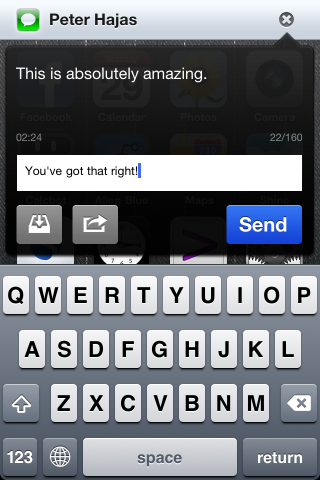
In a surprising move, Peter Hajas has released his last version of the popular iOS notifications jailbreak replacement, MobileNotifier. We covered another blog post of Peter's yesterday, in which he declared that he was leaving as the head of the development team for MobileNotifier.

Right after we reviewed Beta4, MobileNotifier Beta5 "Ecstatic Eggo" has now been released in Cydia. And Peter is calling Beta5 the most "revolutionary release since the project's inception."

Download Torrents On Your iPhone With iTransmission

iTransmission is a free jailbreak app that allows you to download torrents straight to your iPhone. We've talked about torrent apps before, but iTransmission works like the popular desktop torrent app of a similar name, Transmission.

Transmission has been a hugely popular torrent client on non-mobile platforms, and iTransmission aims at making it easy to download torrents right from your iPhone.

MobileNotifier Beta4: iOS Notifications the Right Way

Notifications in iOS have always sucked. Let's be honest, whether you've grown to actually like and/or tolerate Apple's system for push notifications on the iPhone, you still have to look at other platforms like Android and Palm OS and scratch your head.

Apple got one thing right: making sure you see your notifications in iOS. The problem is that there is no method of queuing, collecting, or saving notifications. When something gets pushed from an app, you have to deal with it right away.

Luckily, we have the jailbreak community to thank for several wonderful alternatives to the stock system of notifications in iOS. My favorite is called MobileNotifier. Let's take a closer look...

Square Introduces “Card Case” to Revolutionize Mobile Payments

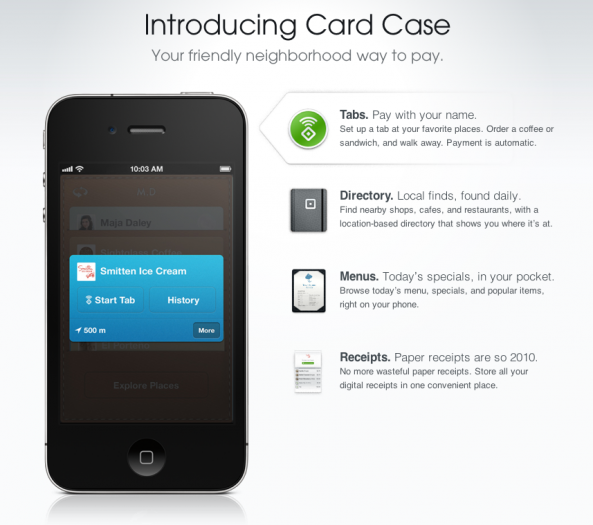
We've told you about the revolutionary mobile payment system for iOS, called Square. As a creation by  Twitter's co-founder, Jack Dorsey, Square aimed at bringing mobile payments to the iPhone and iPad in a way that's never been done before.

As was unveiled yesterday, Square has introduced the next step in its path towards dominance of the mobile payment industry, called the Card Case. Instead of paying with a physical credit card or cash, why not just use an app and your own name?

How to Maintain Homescreen Organization When Restoring Your iPhone

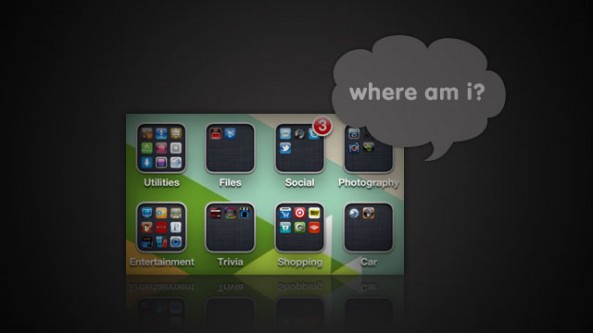
We've all been there; your iPhone gets restored and you lose all of the app folders and page customization you spent months tweaking to perfection. Even when you restore from a backup, you lose your homescreen customization.

There's actually a nifty iTunes trick that will allow you to regain your previous homescreen customization after an iOS restore. For jailbreakers, it isn't that easy...

Safari “Reading List” in Mac OS X Lion Will Wirelessly Sync Bookmarks with iOS Devices

Apple's next version of their desktop operating system, Mac OS X Lion, is nearing the final stages of developer beta testing. It is suspected that Apple will release the new OS to Mac users this summer.

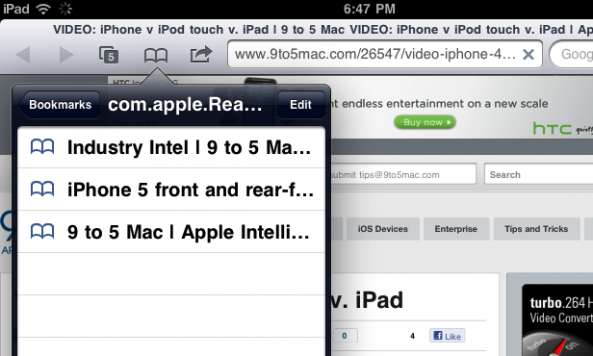
More and more features are being uncovered in the developer builds of OS X Lion, and a recent finding points to a cloud-synced bookmark feature in Apple's browser, Safari. The new "Reading List" feature in OS X Lion will allow users to wirelessly sync their bookmarked webpages with iOS devices.

This would allow you to easily take your bookmarked pages with you on the go...

Microsoft Will Continue to Support Skype on iOS

You can rest easy. Microsoft's CEO, Steve Ballmer, has confirmed that the company will "continue to invest in Skype on non-Microsoft client platforms."

As we previously reported, Microsoft has acquired Skype to the tune of $8.5 billion. The technology juggernaut plans on implementing Skype's VoIP technology into its Windows Phone 7 platform, but the company also states that it will continue to support Skype on non-Windows platforms.

Microsoft Buys Skype for $8.5 Billion

In a shocking report, The Wall Street Journal has confirmed that Microsoft has purchased Skype in a 8.5 billion dollar buyout. This deal gives Microsoft complete ownership of Skype Technologies SA, and this buyout is one of Microsoft's biggest purchases to date.

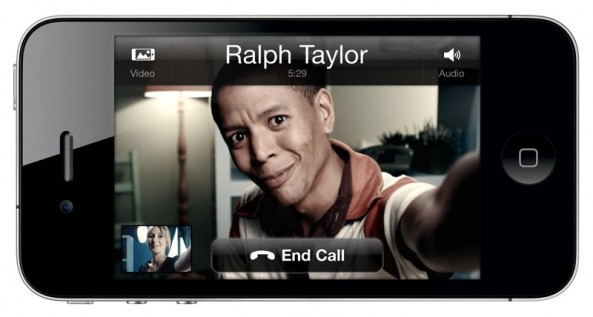
Skype has been a key player in the desktop and mobile space as one of the most popular VoIP services in existence. On iOS, Skype has always been a wonderful service for those wishing to make calls (both audio and video) over 3G and Wi-Fi.

How to Override In-App Audio and Listen to Your own Music

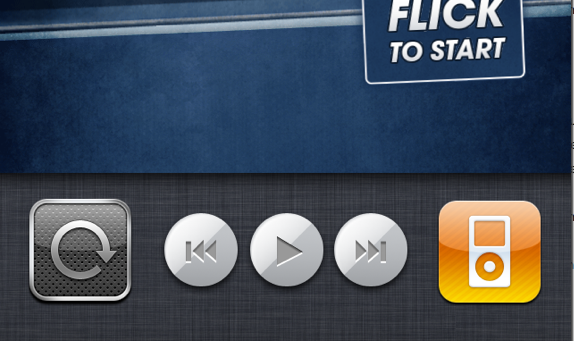
I've always wanted a way to listen to my music from the iPod app while I play games on my iPhone. Until multitasking came to iOS, that was just a pipe dream. Yet, even after Apple introduced multitasking, I still didn't really have the ability.

Many iOS games have their own soundtrack and completely turn off your iPod music. Luckily, the folks over at FSM have provided an easy tutorial for a work-around that will allow you to rock your own music while gaming on your iDevice...

Amazon Cloud Player Now Works on the iPhone

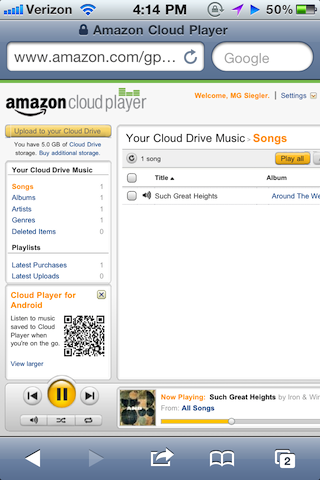
According to a report from TechCrunch, Amazon's Cloud Player has magically started working on the iPhone and other iOS devices. The service, which was initially available to only PC and Android users, seems to have gained iOS support.

When you visit the Amazon Cloud Player webpage, the website will inform you that your device is not supported, but after ignoring the message, all features seem to be working flawlessly. 

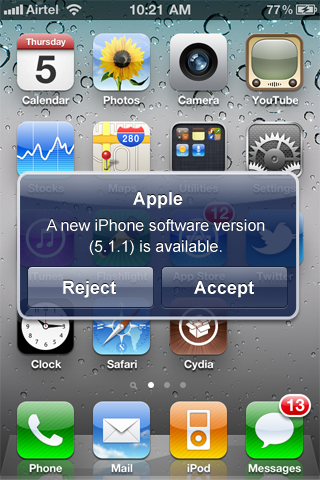
Apple to Offer Over the Air iOS Updates for iPhone

Most of you should be pretty familiar with the iOS update process by now. For anyone who needs a refresher, it's quite easy. You simply plug your iDevice into a USB port on your computer, and initiate the update through iTunes.

Although Apple's current method is fairly straight forward, competitors such as Google offer a more direct way for customers to get the latest software for their Android devices. I'll admit OTA (Over the Air) updates are convenient, but are they really the best way to deploy updates?