iOS

Videos: cool stuff made with ARKit

Eager to learn why Apple's new ARKit framework is such a big deal? Look no further than a new website which offers a hand-picked curation of some of the coolest stuff developers have made thus far with ARKit, via The Loop.

For the uninitiated, augmented reality experiences superimpose computer-generated imagery on top of live video feed of the real world. According to Apple, ARKit uses a technique known as Visual Inertial Odometry to accurately track the world around an iPhone or iPad by fusing camera sensor data with motion data.

“These two inputs allow the device to sense how it moves within a room with a high degree of accuracy, and without any additional calibration,” the company says.

The following videos offer a look at the capabilities of the ARKit framework.

https://www.youtube.com/watch?v=nMd0dIAEJuc


https://www.youtube.com/watch?v=1hvfpxaxGwc


https://www.youtube.com/watch?v=6OV2mBbNtVk


https://www.youtube.com/watch?v=2xrVFDRJ8HQ


https://www.youtube.com/watch?v=R4OeFjZCi9o


https://www.youtube.com/watch?v=OHJRExynkuI


https://www.youtube.com/watch?v=VdaWHv6hmJk


https://www.youtube.com/watch?v=njQSiO2uj0s


https://www.youtube.com/watch?v=Rq2NChZ3c4E


https://www.youtube.com/watch?v=4HY868Jskrc

The ARKit framework uses computer vision to determine the layout of your surroundings and automatically find horizontal planes like tables and floors. It can track and place objects on smaller feature points and apply the right type of light to a virtual object in order to match the current lighting conditions in your room.

Ikea is working on an AR app in partnership with Apple that will let users try out furniture in augmented reality before buying it. Apple's WWDC 2017 keynote demos included an upcoming ARKit-driven game, called Wingnut AR, by director Peter Jackson's AR company.

If you like these demos, be sure to follow @madewithARKit on Twitter.

ActIf 2 brings conditional statement support to Activator

To say Activator is a useful tool for jailbreakers is an understatement; the popular extension is by far one of the most powerful tools ever designed for jailbroken devices, and its popularity today is a testament to how the classics never die.

Despite how useful it is out of the box, you can now make it even more powerful with a new jailbreak tweak dubbed ActIf 2 by iOS developer Jay Zuerndorfer, which adds support for conditional statements.

This tweak makes the App Switcher’s Home screen card more consistent

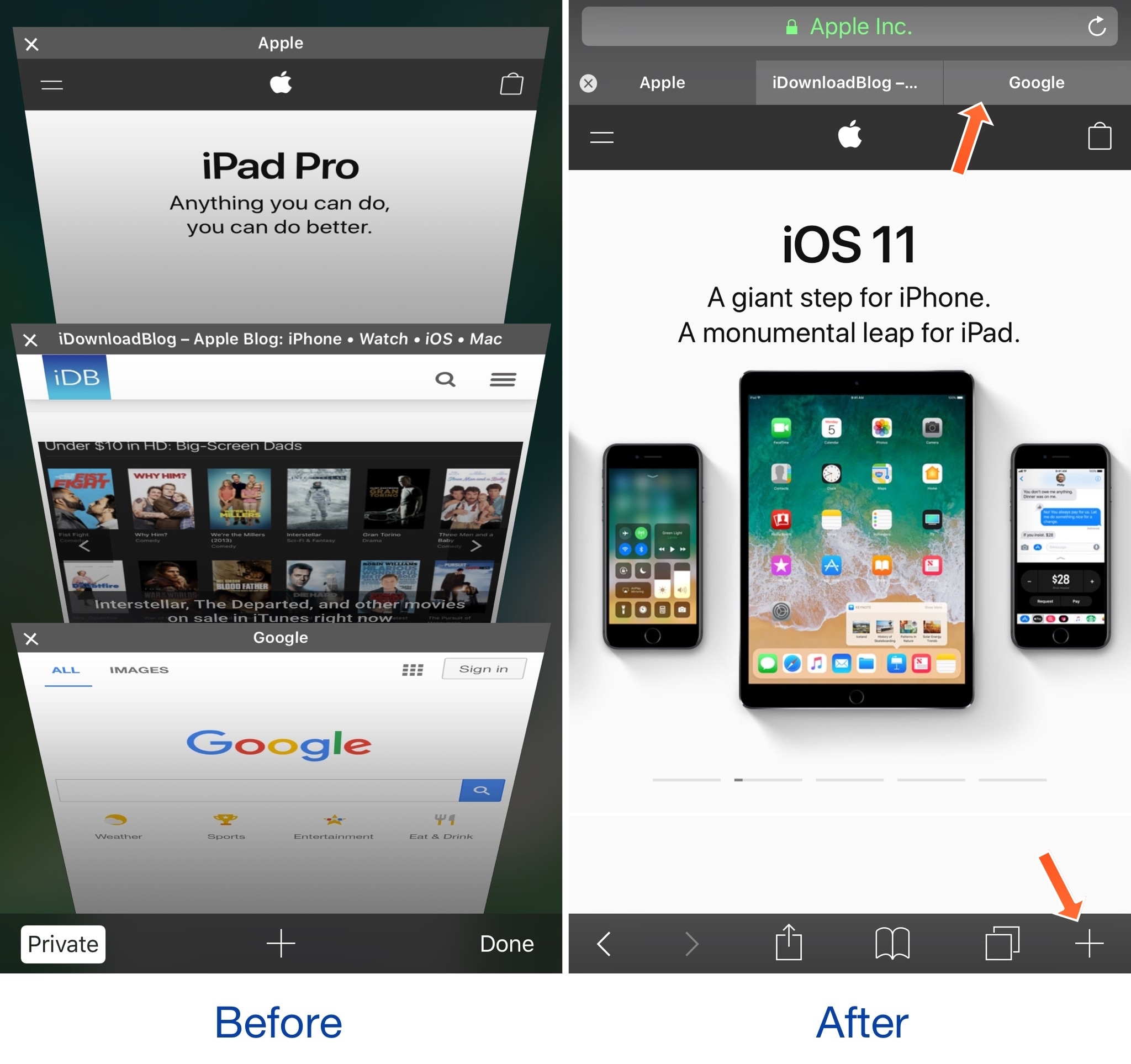
The App Switcher has a Home screen card in addition to those for each of your recently used apps. While each app has its own header with an icon and label above it, the Home screen card unfortunately does not.

A new free jailbreak tweak called HomeCardIconLabel by iOS developer DGh0st does away with this inconsistency and adds both a label and icon to the top of the Home screen card in the App Switcher.

CamMode adds a mode-switching HUD to the Camera app

The Camera app in iOS has a host of different shooting modes that you can switch between by swiping left or right in the viewfinder frame.

The carousel selector just under the frame displays the shooting mode you’re currently using, but iOS could do a much better job communicating this information with the user, especially in the wake of accidental swipes. Developer Cole Cabral agreed, and so he made a new free jailbreak tweak called CamMode.

Spice up your Lock screen’s passcode capabilities with Callisto Pro

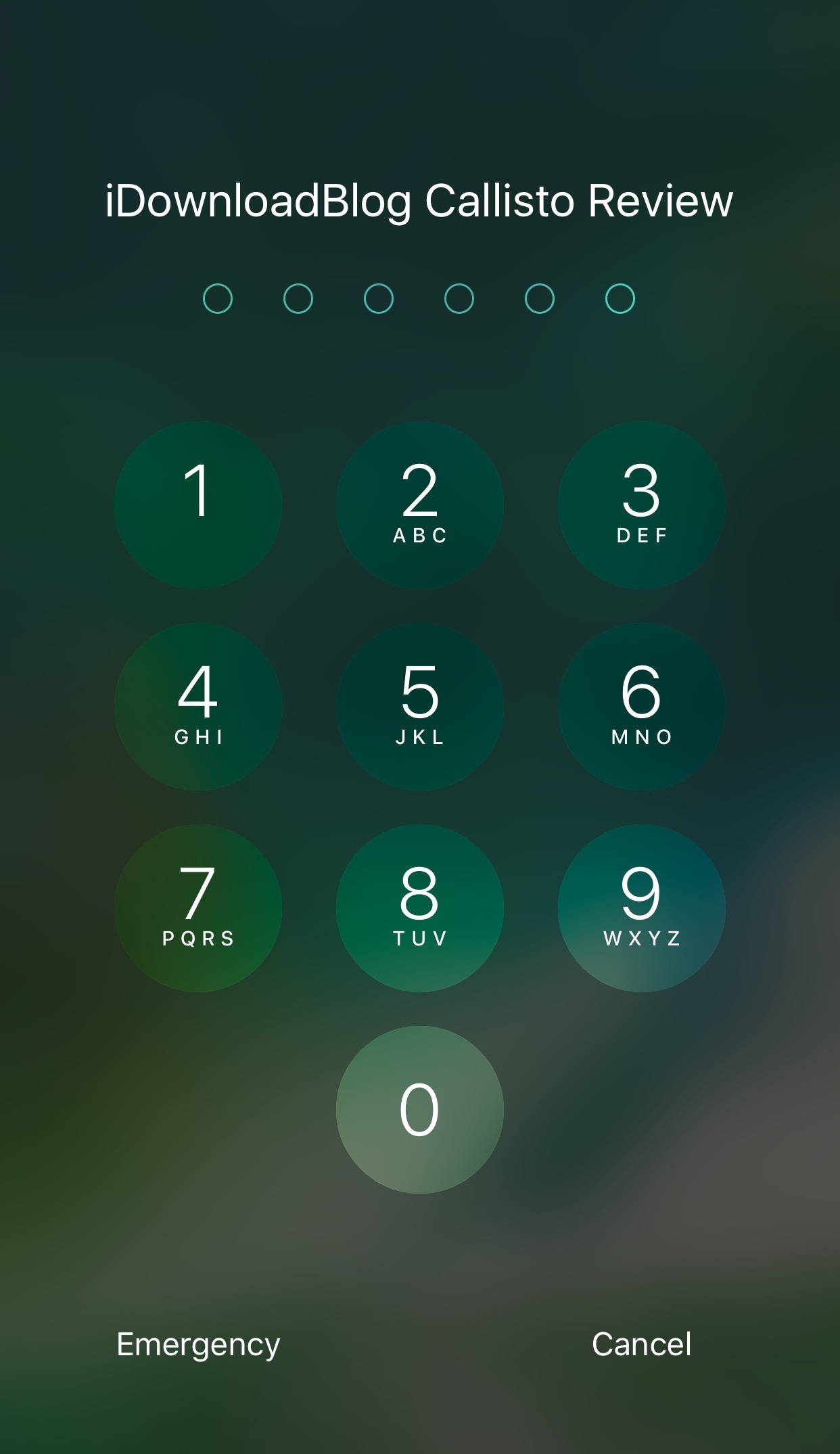
Whether you’re using Touch ID or a passcode to secure your device, a new jailbreak tweak dubbed Callisto Pro (iOS 10) by iOS developer ijapija00 provides a host of new features for customizing the passcode-entry experience.

It's jam-packed with both aesthetic and functional features, letting you not only customize the way your passcode keypad looks and feels, but also the way it keeps your device protected.

This tweak brings an iOS 11-inspired passcode keypad to iOS 10

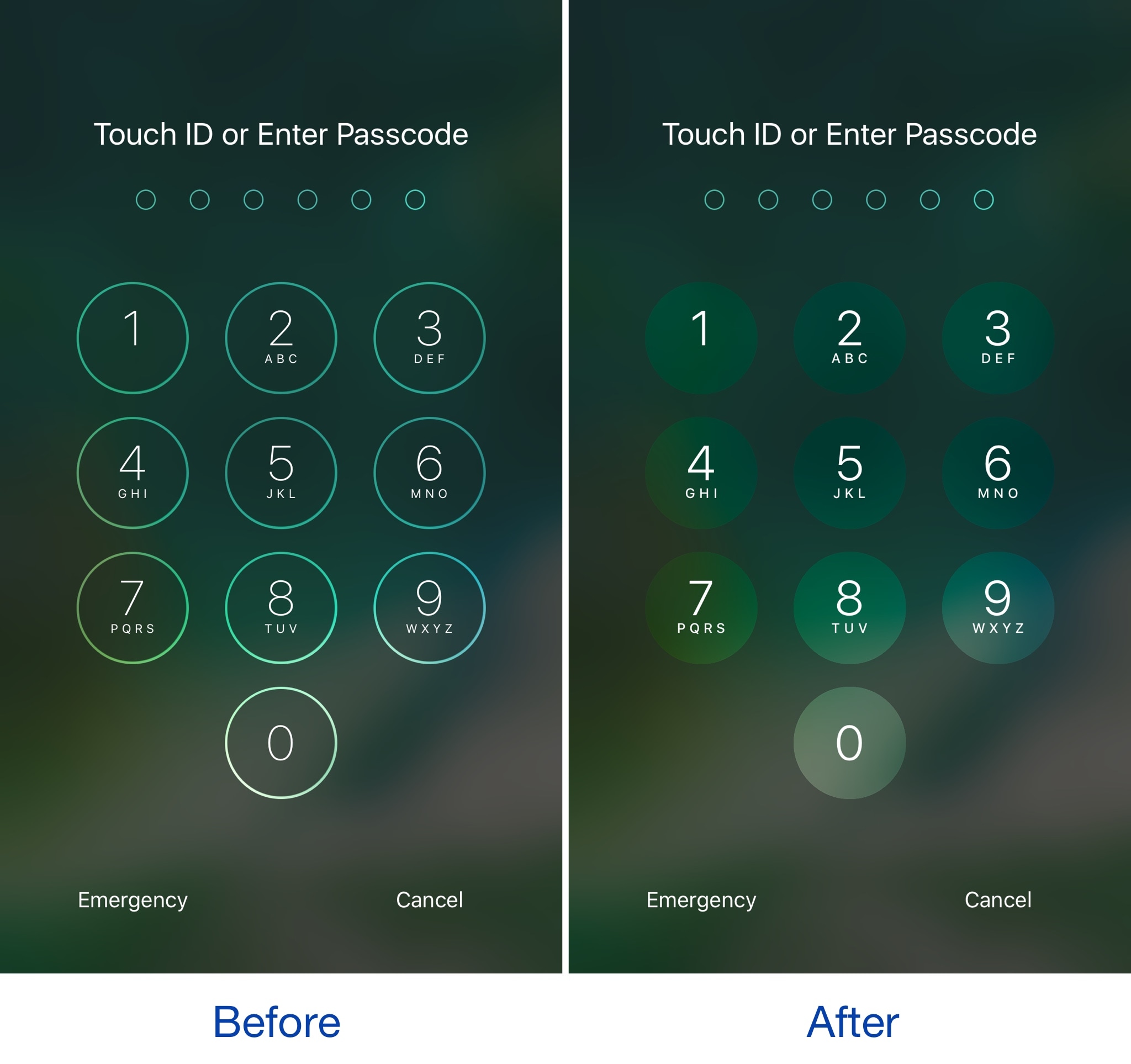
Among the slew of interface changes iOS 11 brings to the table, one of first things you’ll notice after picking up a device with the new operating system installed on it is the redesigned passcode keypad.

If you like the way it looks, but you won’t be upgrading this Fall in order to keep your jailbreak, a new free jailbreak tweak dubbed Creamy (iOS 10) by iOS developer ijapija00 can be used to mimic the aesthetics of the iOS 11 passcode keypad on your jailbroken device.

Apple’s iPad strategy is finally stupendously watertight

Rome was famously not built in a day. And we know now that at Apple, the iPad line-up was not intuitively streamlined until WWDC 2017. Factoring out the formative years of iPad shortly after its birth in 2010, too many incremental releases (e.g. iPad 3 to iPad 4 in the same year of 2012, also iPad Mini) and too much tinkering with suffixes in the name (Air, Pro, Mini, blank) had diluted and complicated the iPad brand, so much so that large numbers of customers must have struggled to stay on top of what’s the latest tablet product on Apple’s shelves.

By the same token, even if some customers were in the know about what the factual successor to their beloved iPad Air 2 is, most would understandably be hard pressed to remember which of Apple’s iPads is the most or least powerful in the mix, or how they all compare to each other in terms of pricing. That is of course besides all the other important product specifications (camera, Apple Pencil compatibility, etc.) every informed customer should be able to easily grasp for each iPad available, before ultimately pouncing for the most suitable choice. And regrettably up until mid 2017, Apple has not made any of that easy for us.

I would in fact go further and lament that it's been a sticky mess, lacking direction and - more reprehensibly - common sense.

Inconsistencies left right and center

I’m not going to bore you for long with the most questionable decisions of the past, such as the counterintuitive marketing language used between the ‘new iPad’ (iPad 3), the 'iPad with Retina Display' (iPad 4) and the subsequent iPad Air, or instances where iPad Minis eclipsed their bigger brothers in specs or numbers.

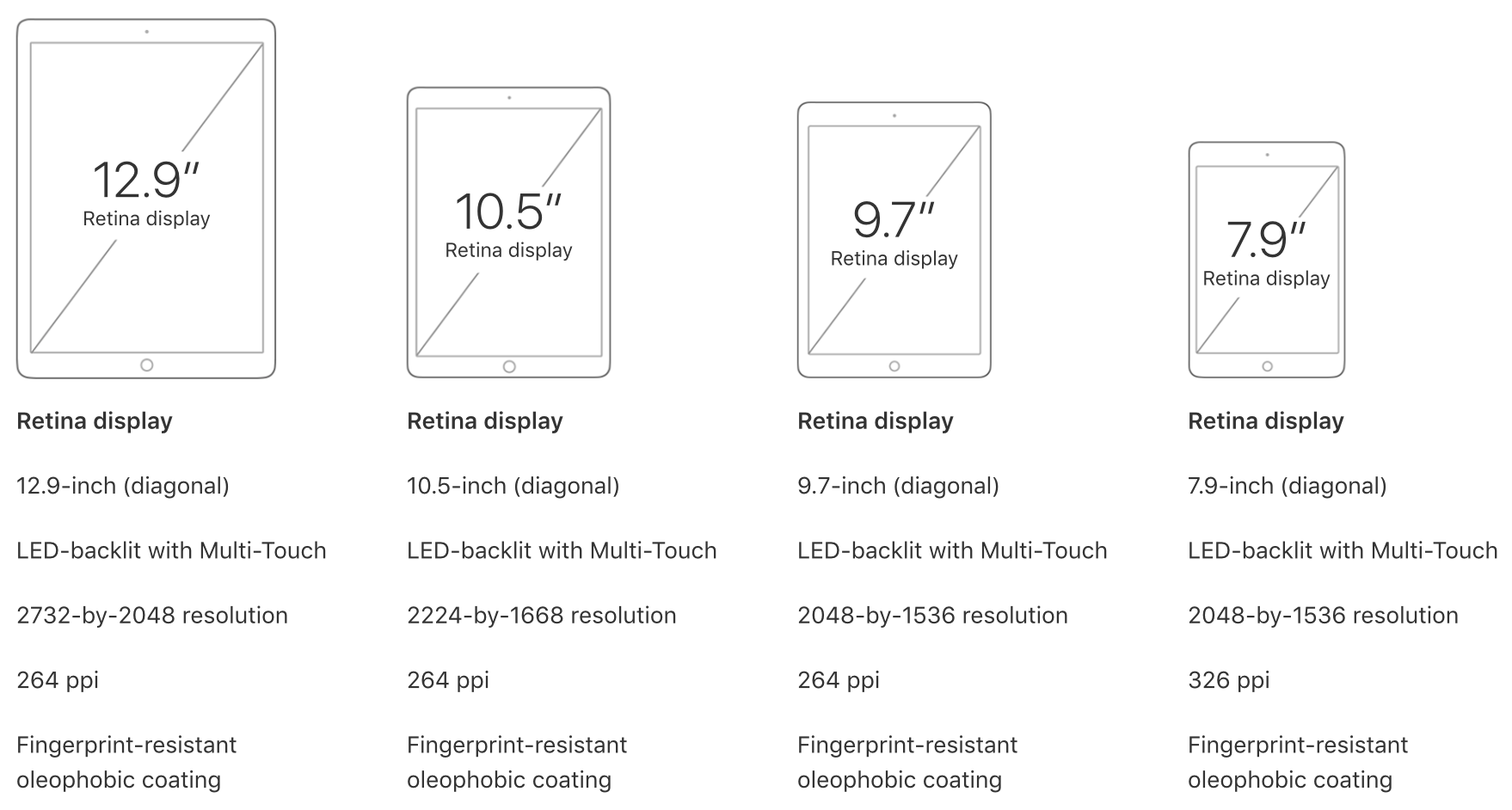
However what these examples do underscore is that the most recent case of Apple not being able to draw clear, differentiating lines between their different iPad categories is on no account unprecedented. Just consider this: not long ago, in March to be exact, Apple released their ‘new’ 9.7-inch iPad (no suffix) to a market until then sporting the 9.7-inch iPad Air 2 and the 9.7” iPad Pro. With that, prospects were asked to make sense of three (to the naked eye) identically looking iPads, all of which had a unique marketing slant and story to tell.

Add the iPad Mini 4 and the super sized 12.9” iPad Pro to the equation and it’s easy to see how Apple could have really dropped the ball at WWDC ’17 by adding insult to injury and introducing yet another brand new iPad, the smashing 10.5” iPad Pro. Thankfully, they did just about the opposite.

When all of a sudden everything stacks up

Instead of presenting a historically inflated iPad line up, the 10.5-inch reveal was preceded by some serious purging actions behind the scenes. The result is beautiful, not just because the 9.7” ambiguity has been completely eliminated.

What’s more striking is that customers are now dealing with three iPad classes (Pro, Normal, Mini) and accordingly unique size offers for all three, unique prices for all three and even uniquely capable chips for all three. All criteria is arranged in an entirely intuitive order, namely descending from bigger to smaller, from more expensive to cheaper, from more powerful to more economic, in short: from Pro to Mini. It’s like Apple themselves got tired of the fuzzy product lines and decided to do a full one-eighty.

What you see is what you get now, meaning even the less techy customer is going to be able to remember that the big Pro iPads rock the most powerful chips (A10X) followed by the medium sized normal iPad (A9), which in turn has the lead over the physically smallest iPad Mini (A8). Gone are the days of an awkward A9X chip in the dead on arrival 9.7” iPad Pro, or other illogical decisions such as equipping one iPad Pro with a 12MP rear camera while the big brother has a sucky eight.

Today, the meaningful specs such as the chip or camera are aligned in descending order at 12 MP for all Pro iPads and 8 MP for the mid tier choice plus lower tier iPad Mini. It’s just disarmingly straightforward. Want the most storage? You’ll have to shoot for the physically biggest Pro category to get up to 512GB of storage. Want to try the least powerful iPad to test the water first? Grab the physically smallest iPad. Which iPads are Apple Pencil compatible? Only the ones bigger than the original iPad. Find the 9.7” size to be perfect? Good, you’re done, no need to choose between a 9.7-inch iPad Pro, iPad Air and iPad whatnot.

The logic behind this is painfully commonsensical, which begs the question why it took Apple so long to get there, but I am willing to forgive and forget. Water under the bridge, Apple, what matters is that we finally have clarity.

June 2017 has not only brought us spanking new iPads and a glimpse of an iPad-focussed iOS 11, but also finally clear product differentiation that will be easily replicable for experts and more importantly understandable to the average customer. In that vein, WWDC 17 could have been a watershed moment for the one product line Tim Cook has been so bullish about time and again. So please Apple, do not muck this up come November or at any other point in 2018, it took us long enough to get here.
Jailbreak tweaks of the week: BrowserChanger10, CCustomize, & more…

Things have been picking up in the jailbreak community lately, which is great for those who want to try new jailbreak tweaks to trick out their devices. While some tweaks exist to make iOS look better, and others make iOS function in new ways, all jailbreak tweaks serve some kind of purpose to the tune of making your device do more out of the box.

In this roundup, we'll talk about all of the jailbreak tweaks that were released this week, starting with all of our favorites and then moving on to the rest afterwards.

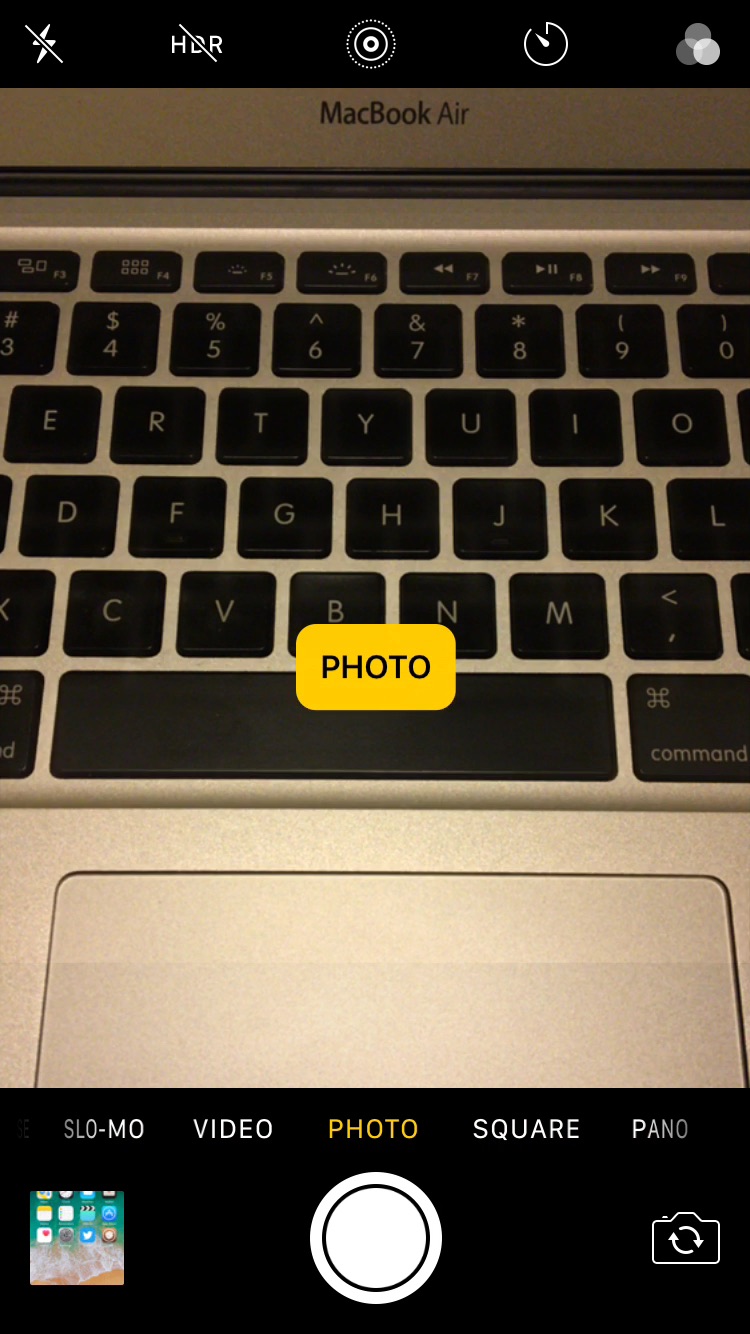
Improve your iPhone’s low light camera focusing with Torch on Focus

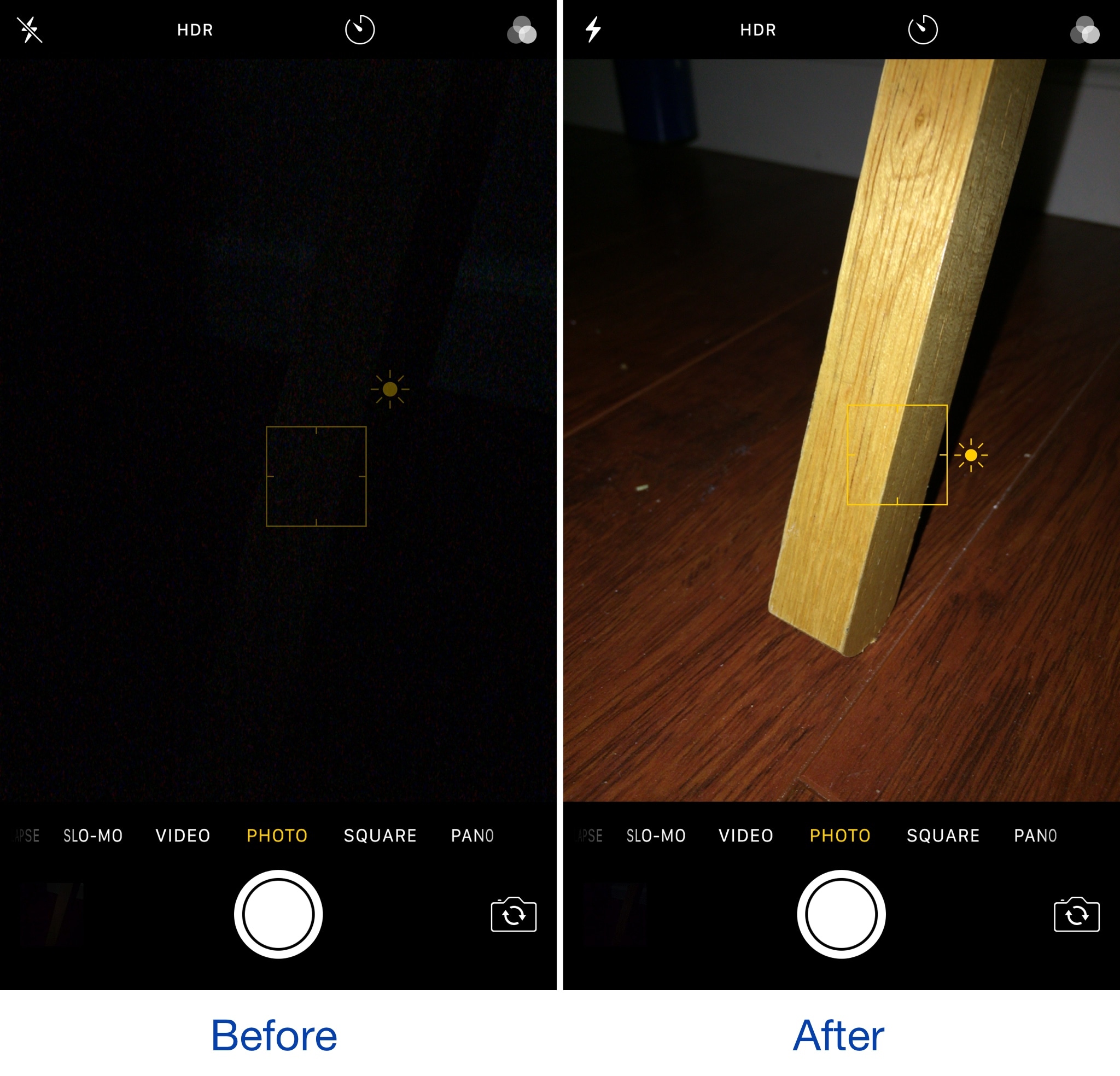
Torch on Focus is a new free jailbreak tweak by iOS developer Guy Kaplan that improves your iPhone photography in low-light conditions, which make it more difficult to focus on your subject.

The tweak manages this by turning on the LED flash on the back of your iPhone from the moment you begin to focus on an object with your camera, so your focusing never skips a beat.

This tweak disables the lockout when connecting your iPhone to a CarPlay unit

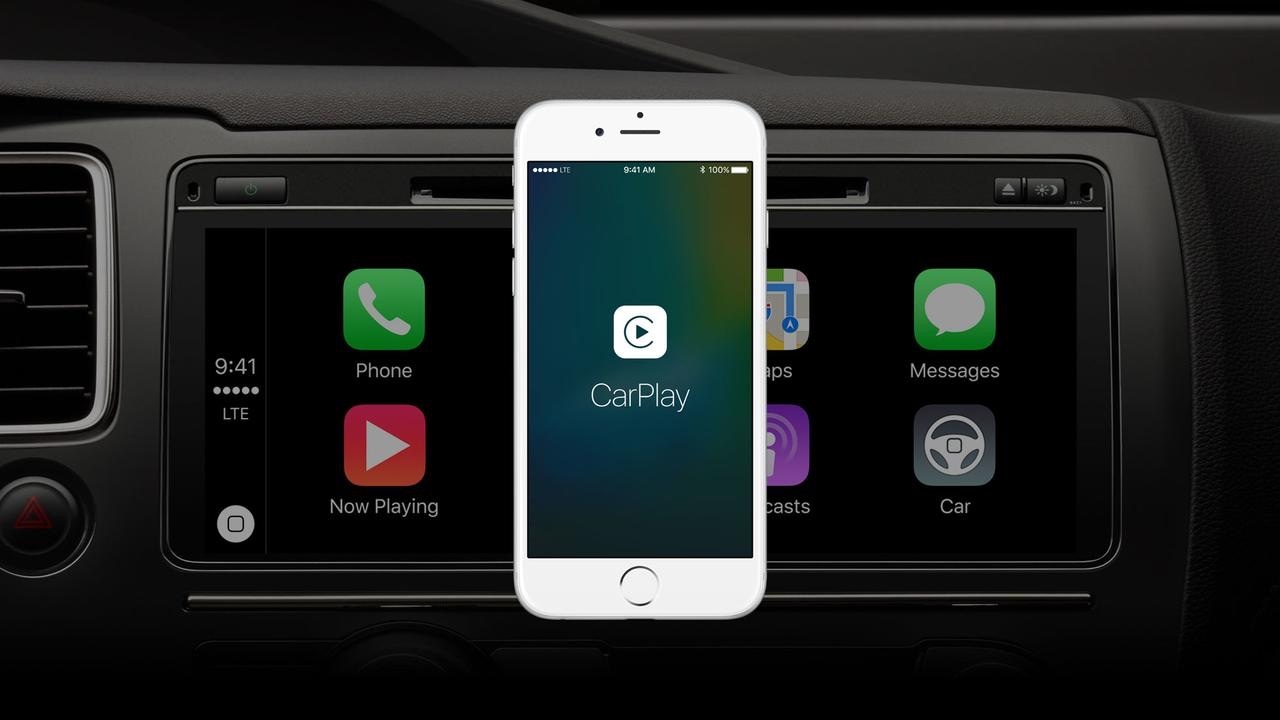
When using CarPlay, your iPhone naturally displays the screen you see above for several seconds before automatically falling asleep and kicking you out to the Lock screen.

A new free jailbreak tweak called CarPlay Lockout by iOS developer theo78825 prevents your device from locking you out and rather returns you to the Home screen after a brief display of the CarPlay screen.