iOS

How to disable ‘Behind the Lyrics’ pop-ups in Spotify

Spotify is perhaps one of the largest names in the music-streaming industry, and while Apple Music is indeed catching up, a large number of iPhone users are still using the third-party alternative.

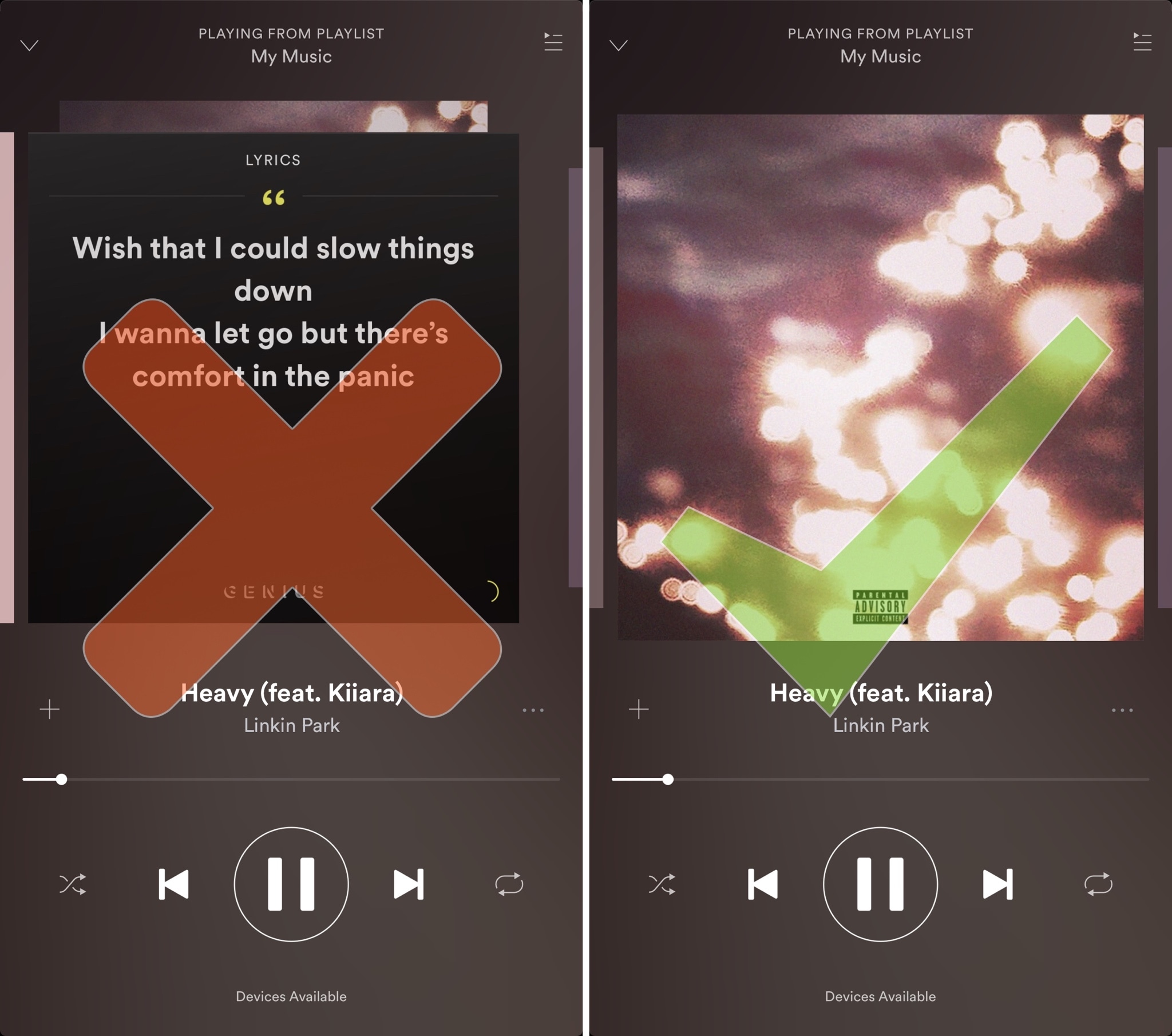
Despite its popularity, many Spotify users aren’t fond of the persistent Behind the Lyrics feature that interrupts your view of the album artwork whenever music is playing.

Choose your default web browser in iOS with BrowserChanger10

Everyone has a favorite web browser they prefer to use on their computer, but when it comes to the iPhone or iPad, Apple forces all URL links to open in Safari by default.

You can change this with a new free jailbreak tweak called BrowserChanger10 by iOS developer HiDaN, which lets you choose a new default web browser for opening URL links.

This tweak makes Spotify album artwork display in full screen mode

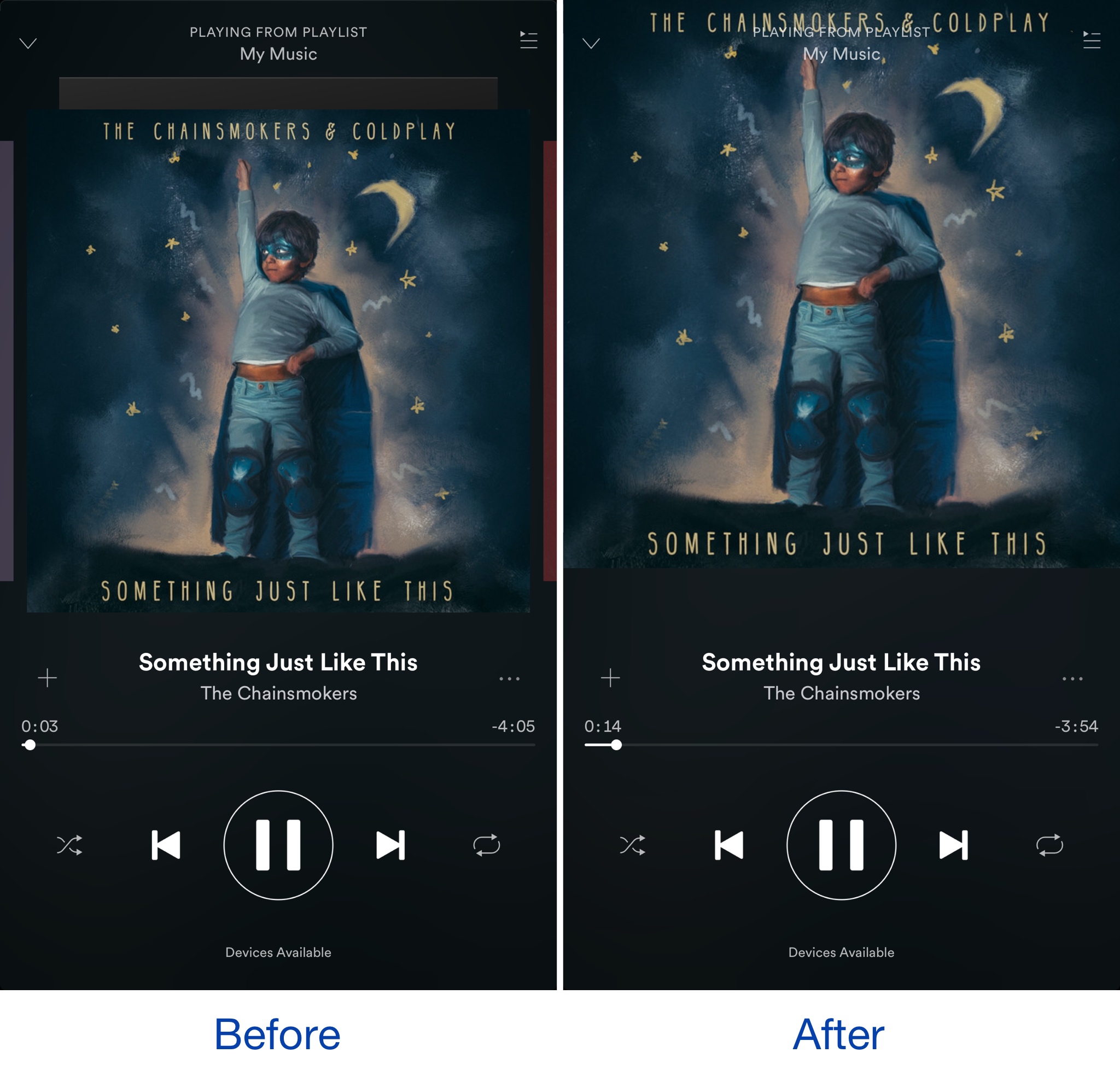
When listening to your songs in the Spotify Music app, the album artwork is typically scaled down slightly so that there’s a bit of empty space in between it and the edge of the display.

A new free jailbreak tweak dubbed SpotifyFullScreenArtworkUI by iOS developer theo78825 scales up the album artwork a little bit more so it fills the whole top half of the screen.

Make unlocking non-Touch ID devices quicker with Accelerated Unlock

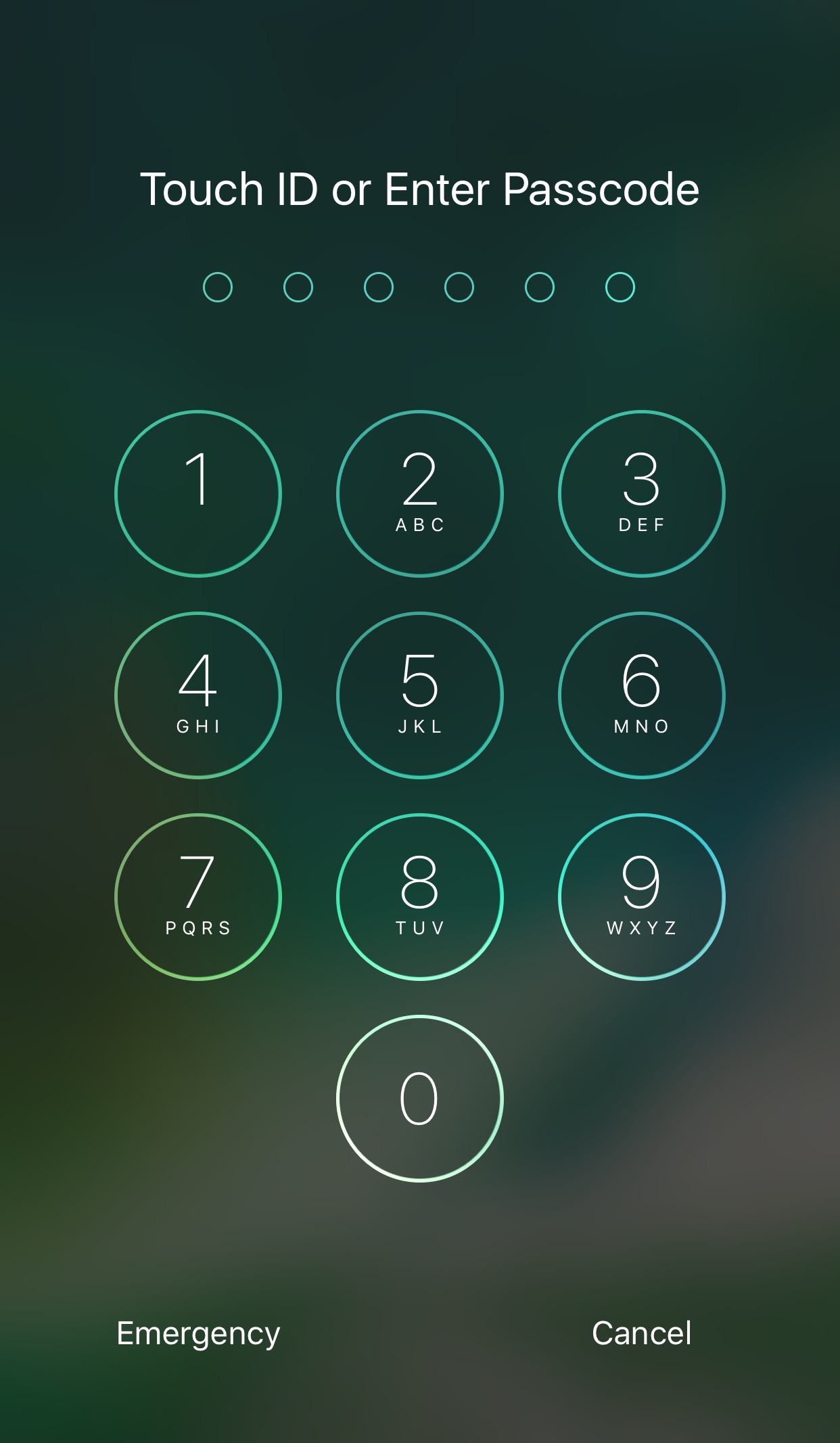
Devices that don’t support Touch ID or just aren’t utilizing the feature typically resort to passcodes as the next best form of security. On the other hand, there tends to be a rather annoying delay after pressing the Home button before the passcode interface finally appears.

A new free jailbreak tweak dubbed Accelerated Unlock by iOS developer Youssef Mikhail does away with this unwanted delay and makes unlocking your device seem faster.

Basic analytics coming to iOS 11’s Podcasts app

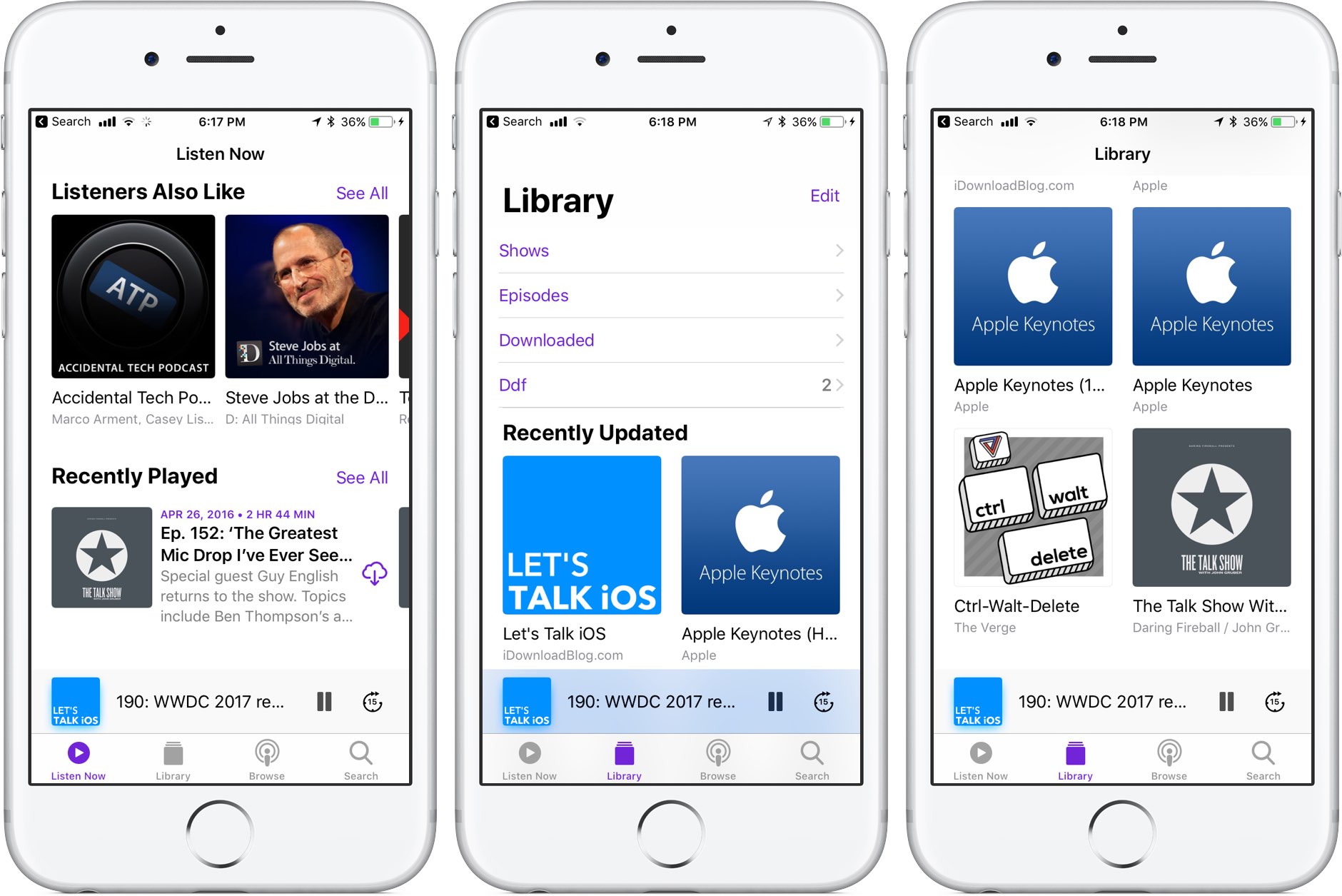
Like many stock apps in iOS 11, Apple's Podcasts app has been redesigned around an Apple Music-style appearance with consolidated tabs, bigger thumbnails and more.

As reported by Recode's Peter Kafka and Six Colors' Jason Snell, Apple is also making some notable changes to the way podcast feed works so that both podcast creators and advertisers can see what listeners actually like.

As for users, they'll be able to download full seasons of their favorite podcast shows and the Podcasts app will determine if a podcast should be played in chronological order.

There are other updates focused on making podcast creators' lives easier as well. According to Apple's own spec sheet regarding the Podcasts app updates in iOS 11, the updated Apple Podcasts specification now provides the following features:

Podcast creators can now provide clear, concise titles. Improvements to how episodes are ordered and recommended within a season. The ability for new subscribers to receive the full current season in their Library. Quick play lets users pick up listening where they left off.

Podcasts will be able to define individual seasons and explain whether an episode is a teaser, a full episode or bonus content. Snell explains that these extensions will be read by the Podcasts app and used to present a podcast in a richer way than the current linear approach in iOS 10.

https://www.youtube.com/watch?v=LFsAlcnlmSo

Subscribe to iDownloadBlog on YouTube

As explained, Apple is going to share more data with podcast creators and advertisers.

With basic analytics, podcast creators will have the ability to see when listeners play individual episodes, what part of individual episodes they listen to, which parts they skip over and when they stop listening. To protect your privacy and prevent targeted advertising, Apple will provide aggregated, anonymized performance data that cannot be tracked to individual users.

Currently, podcast creators can see when someone has downloaded an individual episode, but that's about it when it comes to analytics.

How do you like these changes coming to the Podcasts app?

Share your opinion in the comments section below.
Jailbreak tweaks of the week: Apace, SocialDownloader, TimeMover, & more…

It has been a busy week amid preparations for WWDC 2017, but that hasn't stopped the jailbreak community from hammering out jailbreak tweaks to improve the aesthetic and function of jailbroken iPhones and iPads.

In this piece, we'll talk about all of the jailbreak tweaks that were released throughout the past work week. We'll start first by going in detail with our favorite released, then we'll outline all of the rest afterwards.

AdvancedStatusTime lets you customize the Status Bar time format

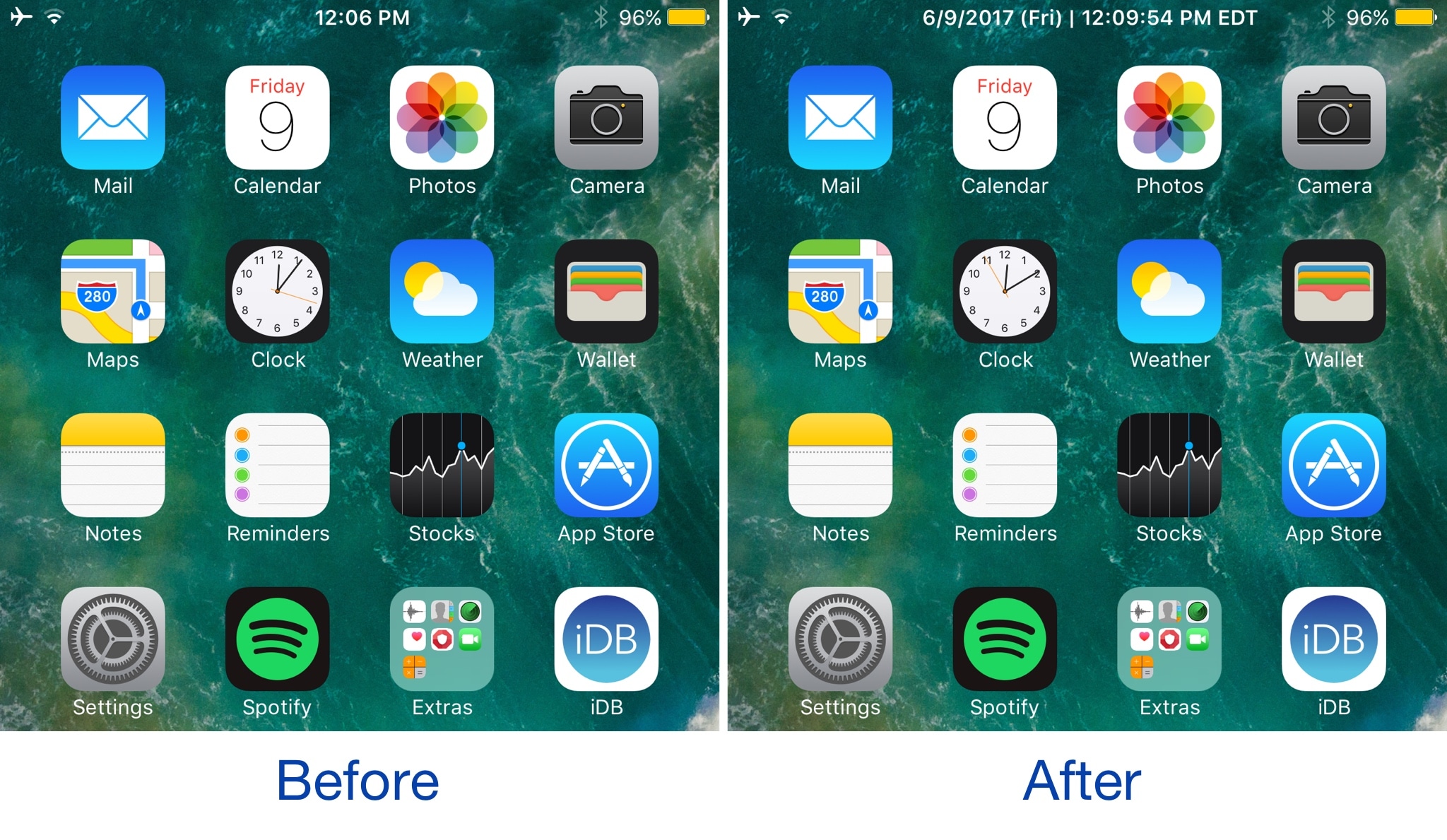
Your Status Bar is home to a digital clock that you can glance at throughout the day to keep track of time, but whether or not you like the way it’s formatted out of the box remains to be seen.

A new jailbreak tweak dubbed AdvancedStatusTime by iOS developer Maxwell Lang gives you a way to customize the time text string so that your time is displayed in the Status Bar how you want it to be.

TimeMover offers creative tools for moving and rotating your Lock screen clock

Depending on what kind of wallpaper you’re using on your Lock screen, a new jailbreak tweak dubbed TimeMover by iOS developer NeinZedd9 can help you re-orient your Lock screen clock to better match it.

Whether you want to move the time up or down or side-to-side slightly, or rotate it to follow the lines or effects appearing in your wallpaper, TimeMover has an intuitive tap and drag-based user interface for fine-tuning your Lock screen clock to match your unique setup.

AppLocker lets you secure apps with a password

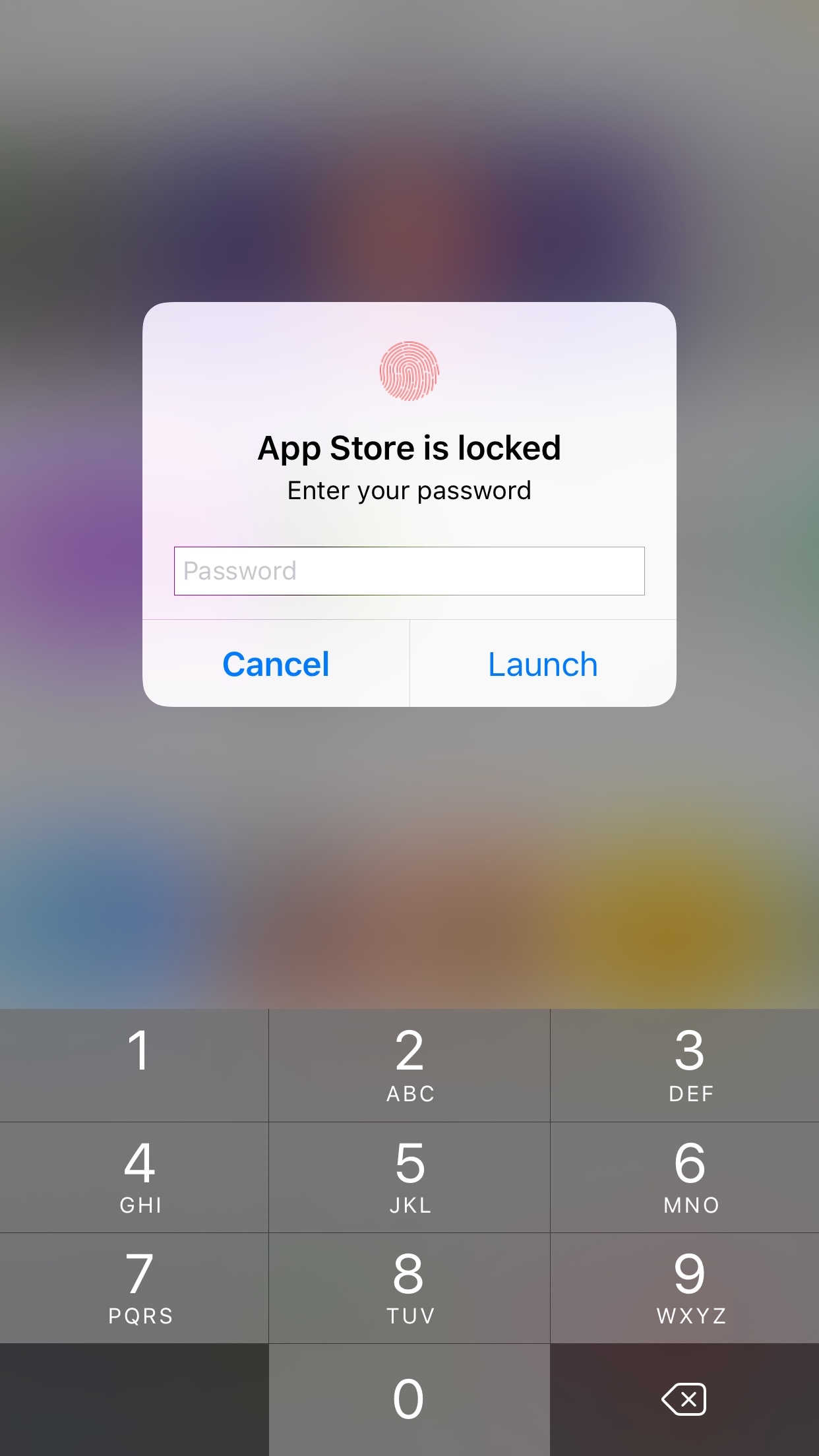
AppLocker by iOS developer Ori Kadosh, is one of the most popular app security jailbreak tweaks in Cydia, and it has been updated this week with full support for iOS 10.

AppLocker lets you create a password that you will use to access your apps; it's requested every time you launch an app, and if you can’t provide it, you can't use the app.

QuickTrust makes it easier to trust sideloaded app certificates

Depending on how advanced of an iOS user you are, you may sideload apps from time to time.

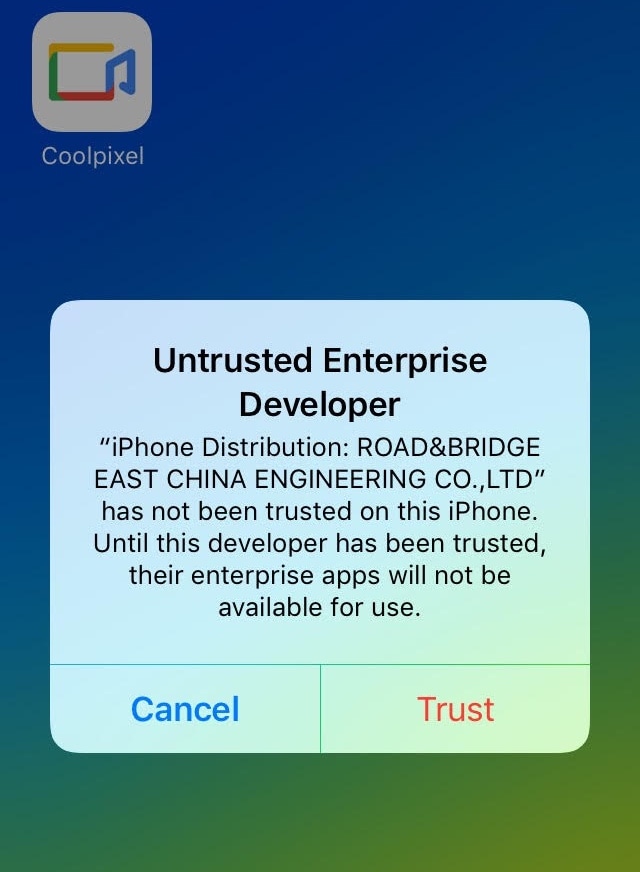
In many circumstances, sideloading third-party apps via Impactor or Xcode involves trusting a certificate – a process you should be familiar with if you've jailbroken with Yalu102 or Pangu for iOS 9 – but iOS doesn’t make the trusting process easy or straightforward out of the box.

Here to fix that problem is a new free jailbreak tweak called QuickTrust by iOS developer 1GamerDev, which adds a “Trust” button directly to the certificate pop-up alert, as shown above.

Have iPhone automatically answer incoming calls on your behalf

Many iOS 11 features seemed to be inspired by the jailbreak community. Among them, a brand new call audio routing option in accessibility settings that allows you to set your iPhone to automatically answer incoming calls on your behalf, should you wish so.

This optional feature supports regular calls via your carrier's mobile network, as well as Wi-Fi calls, FaceTime audio and video calls and any VoIP calls originating from third-party apps that use Apple's CallKit framework, such as WhatsApp, Skype, Viber and more.

To enable this feature, go to Settings → Accessibility → Touch → Call Audio Routing.

There, you'll see the call routing options which include settings like Bluetooth headsets, the iPhone speaker and more. These options are also available on prior iOS editions. But look at the bottom and you'll see a brand new menu, labeled Auto-Answer Calls.

Tapping it takes you to a new screen where you can enable or disable the feature and set the duration of time your iPhone will wait when a call comes in before it's auto-answered for you.

This handy new option, as I already mentioned, is nowhere to be found in iOS 10 or earlier.

I can see myself using Auto-Answer Calls a lot, not just while jogging with my AirPods or working out with my PowerBeats in my ears but also in other situations when interacting with the phone may be impractical, like driving a car or swimming with my Apple Watch on.

How do you like this nifty feature? Will you be using this auto-answer call setting, and why?

Do let us know by posting a comment below!

TUTORIAL: How to set your iPhone to automatically answer calls