iOS

Dyadic combines Control Center and Today widgets into one interface

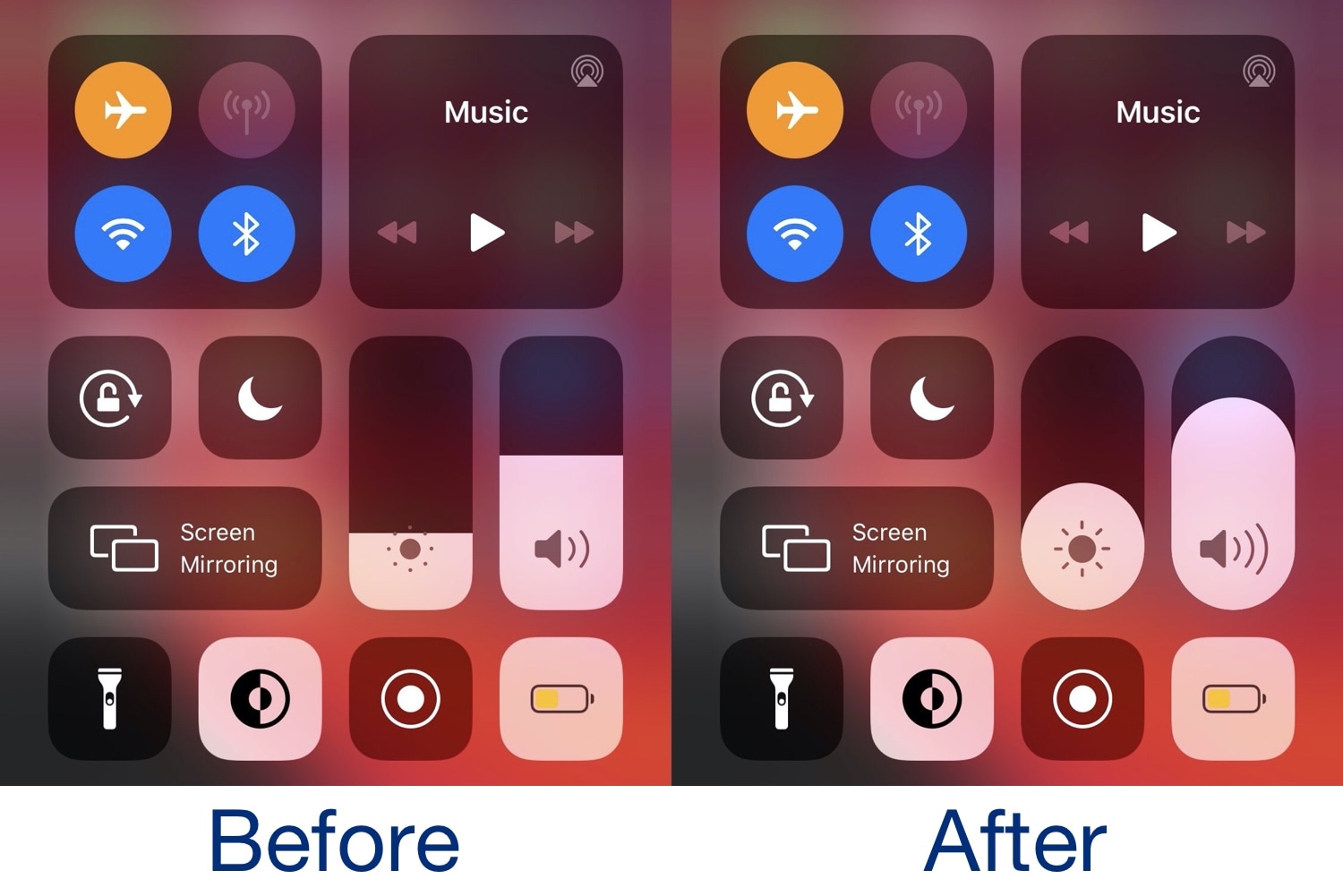
Two of the most useful on-demand interfaces in all of iOS are Control Center and the Today widget page, and if you’re any bit familiar with how iOS works, then you’d know that these interfaces are entirely separate from one another. But they don’t have to be… at least not anymore.

Enter Dyadic a newly released jailbreak tweak by iOS developer nicho1asdev that combines the two interfaces into one for a slicker user experience. What’s more is the tweak works seamlessly on both iPhones and iPads alike, ensuring a seamless ‘just works’ experience across all your jailbroken iOS devices.

CPUTool lets iOS jailbreakers underclock their CPU and GPU

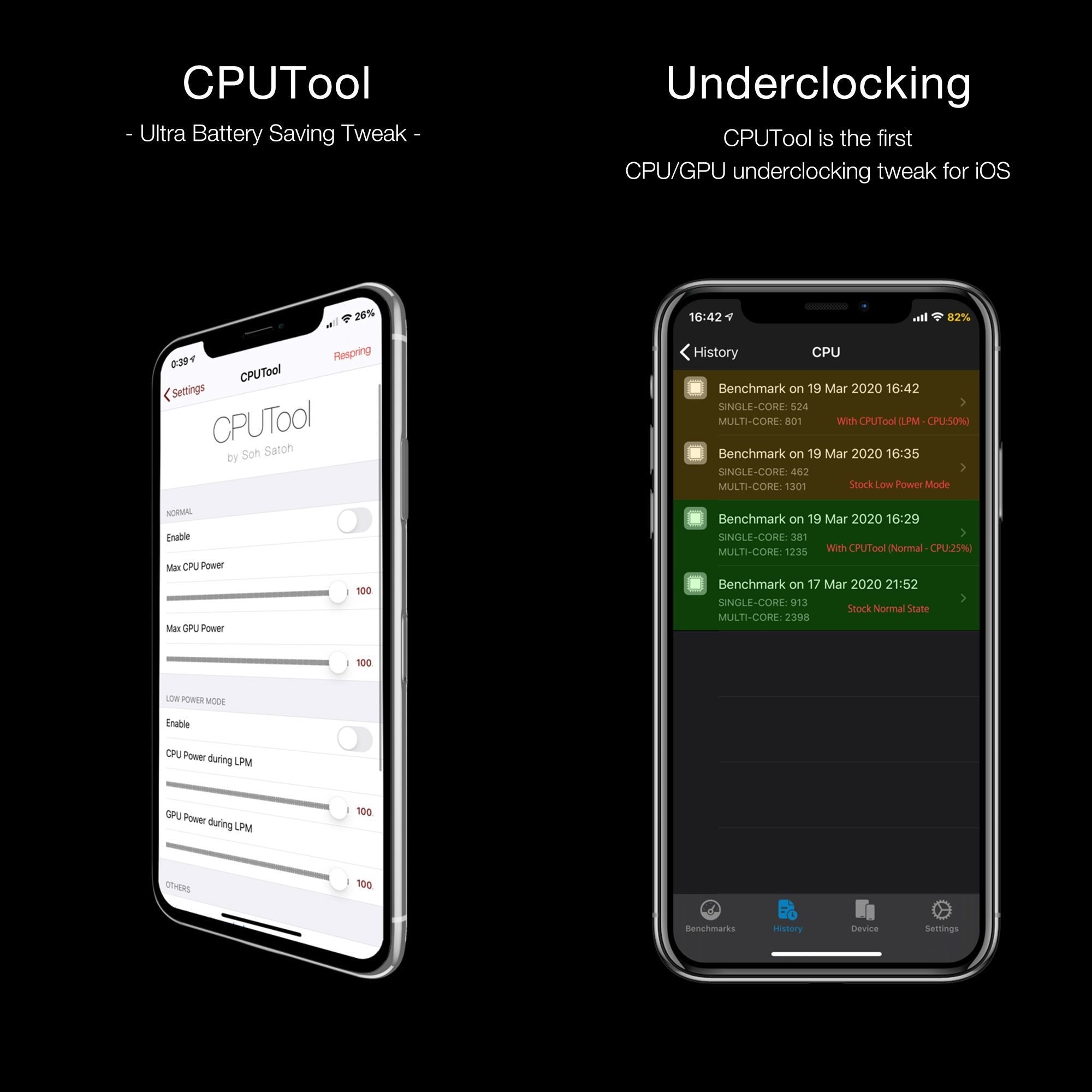
Apple doesn’t provide much by way of power savings on the iOS platform apart from the Low Power Mode feature and the use of general common sense with regard to reducing battery drain. Fortunately, those looking for more than what Apple seems willing to provide out of the box might be in luck as of this week.

This tweak mirrors your iPhone’s silent mode status to your Apple Watch

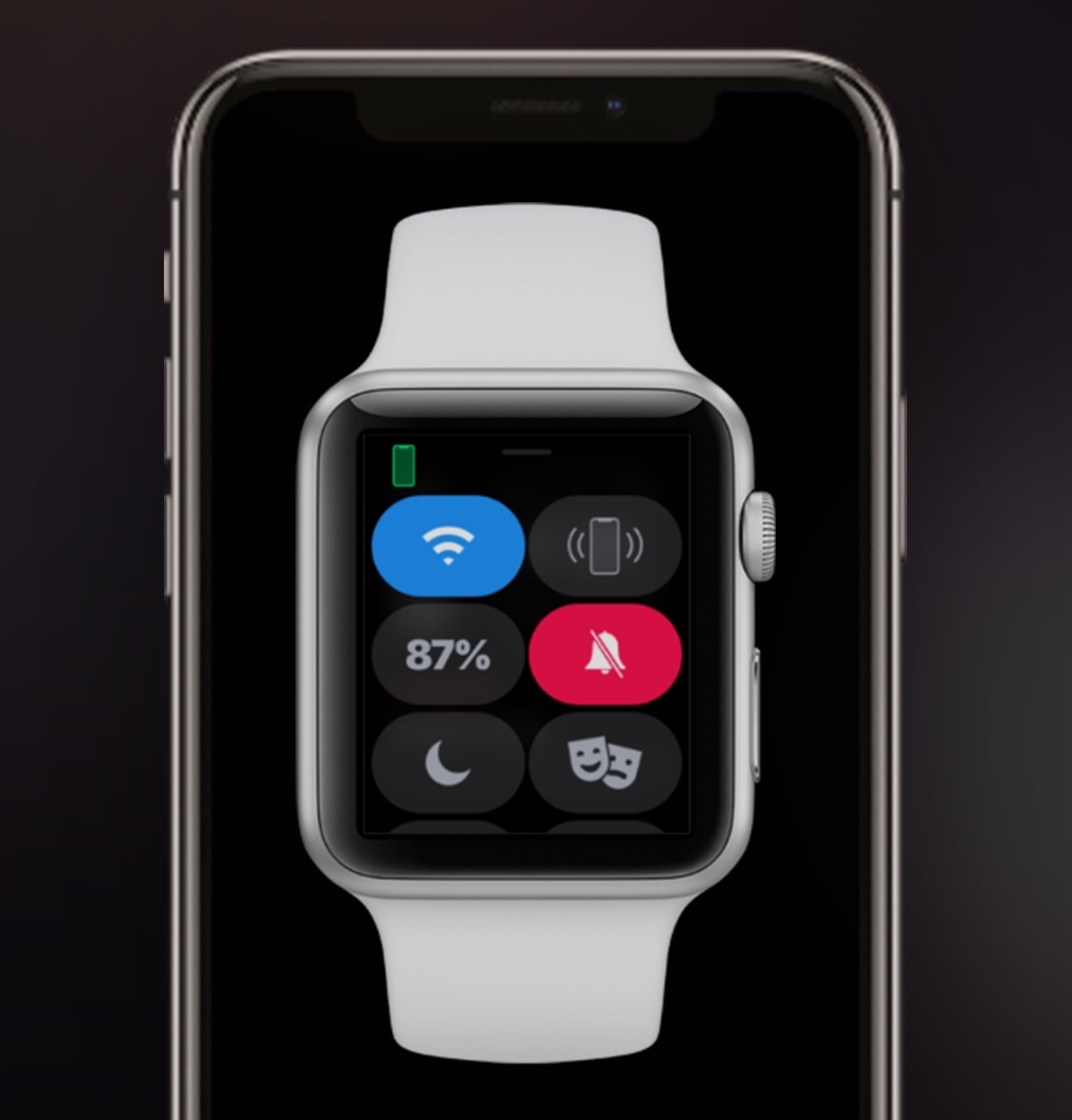
Both the Apple Watch and iPhone support silent mode – a feature that mutes all incoming notification sounds to prevent awkward situations in certain predicaments, such as a ringtone going off in the middle of class or disturbing participants during a work conference. Unfortunately, this handy feature doesn’t stay in sync between both devices, necessitating manual input for each.

This is a problem that a newly released jailbreak tweak called WatchMuteMirror by iOS developer Cardboard Face aims to resolve. As you may have inferred already from the tweak’s name, WatchMuteMirror keeps silent mode in sync between your iPhone and your Apple Watch so that the latter doesn’t make a bunch of noise even after you toggle the mute switch on the side of your iPhone.

AirPay is a redesigned Apple Pay interface for jailbroken iPhones

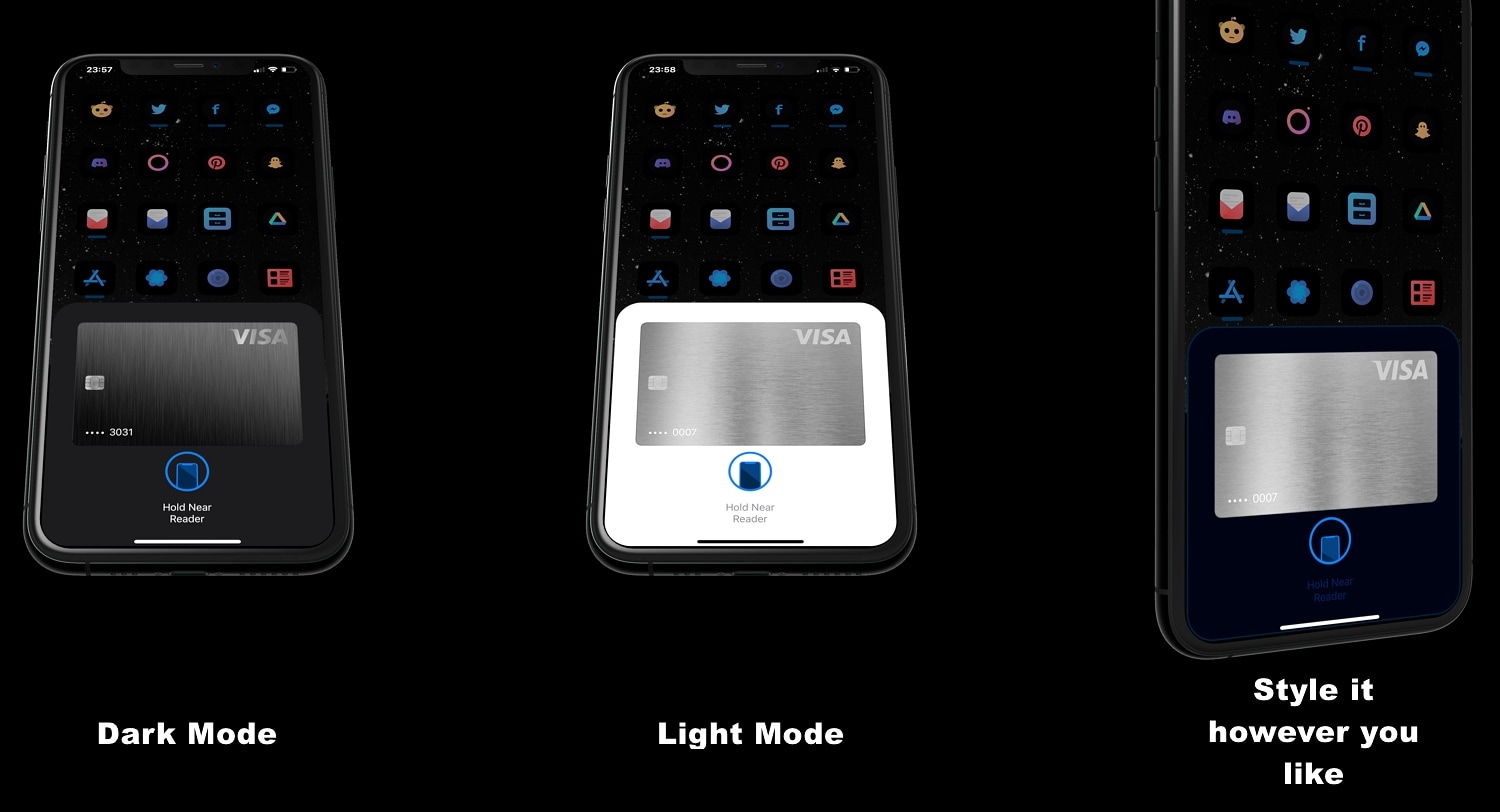
If you use Apple Pay via your jailbroken iPhone frequently, then you’re unquestionably familiar with the prompt that appears when it comes time to authenticate yourself with Face ID or Touch ID. While the native interface doesn’t necessarily look that bad, it’s somewhat unfortunate that Apple didn’t design it to be uniform with other interfaces that appear on the iOS platform, like the AirPods pairing prompt for example.

Those interested in a redesigned Apple Pay interface that has been heavily inspired by iOS’ native AirPods pairing interface are likely to appreciate the user experience that comes along with using a newly released jailbreak tweak dubbed AirPay by iOS developer Dylan West (@iOSthemem0d).

Discern whether you have missed important notifications from your pocket with NotiVibe

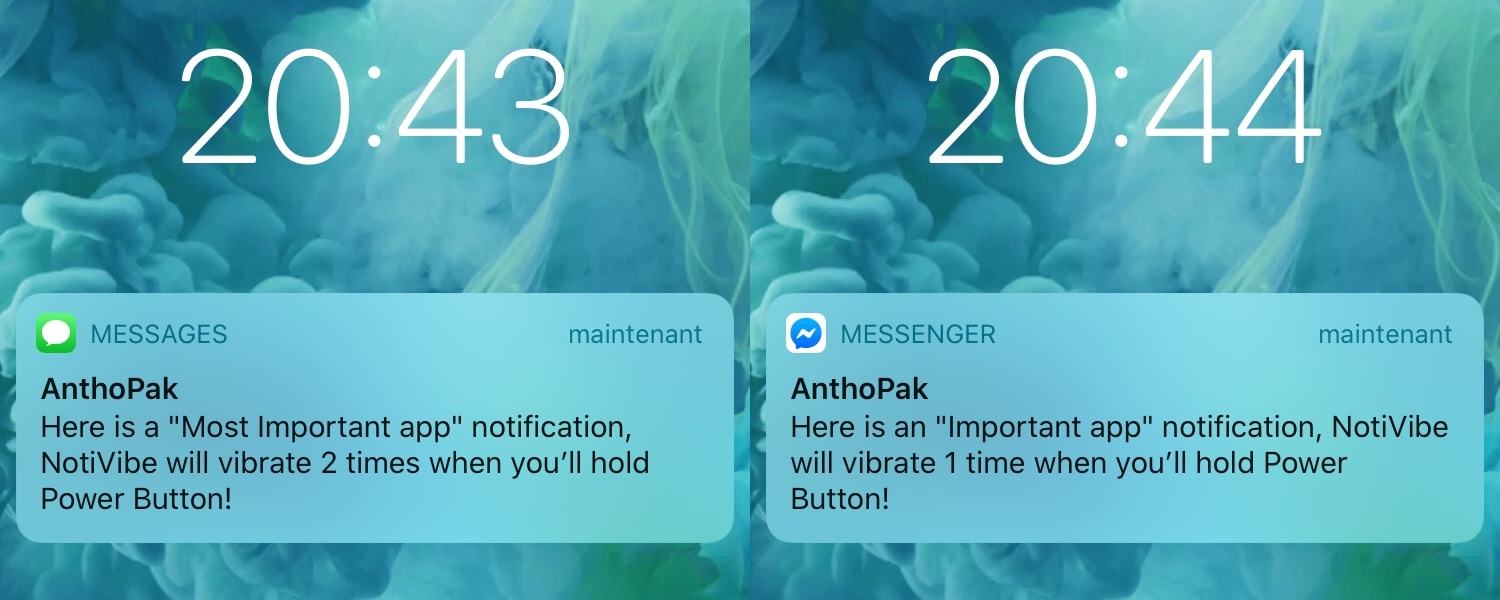
Your iPhone probably lights up with push notifications all day long, but only a small fraction of those are likely to be important. Unfortunately, there’s no easy way to discern between important and non-important notifications without looking at your display, and this means that if you’re smack in the middle of something important and can’t look at your handset, you won’t know what you’re missing.

The aforementioned situation doesn’t come up too often, but it may happen more frequently when you’re at work and stuck in meetings all day or when you’re in class and don’t want to make it obvious that you’re checking your iPhone for notifications. For that reason, a newly released and free jailbreak tweak called NotiVibe by iOS developer AnthPak may come in clutch.
Curb privacy paranoia when lending your iPhone to someone else with Spy

When you’re generous enough to loan your iPhone to a friend or family member, or even worse a complete stranger to make a phone call, one thing that probably weighs heavy on your mind is whether that person is invading your privacy by launching apps they shouldn’t be, such as Messages, Notes, or Photos to name a few.

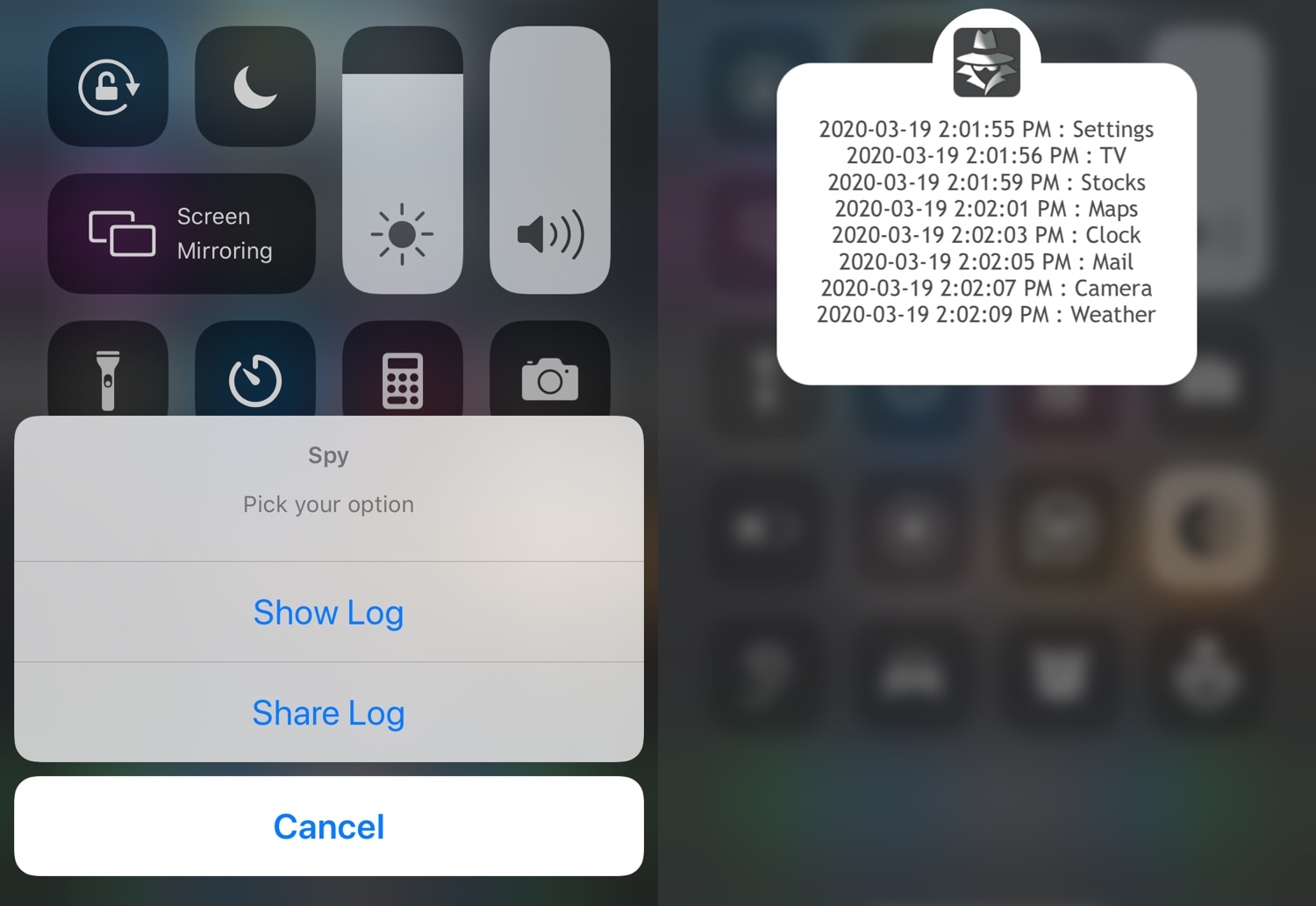
I’ve found myself in this situation quite a few times myself, and that’s why I’m particularly excited about a newly released jailbreak tweak dubbed Spy by iOS developer Elias. This tweak works to your advantage in situations like the one above by logging the apps that a user opens with the mere flip of a toggle switch.

Jailbreak tweaks of the week: B3rry, Keyboard Plus, SmarterLPM and more…

Jailbreak teams in the community today have shown off some rather spicy teasers as of late, and such things are why it's such an awesome time to be a part of everything.

If you’re jailbroken and looking for new jailbreak tweaks to install, then you’ve come to the right place. This roundup will encompass all the latest jailbreak tweak releases from Monday, March 16th to Sunday March 22nd. As usual, we’ll kick things off by talking about our favorite releases and then wrap things up with a roundup of the rest afterward.

Why cope with a dumb Low Power Mode when you can use SmarterLPM?

Low Power Mode.

Low Power Mode is an incredibly handy utility that helps iPhone users get the most out of their handsets when the battery level falls below a comfortable percentage. Apple designed Low Power Mode in such a way that users wouldn’t need to interact with the feature all that much, but in doing so, they also limited the possibility of advanced configurations tailored for ideal low-power setups.

Given the circumstances mentioned above, it’s not difficult to understand why iOS developer smokin1337 has released a new free jailbreak tweak dubbed SmarterLPM. Just as the tweak’s name suggests, SmarterLPM aims to make Low Power Mode a whole lot more useful for users with the help of deeply integrated user-configurable settings.

Awaken your iOS theming instincts with ModernBarz

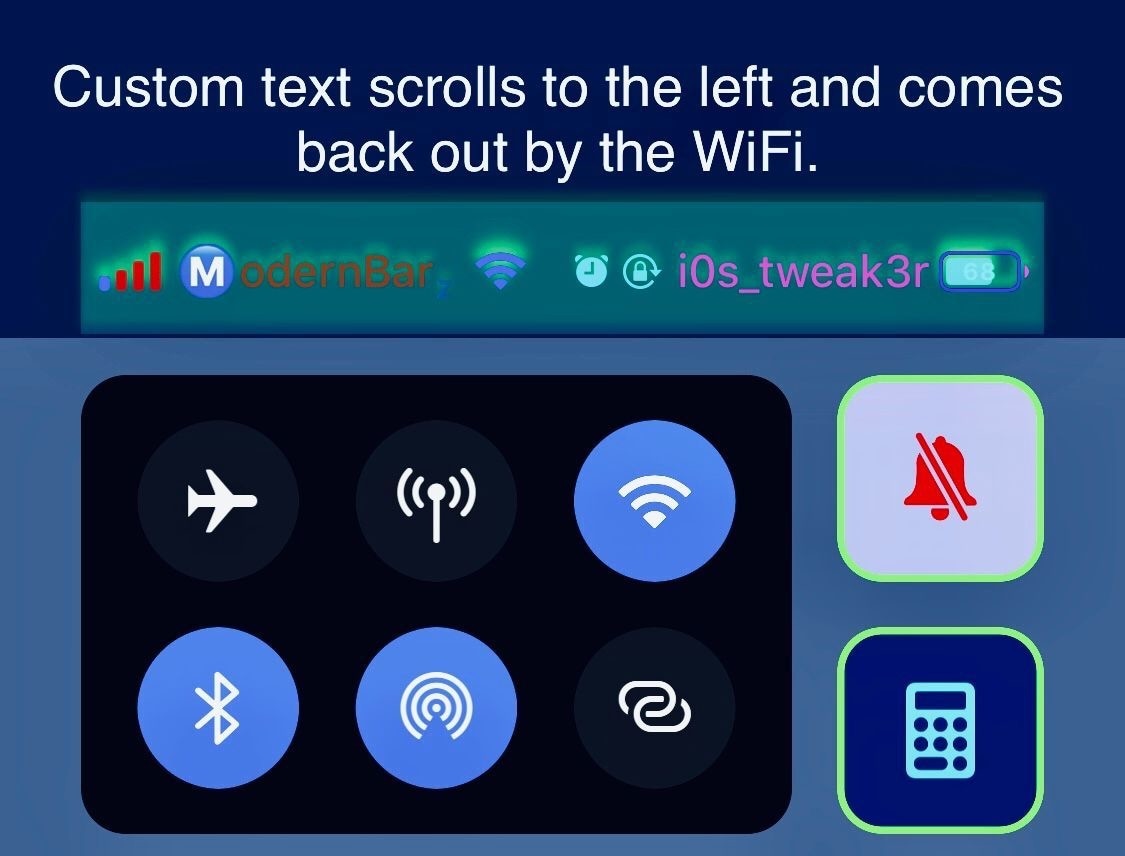
If you have a white-hot passion for iPhone theming or handset system colorization, then you probably won’t want to miss out on the likes of a newly released jailbreak tweak dubbed ModernBarz by iOS developer i0s_tweak3r.

ModernBarz offers extensive colorization and customization options for any pwned iPhone’s Status Bar that promote user creativity and allow users to make their handset stand out from what would typically be a rather monotonous crowd.

Jailbreakers can embrace Home screen minimalism with HideSurplus

Apple designed iOS’ Home screen such that it would be easy to interact with. Fingertip-sized application and folder icons are accompanied by distinguishable name labels, and the permanent row of app icons that we call the Dock sports its own unique background to help it stand out from everything else.

While there really isn’t anything wrong with the stock iOS Home screen setup, the fact remains that jailbreakers are always searching for ways to personalize it. With that in mind, minimalists are likely to appreciate a newly released and free jailbreak tweak dubbed HideSurplus by iOS developer 8a1wkar.