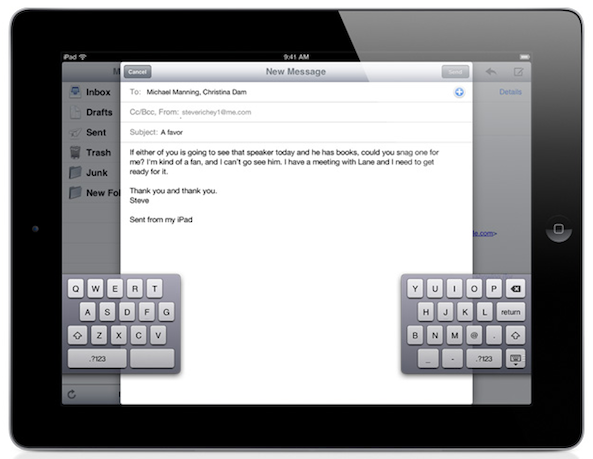
If you own an iPad, you know how hard it can be to type on the keyboard with your thumbs like you do on the iPhone. iOS 5 is about to change that with the introduction of a split keyboard option.
To activate this, simply tap the keyboard icon at the bottom right of the keyboard and it will give you 2 options: undock, which lets you use the keyboard higher or lower on the screen, and split, which let's you undock and split the keyboard just like it is in the image above...