iOS 5

iOS 5 Provides Free Tethering to Verizon iPhone Users

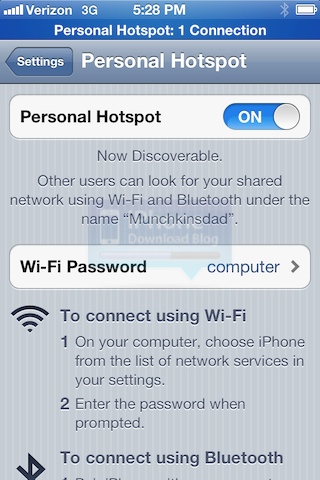
Here is a new iOS 5 feature that hasn't been documented yet, most likely because it's probably a bug that will be taken care of in the next beta release. If you own a Verizon iPhone (aka CDMA version of the iPhone) and you go to Settings > General > Network > Internet Tethering, and turn the toggle ON, you will be able to tether your device for free, turning it into a Wi-Fi hotspot at no charge.

I don't have a Verizon iPhone so I couldn't verify this myself but I asked several people on Twitter and they were all able to turn tethering ON, without having to pay anything to Verizon...
New in iOS 5: Use Your iPhone While Syncing with iTunes

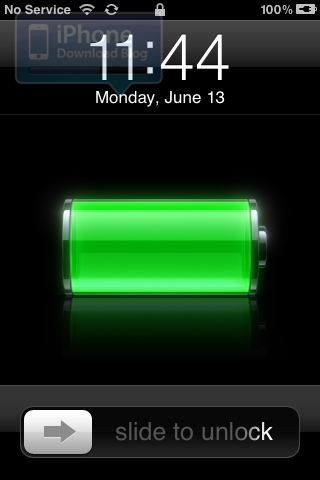
One more feature to make our ultimate list of new iOS 5 features is the ability to now use your iPhone while it is syncing with iTunes. Until now, you couldn't use your iPhone or iDevice while it was syncing. This is now a thing of the past.

As you can see on the image above, the new "syncing" icon is running in the status bar, but I can still "slide to unlock" to use my iPhone. Jailbreakers might already be familiar with this feature as it was first made possible with Synchronicity...

Next iPhone in Final Testing Stages for September Release

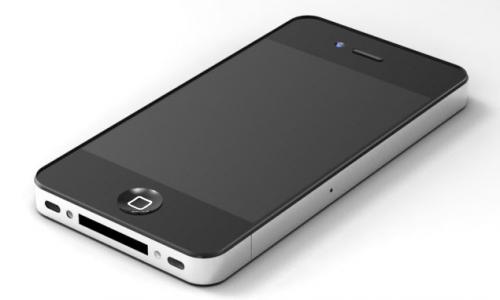
After the next generation iPhone was a no-show at Apple's WWDC conference last week, the previous reports of an iPhone release in September gained more credibility. Now, according to some Apple intelligence from 9to5Mac, the next iPhone has reached final testing stages (or "AP" stage) with high-level Apple and carrier executives.

All signs point towards Apple being on track for a September release of the next iPhone, but some problems with Verizon could restrict FaceTime over 3G on the carrier's CDMA network.

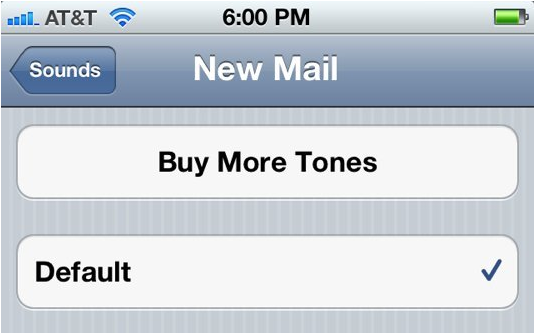
New in iOS 5: Tone Store to Download Customized Email and SMS Tones

Apple's iOS software design strategy is interesting, to say the least. For example, many people wonder why it took the company nearly a year to implement the App Store after launching the iPhone. It took another year after that to add copy/paste and picture messaging features.

Apple excluded unnecessary items in early builds of iOS, demonstrating a quality-over-quantity sort of approach to adding new features. Luckily, iOS 5 seems to be finally bringing many of those omitted functions to the iPhone. Who's been dying to change the email tone?

iOS 5 Jailbreak Could Be the End of Pirated Apps

Stefan Esser, better known as i0n1c, is a prominent member of the jailbreak community. His untethered exploit was responsible for the jailbreak that lasted from iOS 4 to 4.3.3, and he has been contributing to the Dev Team for quite some time.

i0n1c's untethered jailbreak may have been killed in iOS 5, but he's got a new and very controversial idea for another iOS 5 jailbreak in the future: blocking access to pirated apps.

The Ultimate List of New iOS 5 Features

When Apple unveiled iOS 5 last Monday, Steve Jobs mentioned that their new OS for mobile devices included 200 new features. 10 of them were demo'd on stage, but what happens to the 190 remaining features?

Apple didn't give us a list of these 200 features, so it was left to beta testers to find them out by themselves. After spending almost a week with iOS 5, we've compiled the most comprehensive list of new iOS 5 features to date. This list counts 121+ new iOS 5 features, both documented and undocumented...

Sn0wbreeze Updated to 2.8b1, Now Supports iOS 5 Jailbreak

Apple announced a major software update for iDevices last week, iOS 5. The new firmware will introduce over 200 new features in iOS, and is expected to seriously impact the jailbreak community.

But jailbreakers haven't skipped a beat since the beta version of iOS 5 rolled out last Monday. Within 24 hours of the release, jailbreak software was updated to support the new firmware. Now you can add Sn0wbreeze to that list of iOS 5 compatible tools...

Dev Team Releases RedSn0w iOS 5 Jailbreak for Windows

A couple days ago, the Dev Team released the first jailbreak for iOS 5 beta 1, via RedSn0w 0.9.8b1, a tool that was Mac only until today. Dev Team frontman MuscleNerd tweeted moments ago that RedSn0w 0.9.8b1 is now also compatible with Windows.

Like we mentioned when we first reported about this latest version of RedSn0w, jailbreaking iOS 5 is recommended for developers only as many jailbreak apps are "broken" and do not work properly for the time being...

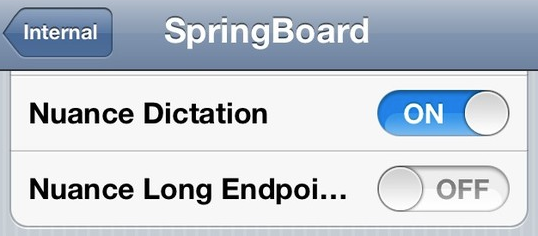
Nuance Voice Recognition is in iOS 5 After All

The entire tech industry watched as Scott Forstall outlined Apple's 10 most prized (or most ready) new features in iOS 5 last Monday. To everyone's surprise, the entire presentation went on without any mention of the rumored Apple/Nuance partnership.

TechCrunch and other media outlets reported multiple times last month on sources claiming that Apple and Nuance had struck a deal to bring legitimate voice recognition technology to iOS. But WWDC came and went without a word from either company...

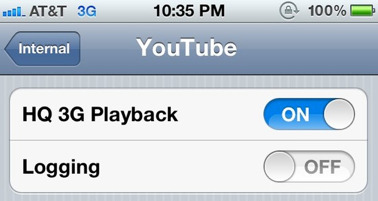
New in iOS 5: High Quality YouTube Playback

In case you were wondering if folks were done uncovering new features in iOS 5, think again. Out of the 200 new features Apple has added to iOS, I believe we are on like #70 or so.

The latest find comes from iDevice hackers @Chronic and @Sonny Dickson, who have managed to gain access to internal settings in iOS 5. Apparently the new iOS will not only offer FaceTime over 3G, but high quality YouTube playback as well...

New PDF Exploit Uncovered By Comex in iOS, Return of JailbreakMe?

We're calling it, folks: famed jailbreak hacker, Comex, has uncovered another PDF exploit in iOS that will allow for a userland jailbreak, ala JailbreakMe.

This is based off the above teaser image, which Comex just announced on his Twitter and is available for viewing on jailbreakme.com. If our detective work is correct, we expect a new, untethered, userland jailbreak for iOS.

New in iOS 5: Snap a Picture with Your Headphones

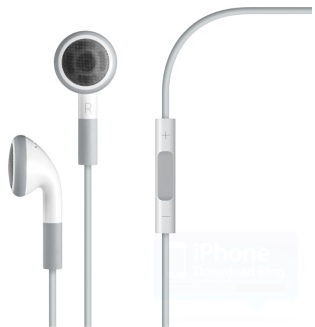
We already knew it was possible in iOS 5 to snap a picture by pressing the Volume Up button, but iDB reader @MrSergioRamos now tells me you can also take a picture by pressing the Volume Up button of your iPhone headphones as well.

Once again, this is not a killer feature, but a nice one to have, and a nice one to know...