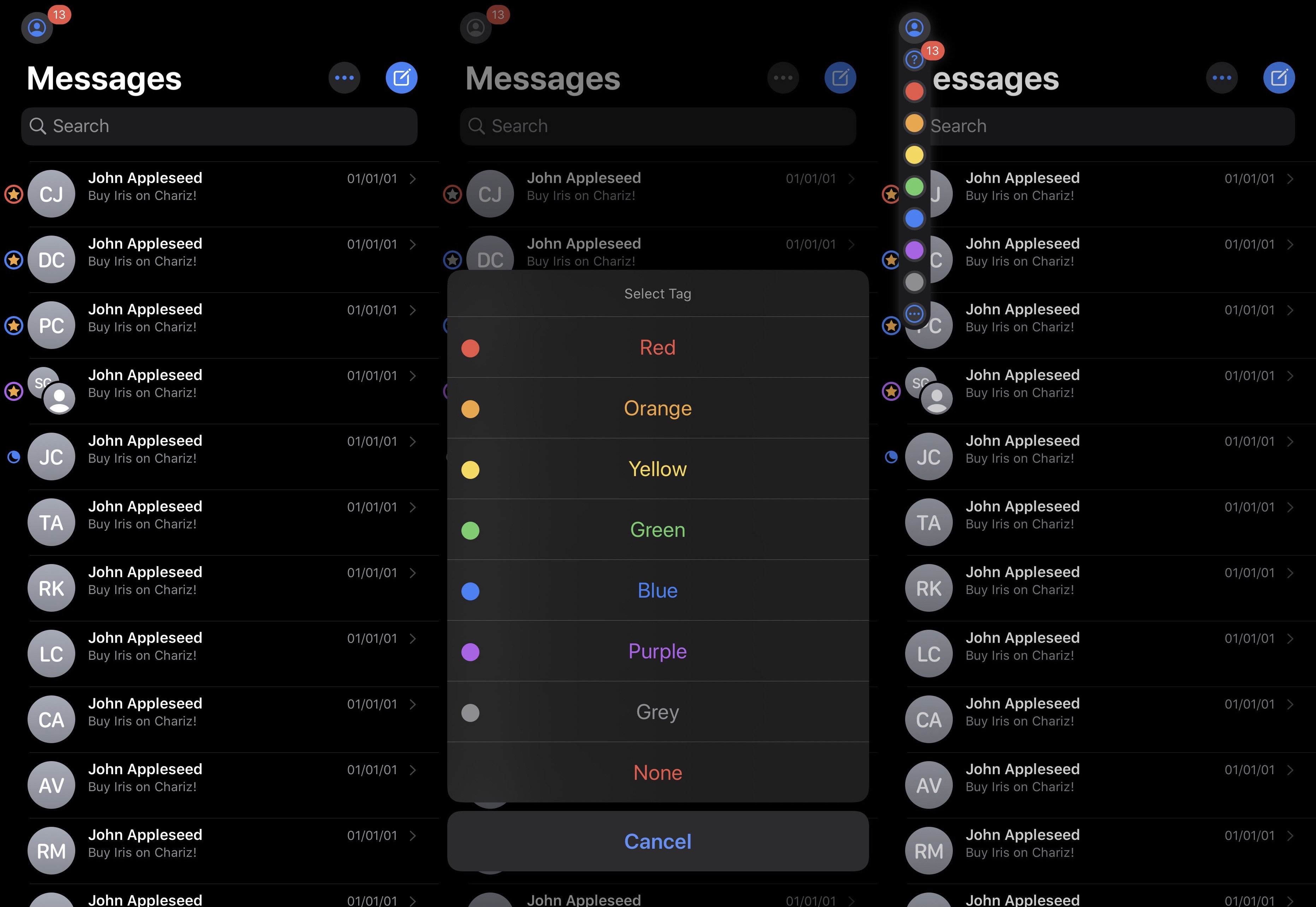
Earlier this week, Apple seeded the latest beta of iOS and iPadOS 13.6 to developers, and now we know one new addition to the software coming soon to the public.
iOS 13.6 will save your spot while reading Apple News articles
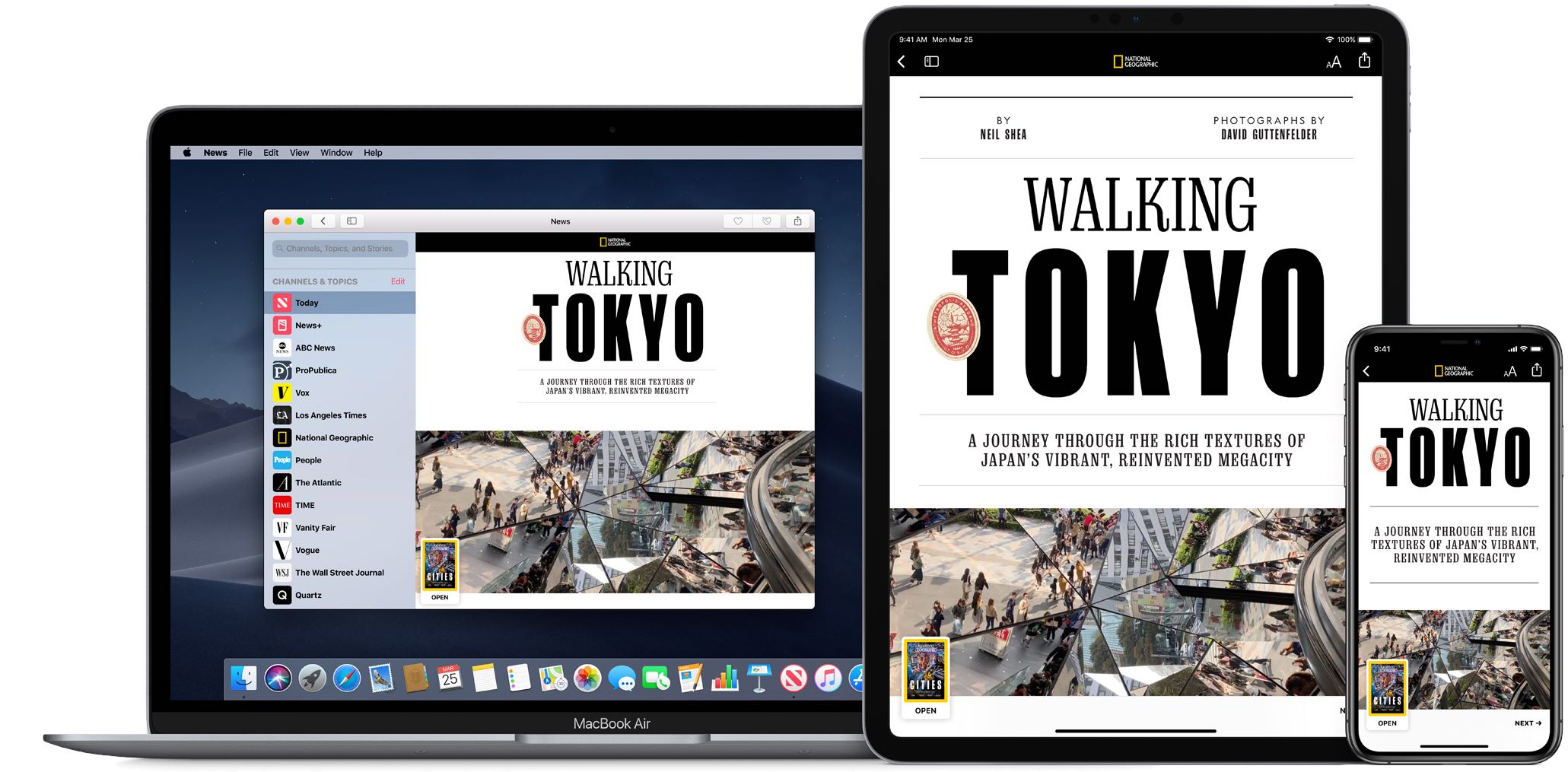
Earlier this week, Apple seeded the latest beta of iOS and iPadOS 13.6 to developers, and now we know one new addition to the software coming soon to the public.
Haptic feedback is something that many smartphone owners like to have, but for whatever reason, is only sparingly used by the native operating system for niche and specific actions. Personally, I enjoy haptic feedback in moderation, and I think that Apple has been rather skimpy on its implantation out of the box.
If you’re anything like me and wish haptic feedback occurred more frequently while performing other common actions on your iPhone, then you might come to appreciate a newly released jailbreak tweak called Haptify by iOS developer Caleb G(kWaB), as it incorporates haptic feedback into several more of iOS’ native interfaces and performable actions.
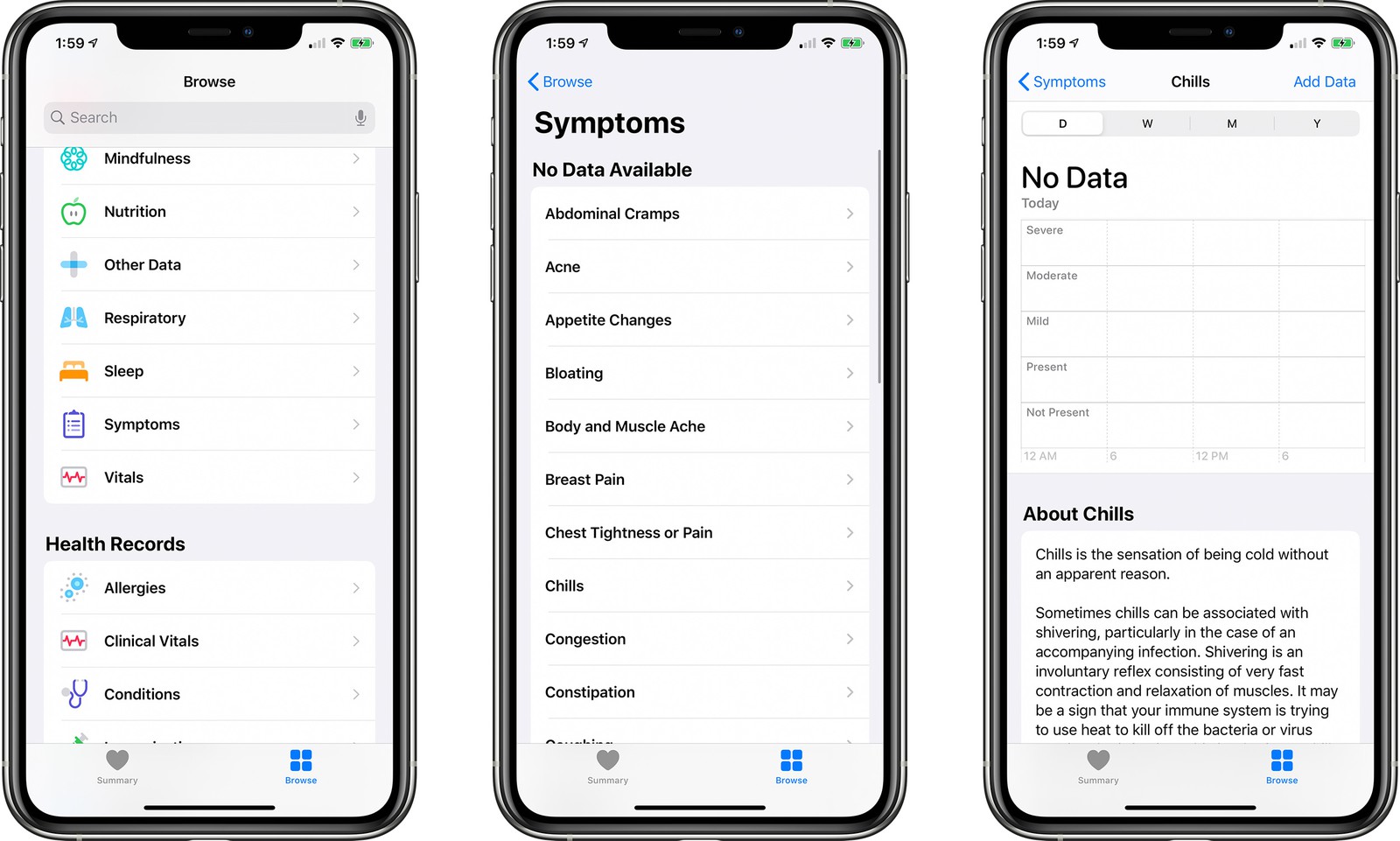
Along with adding a new toggle to manage automatic downloads and installation of new iOS software, the latest iOS 13.6 beta has revealed a new addition for the stock Health app.
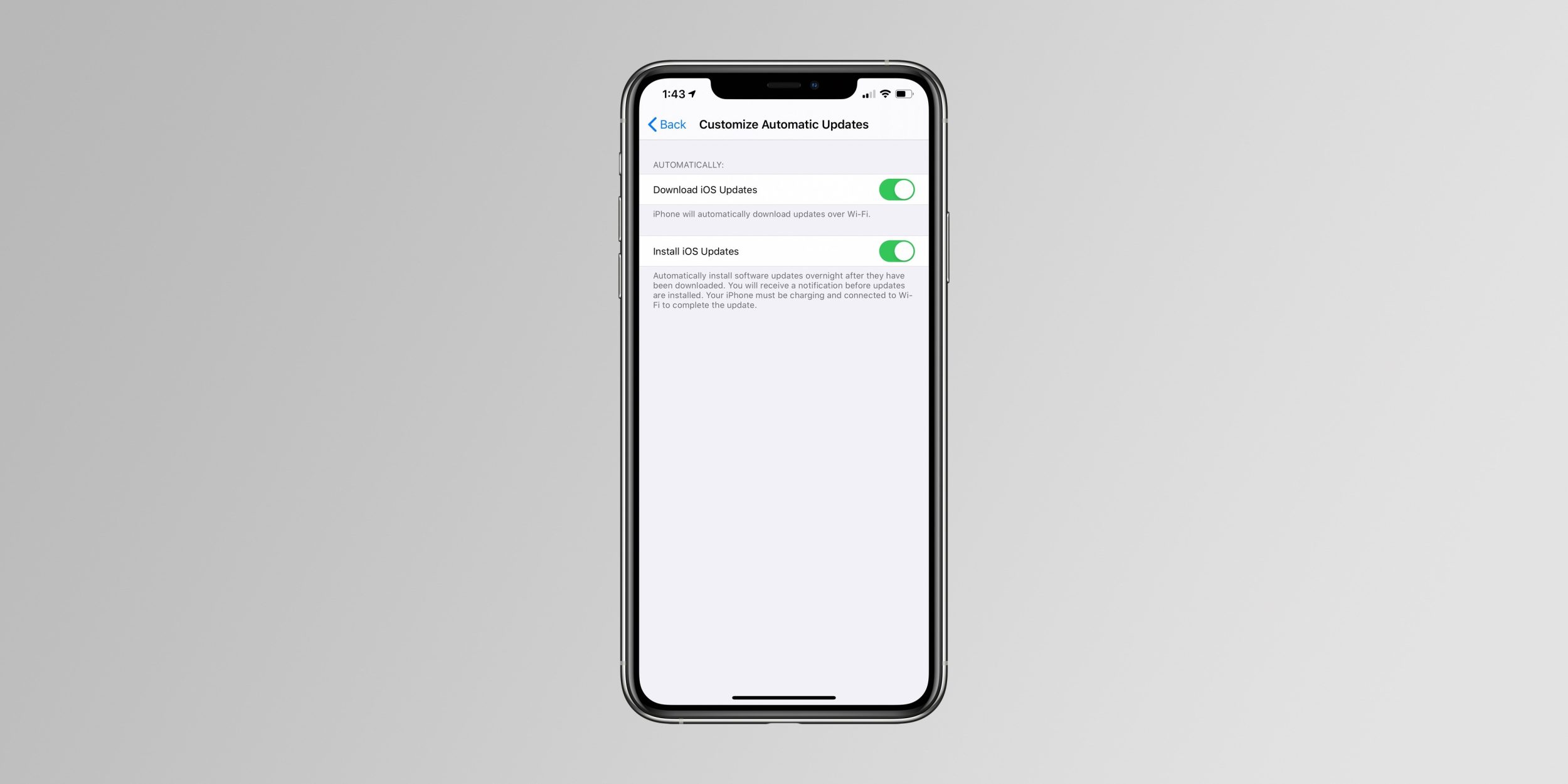
Earlier today, Apple seeded the second beta of iOS and iPadOS 13.6 to developers. Now that the prerelease software is out there in the wild, new features are being discovered.
Apple continues to move right along with its latest beta, preparing developers for the next version of its mobile operating systems.
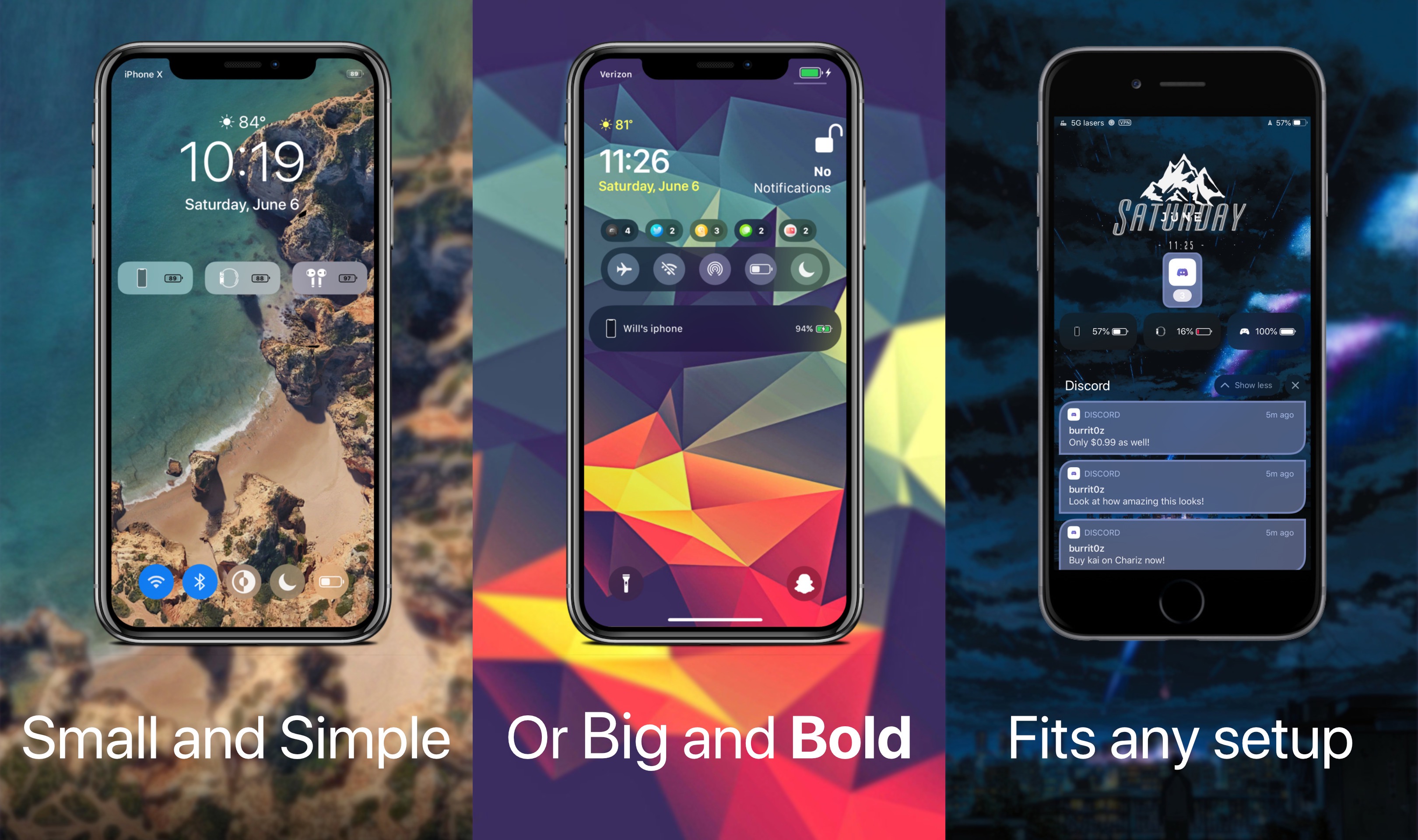
Just last week, we showed you a free jailbreak tweak dubbed WatchBuddy that would persistently display your Apple Watch’s battery level on your iPhone’s Lock screen. Albeit simple and effective, some users demanded more, and so a new release called Kai by iOS developer Burrit0z was conceived.
As shown in the screenshot examples above, Kai expands upon the WatchBuddy concept by persistently displaying your connected devices’ battery levels on the Lock screen. You’ll also notice that the indicators include, but aren’t limited to the iPhone itself, connected Apple Watches, and connected AirPods where applicable. Furthermore, the indicators are customizable whether you prefer smaller subtle solutions, or bigger and bolder ones.

If you’ve used the unc0ver jailbreak to liberate your iPhone or iPad recently, then you’re likely familiar with the AltStore platform, which quickly superseded Cydia Impactor and popular signing services to become the recommended means of side-loading the unc0ver jailbreak due to its long-term dependability and ease of use.
One major caveat to AltStore, however, is that using it would necessitate connecting to a computer to sign the unc0ver app – you’d need to do this the first time you installed unc0ver and every seven days after rebooting your device afterward. But that may not be the case for long…
Apple this evening stopped signing iOS & iPadOS 13.5, a move on the Cupertino-based company’s behalf that essentially prevents iPhone and iPad users from installing this particular version of its firmware whether downgrading from a newer version of the mobile operating system or upgrading from an earlier version.
The move comes approximately one week after Apple released iOS & iPadOS 13.5.1 to the general public specifically with the intention of patching the 0-day kernel vulnerability that Pwn20wnd implemented into the unc0ver jailbreak to add support for iOS & iPadOS 13.5, the latest version of Apple’s mobile operating system at the time.

It’s been a crazy couple of weeks for the jailbreak community thanks to a slew of jailbreak tool updates from both the checkra1n and unc0ver teams adding support for iOS & iPadOS 13.5. Thankfully, we’re here to help keep you apprised of the best of the latest jailbreak tweak releases.
In this roundup, we’ll show you all the best jailbreak tweaks released from Monday, June 1st, to Sunday, June 7th. As usual, we’ll start things off by showcasing our favorite releases and then wrap things up with an outline of everything else afterward.
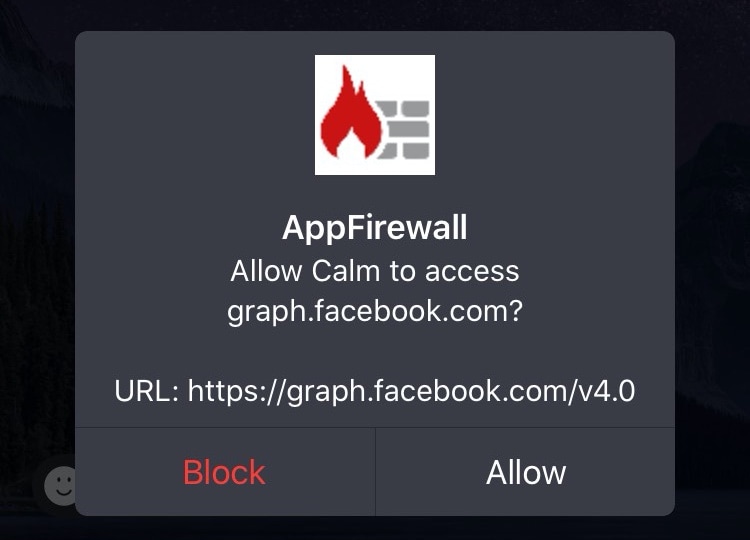
Veteran jailbreakers may remember a time in the distant past when you could install literal software firewalls in the form of jailbreak tweaks. Fast-forward to today when these tweaks a lot less common, and innumerable privacy concerns relating to camera snooping, location tracking, microphone eavesdropping, and the likes have sparked new interest in blocking outbound data communications on our handsets.
If you’re in the market for an increased say in the data that leaks out of your handset to the world wide web, then you’ll probably want to know about a newly released and free jailbreak tweak called App Firewall (iOS 10-13) by iOS developer Brayden Traas, as it can purportedly help you take control of your apps’ network access.
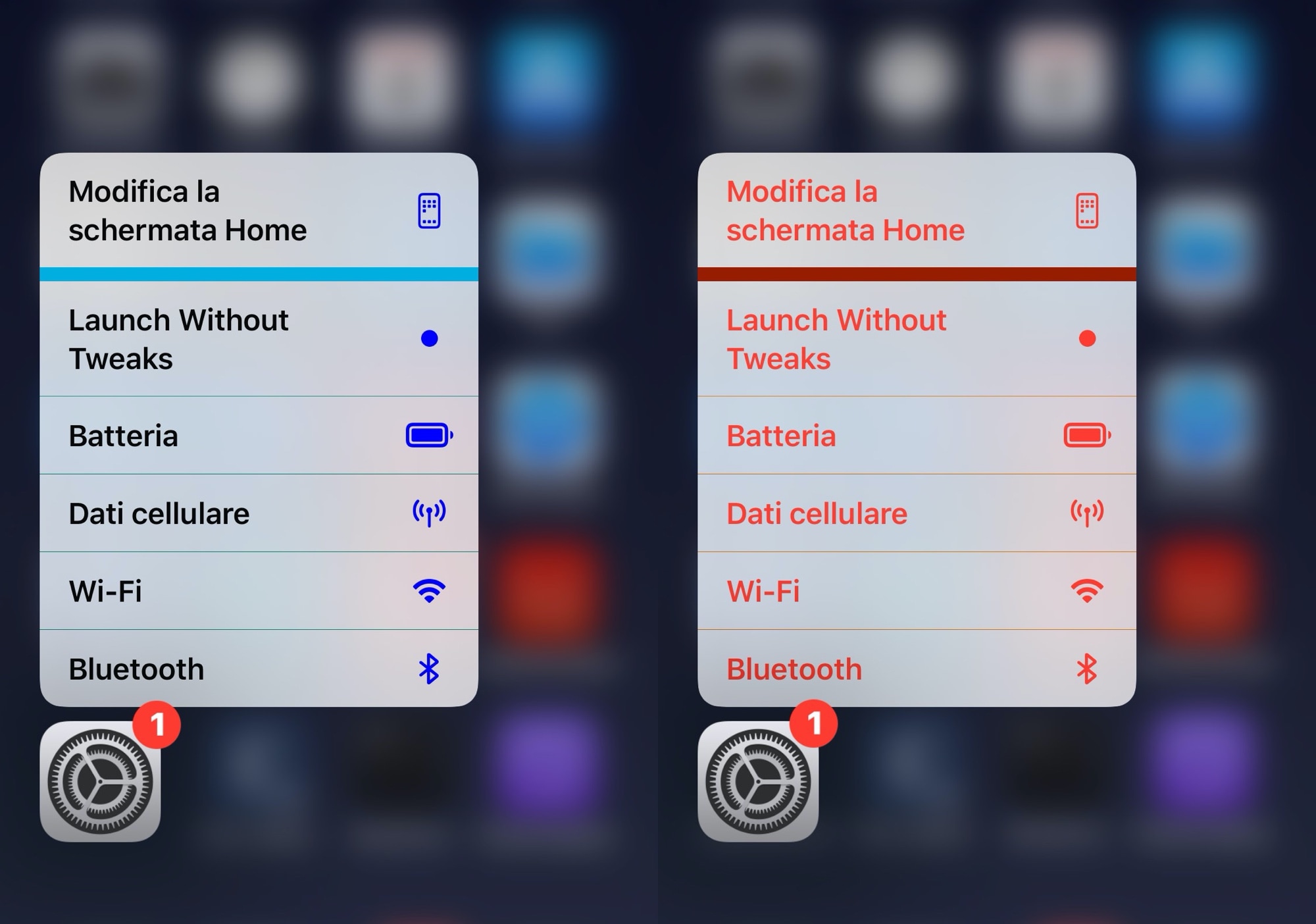
Whether you’re new to or experienced with jailbreaking, one thing that remains true about most users of pwned iPhones is that they love personalizing the native user interface in ways that makes it stand out from a crowd of vanilla handset users.
If you’re moderate when it comes to personalization and you like adding custom colors to existing interfaces as opposed to replacing them with something different outright, then you just might appreciate a newly released and free jailbreak tweak called Color3DIcons by iOS developer CydiaGeek.