iOS 13

How to boot into Safe Mode with the unc0ver jailbreak

If your iPhone or iPad is jailbroken, then it can be easy to go overboard with installing jailbreak tweaks. While the primary purpose of most jailbreak tweaks is to make your handset better, it’s always possible for a buggy or poorly coded tweak to go rogue and cause more harm than good; sometimes rendering your entire handset momentarily inoperable.

While some panic at the aforementioned thought, especially when it happens to their own jailbroken device, it’s not always necessary to restore your device and lose your jailbreak. In fact, the unc0ver jailbreak supports a function that lets you boot into a no-tweak state tantamount to the likes of no-substrate mode so that you can safely launch Cydia and uninstall the offending tweak(s). We’ll show you how that’s done in this tutorial.
BlurryAlerts brings tvOS-inspired alerts to jailbroken iPhones and iPads

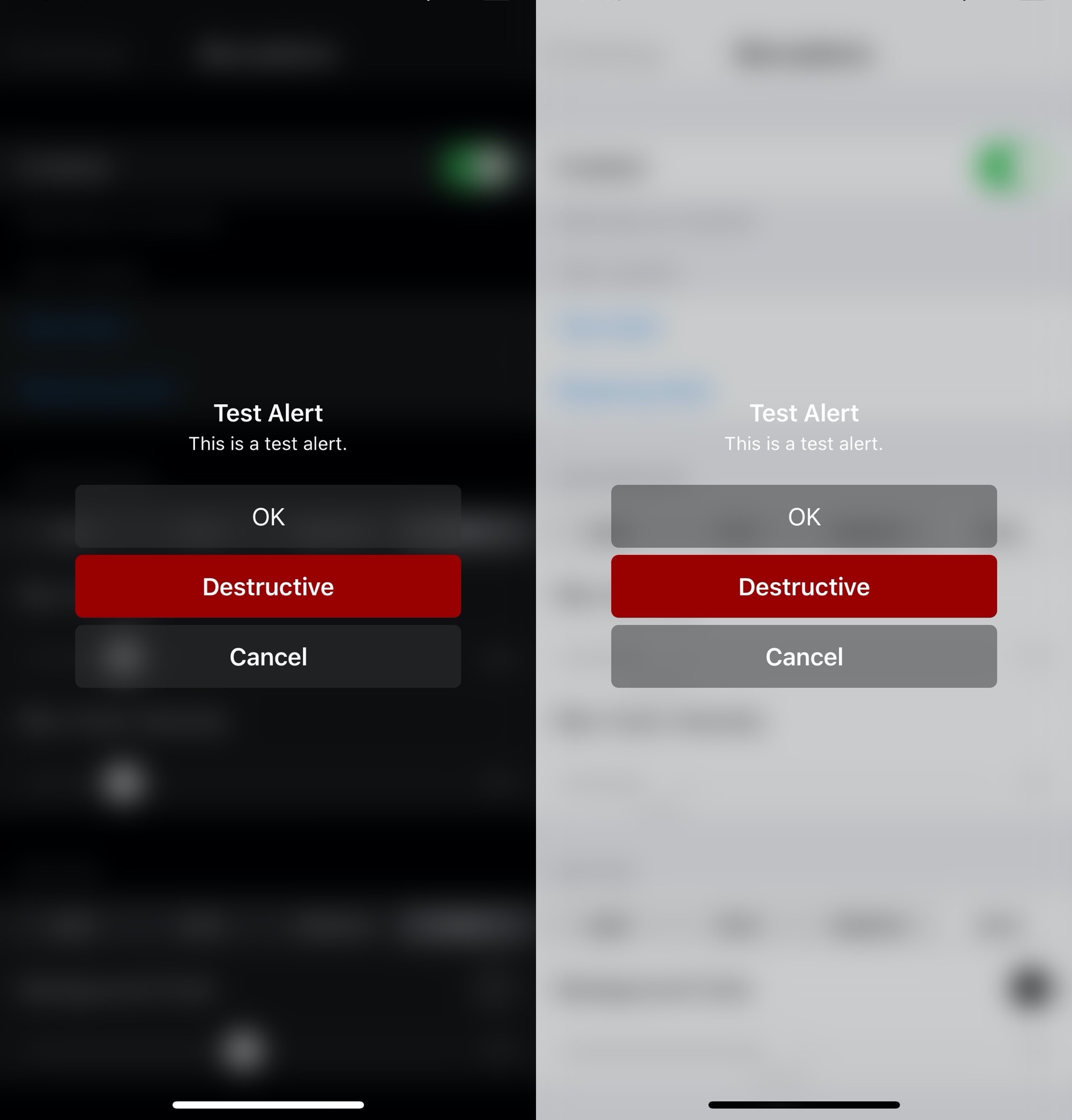
Apple has entirely different design aesthetics for its iOS and tvOS operating systems, but if you wish you could have more synergy between the two, then one way you could accomplish that is with the help of a new and free jailbreak tweak dubbed BlurryAlerts by iOS developer SlyFabi.

As you can discern for yourself in the screenshot examples above, BlurryAlerts replaces iOS’ native pop-up alert with a tvOS-inspired interface complete with the blurry background and the color-matched buttons.

Keep track of how many times you unlock your iPhone with counter

It can be difficult to curb smartphone addiction, especially when you’re so used to unlocking your iPhone with the flick of a finger and then refreshing your favorite social media feeds to see what’s happening in the world around you. But do you actually know how many times you unlock your iPhone each day? The number may surprise you.

For those interested in tracking their smartphone usage in a more intelligent manner, counter is a newly released and free jailbreak tweak by iOS developer ConorTheDev that puts a real-time device unlock counter in your handset’s Control Center interface.

Safari in Messages lets you view webpages in the Messages app itself

I send and receive a lot of internet links via my iPhone’s Messages app, and one thing I can’t stand about the user experience in this respect is that tapping on a link jolts me out of the Messages app and into the Safari app. Why couldn’t Apple just build a simple webpage UI into the Messages app like several well-respected third-party app developers do in their own apps?

If you agree that the latter experience would make a lot more sense, then you’re likely to enjoy a newly released and free jailbreak tweak called Safari in Messages by iOS developer Andrew Abosh. Just as the name implies, this tweak makes it so that internet links load natively inside the Messages app via a dedicated webpage UI without actually moving you to the Safari app.

How to boot into Safe Mode with the checkra1n jailbreak

Jailbreaking can be both a fun pastime and a way of making your iPhones and iPads capable of functionality that Apple doesn’t empower them with out of the box. Unfortunately, not all jailbreak tweaks work as expected, and in some cases, buggy or poorly coded tweaks may render your device temporarily unusable.

But fear not, as you probably won’t need to restore your device and lose your jailbreak data. The checkra1n jailbreak tool incorporates a Safe Mode mechanism that can be used to boot your jailbroken iPhone or iPad into a no-substrate-like mode in which jailbreak tweaks don’t load. You will, however, be able to launch Cydia and uninstall the offending tweak(s). We’ll show you how to do that in this tutorial.

Buzz Buzz Lite brings universal haptic feedback to your iPhone for free

Just yesterday, we showed you a jailbreak tweak called Haptify that could make your iPhone exhibit haptic feedback in more places that it would out of the box. While it was indeed a fine tweak, it also came with a price tag, and that’s one of the primary reasons why we’re eager to show you a newly released and free add-on dubbed Buzz Buzz Lite by iOS developer Jax Roth.

Just like Haptify, Buzz Buzz Lite provides a little bit of haptic feedback to many of the actions that you might regularly perform on your iPhone. But it’s worth noting that Buzz Buzz Lite supports several more actions than Haptify did, and that the tweak’s execution is somewhat different as well. We’ll be bringing many of those differences into the light in this piece.

This tweak brings colorful gradients and more to iOS’ Messages app

After jailbreaking your iPhone or iPad, one of the more exciting things you can do is add custom colors to the Messages app, namely the sent and received chat bubbles that distinguish your words from your recipient’s. But as cool as that might be, who wants to be limited to only a single color choice for each person?

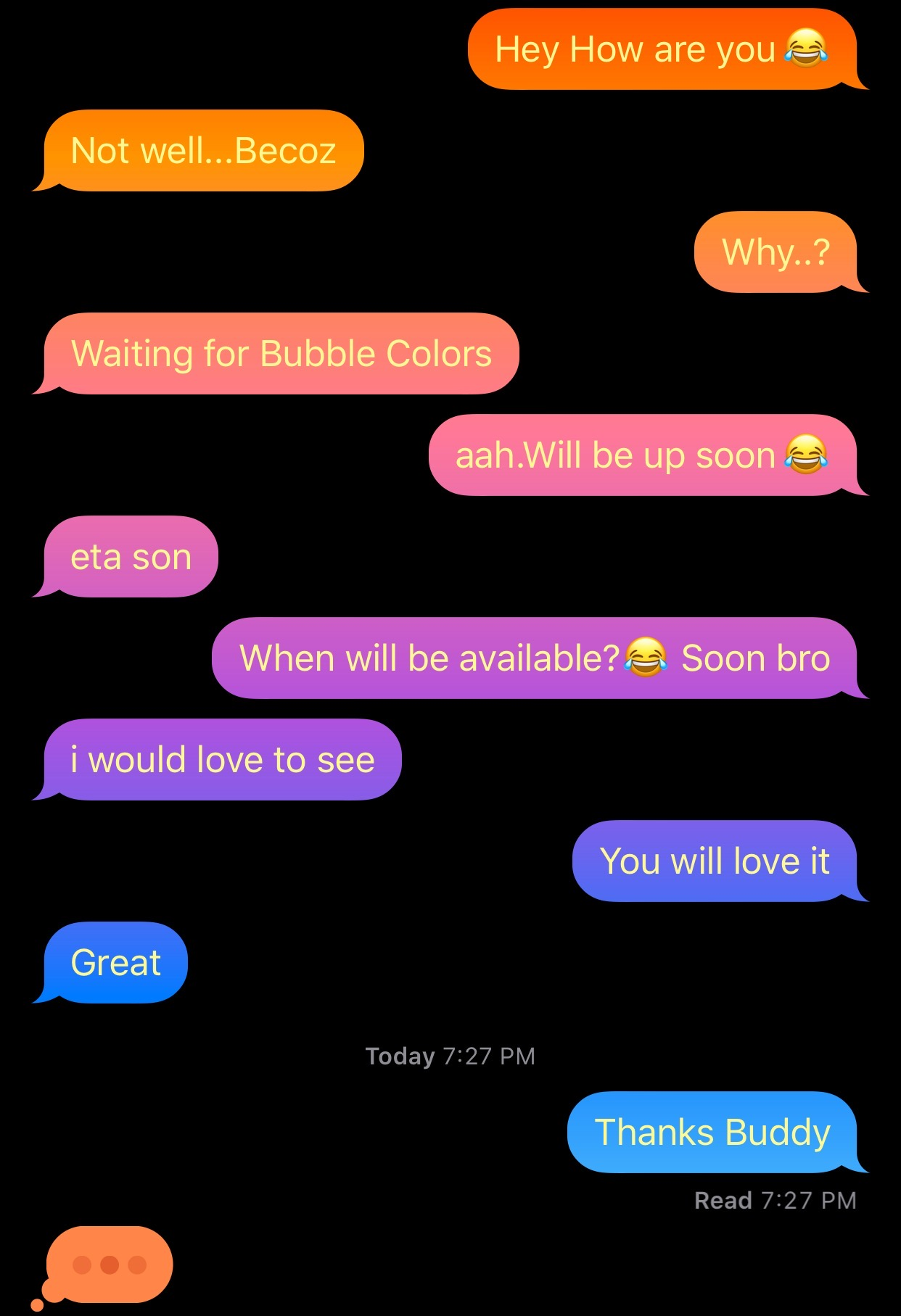
Enter Gradient Bubble Color, a newly released jailbreak tweak by iOS developer Naneramanu that outfits your Messages app’s chat bubbles with a juicy gradient of colors and provides a plethora of options for colorizing other aspects of the Messages app.

Customize system sounds on your jailbroken iPhone with CustomSounds 2

While a lot of jailbreakers are investing their time into making their pwned iPhones look cool by way of themes and tweaks, looks simply aren’t everything. In fact, what better way to give your handset a splash of personality than with custom interface sounds?

If you’re onboard with everything we’ve said thus far, then you’re probably going to have a lot of fun with a newly released and free jailbreak tweak called CustomSounds 2 by iOS developer Nebbs. Just as the name suggests, this tweak lets you replace several of your handset’s native interface sounds with third-party ones.

This tweak simplifies device connection switching for AirPods

Apple advertises the AirPods and AirPods Pro connectivity experience as ‘magical’ and ‘seamless,’ but if you’ve ever tried to connect your AirPods to another device of yours, then you’ve likely experienced the widespread frustration in which they connect to your most recently-used device instead. It’s easy to fix this when it happens, but it’s also somewhat cumbersome and time-consuming to say the least.

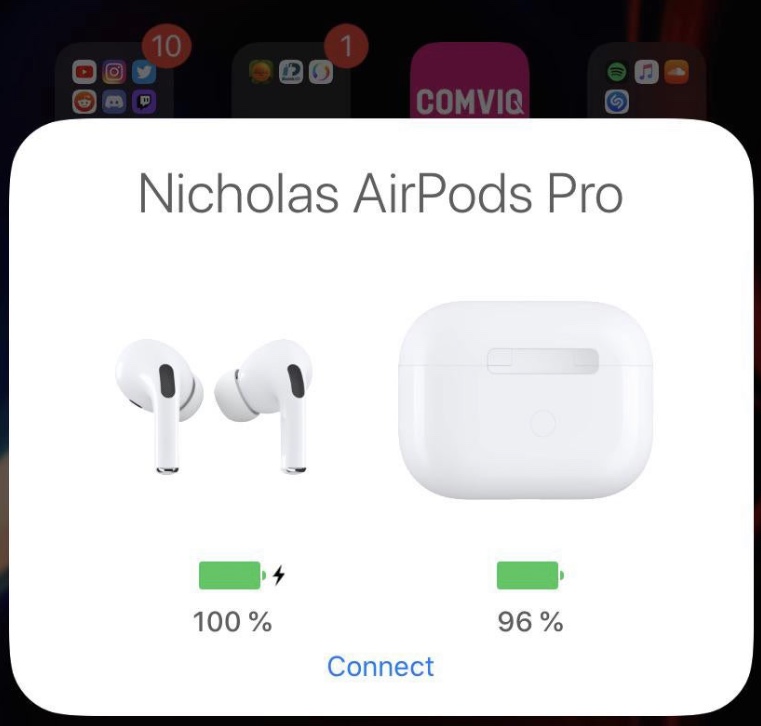
Anyone who is even the least bit familiar with the aforementioned experience will almost certainly come to appreciate the likes of a newly released and free jailbreak tweak called AirPopupConnect by iOS developer nicho1asdev, as it aims to make the process of pairing your AirPods or AirPods Pro to a different device noticeably faster and easier.

TypeCentury displays iMessage read receipts and typing indicators anywhere in iOS

Some of the most compelling features that set iMessage apart from traditional SMS in Apple’s Messages app are the creature comfort features that it provides such as read receipts, typing indicators, and the lack of character limits. Among those, read receipts and typing indicators are some of my favorites because they lets me know when the other person is typing so I can refrain from interrupting them mid-dialogue and when they've read my message so I can nag them about why they didn't respond to me later.

But as anyone with a jailbroken device will tell you, there are always ways that things can be improved. The much appreciated iMessage typing indicator is no exception to that rule, and that’s one of the primary reasons why I’m advocating for a newly released jailbreak tweak called TypeCentury by iOS developer captinc.

ModernSettings adds informative widgets to iOS’ Settings app

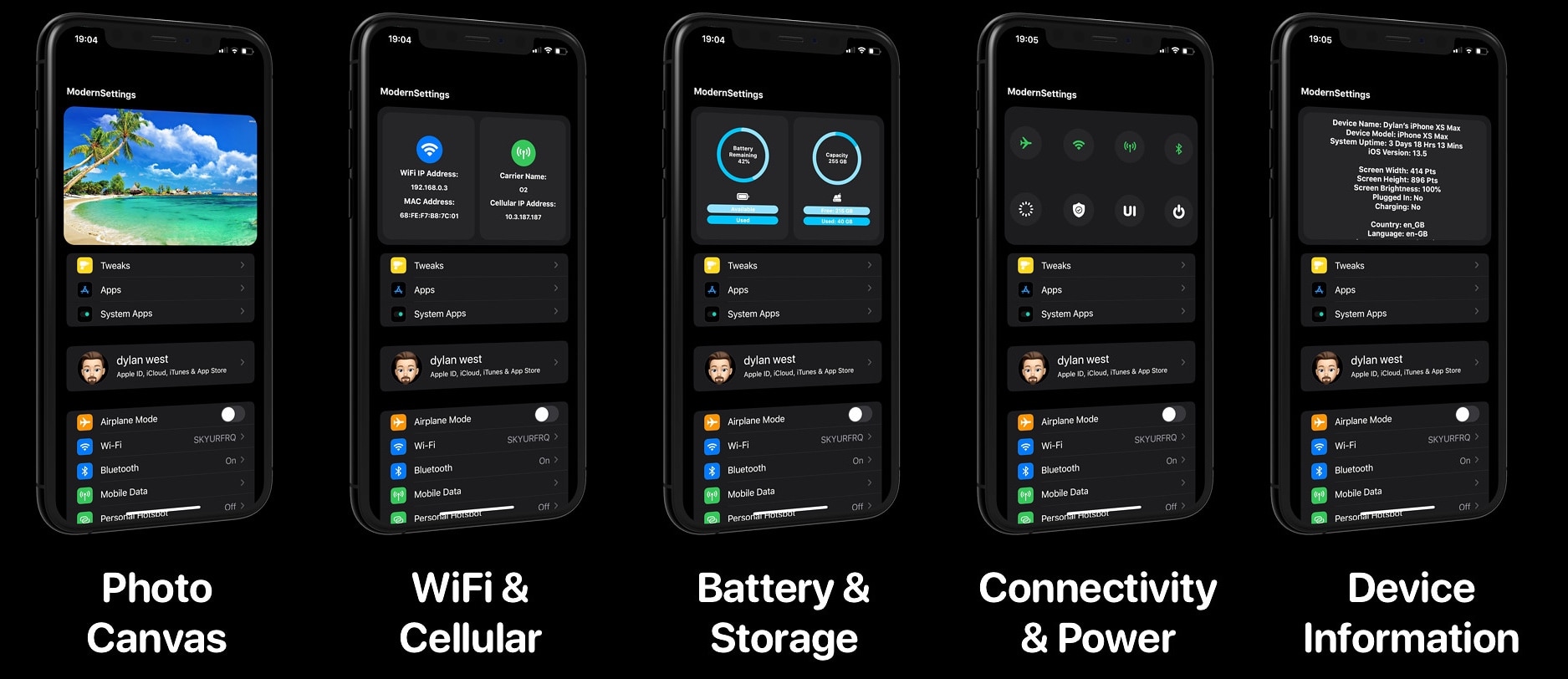
It was only last month that we showed you a useful free jailbreak tweak called SettingsWidgets that added a number of useful widgets to the top of your Settings app in iOS 13. We fell in love with the concept from the moment we laid eyes on it, but some users demanded more pep in terms of widget capabilities, and a newly released jailbreak tweak called ModernSettings by iOS developer iOSthemem0d (Dylan West) seems to fulfill that demand.

As shown in the screenshot examples above, ModernSettings looks and works a lot like SettingsWidgets did, except that it offers a lot more to the end user in terms of widgets and user configuration.

Apple pulls plug on iOS 13.5.5 beta 1 following release of unc0ver v5.2.0

Apple unsigned iOS & iPadOS 13.5 on Monday in a move intended to prevent downgrades to a publicly available jailbreakable firmware version. Hacker and unc0ver lead developer Pwn20wnd quickly responded to the act this week by releasing unc0ver v5.2.0 with support for iOS & iPadOS 13.5.5 beta 1, providing jailbreak hopefuls with a second chance to upgrade to jailbreakable firmware.

But as it would seem, this was a short-lived hoorah. Apple appears to have stopped signing iOS & iPadOS 13.5.5 beta 1 as of last night, effectively and once again preventing iPhone and iPad users from installing a jailbreakable firmware for the second time in the same week.