How to

How to Enable Multitasking in Cydia [Video Tutorial]

Isn't it funny that Cydia rarely stumbles into the conversation when someone asks what your favorite jailbreak app is? When you think about it, Cydia is far and away the most important, and well put together jailbreak app of them all. It just so happens that it's also the main source of other jailbreak tweaks and apps.

Saurik's brainchild is the reason that most of us are able to thoroughly enjoy jailbreaking today. We also appreciate how hard he has worked over the years to improve the performance and features of Cydia. The 1.1 update still brings a smile to my face, after all.

That all being said, one of the main complaints about Cydia stem from its lack of true multitasking. Saurik graciously included a nice resume feature in his previous update, but that still isn't the same as having true multitasking. Thankfully, enabling multitasking is about as easy as it gets. Check inside for a video tutorial that shows you how to enable multitasking in Cydia...


Weird iOS Glitches Allow You to Fake FaceTime Calls and More

Apple's iOS platform is considered to be one of the safest mobile operating systems in the industry. A major reason for that is how strict Steve Jobs and company have been with their mobile ecosystem.

There's very few bugs or glitches in iOS, and ones that are found get patched fairly quickly. That being said,  JailbreakMe 3 creator Comex tweeted a couple of interesting links yesterday that make iOS do some weird  stuff when accessed through Mobile Safari...

Quick Cydia Tip: Sharing Links to Your Favorite Apps and Utilities

Have you ever wanted to share a jailbreak app or utility with a friend, but didn't know how to send them a direct link? The App Store has an easy way to share apps with its 'Tell a Friend' button, shouldn't there be something similar in Cydia?

Our friends over at Redmond Pie just passed on this great tip on how to do just that. While it's not as cut and dry as the App Store method, it does allow you to quickly share links to your favorite Cydia packages...

Give Your iPhone 4 NFC Capabilities

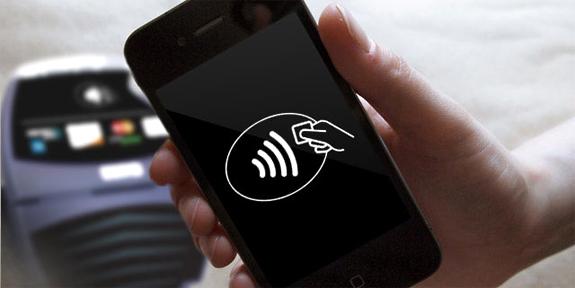
NFC technology seems to be taking the mobile phone industry by storm. Not only do multiple Android and Nokia models sport the feature, Apple's upcoming iPhone 5 has even been rumored to contain the tech.

But if you're tired of waiting for Apple to make a next-gen iPhone announcement, and you don't plan on leaving iOS anytime soon, we've come across a way for you to enjoy NFC technology in your current device. All you need is an iPhone 4 and a bit of an adventerous side...

How You Can Save $20/Month on Your AT&T Cellphone Bill in 6 Minutes

Yesterday I saw an AT&T commercial on TV saying that if you're on a family plan and choose to get unlimited text messaging, you would automatically get unlimited calling to any mobile phone in the US.

So this morning, after my delicious grande Caramel Macchiato at Starbucks, I decided to pay a visit to the AT&T store, right next to the coffee shop, and see if they could help me save a few bucks...

How to Force Any App to Use AirPlay

Back when Apple first announced AirPlay, we all got so excited about being able to throw audio and video from our various iDevices right onto a television or audio system using an Apple TV.

The problem is, not all apps support the technology, which is a crying shame indeed. Thankfully, there is one way to get around most iOS apps' lack of implementation and force these apps to use AirPlay...

Facebook for iPad Hidden Within iPhone App, Here’s How to Get it Right Now

TechCrunch has reported that the rumored Facebook for iPad app is hidden within the iPhone app. How so?

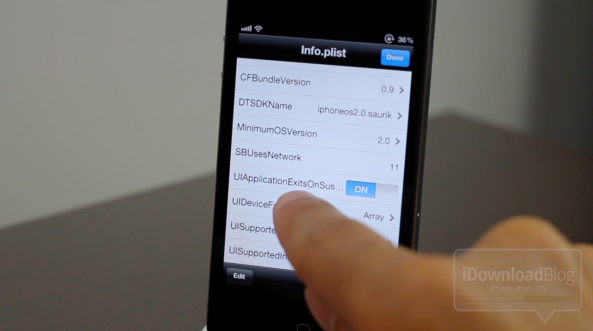
A Twitter user by the name of Marvin Bernal found that changing the "UIDeviceFamily" from 1 to 2 in the info.plist of the iPhone app will display a hidden Facebook iPad app. This also hints that hidden app will become a universal application, meaning that the same app can be downloaded on both an iPhone and an iPad.

Here's how to get the secret Facebook for iPad app on your own iPad right now...

How to Install Google+ on Your iPad or iPod Touch

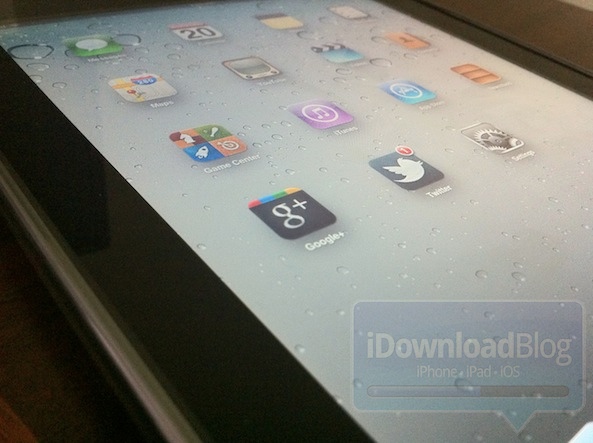
After several weeks of being forced to use the web app, early iOS Google+ adopters were finally given a native App Store app yesterday. The app included all kinds of enhancements over the web version, including the ability to manage profiles and upload photos.

However, a lot of folks were upset that Google didn't include support for iPad and iPod Touch users. The omission was rather odd, considering folks with either device weren't even able to download the app. Luckily, iDB has your back, and we've put together an easy guide to installing Google+ on your iPad or iPod Touch...

Add Some Cardboard Flair To Your LockScreen

Jailbreaking your iDevice has many benefits. One benefit is the ability to customize and make it your own by changing your lockscreen.

Jailbreak tweaks, such as Winterboard and Dreamboard, break free from these restrictions, and as such, these avenues of customization have spawned an underground community dedicated to providing beautiful, awe-inspiring themes and modifications for your iDevice.

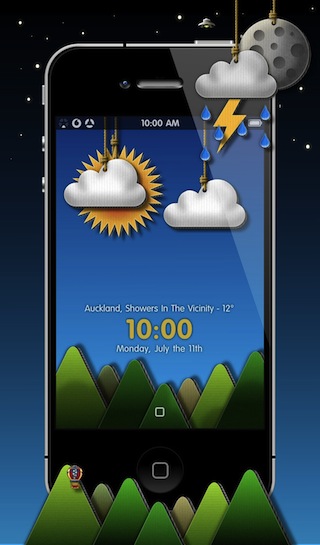
One such example is Cardboard Cutout HD, created by tadad1. As the title of the theme suggests, the lockscreen is given a beautiful cardboard appearance...

How to Bypass Time Warner Cable App Restriction on Jailbroken iPads

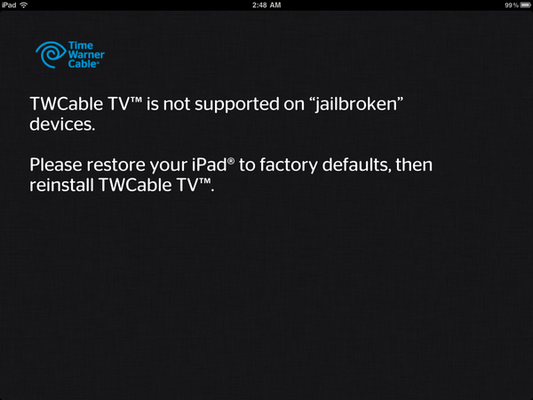
Last week we told you about how Time Warner Cable was restricting owners of jailbroken iPads to use their application. If you launch their app on a jailbroken iPad, you will get a message informing you that "TWCable TV is not supported on jailbroken devices."

At the time, I speculated that this measure was to prevent non TWC subscriber to use the application, and I still believe this is the reason behind the block. As usual, the jailbreak community was quick to react and a .deb file was made available on the same day, allowing jailbroken iPads to use the app anyway...

How to Enable Multi-Touch Gestures on Your iPad

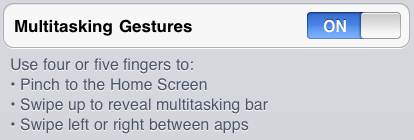
My iPad 2 is currently running iOS 5 Beta 2, and one of my favorite features is without a doubt the multi-touch gestures. These allow you to perform basics tasks such as flicking through apps, closing apps, or making the multitasking tray appear - all with simple gestures.

We've already seen how to enable multi-touch gestures on the iPhone, but with the recent iPad 2 jailbreak, many people have been asking me how to enable those gestures on the iPad. Turns out that's it's still the same old process, but I thought it'd be nice to revive this post for those that are new to jailbreaking...

How to Jailbreak Your iPhone, iPad, and iPod Touch with JailbreakMe

After weeks of anticipation, the long awaited JailbreakMe jailbreak by Comex is now out and available for everyone to use. As always, JailbreakMe is dead simple to use and doesn't even require a tutorial but we'll do it anyway for those that are new to jailbreaking and need to be reassured.

As noted before, JailbreakMe Saffron (its code name) will only be compatible with iOS 4.3 devices and newer, including the iPhone 3GS, iPhone 4, iPad 1, iPad 2, and iPod Touch. Support for older firmwares will come later.

In this guide, we will show you how to jailbreak your iPhone, iPad or iPod Touch using JailbreakMe...