How to

How to manage reminders on Apple Watch

If you've been looking for an official Reminders app for the Apple Watch, your search has been in vain. That's because there simply isn't an app dedicated to Reminders on the Apple Watch like there is on the iPhone.

That doesn't mean that the Apple Watch is incapable of both managing reminders and setting reminders. Actually, with the help of Siri, it's easy to set up reminders on Apple Watch.

Take a glance at this latest entry into our full Apple Watch tutorial for a look at how to effectively set and manage reminders on the small screen.

How to use Digital Touch to send sketches, taps, and heartbeats on Apple Watch

The Digital Touch features available on Apple Watch are some of the device's most personal qualities. With it, you can do things like send sketches, taps, and yes, even your heartbeat, to friends. These three aspects make up the whole of the highly touted Digital Touch feature-set on Apple Watch. In this post, we'll break down how to send sketches, taps, and heartbeats with ease.

How to track stocks on your Apple Watch

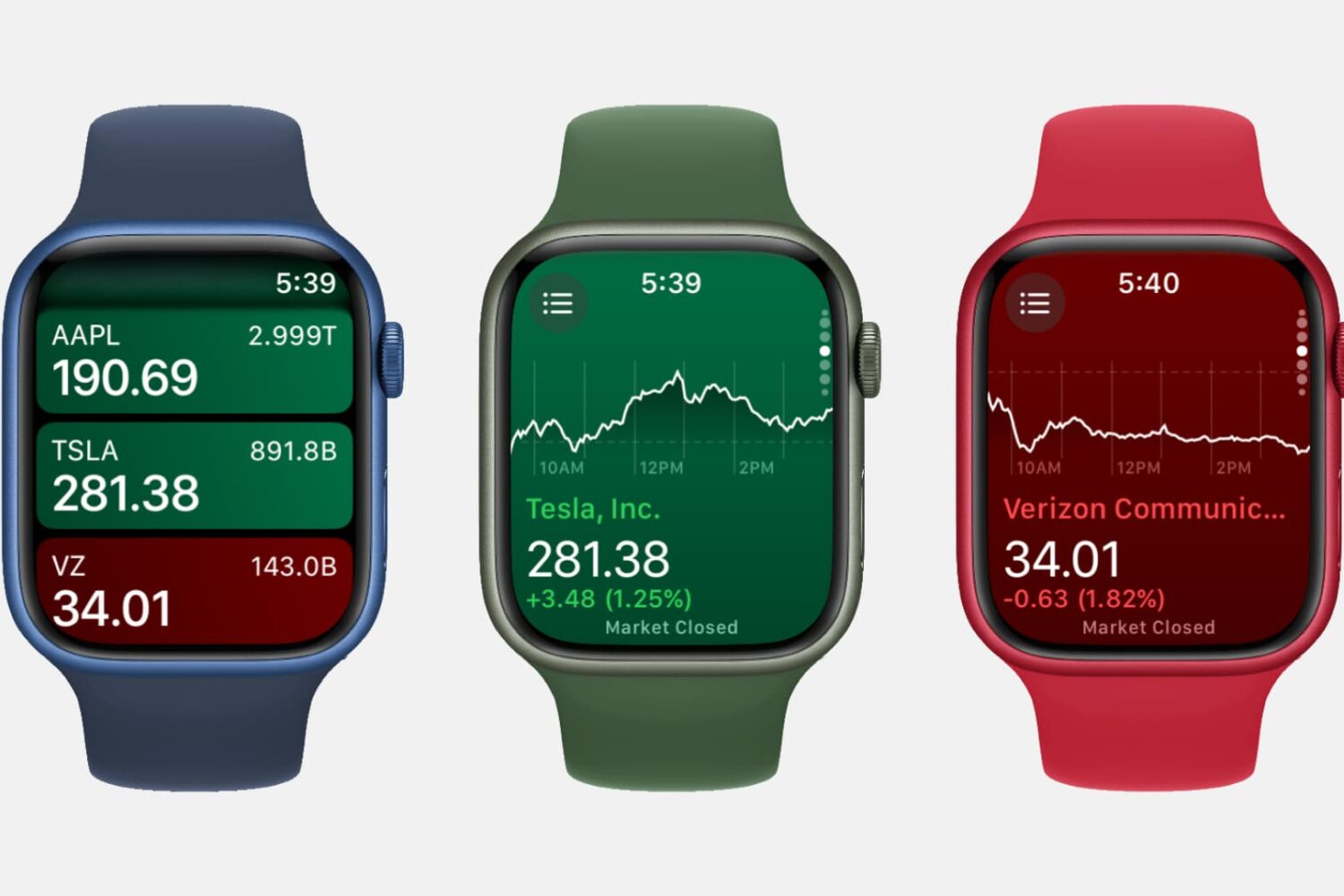
Three Apple Watch mockups showing the Stocks app

Featuring a built-in Stocks app and the ability to check on a stock via Siri, the Apple Watch is a great tool for quickly garnering info on the stocks that interest you, allowing you to keep track of your favorite companies’ financials right from your wrist.

How to use your Apple Watch stopwatch like a pro

Stopwatch on Apple Watch

The Apple Watch, as you might have guessed, is really good at timekeeping. Unsurprisingly, it comes bundled with a stopwatch function that works as both a full-fledged app and a watch face complication. In this post, which is a continuation of our Apple Watch tips series, we'll show you how to get the most out of the stopwatch functionality on your Apple Watch.

How to get around strange Messages bug that crashes your iPhone

An odd bug that lets ill-minded folk send you a message which causes your iPhone to respring has been making rounds.

In case you missed it, a very specific string of symbols and Arabic characters sent through iMessage or SMS sends an iPhone in an immediate respring, causing the device to crash and quickly reboot, as first noticed on Reddit.

It's a serious issue which in some instances can break the Messages app on your iPhone so here are a few possible workaround solutions until Apple delivers a proper fix.

How to make Apple Watch play nice with your iPhone on a 5Ghz Wi-Fi network

Although not quite new, we reported this morning that Apple Watch can't connect to a 5Ghz Wi-Fi network. It's not a bug or anything. It's just a limitation of the current hardware found in Apple Watch. For those users that are not aware of this limitation, it can cause problems when believing that because you are on a known Wi-Fi network, Apple Watch and iPhone should still be able to connect even if they're out of Bluetooth range.

There is just no way to make your Apple Watch connect to a 5Ghz Wi-Fi network, but there are ways to work around that limitation. I've actually been helping people with that specific issue for a few days now, and because I've seen misinformation going around, I thought it would be best to just get things cleared up and explain how you can have both your iPhone and Apple Watch play nice with each other, even if your iPhone is connected to a 5Ghz network.