How to

How to fix disappearing /Users folder in OS X 10.9.3

Apple yesterday released the OS X Mavericks 10.9.3 Software Update and some of the people who have installed it reported that their /Users folder has seemingly disappeared from the Finder.

The /Users folder is located at the top level of your hard drive and holds sub-folders for specific user accounts so some feared 10.9.3 has messed up their system. Turns out the folder is there, it’s just hidden and here's how to unhide it...

How to fix choppy video playback in Safari on OS X

Recently I ran into a problem that I found to be quite annoying. Flash video playback in Safari began suffering from major stuttering and choppiness. It was so bad that videos essentially became unwatchable while using Safari.

For someone who's constantly watching and editing video like me, this proved to be a big problem. I even pondered switching to Chrome for a bit, but quickly dismissed that thought and set out to find a solution to the problem.

Fortunately, the solution to fixing choppy video playback in Safari is an easy one. Have a look inside and we'll show you how.

How to send group emails on Mac

Creating a group email can be a real time saver as you don't have to manually enter each recipient's email address. Instead, you can quickly type in the name of a group of contacts that you want to send an email to and have the "to:" field of your email client populated for you automatically.

In this post, we will show you how to send group emails from your Mac. As you will soon be able to verify, sending messages to a group from your Mac is a fairly simple and quick process.

How to manage contact groups on Mac

In this post, we will guide you through the steps of creating contact groups on your Mac using manual or smart group creation methods, and also teach you how to edit or delete these groups for efficient contact management.

Give your Mac an iOS 7-style Lock screen with this screensaver

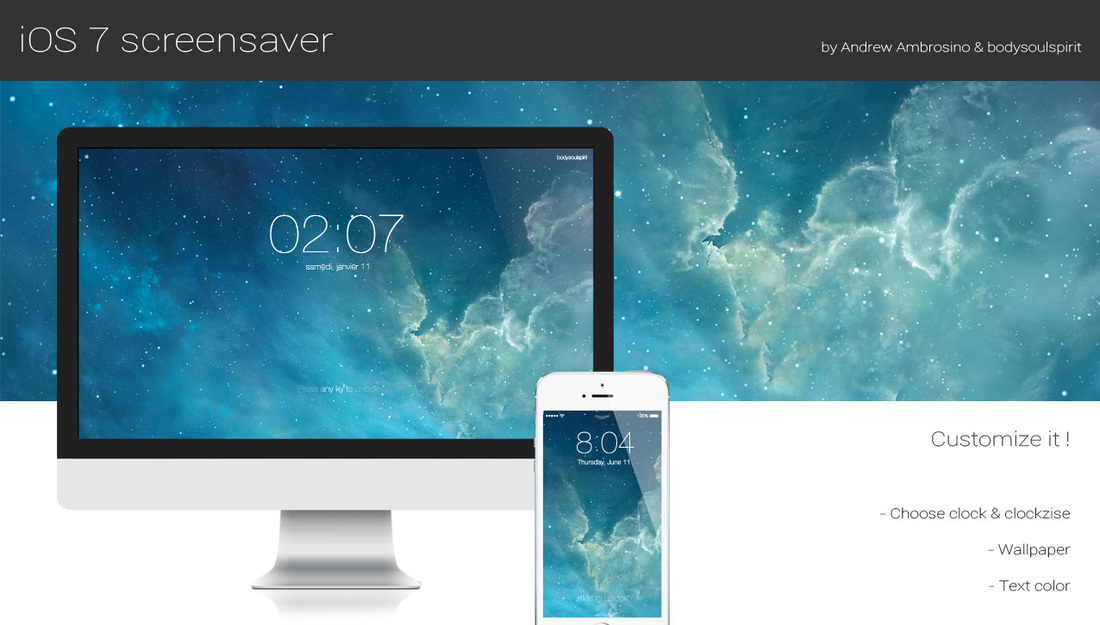
With the release of OS X Mavericks, Apple reaffirmed that it is in no hurry to bring the design of iOS over to the Mac—the two have little in common when it comes to UI. But there are ways to customize your Mac to look more like iOS such as utilities, icon packs, and now this.

What you see above is a new screensaver for OS X that resembles the iconic iOS 7 Lock screen. It features an oversized, 4-digit clock, an animated background, and the text 'Press any key to unlock.' The screensaver is totally customizable and fairly easy to install. Take a look...

How to use your new Mac Pro on its side

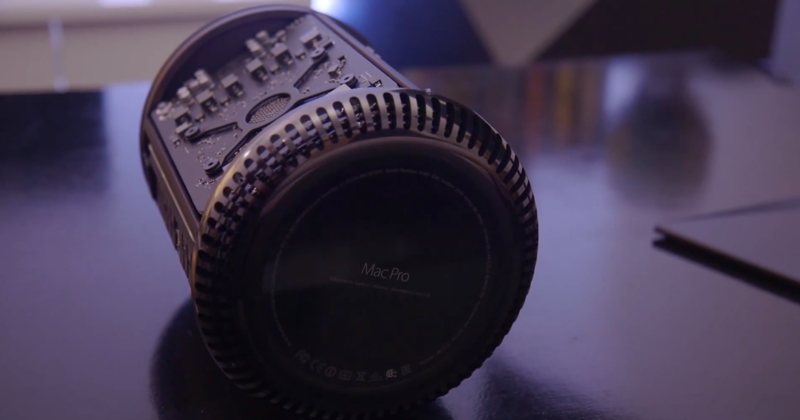
So you've shelled north of $3,000 for a brand spanking new Mac Pro so you could edit 4K video in real-time and I imagine that, as a bonus, the machine would help declutter your desktop due to its drastically reduced footprint (MacWorld has a nice gallery comparing the system to every day objects).

If for some reason you prefer to use your Mac Pro on its side instead of its default upright position, you can do so because Apple's engineers have designed a fan system to support cooling in both orientations, provided you follow the company's guidelines listed in a newly published support document...

How to jailbreak iOS 7 using evasi0n7 [Mac tutorial]

As we just told you, the evad3rs have released a new jailbreak tool called evasi0n7, and it allows you to easily jailbreak iOS 7. The good news is that the hack works with all flavors of iOS 7, which includes iOS 7.0.1, iOS 7.0.2, iOS 7.0.3, 7.0.4, 7.0.5, and 7.0.6. (no jailbreak for iOS 7.1 at this time).

As usual, the evad3rs have made the utility fairly easy to use. But also as usual, we know there will be folks out there looking for a bit of help using it. So we’ve created an easy-to-follow tutorial to show you how to jailbreak iOS 7 on your iPhone, iPad, and iPod touch...

How to record direct feed footage from iOS to a Mac or PC

Lots of people have asked me how I go about recording footage directly from the iPad, iPhone, or iPod touch. The process is one that is simple and straightforward with the help of a couple of hardware and software tools.

From time to time I will record footage directly from an iOS device, while at other times, I like to record the screen using an external camera so that you can see my hands as I work with the device. Depending on the circumstances, I've been known to switch up my methods for doing so.

The bottom line is that there are times in which you should definitely go the direct feed route as opposed to recording the screen externally. As the saying goes, there are many ways to skin a cat, but the method that I've been using has been working quite well for me. Have a look inside as I spill the details on what makes a successful iOS device recording setup.