Firmware

iOS 8.3 is no longer being signed by Apple

Wishing to downgrade (or upgrade) to iOS 8.3? If so, you're too late, as Apple just stopped signing iOS 8.3.

As has been the trend lately, Apple tends to continue signing older firmware even after new firmware—such as last week's iOS 8.4—has been out for a while. This time, a full week passed before Apple closed the doors on iOS 8.3.

iOS 8.2 is no longer being signed

Today, Apple ceased signing iOS 8.2. Although the closure of this particular signing window has no measurable impact on jailbreakers, it's still worth nothing any time Apple closes a firmware signing window.

If, for some reason, you didn't want to upgrade from an earlier iOS version to iOS 8.3, you could, up until today, upgrade to iOS 8.2. Or, if for some strange reason, you wanted to downgrade to iOS 8.2, you could do so up until today as well. That is, of course, no longer the case.

Apple releases Apple Watch OTA firmware

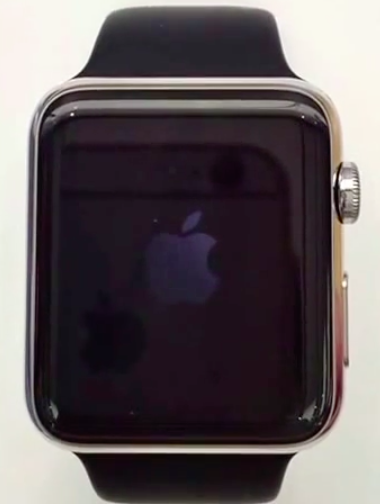
The very first Apple Watch firmware has been released as an OTA update. The firmware, which Apple is branding Watch OS, is actually a modified version of iOS 8.2, similar to how the Apple TV uses iOS firmware as a base.

The 38mm Apple Watch is ID'd as Watch1,1, and the 42mm version is ID'd as Watch1,2. As noted by developer Steve Troughton-Smith, the firmware is heavily based on iOS 8.2 and features a PowerVR SGX543 driver. As yo may recall the SGX543 was integrated on the A5 SoC's that powered hardware like the iPad 2, and iPhone 4s.

A new TinyUmbrella beta is released with iOS downgrades in view

As promised, Semaphore has released a rewrite of his popular TinyUmbrella tool for OS X and Windows. The tool, which has been completely rewritten from the ground up, is currently in beta and requires Java.

Semaphore has alluded to the fact that the new TinyUmbrella may have far-reaching consequences related to downgrading both 32-bit and 64-bit devices. Back in the original TinyUmbrella's heyday, it was used as a tool to help downgrade to prior versions of iOS.

iOS 8.2 beta 2 is no longer being signed

Bad news for would-be jailbreakers of iOS 8.2 beta 1 or beta 2—both firmwares are no longer being signed. There seems to be conflicting reports going around about whether or not Apple has killed access to beta 1, beta 2, or both beta firmwares, but I can personally confirm that Apple has shut down access to both.

Why is this significant? It's significant because iOS 8.2 beta 1 and beta 2 were the only firmwares available that allowed users to jailbreak using PP Jailbreak on Mac or TaiG on Windows.

Jailbreakers beware: iOS 8.1.2 is no longer being signed

iOS 8.1.2 met its end today, as Apple pulled the plug on its signing status. This means that iOS 8.1.2 can no longer be installed on a device, and as such, you can no longer jailbreak if you restore your device. Jailbreakers will need to stay where they are on iOS 8.1.2 if they want to keep their jailbreaks.

How to reliably check Apple’s firmware signing window

If you accidentally upgrade to iOS 8.1.1 or any other non-jailbreakable firmware in the future, it's always a good idea to go out and check Apple's signing window to see if you can downgrade your device to a previous firmware. For example, if I upgrade my device to iOS 8.1.1 today, or if I want to check out Apple's iOS 8.2 beta, I know that I can do so and downgrade back to iOS 8.1 with no issue.

But remember, Apple's signing windows are subject to relatively quick closure. It's been four days since Apple released iOS 8.1.1, but the signing window for iOS 8.1 is still open, making it possible to downgrade now. That can, of course, change at any time. In fact, Apple could decide to close the signing window as you're reading this post.

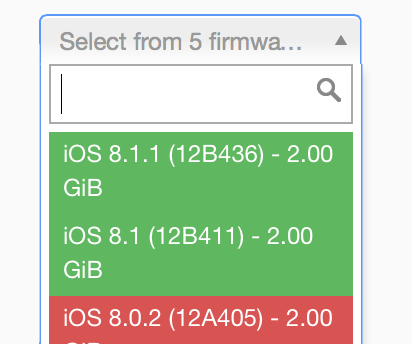
For that reason, its a good idea to downgrade now if you ever want to jailbreak iOS 8. But it's also good to get familiar with how to check the signing window, and this handy website allows you to do just that.

Apple also fixes SSL bug on Apple TV with 6.0.2 firmware update

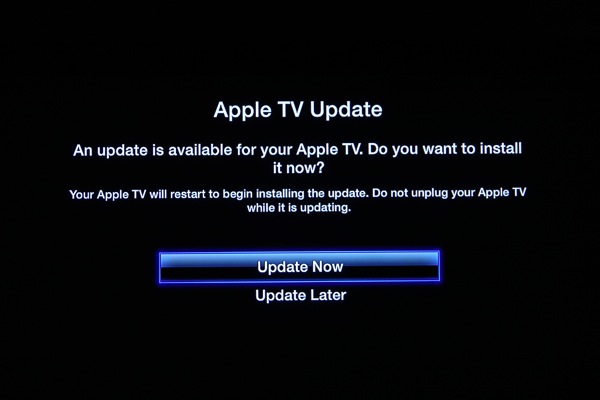
In addition to issuing a quick fix for a dangerous SSL vulnerability with last week's release of iOS 7.0.6 (you can apply the update without upgrading your firmware), Apple has also released a companion update for its $99 streaming box, the Apple TV.

The Apple TV 6.0.2 software update (hat tip to iDB reader Gil) carries a build number of 6646.81.1 and fixes the SSL bug which allows attackers to steal your usernames and passwords used on iTunes Store and other services, by posing as a legitimate site.

The exploit affects Apple's Safari browser so Apple TV users are not necessarily in immediate danger like their Mac counterparts...

Apple no longer signing iOS 6.1.3/4

Bad news this evening for anyone hoping to downgrade from iOS 7 to a lower firmware. It appears that Apple is no longer signing iOS 6.1.3 and 6.1.4 for a majority of its devices, effectively terminating their ability to downgrade.

This is significant for a few reasons. For one, folks who upgraded to iOS 7 and don't like the redesigned UI are now essentially stuck with it for the foreseeable future. And more importantly, word is a 6.1.3/4 jailbreak is coming...

This is how SemiRestore allows you to restore without losing your jailbreak

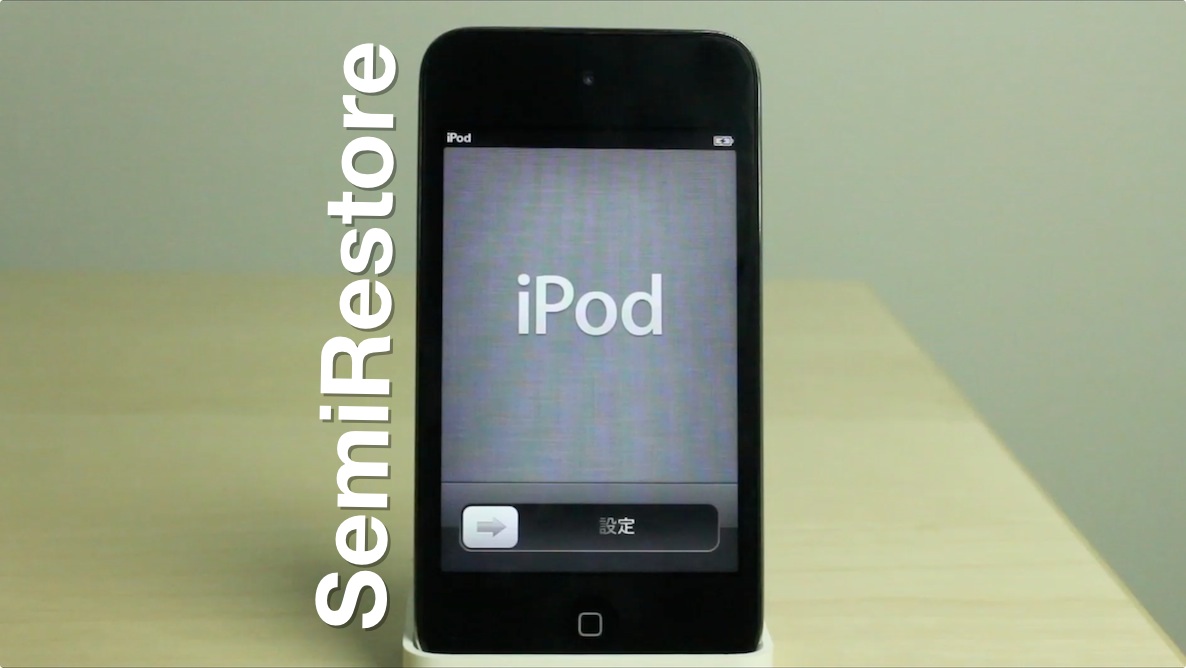
Recently there has been a pretty big buzz about an upcoming release dubbed SemiRestore. We posted about it a few days ago. It's not out yet, you can check its progress here, but I wanted to use this post to prove to you that it does indeed work as described.

SemiRestore claims to be able to let you restore your device without necessitating the need to upgrade your iOS device's firmware. This is extremely appealing for a number of reasons, but the biggest reason of them all is that it would allow you to restore your device without losing your precious jailbreak.

As you know, Apple stopped signing iOS 6.1.2 after iOS 6.1.3 was released. iOS 6.1.2 was the last firmware susceptible to the evasi0n jailbreak, so it's a precious firmware in the eyes of those who like to tinker with their phones. From Apple's standpoint, it's obvious why they opted to fix the exploits used to make evasi0n function. Apple owes it to its users to ensure that iOS is the most secure platform that it can be. Nonetheless, that doesn't make the jailbreak community any less disappointed at the loss of an untethered jailbreak

To make matters even more grim, Apple has rendered downgrading virtually impossible, and that includes simply restoring your iOS 6.1.2 firmware back to iOS 6.1.2. So what if your iPhone or iPad starts running really slow? What if you genuinely needed to restore your device? If so, then kiss your jailbreak goodbye. That pretty much sums up the predicament that we find ourselves in. For that reason we're always extra careful not to install any tweaks or apps on our devices that might cause problems.

And that, folks, is where SemiRestore has come in to save the day. I was a bit skeptical at first, but I've tested it out myself, and I can assure you that it works pretty well. It's not a genuine full restore — hence its name — but it's probably the next best thing to a legitimate restore, and will help you regain the stock feeling of a fresh installation of iOS. The best thing about it? You won't need to upgrade your firmware, and because of this, you won't lose your jailbreak. Full demonstration inside.
iOS 6.1.3 is out with fixes for Lock screen vulnerability, Japan Maps improvements

Apple has just issued iOS 6.1.3 (build 10B329), an incremental update to its mobile operating system powering iPhones, iPads and iPods. This particular update brings fixes to the widely reported Lock screen vulnerability, first discovered a month ago, which lets people with access to your iPhone, iPad or iPod touch to easily bypass your passcode and get to your personal information on the device.

Today's firmware also contains Maps improvements for Japan. If you're jailbroken, you'll want to stay away from this update until we collect more information...

Apple TV software updated to kill evasi0n jailbreak

In addition to this morning's release of iOS 6.1.3, Apple has also seeded a new version of its Apple TV software. The update brings the firmware to version 5.2.1, and it includes a number of bug fixes as well as support for the new Hulu Plus app.

Unfortunately, as with iOS 6.1.3, the bug fixes are actually patches for the exploits used in the latest evasi0n jailbreak. So if your Apple TV is jailbroken, or you would like it to be in the future, you'll want to be sure to stay away from this update...