Firmware

Developer manages to run Windows 95 on an Apple Watch

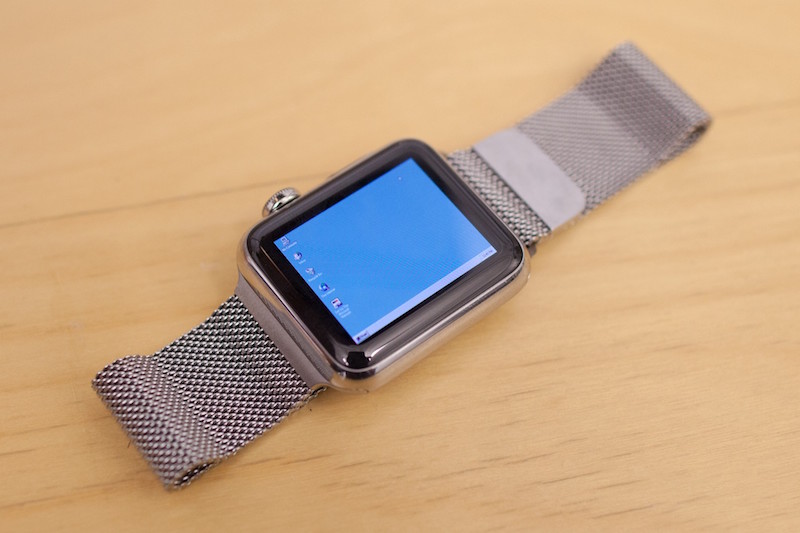
A developer for the Apple Watch has found a way to emulate the Windows 95 operating system experience on Apple's flagship wearable accessory.

Albeit nothing more than a concept, it really does show off how powerful the Apple Watch's internal hardware really is. This is just one of those things you have to see to believe.


Finding what version and build number of macOS you have on your Mac

There come times when you need to know not only what version of macOS that you're running, but also where you may want to know the actual build number.

This information usually comes mostly in handy when you're running betas, but sometimes when filing bug reports with Apple, they might ask you to provide them with what version of macOS you are running on your Mac and the build number it shows.

In this tutorial, we'll show you not only how to find out what version of macOS you're running, but also where to find the build number of the version of macOS you have installed.

Downgrades no longer possible as Apple stops signing iOS 9.3 for some devices

On Monday, Apple has pulled the signing plug on its iOS 9.3 firmware for its lineup of iPhones, iPod touches, and iPads.

As a result, downgrades through iTunes to iOS 9.3 are no longer possible, and there's no way to upgrade specifically to iOS 9.3 from an earlier firmware.

Instead, users will be directed to install iOS 9.3.1 when restoring or updating their devices through iTunes.

Update: It seems that not all versions of iOS 9.3 have stopped being signed. It appears that iOS 9.3 is not being any longer for newer devices (i.e. iPhone 6s, iPad Air 2), but it is still being signed for older devices (ie. iPhone 5s).

Common restore errors in iTunes and how to resolve them

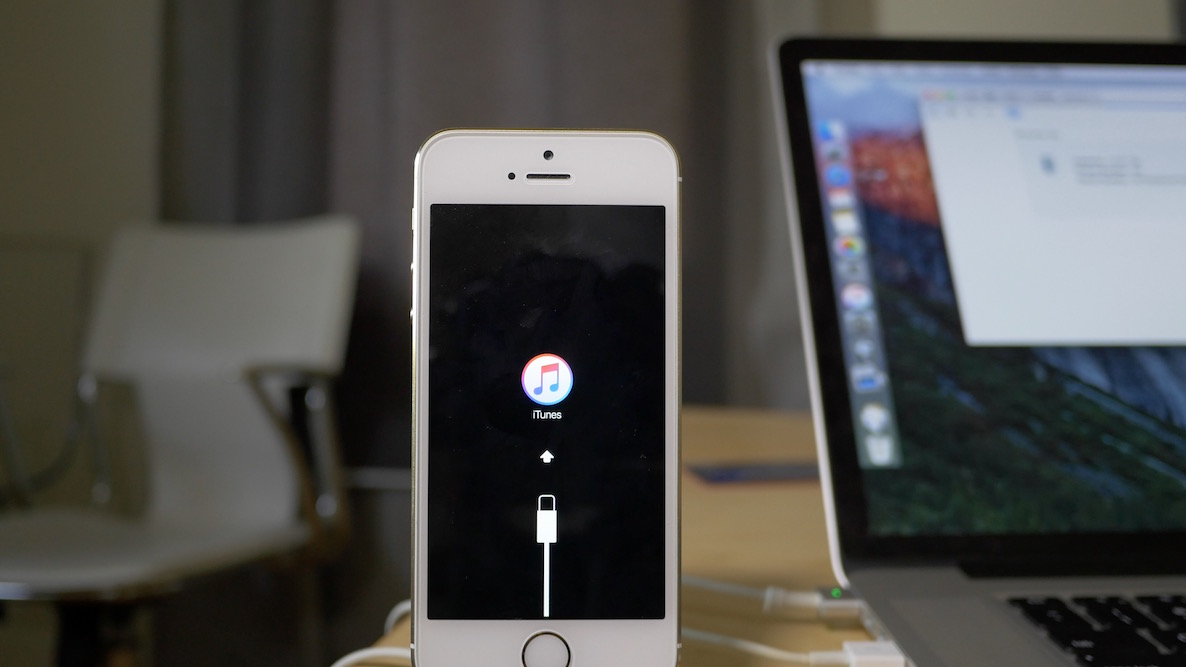
Restoring your iPhone, iPod touch, or iPad can resolve a variety of issues, but sometimes you'll experience issues even when you try to restore your device(s) with iTunes.

You may have received a "This device cannot be restored Error XXX" message from iTunes before, and unfortunately, you may have been forced to do some research to even begin to understand why you're getting the error, which can cause tons of frustration.

In this piece, we'll talk about some of the most common iTunes restore errors and how to fix them so you don't have to spend hours researching for solutions by yourself.

Apple releases first over-the-air firmware update for iPad Pro’s Smart Keyboard

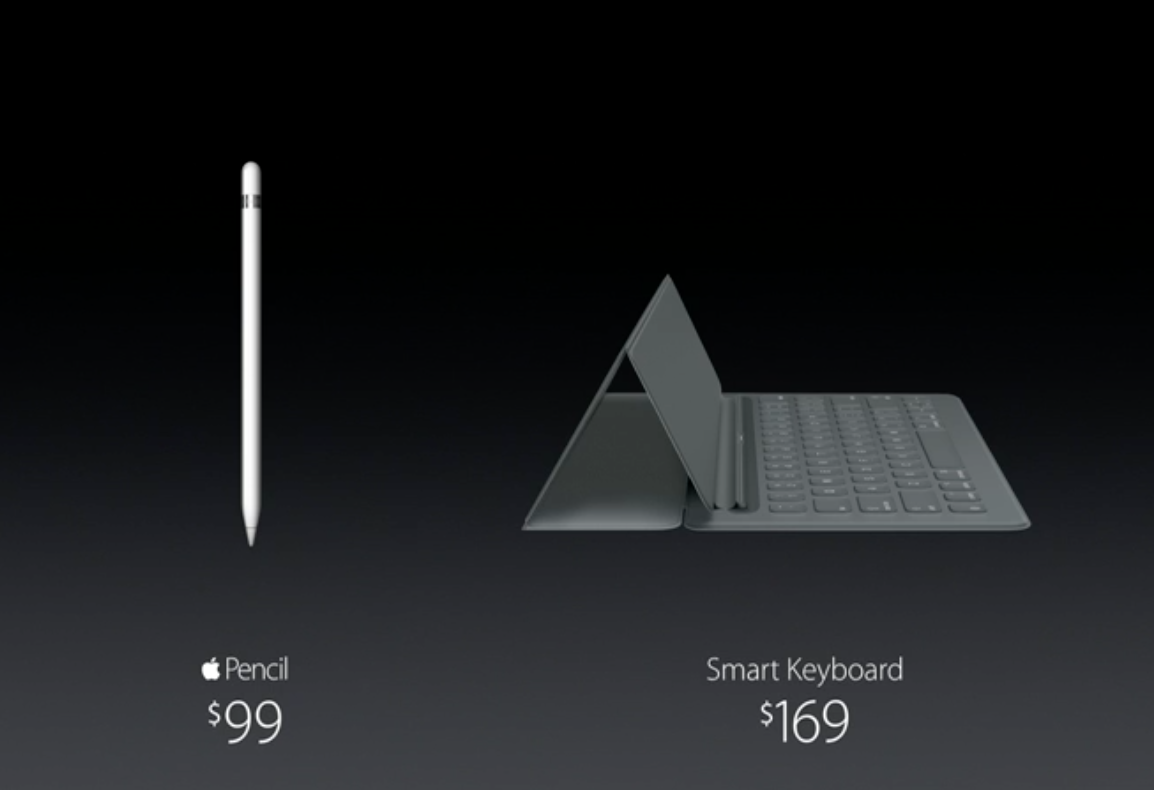
Apple has issued its first firmware update for the iPad Pro's $169 Smart Keyboard accessory. After attaching a Smart Keyboard to their iPad Pro, users will see an iOS prompt informing them of the availability of the new software. They can postpone updating the Smart Keyboard update or select to apply the new firmware immediately.

As reported by AppleInsider, the new firmware software for the accessory is delivered as an over-the-air download and is transferred to the Smart Keyboard through Apple's new magnetic Smart Connector on the iPad Pro.

How to downgrade iOS 9.1 to iOS 9.0.2

Maybe it was the new emoji that tempted you? Or maybe you just made a mistake? Whatever the reason, you've found yourself on iOS 9.1, but wish to go back to iOS 9.0.2—the last jailbreakable firmware that's currently available for iOS 9. Fortunately, you still have time to downgrade back to iOS 9.0.2.

In this video tutorial, we'll show you how easy it is to downgrade from iOS 9.1 to iOS 9.0.2. But act quickly, this tutorial certainly has an expiration date, which will occur when Apple closes the 9.0.2 signing window.

How to update to iOS 9

iOS 9 is now officially out, and it brings with it a whole slew of new features. If you own an eligible iPhone, iPad, or iPod touch, you can download an install iOS 9 right now.

In many cases, especially with the latest iPads, iOS 9 can make you feel like you have a brand new device. In this post, we'll show you which devices are eligible to be updated, as well as how to update.

Apple releases iOS 8.4.1: here is what’s new

Apple just released iOS 8.4.1 to the public. If you're jailbroken, it's highly recommended that you stay away from this update. We'll post an update once we have details of what the iOS 8.4.1 release contains, but rumors have swirled for weeks that it may fix the exploits used for the latest iOS 8.3 and iOS 8.4 jailbreak.

So far, we have not found any indication that this is so, but hold off just in case if you're interested in jailbreaking. If you're not interested in jailbreaking, feel free to update.

Apple releases iOS 8.4.1 beta 1 to developers

Apple just seeded iOS 8.4.1 beta 1 to members of its developer program. Seeing that this release is a minor version release, there's a good chance that it contains bug fixes, and perhaps even a fix for the exploits used in the iOS 8.3 and iOS 8.4 jailbreaks.

While details are currently scarce about what the update contains—there are no release notes at this time—we'll be sure to update you once we gather more info.

The iOS 8.4.1 beta 1 release comes in with a build number of 12H304, and is available for all devices capable of running iOS 8.4.