Design

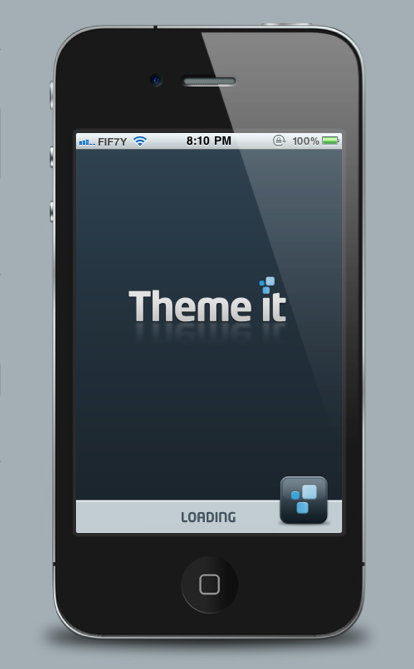
“Theme It” Store Released in Cydia, Direct Competition for Cydia’s Own Theme Center

Finding good themes for a jailbroken iPhone has never been that easy. Themes are usually posted by designers on forums and portfolio websites, and it can be difficult for the average jailbreaker to discover all of the great themes that are out there.

Cydia recently added the "Theme Center," which aims to help users find the plethora of Winterboard themes for jailbroken iDevices. The Theme Center is a great addition to Cydia, but there is plenty of room for improvement.

"Theme It" is a new jailbreak app that aims to be the "Theme Store you've been waiting for." It does look very promising...

Simple, Cloud-Synced Task Management With ‘Wunderlist’ for iPhone

Luckily, there are plenty of great options for task management on the iPhone. (Check out iDB's roundup of 5 awesome task management apps.)

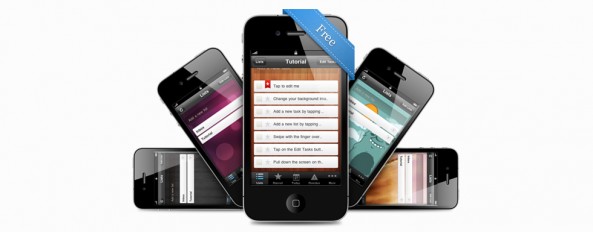
Wunderlist, by 6wunderkinder, is a sleek and robust task management solution for the iPhone and Mac. Wunderlist is simple and easy to use, and it can also be used as a collaborative, over-the-cloud task management solution. A full-featured, sync-able desktop and mobile task management suite would normally have a price tag wouldn't it? (I love Things by Culture Code, but the desktop and iPhone app combined cost me $60.)

Wunderlist is totally free for both the desktop and iOS version. Let's see what the app has to offer...

Verbs for iPhone – There’s Finally An IM App That Apple Would Be Proud Of

There's a new iPhone IM client on the block. Verbs, by #include tech software, is a simple and beautiful IM app that looks like it was designed by Apple itself.

There are a ton of IM apps on the App Store (IM+, BeejiveIM, fring, AIM and Yahoo! Messenger to name a few).  I've used many, and honestly, most of them look pretty awful. I was so excited when I saw the Verbs design mockups several months ago, and the app recently received an update in the App Store that makes it definitely worth reviewing.

While I'm not someone who constantly relies on instant messaging to communicate, I do see the benefit of having a solid IM app on the iPhone for occasionally hopping on Google Talk. The good thing is that Verbs has more to offer than just good looks...

Create Wallpapers and Contact Photos for Your iPhone With ‘Ensoul’ for Mac

I love pretty iPhone wallpapers. The Mac App Store recently launched, and I've been looking for an app that will easily allow me to create iPhone-size wallpapers out of the hundreds of desktop wallpapers and hi-res photos I already have on my Mac. After a little searching, I found Ensoul by MacPaw software.

Ensoul is the perfect desktop companion for creating iPhone wallpaper and contact photos on the Mac. The app is incredibly well designed and focused. And, for a wallpaper addict, there's enough under the hood to make it worth the $9.99 price tag.

With Ensoul, you can easily crop and create iPhone-sized wallpapers out of your already existing wallpapers and photos on your Mac. But that's not all, Ensoul has more to offer than just wallpaper resizing...

Rumor: Apple Will Remove the Home Button in the Next Version of the iPhone

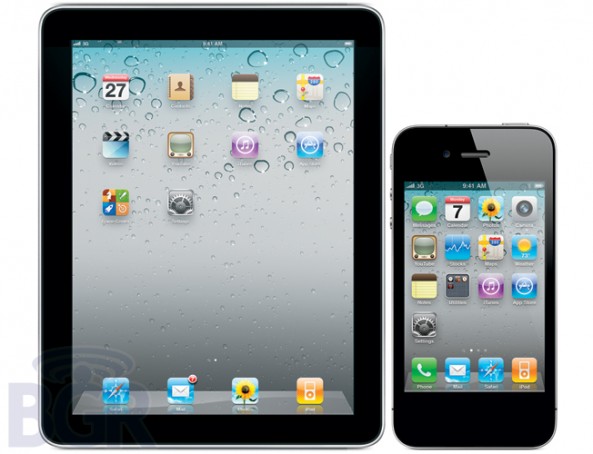
A new, unexpected report from Boy Genius is claiming that the next version of the iPhone and iPad will have no home button. That's right, a device with hardly any physical buttons will lose its only major one. This rumor doesn't seem unlike Apple, we are talking about a company who took all of the buttons off the iPod Nano at one point.

It seems that the reason multitouch gestures were added to the iPad in iOS 4.3 is because Apple plans to implement such gestures for all iDevices. These multi-finger gestures would most likely replace the current functionality of the home button. Boy Genius Report reveals the following...

Create and Send Pre-Made Texts With ‘Canned’ for iPhone

Let's be real, your time is precious. Sometimes you just don't have time to shoot off a quick text. You could be in a meeting, driving, at work, or just plain lazy. Wouldn't it be nice to have a list of pre-made, generic messages you could easily send in a text message?

Canned for iPhone, by Sky Balloon, is a lightweight, simple app that allows you to easily send off "canned" responses through text message. The app integrates with your Messages app by pasting your replies into the input field and allowing you to choose your recipient...

Sophone is the Best iPhone 4 Knockoff of 2010

There are plenty of fake iPhone knockoffs, like the HiPhone 4G. Apple has sued many manufacturers around the world for clearly cloning the iPhone or stealing some of its key features.

China has always been the largest hub of fake, knockoff gadgets. If you visit China, chances are you will find all the recent models of mobile phones cloned and selling at less than half their original prices. Because the iPhone's appeal is at a global level, it is becoming increasingly difficult for Apple to crack down on all of these little companies overseas that are creating knockoff iPhone models.

The Sophone is by far the best iPhone 4 knockoff of 2010. It didn't receive American coverage until late December, but the device has been a huge hit in China. It copies the iPhone 4 in almost every way imaginable. The way that the Sophone identically mirrors the iPhone 4 is unbelievable. You really have to see it to believe it...

IconHarvester: The Easiest And Prettiest Way To Change Your iPhone App Icons

In the jailbreak community, there are plenty of ways to change the way that your iPhone interface looks. Icons especially are a large part of the iOS interface that people like to tweak to their liking.

Once jailbroken, you can do all kinds of things to your iPhone's icons. You can convert old app icons to retina display icons, arrange the way they look on your home screen in any way you want, and the list goes on and on.

Themes via apps like WinterBoard also allow you to change your icons to suit different looks. IconHarvester, by NanoTech, is a relatively unknown jailbreak app that focuses specifically on icon-theming. It's elegant and simple interface make it well worth the price for any icon lover...

Camera+ is Back in The App Store

The Camera+ fiasco has been an interesting one to follow. The popular photography app was a sensation when it was first released in the App Store. Then, it was pulled. Just like that. The app was updated with a backdoor to allow a volume button camera shutter, which apparently Apple didn't like.

At the time of it being pulled, Camera+ was considered the crème de la crème of photography apps. Most felt as though Apple should have lightened up on Camera+ by not pulling the app for simply adding a cool and innovative feature. The problem was that Camera+ violated Apple's guidelines on how an app can interface with the iPhone's controls.

We recently reported that Camera+ had announced that its return to the App Store would be very soon. After many months of silence, Camera+ is back and better than ever...

Apple’s New “Spiral UI” Patent Could Replace Cover Flow

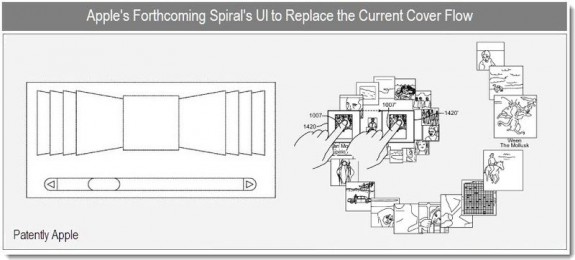
Apple recently patented a new, spiral-based, graphical UI. Details on the patent reveal that the new "Spiral" interface is most likely intended to replace Cover Flow, an already existing interface in OS X and iOS. The design of the interface looks like it will work well with both standard and multi-touch displays, and will most likely be included in OS X Lion next summer.

The goal of this new interface is to display more information than was previously possible in a limited space. Like everything Apple does, another goal is to also make it as visually and aesthetically appealing as possible to the end user...

An Interesting Infographic On The App Store

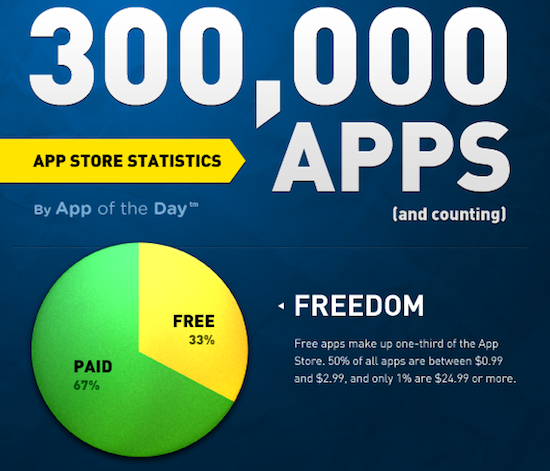
The folks over at App of the Day have put together a nice, comprehensive infographic on the state of the App Store. Their work is based on the App Store as of December 7, 2010.

The infographic addresses overall statistics and some insightful numbers on the mechanics of how the App Store operates.

For instance, out of the 300,000+ apps in the App Store, 85% are for the iPhone only. 67% of apps are paid and 33% are free. There are more universal apps than there are iPad apps. Out of all apps, 50% are between $0.99 and $2.99...

Ben the Bodyguard Will Protect Your iPhone’s Secrets, Coming Next January

"A Frenchman protecting your secrets. Yes, seriously." Ben the Bodyguard is a mysterious password manager and vault for the sensitive data on your iPhone. The app is scheduled to release in January of 2011.

What stood out to me about this app was how awesome its website is. As you scroll down from the masthead at the top of the page, you begin to take a journey with Ben the Bodyguard through the deserted streets of a dark downtown...