Chrome

Chrome for iOS with Messages sharing and back button history now available

Google on Monday announced a new version of Chrome for the iPhone and iPad containing two new features. In addition to the obligatory stability and security improvements and bug fixes, Chrome build 25.0.1364.86 has brought out the ability to re-visit previously visited web pages by long-taping the back button.

This invokes a drop-down menu listing a history of the web pages you visited in the current session. The feature is also available on the desktop version of Chrome as well as on desktop and mobile version of Apple's Safari browser. Another nice-to-have enhances Chrome's Sharing menu with a new option for sending a web page via Messages...

Tweetbot gains support for Chrome, Flickr, Vine and 1Password

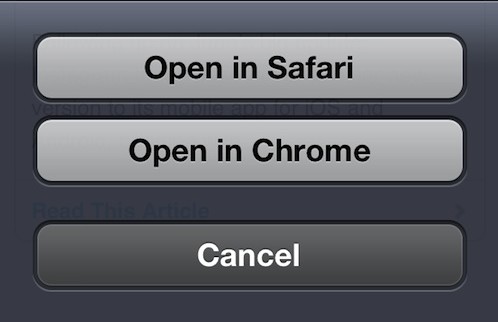
Here's another nice Tweetbot update for your iPhone or iPad. A new version, Tweetbot 2.7, is now live on the App Store with some interesting new features. For starters, Tweetbot can now open links from tweets in Google's Chrome browser, provided it's installed on your iDevice. The app will also render Flickr images in-line, as well as 6-second clips tweeted out using Twitter's new Vine app. Lastly, links from tweets can also be sent to the 1Password app's built-in browser in order to access password-protected web sites without having to remember your credentials...

Chrome updated with key background audio feature

Google released a nice little update for Chrome yesterday, bringing the app to version 23.0.1271.96 (yeah, I know right). The update only brings two changes to the popular iOS web browser: a fix for a character encoding bug, and the added ability to listen to audio playing from within the app while it's in the background...

Google’s Chrome iOS browser gains Passbook support, better PDF handling

Hot on the heels of rolling out the improved Drive app with spreadsheet editing capabilities, Google today also refreshed its excellent Chrome browser for the iPhone and iPad. Google Chrome version 23.0.1271.91 (seriously? what's up with the versioning scheme?) is now available for download, bringing with it support for Apple's Passbook app on iOS 6 devices, better handling of PDF documents in external applications, new text encoding setting and more. Jump past the fold for your changelog and more tidbits...

WebOffline for Chrome brings offline web page reading to Google’s iOS browser

WebOffline for Chrome is a new jailbreak tweak that integrates offline reading capability directly into the Google Chrome browser for iOS. As someone who does a lot of offline reading, and as someone who's a huge Google Chrome proponent, this sounded like the perfect tweak for me. Sadly, the tweak falls short due to its bugs.

As you'll see in our hands-on video, WebOffline for Chrome has tons of potential, but unfortunately it needs a few more hours in the oven before it's really ready for primetime.

Google Chrome updated with iPhone 5 support

My favorite iOS browser, Google Chrome, has been updated to support the larger screen size of the iPhone 5. The update accompanies iOS 6 compatibility, as well as the often included stability and security improvements.

All of you who were using Safari in the interim, can now return to your regularly scheduled program.

Chrome updated with new social features and more

Great news for all of you Chrome fans out there, Google has just pushed out a nice little update for its popular third-party browser.

The new release features a handful of changes, including new sharing options, stability improvements, and bug fixes...

Google+ app now opens links in Chrome if you have it

Google updated its Google+ iOS client yesterday with just a handful of changes. There were some bug fixes, performance enhancements, and the age limit for creating hangouts was lowered to 13.

But perhaps the most interesting change in the client is the new Safari workaround. For those of you who have it installed on your device, Google+ can now open web links in Google's Chrome browser...

How to enable the Nitro Javascript engine for Google Chrome

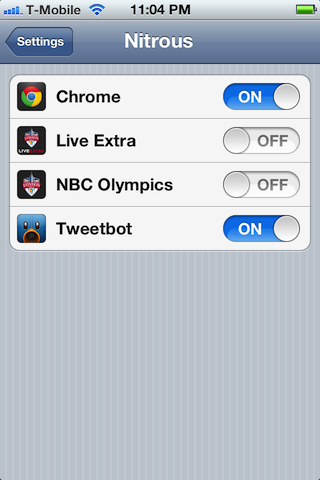
"Chrome will never be as good as Safari," many lamented upon Chrome's iOS debut, "It doesn't have access to Apple's private Nitro Javascript Engine." If your device isn't jailbroken, that still rings true, but if it is, then not so much anymore.

That's because Nitrous — a new jailbreak tweak available on Cydia — unlocks the Nitro Javascript engine for alternative browsers like Google Chrome. Does it make a difference? Yes. Check inside and see for yourself.

Chrome Download Manager lets you download files with Google Chrome on iOS

We all knew something better than Chrome Download Enabler was inevitable, and now it's finally here. Chrome Download Manager is a jailbreak tweak that was released just a few minutes ago to allow downloads via the Google Chrome browser.

Considering it has a name that's similar to the legendary Safari Download Manager, I'd say it has some pretty big shoes to fill. Does Chrome Download Manager live up to its expectations?

Getting more out of Google Chrome

Now that Google Chrome has been out for a while on iOS, it's a good time to sit back and reevaluate its value. Should you ditch Safari for Chrome? Is Chrome good for jailbreakers? How do you get more out of Chrome?

Inside we'll take a look at various ways that you can make your Google Chrome experience more rewarding. Even if you're not a jailbreaker there are plenty of ways you can still benefit...

How to add a traditional refresh button to Google Chrome

The way Google Chrome for iOS handles its refresh/stop functionality is a bit unorthodox. You have to first open a menu, and then tap the refresh or stop button to perform the action.

While it may seem like a small deal, I've found that this extra step is a bit frustrating in real world usage. Thankfully, as you may have guessed, the jailbreak community has responded with an answer.

EasyRefresh for Chrome is that answer — it's a jailbreak tweak that adds a traditional refresh button to Google Chrome for iOS...