Chrome

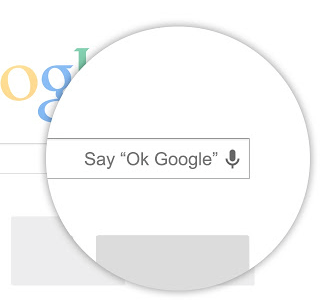
Hands-free ‘OK Google’ search comes to your Mac

Yours truly is a huge fan of Google Now so it goes without saying I've long been yearning for that kind of hands-free voice searching on my Mac desktops and notebooks. Available via Google's free Search app for the iPhone and iPad since November 5, the cool feature dutifully listens to the 'OK Google' keyword which initiates a voice search. It's severely crippled, too, as 'OK Google' only works if the Search app is running, as opposed to the always-on implementation on the Nexus 5 and Moto X.

Blame it on Apple's strict policy that prohibits third-parties from listening to the microphone input in the background. Well, there are no such restrictions on Macs (yet) and Google has taken advantage of the fact and released a nice little extension for its browser allowing you to talk to Google (when you're using Chrome) hands-free, no typing required...
Chrome for iOS updated with synced autofill, faster related image search

In line with its announcement last week, Google has updated its Chrome browser for iOS this afternoon, bringing the app to version 31.0.1650.18. The update includes several bug fixes, and a couple of handy new features.

The headlining new feature is called synced autofill, and it will auto-complete forms on the web that you’ve previously filled out while logged in under the same Google account. And there's also a new long-press function...

Google Chrome for iOS update adds synced autofill

Chrome users will be happy to hear that Google has announced that it's adding the autofill feature from its desktop and Android app to the iOS client today, making it much easier to fill out online forms.

And the feature will of course sync information with your Google account. So as long as you're logged in on your iOS device, you will be able to auto-complete forms that you've already filled out elsewhere...

Google to add account authentication for saved passwords to Chrome for Mac

The great thing about Apple's iOS 7 password syncing feature is that setting up iCloud Keychain on your device with an iCloud Security Code prevents anyone from gaining access to your saved web passwords by going to Settings > Safari > Passwords & AutoFill > Saved Passwords. That is, viewing any saved entry there requires providing an iCloud Security Code, or your account password on the Mac.

This added layer of protection ensures I can't steal your iPhone while it isn't auto-locked and use the Settings app to hijack your online identities in a snap. Not so much with Chrome for Mac. Currently, Google's browser does not require any form of authentication to reveal saved passwords. The Internet giant is aware of the problem and is aiming to deploy enhanced security for saved passwords in an upcoming Chrome build...

Chrome’s share of total iOS web traffic doubles since last year

Google's Chrome went from zero market share to becoming the world's most popular desktop web browser in just five years. And since its release on Apple's iOS platform in June 2012, Chrome's been consistently the top third-party browser on the App Store (free download), making its way on a lot of people's Home screens. Research firm Chitika estimates that Chrome's share of web traffic coming from the iPhone, iPod touch and iPad devices has doubled since June 2012 launch.

Just 24 hours into its launch Chrome became the App Store's most popular free app and grabbed an estimated 1.5 percent share of total iOS web traffic. Today, Google's iOS browser accounts for three percent  of total iOS web traffic...

Chrome’s incognito mode is flawed in latest iOS 7 update

For all of you folks buying gifts in secret for your loved ones, beware; Chrome's incognito mode has a flaw that allows users to recover searches performed in private. A new video has surfaced showcasing the flaw in action, and iDB has independently verified, that indeed, Incognito mode on the iOS version of Chrome ain't so incognito.

The problem occurs when searching in incognito mode and then exiting incognito mode and performing a web search on Google.com. The issue doesn't occur when exiting Google.com and searching using Chrome's Omnibox.

Incognito mode has never been exactly fail proof on iOS, but this is still a pretty embarrassing gaffe for Google.

Chrome for iOS updated with improved search, data savings feature, and more

Good news Chrome users! Google has posted an update for the iOS version of the popular browser this afternoon, bringing the app to version 29 and in line with its Desktop and Android counterparts.

Among the usual performance improvements are 3 new features: a faster back button for returning to search results, a new Bandwidth Management Settings option, and pronoun support in voice search...

Google criticized over password security in its Chrome browser

Google has come under fire this week for the way that its Chrome browser handles password storage. The criticism comes in light of some new findings posted by software developer Elliott Kember, who says he's discovered a flaw in the way Chrome handles passwords.

Apparently, in the browser's settings panel there's a section that lists all of the websites in which a user has a stored password for, and their corresponding passwords. The data is hidden initially, but the passwords can be exposed with a simple click of the mouse...

‘BMarks Bar – Chrome’ updated with several awesome new features

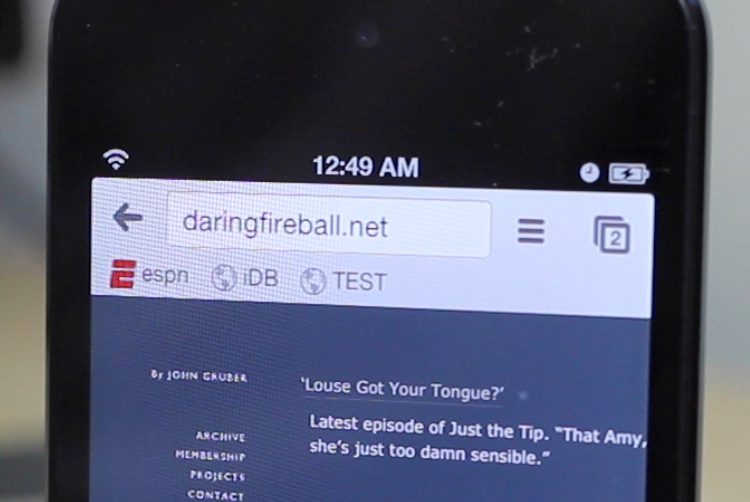
We raved about BMarks Bar - Chrome on the last episode of Let's Talk Jailbreak, and for good reason, as it's one of the best Google Chrome tweaks yet to be released. Recently, the tweak was updated with all sorts of new goodies, which is sure to make the bookmarking experience even better with Google Chrome.

Version 1.0.2 of BMarks Bar - Chrome brings enhanced iOS 5 compatibility, press and hold actions, dynamically updating bookmarks, and access to the bookmarks bar while in full screen mode. Needless to say, if you're a fan of Google Chrome, you definitely want to check out the new features that this update brings to the table. Full video overview of the new features inside.

‘BMarks Bar – Chrome’ adds a bookmark bar to the Google Chrome app

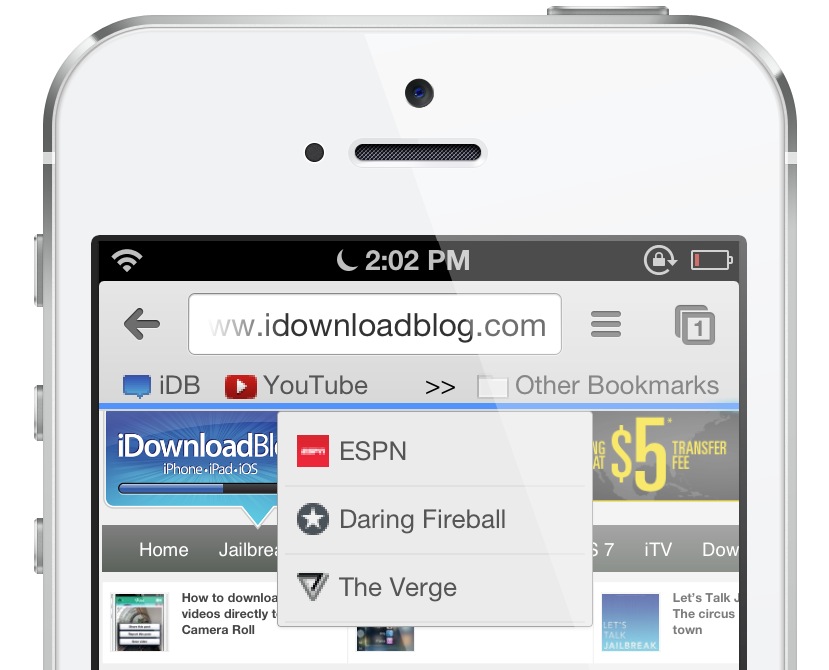
Ladies and gentlemen, boys and girls; it hasn't been too often in the past few months that I've been genuinely overjoyed by a tweak; such an occurrence has been few and far between. But this new tweak, Thankfully, BMarks Bar - Chrome came out of nowhere and it genuinely surprised me with how good it is. Put it this way, if you're a Chrome user on iOS who happens to be jailbroken, stop reading right now, find a dollar, head over to Cydia and buy this thing.

BMarks Bar - Chrome places a true bookmark bar on your Google Chrome app, just under the address bar like it's supposed to be. Why Google has omitted such a feature thus far is anyone's guess, but who cares at this point? We now have such a feature. Take a look at our full video walkthrough inside.

Chrome gains full-screen on iPad, opens links in native apps, saves bandwidth and more

The Internet giant Google has just pushed a major update to its Chrome browser for the iPhone and iPad, sporting better voice capabilities and containing a whole bunch of new features that make the browser fully interoperable with major Google apps available on the iOS platform.

In addition to advanced voice control achieved through additional enhancements to voice search and improved text-to-speech, this edition of the Chrome 28 build boasts tight interoperability with Google's other native apps on iOS.

For starters, there's a handy option to open links for YouTube, Maps, Google+ and Drive in Google's native iOS apps instead of the browser. On the iPad side, there's a new full-screen browsing mode (finally) along with other tidbits, mentioned after the break...

Google Now and rich notifications spotted in Chrome browser

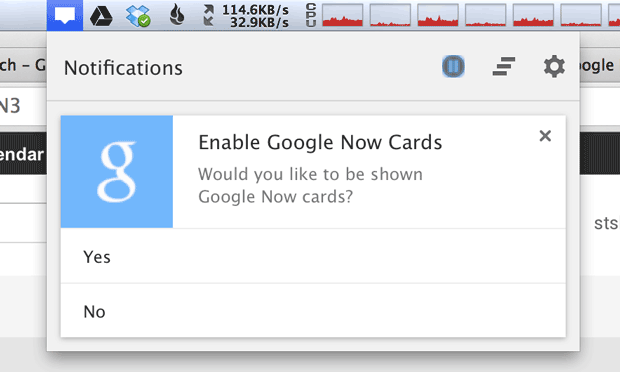
After being caught on the wrong foot following Apple's introduction of the Siri personal digital assistant in October 2011, the Internet giant Google responded by launching Google Now. Mostly owing to a series of missteps, controversial advertising and ongoing reliability issues with Siri, Google has managed to rapidly leapfrog Siri.

But the search monster isn't stopping there, it wants people to use Google Now no matter the device or platform. After adding Google Now features to its native Search iOS app, Google Now cards are coming to a desktop near you via the Chrome browser...