App Updates

SXSW GO updated with iBeacon notifications and other new features

The official mobile app of South by Southwest (SXSW), a set of film, interactive and music festivals and conferences that take place annually in mid-March in Austin, Texas, has been refreshed with a few new features.

Among them is an enhanced experience allowing your device to receive iBeacon notifications to see what's going on around you and who else is there. This year's show will feature the world’s largest deployment of iBeacons.

Google Maps update adds Local Guides, detailed POI/venue info and more

The Internet giant Google on Friday issued a refresh to its native mapping application for the iPhone and iPad, adding Local Guides and a couple other nice-to-haves.

A global community of the top reviewers on Google, Local Guides now appear in Google Maps 4.3 for iOS.

You can also add transit directions to your calendar.

Search has been improved, too, with the ability to search for event information for select venues, nearby businesses based on their address and even retrieve fun facts about popular points of interest.

Numerous gains Google Sheets, Tesla and Celestial Events channels and other perks

Numerous for iOS has been updated with three new channels today: Google Sheets, Tesla and Celestial Events, including SpaceX.

The Sheets channel is of particular importance as you can track any number or date in a Google spreadsheet. For instance, you could track changes to your checking account balance, your company's monthly recurring revenue and even the results of a survey created using Google Forms.

Of course, it's just as easy to track any other number or date in a Google Sheets spreadsheet. You can even elect to be notified when values change or exceed a threshold you set.

At last, Facebook Messenger gets native iOS 8 Share extension

Today, social networking behemoth Facebook issued a small yet important update to its mobile messaging software for the iPhone and iPad. Facebook Messenger version 22 is now available in the App Store and with it comes a much appreciated and long overdue iOS 8 extension.

With it, you can at last send pieces of content to Messenger without leaving other apps. Using iOS 8's standard Share sheet, it's simple to share photos, videos and links directly with Messenger contacts, without leaving context of the app you're currently using.

WordPress for iOS gains WYSIWYG visual editor, in-line image management and more

Blogging on the go has just become a whole lot more easier thanks to an update issued to WordPress's mobile application in the App Store.

Bumped to version 4.8, the software at last brings out an all-new visual editor with additional text styling features and the ability to add images in-line, align them, access image formatting options and more.

What's more, the WYSIWYG editor takes the guessing work out of the equation as it renders your post as closely as possible to what it will look like when published, so you'll preview less and edit more.

Calcbot 2 launches as a freemium app with all-new look and new features

Tweetbot developer Tapbots has released Calcbot 2 in the App Store. The intelligent calculator app is now completely free for everyone, has no ads whatsoever and, among other perks, has been revamped from the ground up for iOS 8.

The refresh software brings out a brand new favorites system which replaces the somewhat confusing memory keys, includes an iCloud-sync'd history in portrait mode alongside the calculator and other perks.

Facebook update allows you to add stickers to photos

Facebook today began rolling out a new feature to its mobile apps that will allow users to add stickers to their photos before uploading them. The functionality is similar to that in the "Stickered for Messenger" app the social network released back in December.

Users who have received the update should see a small icon at the bottom of each uploaded image, which you can tap to see all of the stickers you can use. After selecting a sticker, you can determine how big you want it and where it should be placed on your photo.

IFTTT rebrands iOS client, launches three dedicated task automation apps

IFTTT (an abbreviation of If This Than That), a popular Internet mashup service, announced in a blog post Thursday that its flagship mobile app shall be known henceforth as just “IF by IFTTT”. Available free in the App Store, it features an updated icon and a revamped new look.

In addition to it, the company has announced a trio of task focused ‘Do’ apps: Do Button, Do Camera and Do Note, each available free in the App Store.

With these dedicated apps, and more to come in the future, users can create specific on-demand workflows and tie them to buttons for quick one-tap access.

OneNote for iPad gains handwriting, stylus support with palm rejection and OCR for images

After updating the Mac edition of OneNote with enhanced optical character recognition (OCR) features and other goodies yesterday, Microsoft on Thursday announced that users of OneNote for iPad can now extract text within all images that are added to notebooks saved on OneDrive.

In addition, the iPad application now has handwriting support, a top requested feature which permits users to highlight documents, scribble notes or just draw sketches with their finger. With this update, handwriting is now available in OneNote across all platforms.

Google releases Inbox app for iPad

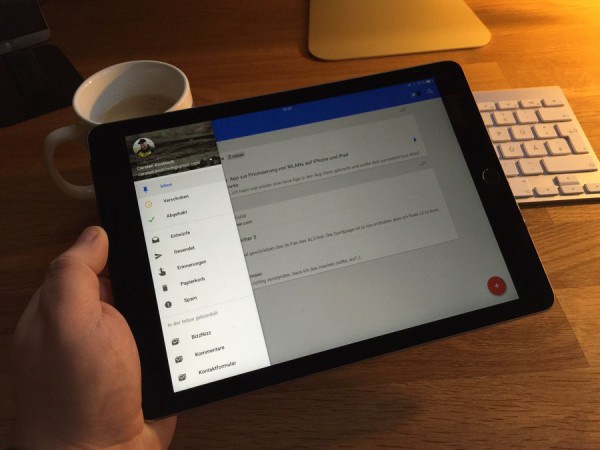
Google has released an iPad version of its Inbox app, its new service that allows “a completely different type of inbox”. The app strives to surface the most relevant stuff that often gets buried and forgotten due to an avalanche of unwanted emails we get bombarded with.

You can now open shared links in Dropbox for iOS

Popular cloud-storage service Dropbox today announced it's refreshed its mobile app for iOS and Android with the much-appreciated ability to open shared links on the iPhone, iPad or Android tablets and smartphones.

In the past, sending someone a link to a shared Dropbox document meant firing up the web interface, but not anymore. Starting today, tapping on a shared link from your iOS device opens the file in the Dropbox app.

Not only does this give you rich previews for shared documents and photos, but also the ability to instantly save shared content to your Dropbox account.