App Store

Download SkyFire Flash Converter for iPhone

It's here folks. SkyFire is now available for download in the App Store. It was supposed to be released on Thursday but I guess Apple couldn't wait to provide us with a Flash content converter.

In case you just woke up, SkyFire is a new application that will take Flash content and convert it into HTML5 so you can view it on your iPhone. As we said before, SkyFire won't be able to convert all Flash content. Hulu videos for example won't be able to be converted.

You can download SkyFire in the App Store for $2.99. If you do, please make sure to leave a comment and tell us all about it.

Flash on the iPhone Now Possible as Apple Approves SkyFire

The wait for a stable way to get Flash on the iPhone is almost over as Apple has quietly approved SkyFire, an app that was submitted about 2 months ago. SkyFire, which will be available on Thursday in the App Store is the first app of its kind to be approved by Apple.

I don't think I have to refresh your memory by explaining that Apple and Adobe's Flash aren't BFFs. Apple has made it pretty clear before they wouldn't not allow Flash on any iOS device. SkyFire goes around these restrictions to allow Flash content to be downloaded to their servers, then "translates" and renders the video into HTML5, which is supported by all iOS devices...

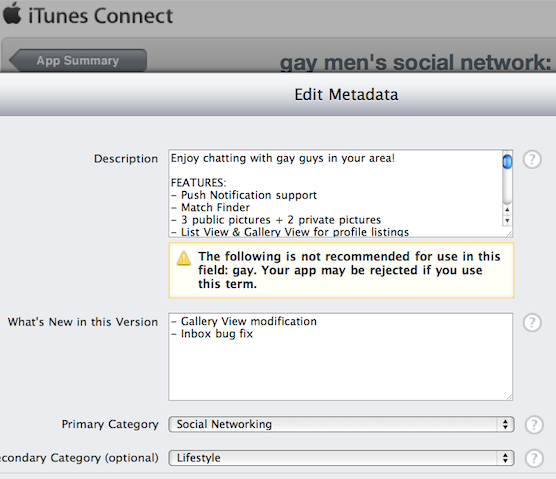
Is Apple Starting to Censor the Word “Gay” in the App Store?

We already knew that the app approval process could be somewhat random. Some apps that shouldn't be approved in the first place manage to show up in the App Store, while others that shouldn't have any problem are rejected, sometimes for false reasons. In the end, Apple is always right: their store, their rules, right?

But what if Apple decided to reject applications simply because they contain the word "gay"? It seems that's what the developer of a gay networking app has discovered while submitting his application for review...
Apple Reportedly Hosting a Secret iOS Developer Conference This Week

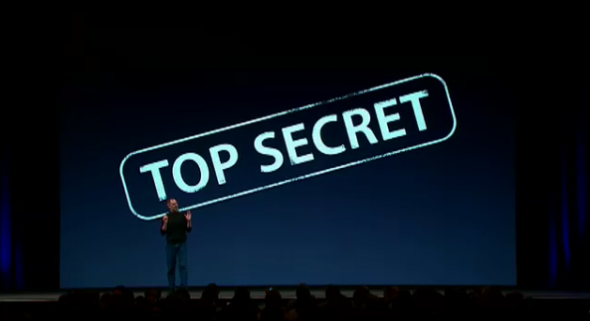
Apple is rumored to be hosting a top secret iOS developer conference in California this week. The event is supposed to start on Tuesday and run through Thursday.

Could this meeting of the minds be Apple's attempt to counteract the rise of Google's Android platform in the smartphone market? There's plenty to speculate about...

Google Adds App Store Search to the iPhone

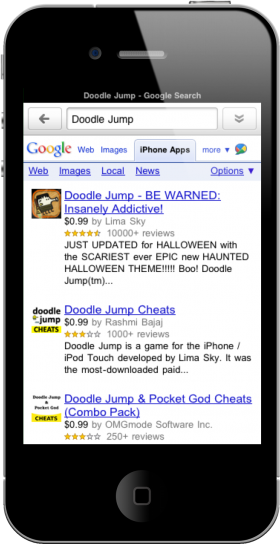
You can now search the App Store through Google search on the iPhone. Google recently added an "iPhone apps" category to its search options. This new option is available within the official Google Mobile app and the Google web interface on mobile Safari.

Google indexes the App Store to bring you only iPhone apps when you are searching on your iPhone or iPod touch. You are given a list of results with the price, average star rating and a brief description for your viewing pleasure. Nothing too fancy though.

When you click the app you want to go to, Google merely takes you to the iTunes web preview page. And the preview page doesn't even prompt the App Store app to open, which is odd...

How Good the Mac App Store Could Be

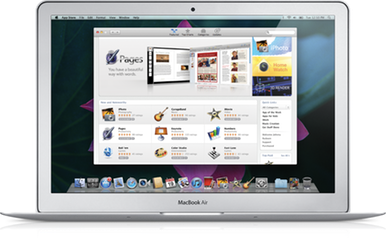
Now that Apple has announced a desktop version of the App Store, there is much speculation on what we are actually getting. There are already quite a few OS X software marketplaces out there, though none are as polished as the iPhone's App Store.

If Apple is smart, they will likely add the Mac App Store as a way to run universal apps and release an iOS runtime platform for the desktop. Just think about it for a minute.

There isn't much unification between doing tasks on an iPhone and a Mac simultaneously, save for the apps that sync with their desktop counterparts. Here are some predictions I have about benefits of supporting universal apps on Macs.

App Review: Eat It!

Created by Dragon Team Interactive, Eat it! is an insanely simple game which features cute characters and equally matching charming music.

The concept is pretty straightforward and easy to pick up. You must feed lions or monkeys, the appropriate food they need. The lions will be eating meat and the monkeys will be eating fruit. That’s basically the game in a nutshell...

App Review: Super Mega Worm

A quick look at ‘Super Mega Worm’ may make you think that this was a ported game from the old-school Nintendo. A closer look at Developer’s website (Deceased Pixel), reveals that their whole concept is developing retro games.

With some of the amazing iPhone games coming out these days, I hope you guys aren’t turned off by retro graphics because with ‘Super Mega Worm’ it offers loads of gratuitous bloody fun in old-skool style!

How to Change Your iPhone App Icons Without Jailbreaking

We Apple users are picky about our aesthetics. Some of us try to pretend that we aren't, but we are. Things like app icons matter to us. Apple doesn't make it easy to customize your iPhone's look on a system mod level, but luckily there are still jailbreak-free hacks out there to taunt Apple's need for aesthetic control.

I'm going to walk you through how to manually change app icons on your iPhone without jailbreaking. There are multiple reasons you may want to change an app icon; you think the developer's icon is ugly, you want a retina display-compatible icon, or you just want to mess with your friend while he's away from his phone. Here's how you do it:

App Review: Take Five

I love it when a simple app idea is executed beautifully. Take Five, by the Iconfactory, is no exception. The idea is simple. Take Five is intended to solve a problem that occurs often for certain types of people. When I say "certain types of people," I mean forgetful ones (aren't we all to some degree). The app does one thing and one thing well; it controls a timer for your music.

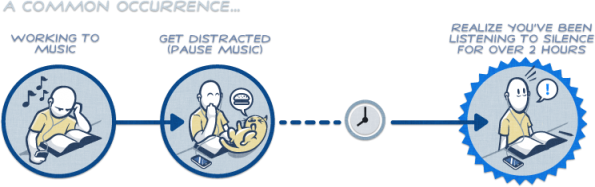
The scenario that Iconfactory uses on the Take Five site is a scenario that most of us have probably been through. You're listening to your music while you're doing work, you are either interrupted or distracted, then you eventually return to your work and forget to turn your music back on. Hours later you realize you've been listening to silence. That sounds like a pretty trivial problem, right? Well, it seems to me that the most frustrating problems in life are the repetitive and trivial ones. Take Five plans on fixing at least one of those problems...

TouchPad – A Seamless Extension of Your Mac on Your iPhone

There are plenty of apps in the App Store for using your iPhone to remotely control your Mac. I've tested plenty of remote apps for the iPhone. Some of them are ok. Some of them are unbearable.

Recently, I stumbled across Edovia Software's TouchPad app. TouchPad is by far the best, all-in-one remote app for the iPhone...

Have a Peek Into Someone Else’s Life with SpyCams

Life's boring? Have a peek into someone else's with SpyCams for iPhone or iPod touch. Search, rate and comment on newly posted or popular security cameras from the comfort of - anywhere, for free.

While the app is simple and easy to use, I found myself looking at the same boring screens. One would have to scroll endlessly to find a gem of an exhibition. A lot of the cams show places like streets, offices, empty lots, hotel cams, city and waterscapes...