Calm down, it’s only a beta

Now that Apple's iOS 7 is out of the bag, everyone seems to have an opinion on whether it hits the mark. If there was one word we would use to describe Apple's latest version of its iPhone, iPad and iPod touch software it would probably be 'polarizing' and with good reason. After all, iOS 7 is undoubtedly the biggest change to iOS since the iPhone was introduced all those years ago.

But one thing does appear to be getting lost in all the hysteria surrounding iOS 7. One thing that people do seem to be forgetting not just when forging their opinions on Apple's new direction, but when condemning existing App Store apps with poor reviews due to compatibility.

Calm down dear, it's only a beta...

Apple sticks it to cheaters with Game Center on iOS 7

All the talk about iOS 7 is, rightly or wrongly, revolving around the aesthetic changes that Apple has made, but that doesn't mean that there aren't plenty of alterations under the hood. Game Center, a feature often ignored by many, is receiving some much needed love with this update and those pesky cheaters are top of the agenda.

Whilst adding new Game Center features that aim to make recognizing cheaters as easy as possible for developers, Apple is also adding other development tools that will make the whole Game Center experience better as a whole. Improved leaderboards and challenges are just two of the changes coming in iOS 7.

With rampant cheating and high scores that have obviously tampered with, Game Center is set to receive its biggest overhaul yet, and most people won't even notice what's changed...

Steve Jobs originally didn’t want to enter the e-book market

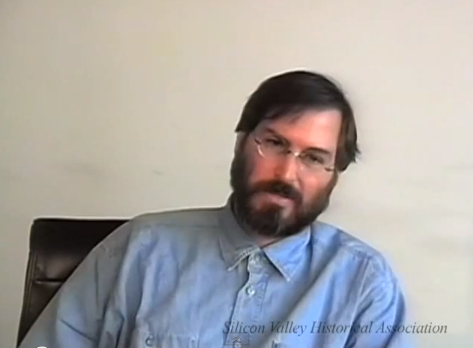
In a dose of irony that shouldn't be lost on anyone and at a time when Apple's Eddy Cue is being hauled before the U.S. Department of Justice in Manahattan, Apple's Senior Vice President of Internet Software and Services has admitted that Apple co-founder and then CEO Steve Jobs didn't even want to sell e-books in the first place.

Speaking whilst testifying during the ongoing price fixing case yesterday, Cue said that when first approached about the idea of launching iBooks, Steve Jobs was not keen on it, leaving Cue to bide his time before broaching the subject again.

In fact, it was only with the release of the iPad fast approaching that Jobs realized that iBooks may be a good idea after all, and the rest as they say, is history...

Add subtle imaging effects to your iPhone photos with VSCO Cam

Camera filter apps are very common in the App Store. Many times, users feel like photography apps don’t really offer anything new to the genre. However, there are still a few ideas out there that have not yet been tapped into in the App Store.

VSCO Cam is a photo editing app that lets you tweak your image in slight ways in order to enhance their features instead of completely change them…

Impressive iPhone concept shows iOS 7 running on a 4.3-inch edge-to-edge display

Now that Apple has unveiled iOS 7, and we know what its next generation software is going to look like, it's time to start thinking about its next-generation handset. No, I'm not talking about the iPhone 5S that's expected this year. I'm talking about after that.

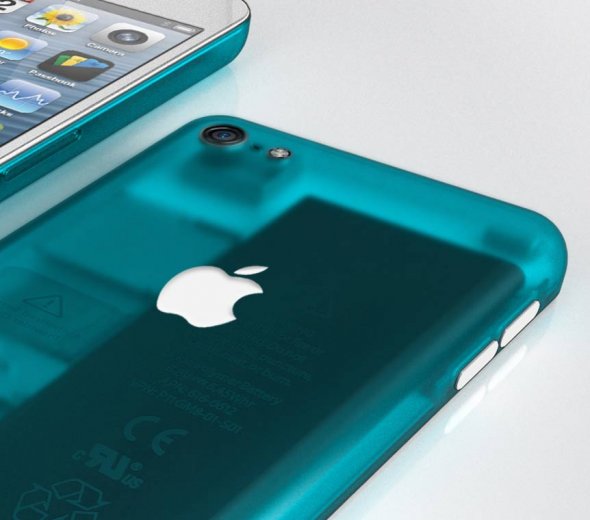
Well if you ask the folks over at ADR Studio, they think it's going to sport a 4.3-inch edge-to-edge display and a fingerprint scanner. The design team has put together an impressive iPhone 6 concept that mixes their creativity with ongoing iPhone rumors...

iPhone 4S/5 users to get Wireless Emergency Alerts via AT&T

U.S. carrier AT&T announced Friday that its subscribers will soon start receiving Wireless Emergency Alerts to their iPhone 4S or iPhone 5 devices. Text notifications will include AMBER, Imminent Threat and Presidential Alerts and will be enabled following an upcoming carrier update pushed out to iPhone devices running iOS 6.1 or later.

Of the three types of alerts, users will be able to disable AMBER and Imminent Threat alerts. Presidential alerts, which are sent straight from the President, can't be turned off...

How to make TextExpander work with OS X 10.9 Mavericks

As a huge TextExpander fan, and a person that relies on the app on a day to day basis, I freaked out a bit when I couldn't get TextExpander working on my MacBook. Yes, I'm one of the very foolish ones who decided to put a beta OS on their main work computer, but that's just how I roll.

At any rate, I needed to get this fixed ASAP, because it was hindering my ability to be productive. The problems stems from the fact that OSX 10.9 places the access to assistive devices option — an option absolutely necessary to run TextExpander — in a brand new location, under the guise of a new security setting.

So every time I received this error: "Please go to the “Universal Access” preference pane and enable access for assistive devices before using TextExpander!" TextExpander would point me to a section of the System Preferences that no longer exists.

How to fix? It's actually quite easy to do, follow me inside...

‘Activator’ gains custom events triggered by email, invoke shutter actions, and more

After a marvelous update that brought us flick icons gestures, Ryan Petrich is still at it. This time, we're all the way to Activator 1.7.5 beta 8. The last couple of Activator beta releases have added a few new handy features to the fold, and I'd like to take the time to tell you about them.

First up to bat is a new gesture that allows you to take advantage of a simultaneous press of the Home button and Sleep button. If that combination sounds a bit familiar to you, it's because that's currently the stock gesture combination for taking Screenshots on iOS. This means that you can basically reassign the stock screenshot gesture to do something completely different.

Secondly, you'll find a new action to invoke the camera shutter for the stock Camera app. If you're already inside of the camera app, this gesture will cause the shutter to fire. If you're not already inside of the Camera app, then the initial gesture will take you there.

Lastly, but certainly not least, is a new custom trigger that allows you to execute an action when you receive an email from a specific sender, subject line, or a combination of the two. Check inside for our full video walkthrough that showcases all of the goods in action.

PebbleActivator: execute Activator actions using your Pebble watch

I'm not a Pebble watch owner, but if I was, I'd be all over this like white on rice. PebbleActivator is a new jailbreak tweak from iOS developer Ryan Petrich, and it allows you to execute specific commands via the Pebble Smart watch's physical buttons.

PebbleActivator is basically an Activator add-on, as it runs inside of the Activator app. With that said, the app does feature its own standalone app icon for interfacing with its settings. Take a look inside for a few more details, and why this new tweak is so handy for Pebble watch owners.

Facebook to host event June 20th, says it’s been working on ‘big ideas’

It's just June now, and the Facebook team has already had a big year. It's launched major new search tool, rolled out a completely revamped version of its Timeline feature, and oh yeah, it developed its own Android launcher.

But apparently it's not finished yet. The social networking giant just sent out invitations to a media event scheduled for June 20th. Facebook's invite doesn't offer many details, but it does say that it's been working on big ideas...

AT&T’s GoPhone prepaid sevice now available on 4G LTE and HSPA+

GoPhone, a prepaid wireless service from U.S. carrier AT&T, used to be a 3G-only affair. But not anymore.

Just like clockwork, the carrier Friday announced that GoPhone customers can now enjoy fast data speeds not only on its third-generation HSPA+ network (unfairly billed as 4G), but also on the fourth-generation Long-Term Evolution (LTE) network.

Compared to 3G, 4G LTE offers ten times higher data throughput. The telco also added Samsung's Galaxy Express to its GoPhone device portfolio and said folks can also bring their own HSPA+ or LTE smartphone...