In Boshi, you must be a stealthy lumberjack to avoid the wolf pack

Most stealth games require the player to stay hidden until out of the line of sight of others. Moving from one room to another without getting caught is harder than you’d think. But, what if there are no rooms to hide in and the sound of trees falling in the forest will also set off the alarm?

Boshi is a sort of stealth game where players must chop down trees without being seen or heard by nearby wolves. If you get caught, your only help is a flare gun with four flares. Good luck fending off all of those hungry wolves...

How to enable Enhanced Dictation in OS X for streaming speech-to-text with live feedback

OS X includes a nifty Dictation feature which allows you to control your Mac and apps with your voice. You can use “speakable items”, basically a set of spoken commands, to open apps, choose menu items, email contacts and convert whole spoken sentences to text, wherever you can type text.

This is much like iOS’s Dictation feature as both iOS and OS X use the same Nuance-powered technology that turns speech to text. iOS devices have limited computing power so the Dictation feature on the iPhone, iPod touch and iPad requires network connectivity in iOS 7 (iOS 8 supports streaming voice recognition and 22 new languages).

On the Mac, computing resources like CPU power, battery life and RAM are not of paramount importance as on mobile, Therefore, OS X Mavericks provides a new Enhanced Dictation feature which converts your words to text without utilizing Apple’s servers.

In other words, server-based Dictation lets you dictate without an active Internet connection. Because voice recognition processing runs locally on your Mac, text appears instantly as you speak. That is: continuos, streaming dictation with live feedback is made possible.

In this tutorial, I’m going to show you how to turn on Enhanced Dictation in OS X and take advantage of speech-to-text, even when you're off the grid...


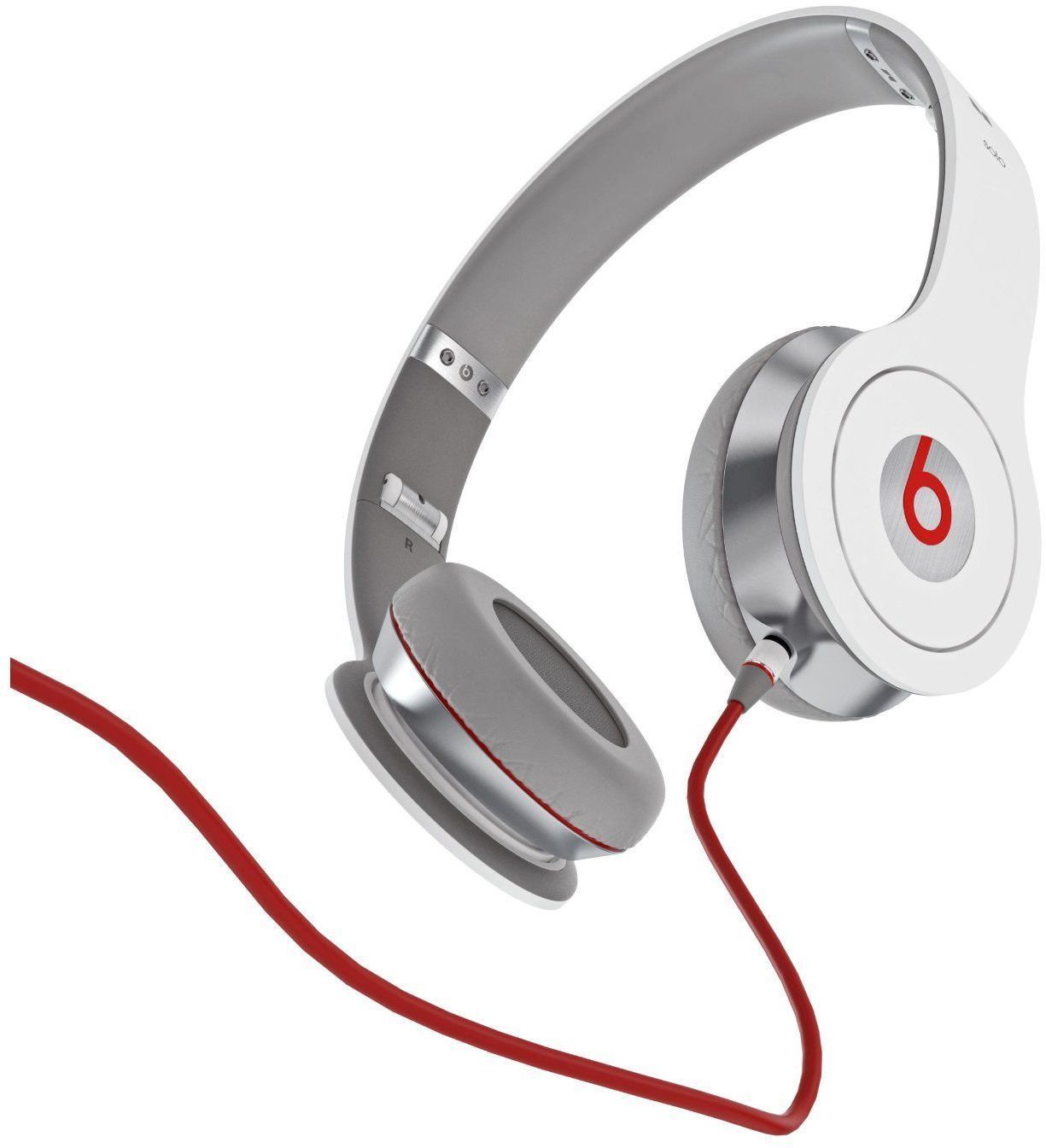
Apple Stores shave 10 percent off Beats by Dr. Dre headphones until Saturday

Apple's short-term strategy regarding the $3 billion buy of Beats Electronics and Beats Music is starting to take shape with each passing day.

Not only is it actively advertising and selling Beats products through its brick-and-mortar locations and online retail stores, but now the California firm has shaved a cool 10 percent off all Beats by Dr. Dre headphones and assorted accessories.

This is virtually an unheard-of move — the company rarely discounts its own products by more than a meager few percents.

I'd say that it's kinda interesting seeing the maker of overpriced gadgets — as haters usually diss Apple — actually bring the overpriced Beats by Dr. Dre headphones to more bearable levels...

iPhone 5s holiday ad, ‘Misunderstood,’ wins Emmy Award for 2014’s Outstanding Commercial

Apple's marketing boss Phil Schiller is going to have a field day over this.

After a mishmash of some memorable and mostly forgettable advertisements that ensued following Steve Jobs's October 2011 passing, Apple - not Samsung - has now won the coveted title of this year's most Outstanding Commercial for the iPhone 5s ad dubbed 'Misunderstood', which was airing on television during the 2013 holiday season.

The award is granted by the Primetime Creative Arts Emmy Awards just a week before the live Primetime Emmys telecast...

Stars and moons wallpapers for iPhone

Previous popular wallpapers included galaxy images. Our galaxy variant and starred night sky wallpaper posts were some of the most popular over our first year of Wallpapers of the Week. In the spirit of giving the readers more of what they want, this week we present another set of galaxy inspired wallpapers.

Today, there is a pack of wallpaper posts highlighting a whimsical approach to the starry sky. From creatively placed moons, to clouds and even space ships, if you are into galaxies, possibly far, far away, step inside for your downloads...

The best iPhone apps for tracking earthquakes

I live in California. I was born and raised here. I’ve never lived more than three hours from the coast my entire life. Growing up in Southern California, I was raised on earthquake preparedness. Every year we would experience a handful of tremors that would send me scrambling to the nearest doorframe or desk. I’m kind of terrified of earthquakes.

I found that I alleviate my fears, somewhat, if I can keep an eye on the shifting plates below my feet. Knowing what has happened historically helps me plan for the future, or at least makes me think I can. We’ve got a list for you of what we think are the best apps for watching earthquakes for those of you who like to keep an eye on things, too…

Size DOES Matter, but only in this game…

O.K., I know what you’re thinking, but it's not about that. When you find out a little bit more about this game, you’ll see how apropos the name really is. Sometimes, you just have to go with what works.

Size DOES Matter is a rhythm game where… well, size matters. Players control a series of blocks that can shrink and grow in order to fit into different sizes of gates. Don’t crash into them or you’ll lose everything.

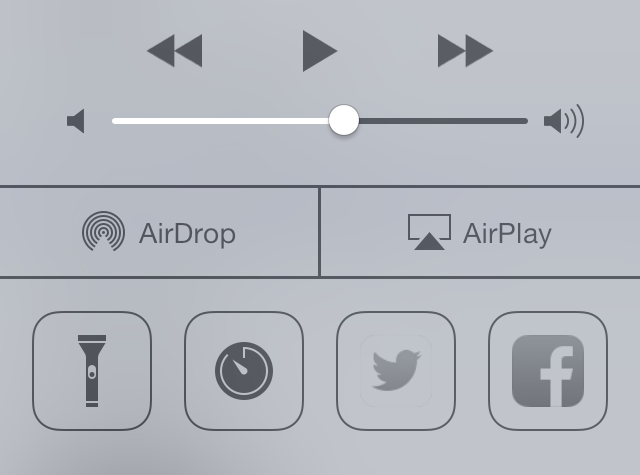
The best jailbreak tweaks for Control Center on iOS 7

One of the major features Apple introduced in iOS 7 is Control Center, which provides users quick access to settings toggles, stock apps, media controls and more. However, it is very limited and doesn't give you complete control to customize it. This is why Control Center has been the subject of focus by many jailbreak tweak developers and ever since the iOS 7 jailbreak was released, there has been no shortage of tweaks for Control Center.

Below, we've compiled a list of the best jailbreaks tweaks for Control Center on iOS 7, ranging from customizing the feel and look of Control Center to adding more toggles.

How to view the exact timestamp of a photo or video in Instagram

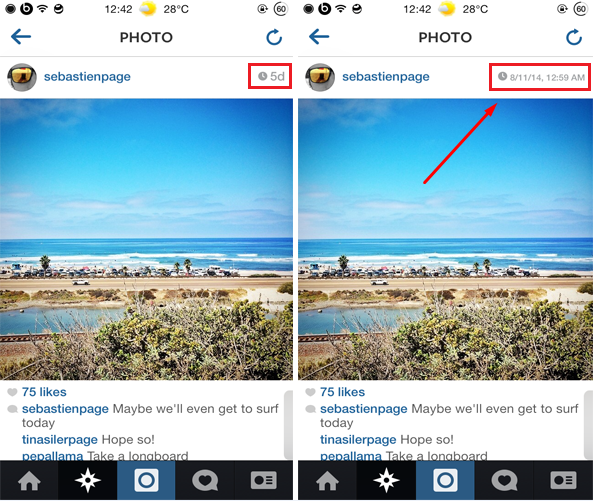
Instagram is one of the most popular social network and photo/video sharing app available for iOS. If you've used Instagram at some point, you'll know that it doesn't show you the exact timestamp when an image or a video was posted. You will only get a preview of the less informative timestamp, which only displays the time passed since an image or a video was posted. InstaRealDate is a new jailbreak tweak that gets rid of this issue.

InstaRealDate displays the exact and more informative timestamp of a media including the date (day, month & year) and time that it was posted. To view the more informative timestamp, you have to tap on the time located in the top right corner of every image/video and it displays the exact time and date that it was shared such as "8/16/14, 12:30 PM"...

Pokemon Trading Card Game coming to iPad

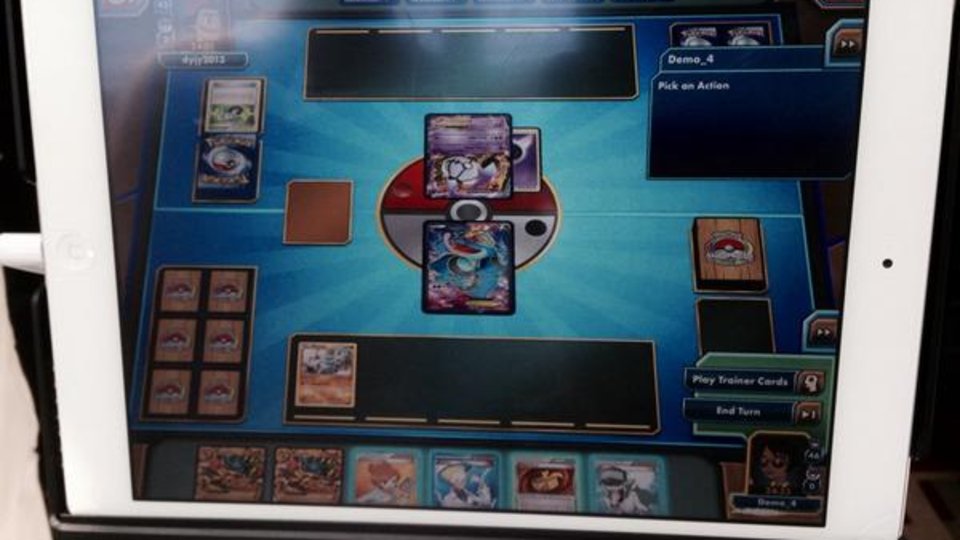
Good news Pokémon fans, the company is bringing its popular Trading Card Game to the iPad. While we've seen several Pokémon and Pokemon-related apps released for Apple devices, this will be the first time that a full game from the franchise has landed on iOS.

That's the actual title in action shown in the photo above. A beta version of the game is being shown off to some attendees at The Pokémon World Championship, which takes place this weekend at the Walter E. Washington Convention Center in Washington, D.C...

New photos claim to show 5.5-inch iPhone 6 display, logic board and battery

Some new photos popped up online this evening, showing what are said to be components for the 5.5-inch version of the iPhone 6. The claim is significant, as unlike the 4.7-inch model, we've seen just a handful of parts belonging to the larger handset.

Among the parts are a display panel, logic board, and perhaps more interesting, a battery. The battery runs at 4.35 volts, and has a capacity of 2,915 mAH. If legit, this would put the 5.5-inch iPhone ahead of the Samsung Galaxy S5 in terms of battery size...