iPhone News

How to track your child’s iPhone with MobiPast [sponsored]

Although iOS offers some features that help you restrict what a child can or cannot do on his iPhone, there is still no simple way to closely monitor their texts messages, phone calls, Facebook and WhatsApp conversations and more.

This is exactly what MobiPast can provide: a simple and efficient way to track what your child does on his iPhone (or other device), making sure he doesn't cross the lines and potentially puts himself at risk. This is a method that definitely raises privacy concerns, but you can't argue that privacy comes second when it comes to the safety of your kids.

For this to work, both the monitored and monitoring devices will have to be jailbroken. First download the MobiPast app on your iPhone or iPad, then install the invisible monitoring app on your child's iPhone.

After that, you can open the MobiPast application on your cell phone or tablet and start secretly consulting copies of messages, calls, internet history, Facebook conversations, contacts, etc. Alternatively, you can monitor the device's activity directly from your desktop browser.

For more information on how you can track your kid's iPhone activity, make sure to visit MobiPast.com.

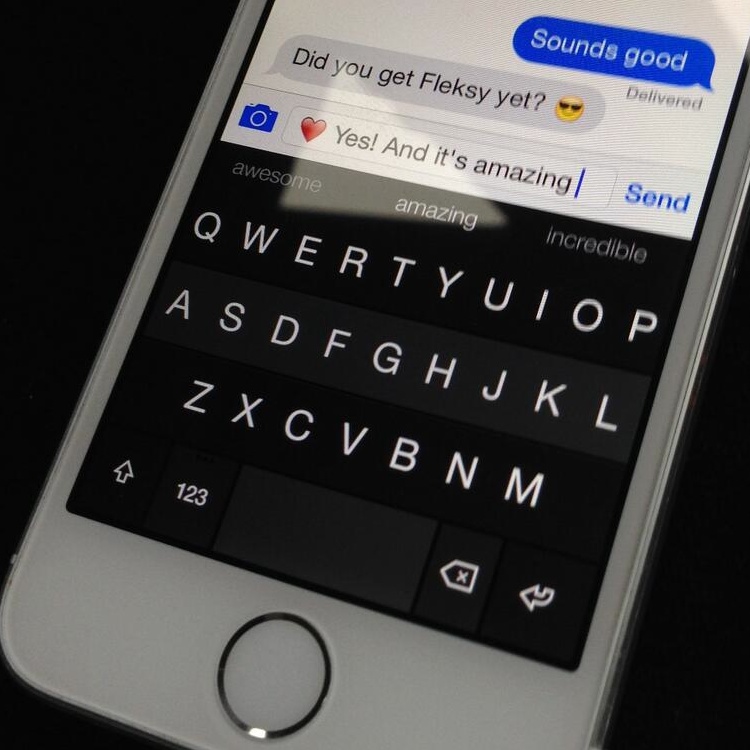
Fleksy teases its upcoming iOS 8 keyboard

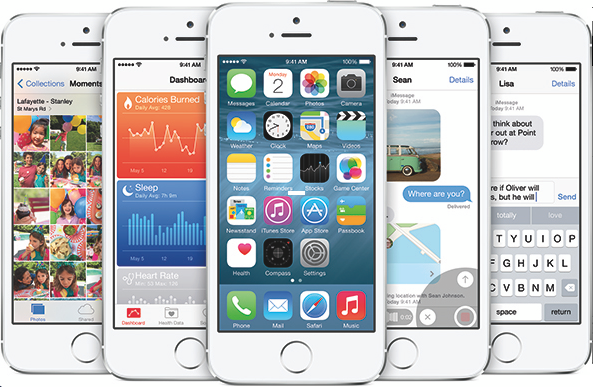
Aside from customizable Share sheets and support for third-party Share Extensions, downloadable soft-keyboards is yet another feature making iOS 8 more flexible and way more customizable than ever.

As we explained yesterday, registered iOS developers can now use Apple's iOS 8 SDK to write software keyboards and distribute them in the App Store. And users will be permitted to download any third-party keyboard they like.

This will make it dead simple to finally use new input methods system-wide. I bet you didn't see downloadable iOS 8 keyboards coming! Apple's promotional graphics shown at Monday's keynote and used on the iOS 8 webpage has already hinted at a downloadable Swype keyboard.

And just this morning, an image tweeted out by its developer has confirmed that the popular Fleksy Android keyboard will be available when iOS 8 launches this Fall...

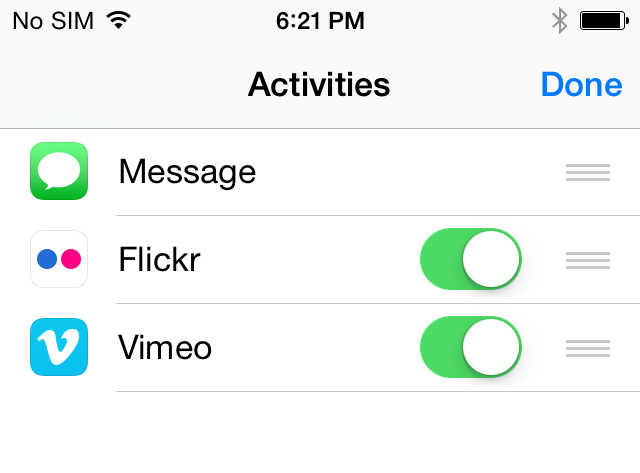
iOS 8 enables third-party Share Extensions, makes Share sheets customizable

Being a heavy user of Share sheets in iOS 7, I've always felt that something needed to be done about the growing number of icons cluttering these menus, especially given third-party apps are allowed to add additional 'Open In' choices to Share sheets.

As part of its extensibility mantra, Apple has said that third-party apps are now finally allowed to install their own hooks to the multipurpose iOS 8 Share menus, making it a lot easier to add new sharing functionality system-wide.

But as installing these extensions is bound to quickly populate Share sheets, iOS 8 allows you to easily arrange Share sheet icons and even tell the operating system which extensions are available through Share sheets...

Find My iPhone in iOS 8 introduces ‘Send Last Location’ feature

Find My iPhone is a great way to locate your lost or misplaced device - that is, unless a thief was smart enough to find a way to disable it right after you've been mugged and your device has been taken from you.

Additionally, if the person has shut down your device or it has run out of battery charge, Apple's free Find My iPhone app will only display its last known location for up to 24 hours.

The same goes for the web interface over at iCloud.com. After the 24 hour cut-off period, you're basically unable to locate the device on a world map until it has been restarted and has established a network connection...

Razer introduces ‘Junglecat’ MFi gaming controller

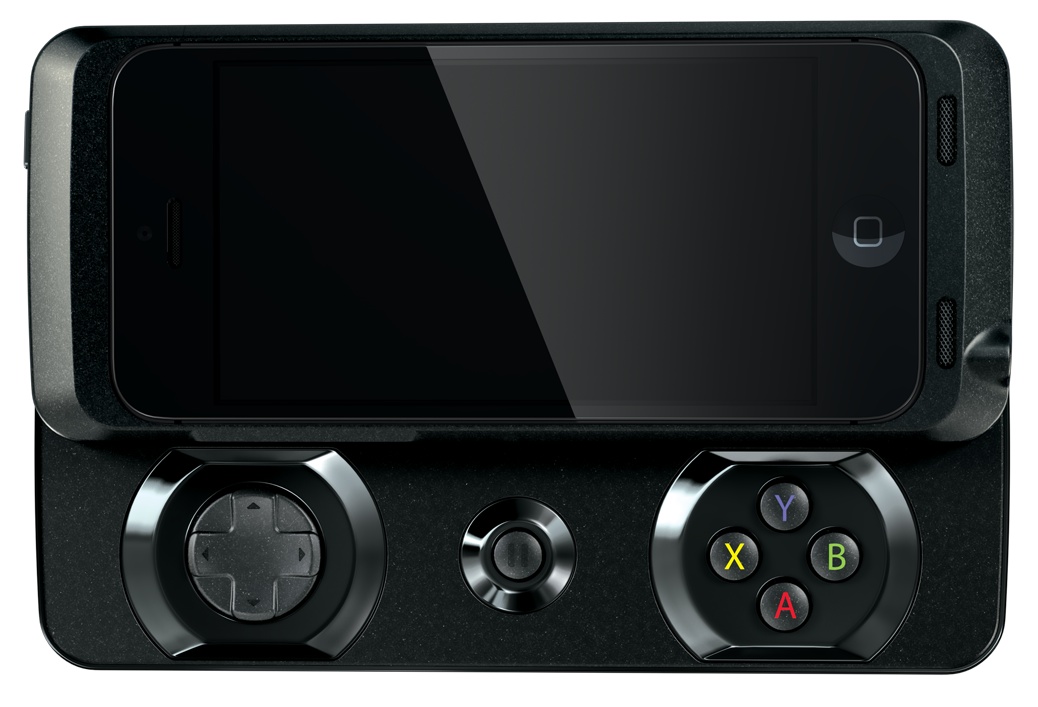
Accessory maker Razer earlier in the year jumped on the iOS 7 controller bandwagon with the introduction of the Kazuyo and has now announced the Junglecat, a Made for iPhone (MFi) gaming controller with a cool slide-out design and a powerful companion iOS app.

Coming later this summer, the $99 gaming accessory has a place to house your iPhone 5s or iPhone 5 and offers the familiar D-pad augmented by a set of A, B, X and Y face buttons and the left/right shoulder bumpers...

Let’s Talk Jailbreak 59: iOS 8 and jailbreaking

Episode 59: A discussion about the jailbreak tweaks implemented into iOS 8, the potential of an iOS 8 jailbreak, and the future of jailbreaking after iOS 8. We also round up some of our favorite features from iOS 8 with a jailbreaking perspective.

Please help us out by taking a few minutes to complete this survey and enter to win a $100 Amazon gift card. The survey takes less than 5 minutes to fill out and will help us greatly. Of course, we will not share your email address with anyone, and we will not email you unless you win.

Early signs look good for iOS 8 jailbreak

Since Apple introduced iOS 8 on Monday, and released a beta version to developers, one of the top questions we've been asked here at iDB is: can it be jailbroken? As it stands now, there is no jailbreak for the current iOS 7.1.1 firmware.

At the time of this writing, I hadn't heard of anyone successfully jailbreaking their device on iOS 8, but early efforts do sound promising. Well-known hacker i0n1c says that the first beta 'doesn't fix anything,' and should be jailbreakable...

Apple introduces MFi specifications for Lightning cable headphones

According to a report tonight from 9to5Mac, Apple has quietly introduced a new specification for accessory manufacturers in its MFi program. The spec allows them to create headphones that connect to devices using a Lightning cable instead of 3.5mm.

The change will allow for a new breed of headphones that are capable of handling lossless stereo 48 kHz digital audio output, and have access to headphone remote controls. And Apple plans to activate support in newer iOS devices in a future update...

Let’s Talk iOS 031: WWDC 2014 recap

Episode 31: Sebastien and Cody discuss WWDC 2014's keynote along with all of the new information released. Topics include iOS 8, OS X Yosemite, and all of the major features revealed for both new highly anticipated operating systems.

Subscribe on iTunes

Apple posts WWDC 2014 keynote to YouTube

In case you missed it, Apple has made available a full-length video of its WWDC 2014 keynote on its official YouTube channel. "Watch as Apple previews iOS 8 and OS X Yosemite," the description reads, "all-new and more powerful than ever versions of the operating systems for iPhone, iPad, and Mac." If you would prefer to watch the two-hour keynote in other ways, read ahead…

Yahoo replaced by The Weather Channel for weather data in iOS 8

Last year, The Wall Street Journal reported that Yahoo was in talks with Apple over increasing its presence on the iPhone. The company wanted more of its content pre-loaded onto Apple's devices, and was after the default search spot in Safari.

But its quest to expand its reach in iOS isn't going so well. Apple released the first beta of iOS 8 to developers yesterday, and it's been discovered that the Weather app, which used to pull info from Yahoo, now uses data from The Weather Channel...

You can now download the entire WWDC 2014 keynote

Shortly after wrapping up Monday's two-hour keynote talk, Apple made the entire presentation available for streaming through its WWDC iOS app, via the Apple TV and on its website on any Mac or Windows PC with QuickTime installed.

If you want to keep the keynote video, plan on watching it on multiple devices or just have a lousy Internet connection to stream in high-definition, you can now download the entire presentation to your computer for later watching...