iPhone News

Sprint starts deploying LTE in San Francisco

Sprint's implementation of the fourth-generation Long Term Evolution radio technology has been spotted being deployed in certain parts of San Francisco, New York City and Washington, D.C., all major metropolitan markets. Apple added an additional 36 LTE carriers with the January 28 release of the iOS 6.1 software for iPhones, iPads and iPods.

Sprint on its part during January 2012 lit up LTE towers in 58 markets (here and here). This is a notable improvement because previously only those in neighborhoods in San Francisco could see Sprint's LTE signal, although coverage in San Francisco is spotty because Sprint has just begun deployment...

iTV could use LG Display’s OLED panels

LG Display, a major Apple supplier that makes high-resolution screens for the iPad mini, fourth-generation iPad, 13-inch MacBook Pro with Retina display and redesigned iMacs, plans to allocate more than 706 billion won, or approximately $656.7 million, toward building organic light emitting diode (OLED) screens for high-definition television sets by the end of June 2014, according to The Wall Street Journal. The investment will allow LG Display to make some 26,000 sheets per month for customers seeking 55-inch or larger television screens.

It was recently revealed that Apple hired LG Display's OLED expert Dr. Jueng Jil Lee. Another clue: Apple already holds several patents involving flexible OLEDs, OLED based BLUs for LCDs, OLED control schemes and others...

HTC to host huge media event tomorrow morning

HTC has sent out invitations for a huge media event tomorrow morning. How huge? Huge enough to spread across two continents. The handset-maker will be hosting simultaneous keynotes in both London and New York.

What's on the menu? Well, it's no secret that the company has a new flagship handset in the wings. And word has it that it's readying a new version of its 'Sense' Android shell. But the real question is: does anyone care?

Likely doctored photo claims to depict iPhone 5S motherboard with A7 processor

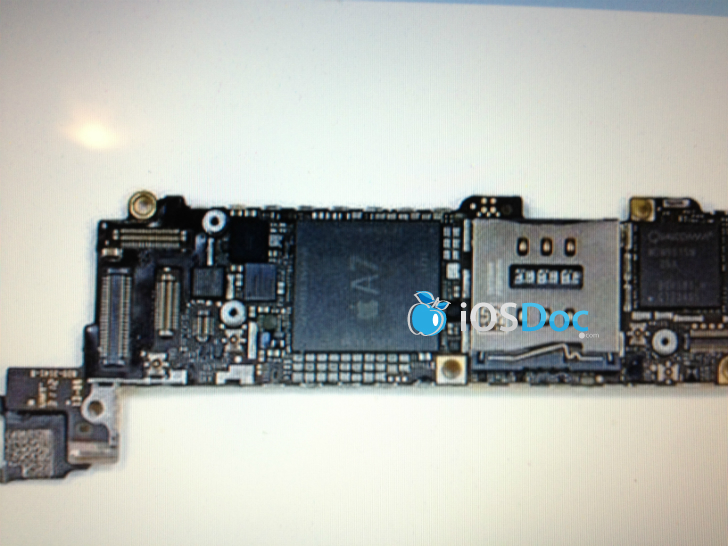
A web site with an unestablished track record when it comes to Apple reporting has posted a claimed photograph of the iPhone 5S motherboard with Apple's A7 system-on-a-chip. Of course, the A7 silicon is widely expected to power the next-generation iPhone, the iPhone 5S, but the authenticity of this particular blurry image couldn't be confirmed at post time.

What's more, one credible publication has challenged the authenticity of the photograph by zooming in on the chip label to spot some unnatural looking pixels that give it away...

A new app switching concept from the designer of Auxo

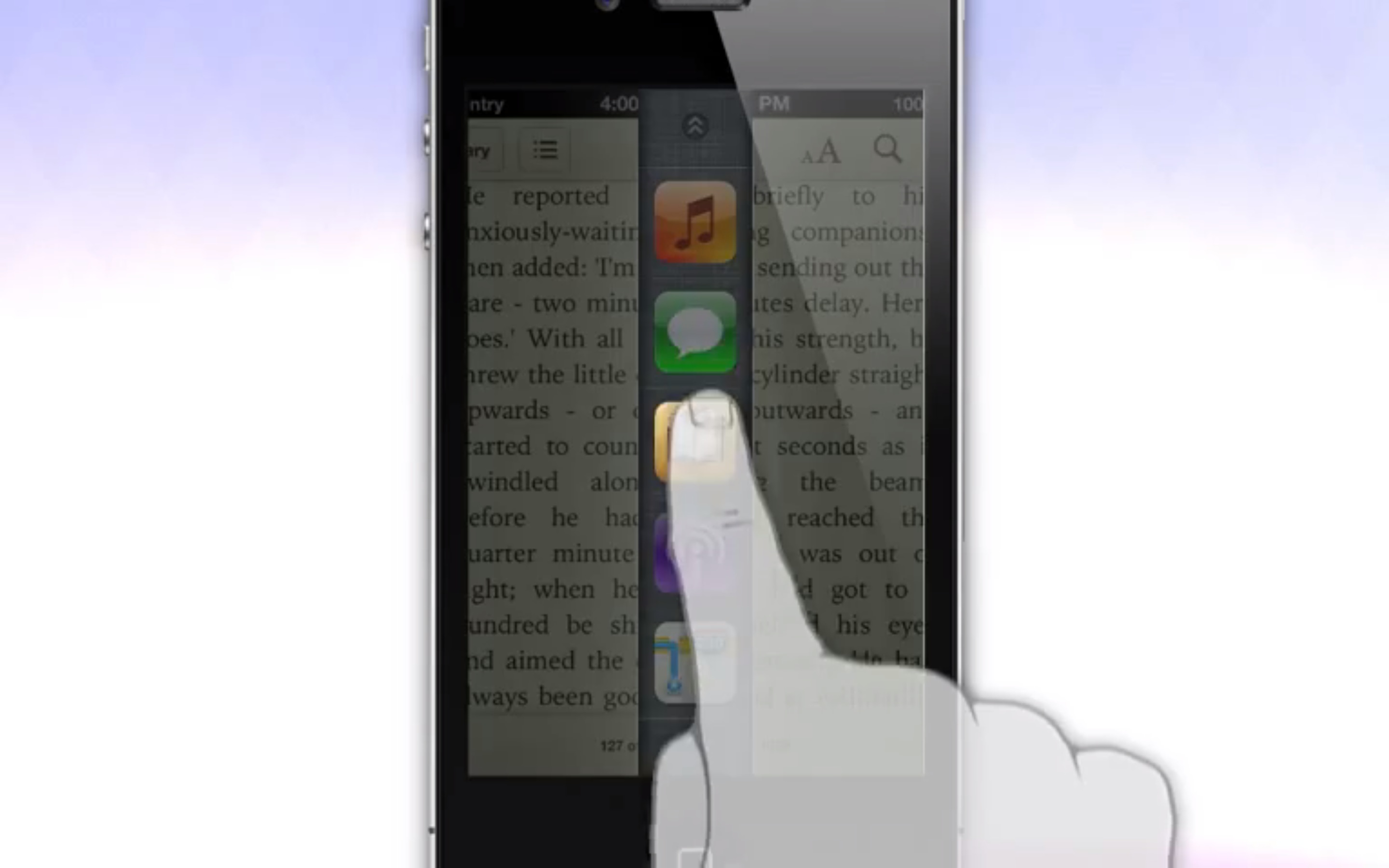
Looking for a different take on app switching? If so, then look no further than this new app switching concept from @Sentry — the designer behind the highly popular Auxo tweak. The currently unnamed concept allows iPhone users to swipe from the bottom of the page, splitting the page in two. The split reveals a column of strategically placed app icons that can be used to quickly switch between apps.

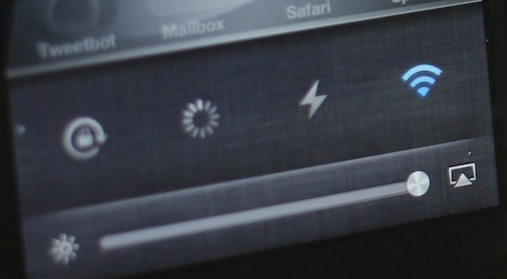
Swiping on the column reveals toggles and volume and brightness sliders. Since it doesn't have a name just yet, I'll just refer to it tentatively as AppUnzipper. That's a good name, don't you think? I mean, it basically looks like you're unzipping the currently running app to access an app switcher beneath.

6 ways to get more out of Auxo

It's no secret that the Auxo jailbreak tweak is one of my favorite jailbreak tweaks of all time. It's a tweak that adds a full snapshot preview of your running apps in the app switcher. It also includes handy toggles and redesigned music controls.

Now the question stands to be asked: how do you go about getting the most out of Auxo? Inside I'll share some handy tips that show you how to become an Auxo pro.

The iDownloadBlog top news stories of the week – Feb 17, 2013 edition

Like every Sunday, we bring you the stories that were the most popular on iDB during this past week. Whether it is a news piece, an editorial, a tutorial, a new jailbreak tweak, or an accessory review, we sum it all up in one convenient place. If you like what you're reading, please make sure to spread the love by sharing our posts on your favorite social network. We're usually hanging out a lot on Twitter and Facebook, more rarely on Google+...

Creating the perfect iPhone: 15 jailbreak tweaks that change the game 3 steps to protect your iOS 6 jailbreak Apple posts iOS 6.1.1 firmware fixing iPhone 4S reliability, 3G issues Evasi0n 1.3 jailbreak for iPhone 4S on iOS 6.1.1 now available How to jailbreak iOS 6.1.1 with evasi0n New iOS 6.1 Lock screen flaw compromises your iPhone iOS 6.1.2 coming soon to fix Exchange, Lock screen vulnerabilities WSJ: Apple testing iWatch designs with Foxconn Third party apps may finally land on the Apple TV this fall Flex patch highlight: 5 essential enhancements to iOS Mailbox review: an email app that thinks different Real Racing 3 hands-on Apple refreshes MacBooks, slashes prices Conceptualize your compositions to improve your iPhone photography

We’re social! Find iDB on Twitter, Facebook, Google+, App.net, YouTube, and in your RSS reader.

The best iPhone jailbreak tweaks for iOS 6

Since its inception in 2007, the iPhone has singlehandedly revolutionized an industry, and simultaneously created a whole new ecosystem that is thriving. Each iteration of iPhone OS, or iOS as it is now called, has produced more stable devices with better features and needed enhancements.

That all being said, many feel that iOS hasn't progressed as rapidly as it should be progressing. Even though Apple made major strides with iOS 5 as far as wanted features were concerned, many feel that it's not enough. Though, in my opinion, and in the opinion of many others, the iPhone and iOS can stand on its own two feet, there's no denying that some things could be better.

That's where jailbreaking comes in. Yes a lot of people jailbreak because they just want to tinker around with their device, some *gasp* jailbreak to steal the apps that many hardworking individuals put precious time into to bring to fruition, but many jailbreak simply because it can improve the iPhone experience. That's the reason I jailbreak. In the never ending quest to create the perfect iPhone, I'm continuously on the lookout for new jailbreak tweaks and apps.

At this point, I think it's safe to say that I have a pretty good grasp on what's out there. With that in mind, I've compiled a definitive list of jailbreak tweaks that I believe create the perfect iPhone experience. Granted, as time goes on, some of these tweaks will undoubtedly become obsolete, or they may be replaced with apps or tweaks that do a better job. But at this point, I believe that the following 15 jailbreak tweaks create an iPhone experience that's next to perfect. These are some of the best iPhone jailbreak tweaks for iOS 6. 
New map graphic shows how massive Apple’s supply chain really is

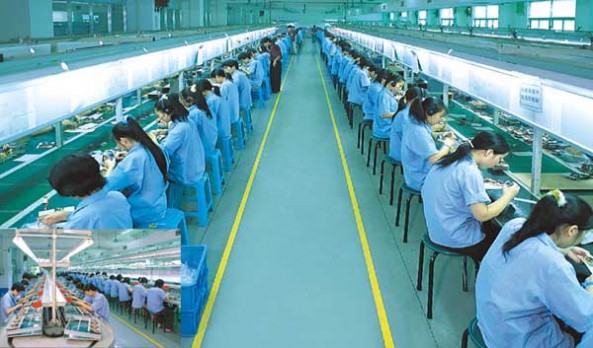
When you think about Apple's supply chain, the first—and only, for some—place that comes to mind is China. Images start propagating in the mind of oft-reported impoverished plants with thousands of factory workers building iPhones and iPads. But there's much more to it.

The truth is, Apple's supply chain is far more expansive, reaching all the way around the globe. As this new interactive map shows, the company receives components from suppliers, and production support, from the United States, Australia, Brazil and several other places...

Authorized Service Provider 101 and other internal Apple videos leaked

Apple's penchant for secrecy extends far beyond the black cloaks and locked doors inside its R&D labs. Nearly every facet of its business is a mystery—from the way it chooses which new markets to enter, to its retail strategies. Unless of course, leaks happen.

And a big one happened this morning. Sonny Dickson, a self-proclaimed iOS consultant, has posted several Apple training videos and other internal materials including in-store repair guides for the iPhone 4 and a demo of its iPad diagnostic software...

The onE Puck coaster let’s you charge your iPhone with a cup of coffee

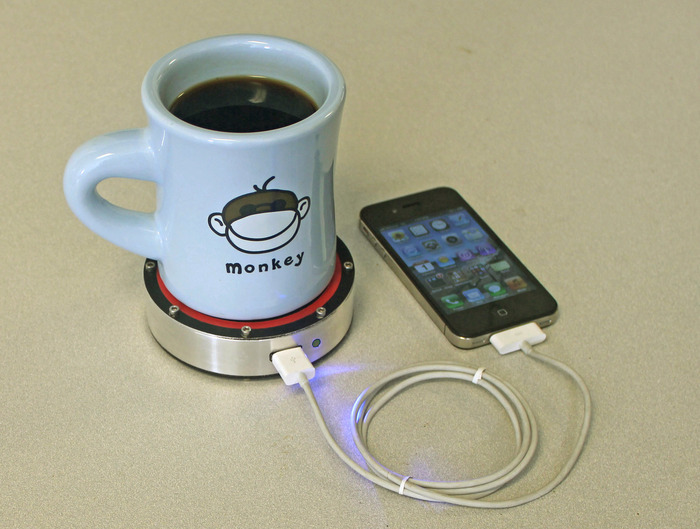
I've covered a lot of Kickstarter projects in my day, but I have to say that this is one of the most interesting I've ever come across. The Epiphany onE Puck, by Epiphany Labs, is a drink coaster that can actually charge up your iPhone (or other device) using 'heat disparities' from a hot or cold beverage.

That's right, there's no outlet or batteries involved. Just set your drink down on the coaster, plug in your smartphone, and watch the magic happen. The coaster uses a shrunken down stirling engine to harness the aforementioned disparities into charging power. And the creators say this is just the beginning...

Conceptualize your compositions to improve your iPhone photography

In today's lesson in iPhone photography, we will be digging a bit deeper into the mystical ideas of composition. Remember, before you consider the post processing of an image you need to expose and compose properly. In previous lessons we examined the Rule of Thirds. It is pretty straightforward and a great creative technique to have in your tool box. However, we never explored why, or how, it works. In this lesson, to better understand it, as well as other compositional guidelines, we will explore the idea of static vs. dynamic compositions.

Before we explore the ideas of composition, it's important we understand the concept of 'visual weight' (or strength). Every elements in our compositions have varying weight/strength associated with them. It could be heavy, light, dark, strong, soft, etc. Obvious properties that influence a subject's weight (or strength) are its size and position. Is the element in the background or in the foreground? Is it big or small?