Jeff Benjamin

Jeff has been with iDownloadBlog since 2010, acting as resident video specialist, and tutorial expert. He earned his degree in Computer Network Systems back in 2001, but decided Cisco routers and the like just weren’t for him. Since then, he’s been heavily involved with online writing. He’s written for numerous tech and video game sites since the late 1990′s, and has a knack for explaining things in a simple, clear, and concise manner. Jeff works primarily from the east coast on his Retina Macbook Pro, and shoots video with a Canon DSLR. During downtime he likes to travel the world, visiting the various Apple Stores across the globe. You can email him at jeff [at] idownloadblog.com and follow him on Twitter @JeffBenjam or on Google+.

How to closely monitor your iPhone’s data with ‘Data Usage Monitor’

Data Usage Monitor is a cellular data monitoring tool available for $1.99 on Cydia's BigBoss repo. It's a tweak that has the ability to monitor and take specific actions once your cellular data reaches a user defined threshold.

On paper it looks to be a great tweak that could save you money from data overages, but as you'll see from our video walkthrough, it has a few opportunities for improvement before we'd deem it worthy of purchase...

Customize your Lock screen’s date with ‘LockDate’

Interested in customizing the look of your Lock screen's date display? Then look no further than LockDate — a tweak exclusively devoted to customizing the date reading on your iPhone's Lock screen.

With LockDate you can alter the date's font, color, style, and much more. There is also a provision to incorporate alternate calendar types and switch to them by swiping on the date with your finger.

LockDate certainly isn't a tweak that will find an audience with everyone one, but there's sure to be someone who is interested in this niche...

‘Transparency’ will make your app icons invisible

Transparency is one of those tweaks that allows you to do all sorts of things with respect to the look of your Home screen app icons. As its name suggests, the primary purpose is to make your icons transparent, or in many cases outright invisible.

Once installed, you'll receive a new settings panel in the Settings app that allows you to customize your app icons in a very granular way. Take a look at our video walkthrough for the detailed evidence...

PodControl: control your Music app from the Home screen

Controlling your Music app from the Springboard has been done before by the jailbreak community, but I guess the developer of PodControl felt they needed to put their own spin on the formula.

PodControl is a simple jailbreak tweak that places three buttons on your Home screen. The buttons consist of Next, Play/Pause, and Previous, and they perform just as one would expect.

Take a look inside for our video of PodControl in motion...

‘SwipeBack’ allows you to navigate back with a swipe

SwipeBack is a brand new jailbreak tweak from Ryan Petrich that allows you to navigate back within apps using a simple swipe from left to right.

Although the tweak isn't available on any public repos, and is still relegated to beta status, I can confirm that it works quite well.

Check inside for the download details, and a brief video demonstration of SwipeBack in action...

How to install aTV Flash (black) on the Apple TV 2 running iOS 5.0

Unlike iPhone jailbreaks, the Apple TV jailbreak isn't as straightforward. For instance, after jailbreaking there's no Cydia app icon to start installing your favorite apps and tweaks from various repos.

This is where a tool like aTV Flash (black) comes in. This handy package from FireCore allows you to install some of the most popular jailbreak apps directly on your jailbroken Apple TV without breaking a sweat.

Check out our video walkthrough inside...

How to jailbreak the Apple TV 2 running iOS 5.0

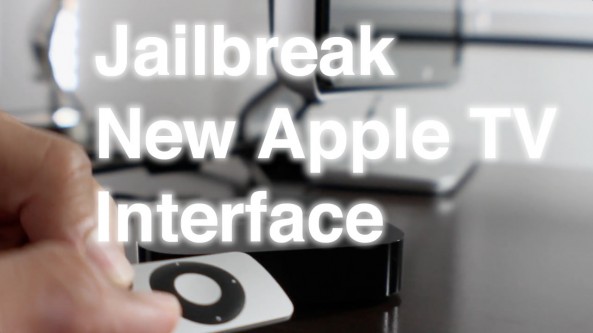
The Apple TV 2 jailbreak for the 5.0 firmware (iOS 5.1) is finally among us, and that means that we get to experience jailbreaking with Apple's brand new Apple TV interface.

Although this is a tethered jailbreak, it really doesn't get any easier than Seas0npass. Step inside to see why this is one of the best jailbreak tools across any iOS device...

‘UsefulIcons’ adds quick shortcuts to your Home screen

We've seen something like this before, but you can never have too much of a good thing, right?

UsefulIcons is an upcoming jailbreak tweak that promises to add convenient shortcuts to your Home screen.

The various shortcuts cover everything from Voice Control/Siri, to respring and flashlight functionality. It's safe to say that this tweak will yield a varied amount of shortcuts, and you'll find at least some of them to be, well, useful...

Use ‘ClipboardEdit’ to edit your clipboard from Notification Center

Sometimes original ideas are hard to come by, whether you're a jailbreak developer, or an App Store developer.

For that reason I see tons of duplicate apps and tweaks that essentially replicate what has already been available.

With that in mind, even if I don't totally understand the purpose of a specific tweak, I still appreciate one that tries to do something different and original.

This is exactly how I feel about ClipboardEdit. It's a tweak that's certainly original, but I'm not exactly sure how I would use it, or why it would be even be needed...

Camera Grabber for iOS 5 video walkthrough

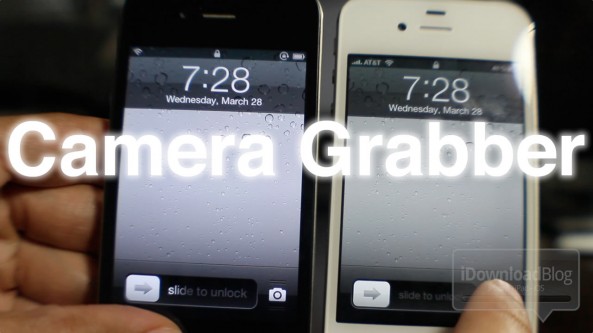
One of the biggest features of iOS 5.1 is the new Lock screen camera functionality. In fact, we dedicated a post and video exclusively to the new Lock screen camera.

The problem is this; if you're one of the many that wishes to maintain an untethered jailbreak, you can't enjoy the fruits of Apple's labor. This is because the 5.1 update kills your untethered jailbreak.

That's where Camera Grabber for iOS 5 comes into play. This is a jailbreak tweak that allows pre-5.1 devices to enjoy the same Lock screen camera functionality as iOS 5.1 users.

How does it work? Check inside for the answer...