Jeff Benjamin

Jeff has been with iDownloadBlog since 2010, acting as resident video specialist, and tutorial expert. He earned his degree in Computer Network Systems back in 2001, but decided Cisco routers and the like just weren’t for him. Since then, he’s been heavily involved with online writing. He’s written for numerous tech and video game sites since the late 1990′s, and has a knack for explaining things in a simple, clear, and concise manner. Jeff works primarily from the east coast on his Retina Macbook Pro, and shoots video with a Canon DSLR. During downtime he likes to travel the world, visiting the various Apple Stores across the globe. You can email him at jeff [at] idownloadblog.com and follow him on Twitter @JeffBenjam or on Google+.

CoverMeNot doubles the status bar height for improved banner notifications

CoverMeNot is a brand new jailbreak tweak that does something extremely simple, yet just as brilliant — it doubles the height of your status bar when a notification banner appears on screen. This prevents the banner from covering up the content on your iPhone — hence the name.

Once the banner notification times out, the status bar is resized back to normal. If you're tired of incoming banner notifications covering up your on screen content, then you need to try CoverMeNot...

Embedded YouTube videos not working on your iPhone? Try this fix

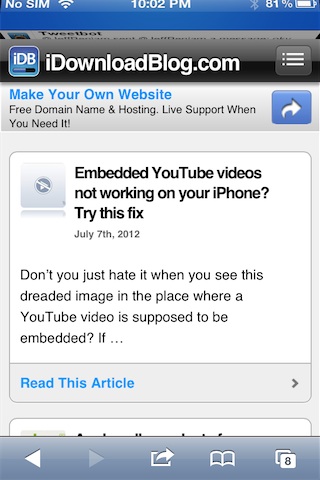
Don't you just hate it when you see this dreaded image in the place where a YouTube video is supposed to be embedded? If you consistently have this issue, then there is a fair chance you have your YouTube app hidden via a jailbreak tweak, or you have restrictions enabled. Restrictions can be enabled without a jailbreak.

As it turns out, having the YouTube app hidden can result in embedded videos being replaced with the image above. YouTube videos on the actual YouTube site will still play fine regardless, but embedded videos can give you problems if your stock YouTube app is hidden, or you have restrictions enabled.

Check inside for a video walkthrough on how to apply the easy fixes.

How to use Google voice search from anywhere on your iPhone

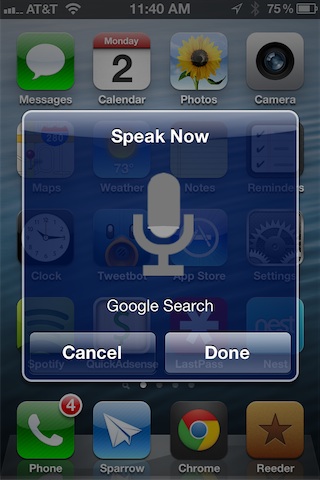
VoiceSearch is a relatively new jailbreak tweak that allows you to perform Google voice searches from anywhere using a simple Activator action.

Obviously VoiceSearch can't replace all of the functionality that Siri brings to the table on the iPhone 4S, and upcoming iOS 6 update for the new iPad, but it is a somewhat decent holdover for non Siri-enabled devices...

My experience with Uber

Two weeks ago, I ventured up to Chicago to try Uber for the first time. Uber, of course, is the personal driving service which allows you to use your mobile phone to request a private driver. It started in San Francisco a little over two years ago, and has since then made its way to the Windy City and various other locales.

Hearing nothing but positive things about the service, I was anxious to head to the nearest city with Uber availability. Fortunately, that city is Chicago, a place that I have grown to love over the past few years.

And as it turns out, Uber is an absolute perfect match for Chicago. Passengers love it, but what’s even more interesting is that the drivers themselves seem even more ecstatic about the rapidly growing service...

Speero now available on Cydia

[tube]http://www.youtube.com/watch?v=yI8KoatG5DE[/tube]

Speero — a system management utility for the iPad that we previewed last week — is now available for download on Cydia's BigBoss repo for $0.99.

This is an iPad exclusive tweak that allows you to kill apps, launch apps, invoke Activator actions, and more. All of this is easily performed from an interface that is engaged by means of its own Activator action. If you decide to try Speero, let us know what you think about it in the comments.

How to play music from within folders

Playing music from within a Home screen folder is now within the realm of possibilities, thanks to a recently released jailbreak tweak called FoldMusic. Once FoldMusic is installed on your iPod or iPod touch, you can easily add new albums or playlists to a Home screen folder.

From there you can open the folder, and tap to play the tracks within. You'll also find volume/AirPlay controls, and transport controls for previous, play, and skip — all located conveniently within each folder.

For a full video walkthrough of FoldMusic, check inside...

How to jailbreak an iPhone with a broken Home button

Although there have been methods in the past geared towards skirting around a broken Home button in order to jailbreak an iPhone, I don't remember any of them being as easy as this.

If your Home button is on the fritz, then chances are you have problems getting into DFU mode, which is a prerequisite to using most jailbreak software. Fortunately, the iPhone Dev Team has come up with a simple, yet ingenious method for easily pushing your device into DFU mode using their latest update to the RedSn0w jailbreak tool.

RedSn0w 0.9.14b2 allows you to create a firmware file that will push your device into DFU mode once a normal restore through iTunes is completed. Check out our full tutorial inside for the step-by-step video walkthrough...

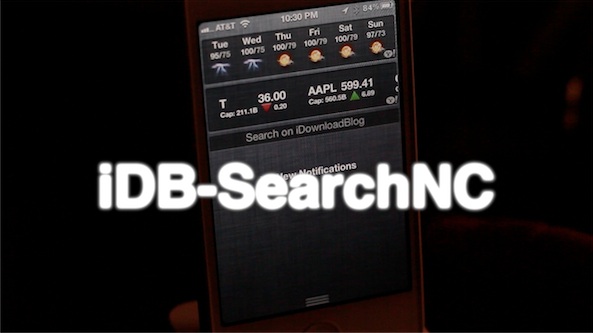
How to easily search iDB directly from Notification Center

iDB-SearchNC is a new jailbreak widget that allows you to easily search the contents of iDownloadBlog directly from Notification Center. That's right, all of Christian's in-depth reporting, countless witty one-liners from Cody, and all of Sebastien's reviews and giveaways, right from the convenience of Notification Center.

We know, it almost sounds too good to be true, but alas, it is. Take a look inside as we give iDB-Search NC the proper video walkthrough...

How to add animations to the Lock screen, Home screen, and Notification Center

Are you looking to take Lock screen boot logo animations to the next level? If so, then AnimateAll is a new tweak that's worthy of your attention.

AnimateAll is a follow-up (an actual outright replacement) to a tweak that we covered in the past called AnimateLockscreen. The prior tweak only allowed you to add boot logo animations to your Lock screen, while AnimateAll goes the extra mile and adds the Home screen and Notification Center into the mix as well.

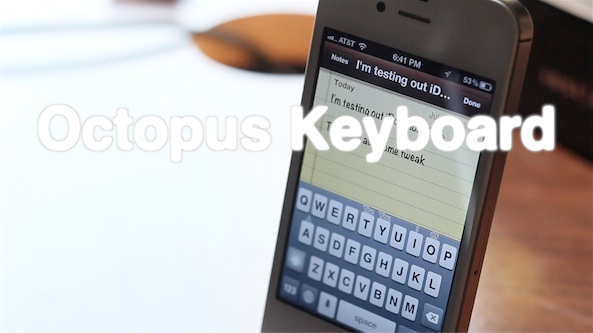
Octopus Keyboard now available on Cydia

Ladies and gentlemen, it's here. After much anticipation, Octopus Keyboard is now available on Cydia.

As we first previewed a couple of months ago, Octopus Keyboard imitates the BlackBerry 10 keyboard on iOS. Be sure to check out our video walkthrough for a high level synopsis of how it works.

Once you've done that, head over to Cydia, and add the necessary repo to download Octopus Keyboard now. Or you can wait a while for it to appear on Cydia's default BigBoss repo.

Check inside for our hands-on video walkthrough of the final version of Octopus Keyboard...

Thor automatically enables Wi-Fi when launching specific apps

Thor is a recently released jailbreak tweak that will enable your device's Wi-Fi connection whenever a certain app is launched. The settings panel for Thor includes around a dozen different apps like Tweetbot, Cydia, App Store, Safari, YouTube, etc.

If your Wi-Fi connection is disabled, and you have Tweetbot enabled in Thor's settings, the Wi-Fi connection will automatically enable whenever you launch Tweetbot, or any other app you have enabled in Thor's settings panel.

Take a look at our video demonstration inside for a brief walkthrough...

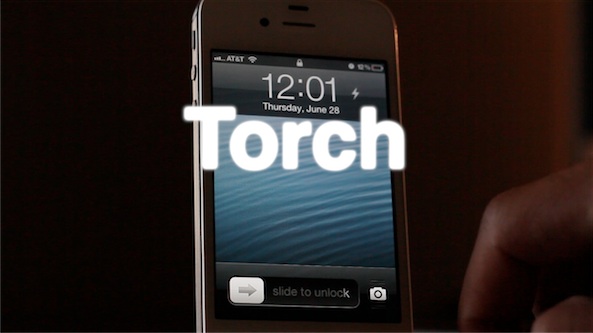
‘Torch’ is a new flashlight toggle for your iPhone’s Lock screen

Whenever you find yourself in a dark place, chances are you don't have a flashlight on your person, but you do have an iPhone. For that reason, it's a good idea to install a jailbreak tweak that allows you to easily use the iPhone's built in LED flash as a flashlight.

There are already a handful of decent flashlight tweaks available on Cydia, but this latest one called Torch is one of the better implementations. Torch is a tweak that places an easily accessible flashlight button on your Lock screen that will enable or disable the LED flash.