Jeff Benjamin

Jeff has been with iDownloadBlog since 2010, acting as resident video specialist, and tutorial expert. He earned his degree in Computer Network Systems back in 2001, but decided Cisco routers and the like just weren’t for him. Since then, he’s been heavily involved with online writing. He’s written for numerous tech and video game sites since the late 1990′s, and has a knack for explaining things in a simple, clear, and concise manner. Jeff works primarily from the east coast on his Retina Macbook Pro, and shoots video with a Canon DSLR. During downtime he likes to travel the world, visiting the various Apple Stores across the globe. You can email him at jeff [at] idownloadblog.com and follow him on Twitter @JeffBenjam or on Google+.

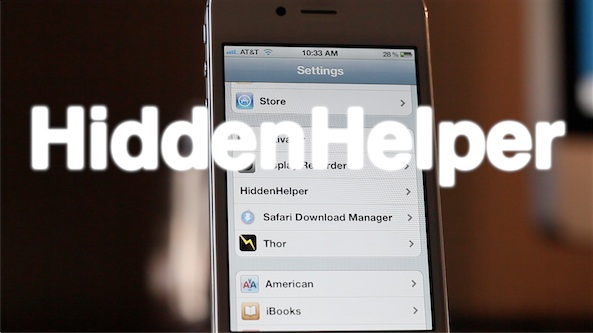
HiddenHelper allows you to use Siri while hiding the UI

HiddenHelper is a jailbreak tweak that's the public successor to the GhostSiri concept tweak that we posted about a while back. HiddenHelper, like GhostSiri, aims to accomplish the same deed — allow you to use Siri without actually bringing up the Siri UI.

Where HiddenHelper one-ups GhostSiri is in the options department. In HiddenHelper's settings panel, you'll notice provisions for enabling certain Siri snippets where a UI is necessary to receive proper response; Wolfram Alpha queries are a great example of this.

Check out our full video walkthrough for the details...

Speero is an upcoming system management tweak for the iPad

Speero is an upcoming jailbreak tweak for the iPad that places a system management utility at your fingertips by means of an Activator action.

Once Speero is invoked using Activator, you can manage apps, execute toggles, launch apps, and perform specific Activator actions from a list of up to 20 programmable actions.

There's even a provision built in for further plugins to expand upon the premise of the tweak. If you've been looking for a decent system management tweak, then you may want to give Speero a look...

ChromeURL allows you to use the standard web keyboard with Google Chrome

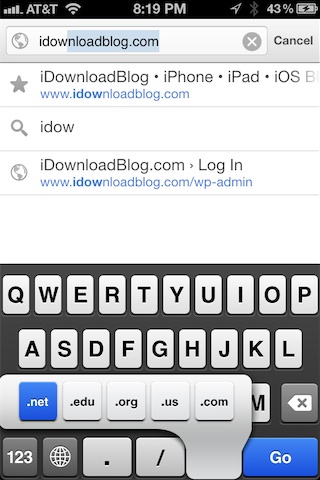
One of the few big complaints about Google Chrome is the fact that Google inexplicably left out TLD (top level domain) keyboard shortcuts in favor of their own custom keyboard layout.

In mobile Safari, these shortcuts allow you to tap and hold the ".com" button to bring up an alternate list of TLDs like .org, .net, etc. On Chrome, however, Google opted for a different styled keyboard that lacks these shortcuts.

As usual, the jailbreak community has come to the rescue with a fix — this one in near record time. The fix is called ChromeURL, and it's a free jailbreak tweak downloadable from Cydia's BigBoss repo. Its purpose is to perform one function, and one function only — replace the Chrome keyboard with the same keyboard present in the stock mobile Safari browser...

Chromizer adds full screen mode, pull to refresh, and better tab switching to Google Chrome on iOS

Chromizer is a free jailbreak tweak that will be available tomorrow on Cydia. Its purpose, as its name not-so-subtly alludes to, is to add additional functionality to the recently released Google Chrome browser for iOS.

A tweak that's compatibile with both the iPhone and iPad, Chromizer seeks to add a few missing features to the browser's otherwise excellent stock feature set. For its initial release, Chromizer focuses on adding three new functions to the iPad: Pull to Refresh, full screen mode, and iPhone styled tab switching. For the iPhone, you'll get the full screen mode and pull to refresh, since it already has the tab switching area covered.

Is Chromizer a tweak that you should consider if you have a jailbroken iOS device, and Google Chrome is your browser of choice? Check inside for the answer...

How to easily use bookmarklets in Google Chrome for iOS

A few minutes ago John Gruber tweeted about the lack of bookmarklet support in Chrome for iOS. I responded to him stating that support is indeed there, it just wasn't as straightforward as it is on Safari.

To tell the truth, I too thought that bookmarklets, or the lack thereof, was simply a medium sized oversight made by Google; after all, such things are instrumental when it comes to using tools like LastPass, Instapaper, etc.

After some tinkering around, however, I was able to confirm that bookmarklet support is indeed included in the version of Chrome that shipped a few days ago. In fact, using them is a fairly straightforward exercise. Check inside for the full how-to...

Celebrating our 1,000th video

Late last night I had the privilege of posting our 1,000th YouTube video. I've been creating videos for iDownloadBlog for almost two years now, and it's been an insanely rewarding and invigorating journey.

Oddly enough, doing video walkthroughs started off as just a test, something to spice things up every now and then at most. I never had the intentions of doing this to any great degree, let alone full time. To tell the truth, it was your kind feedback and helpful suggestions that made me want to keep going.

Of course, we started off small in our endeavors. In fact, some of the earliest creations were downright terrible in my opinion, both from a image quality and sound perpective. Despite these early hiccups, you, the viewers, have stuck with us from the beginning until now, and for that we want to thank you.

To celebrate video number 1,000, I've put together a special montage of some of my favorite moments from the last year and a half. Granted, this represents only a smidgen of what I'd like to share, but due to time I had to be realistic and limit the amount of content included.

What's been your favorite video moment thus far? We invite you inside to watch and to share your thoughts...
How to open Home screen shortcuts with Google Chrome

Earlier in the day we covered BrowserChooser, a jailbreak tweak developed by Ryan Petrich, which allows you to assign Google Chrome as your default web browser.

It's a great tweak, and works exactly as expected; it was even recently updated with a few new additions such as the ability to have a dialogue to select your browser of choice when opening a link, and the ability to make the dialogue sheets say "Open with Chrome" instead of "Open with Safari".

One thing BrowserChooser doesn't do, however, (at least for the time being that is) is allow you to open Home screen shortcuts/bookmarks created via Safari with Google Chrome. Browser Changer is a tweak that's been around for a very long time, and it was recently updated to allow you to do just that.

Check out our hands-on walkthrough inside...

Top 10 Google Chrome features for iOS

As we reported yesterday, Google Chrome was released on iOS and it was met with much fanfare. Although it's not, and probably never will be as fast as Safari (unless Apple decides to even the playing field), it tries to make up for the speed difference with awesome features like cross-platform syncing, the Omnibox, and much more.

With this in mind, we've decided to cover 10 of our favorite things about Google Chrome for iOS. Who knows? Perhaps there will be a few items on the list that you weren't even aware of...

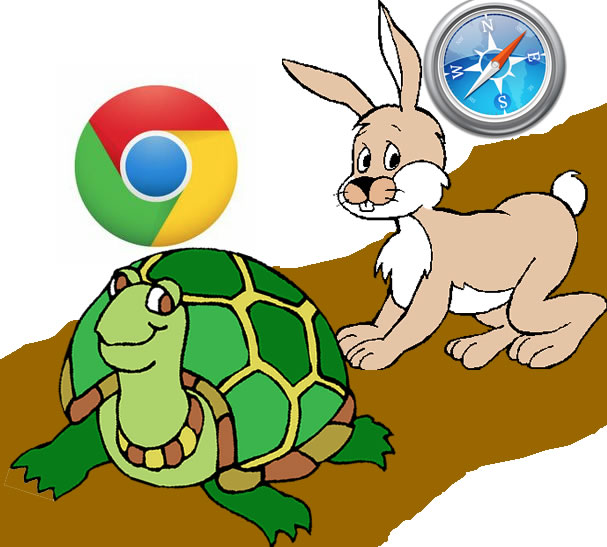
Google Chrome vs Safari speed test on iPhone

It's funny to hear so many reports about how much slower than Safari Google Chrome will inevitably be, due to its lack of access to the Nitro Javascript engine. While that may be true from a technical standpoint, and no doubt data heads will be able to show me numbers that back that fact up, in real world usage, such stats tend to be tossed to the sidelines.

I'm not going to claim that the following speed test is anything close to scientific, but it will give you a decent idea as to what to expect from Google Chrome.

So, who won our speed test? Check inside for the details...

Google Chrome now available for the iPhone and iPad

Well, that's a headline that's been a long time in the making. Google Chrome is now officially available on some App Stores — including the US App Store.

You can download Google Chrome here.

Google Chrome for iOS is a universal app for the iPhone and the iPad, and both versions cater to each device's form factor. As a Chrome desktop user, the biggest highlight for me is the ability to sync bookmarks and tabs between all devices...

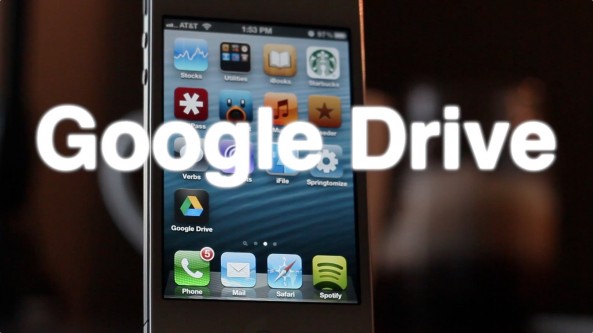
Hands on with Google Drive [Video]

A few minutes ago, Google released their official Google Drive app on the App Store. We've since then downloaded the app and have put it through its initial paces.

What we found was a first offering that's lacking a whole lot of what makes other apps like DropBox great. You can easily view your files, but that's where most of the fun ends.

Sadly, you can't create new documents, or even upload photos via this initial version of Google Drive. The interface is decent, and the app seems solid from a stability perspective, but there really isn't a compelling reason to choose it over something like DropBox thus far...

Google Drive is now available for iOS

Google Drive — the Cloud storage solution much in the same vein as Dropbox — will be making its way to iOS today. It joins Google's Chrome browser as the second Google developed offering to hit the rival iOS platform.

Back in April we covered the official launch of Google Drive, but at the time, the service lacked an iOS app.

All of that should change by the end of the day today, as Google Drive is slated to release some time today.