Jeff Benjamin

Jeff has been with iDownloadBlog since 2010, acting as resident video specialist, and tutorial expert. He earned his degree in Computer Network Systems back in 2001, but decided Cisco routers and the like just weren’t for him. Since then, he’s been heavily involved with online writing. He’s written for numerous tech and video game sites since the late 1990′s, and has a knack for explaining things in a simple, clear, and concise manner. Jeff works primarily from the east coast on his Retina Macbook Pro, and shoots video with a Canon DSLR. During downtime he likes to travel the world, visiting the various Apple Stores across the globe. You can email him at jeff [at] idownloadblog.com and follow him on Twitter @JeffBenjam or on Google+.

How to create a makeshift gaming console with a jailbroken iPad mini, an Apple TV, and a Dual Shock 3

I had the privilege of testing out Matthias Ringwald and Roger Wetzel's excellent update to one of my favorite jailbreak apps. The app is called Blutrol, and it allows you to use external Bluetooth controllers like the iCade, and now, Sony's Dual Shock 3 (Sixaxis) controller, to control iOS games.

Their decision to add Sixaxis support to iOS is a very big step in the right direction for gamers who use Blutrol. Version 3.0 brings support for it, analog controls, and the 3rd party Duo Gamer controller as well.

In the past, I only used Blutrol when using my iCade arcade cabinet. While that's nice, there's something to be said about using a handheld controller, especially when it's a legendary controller like Sony's. As you can probably imagine, the features included with Blutrol 3.0 open up a whole new playing field when it comes to iOS gaming on jailbroken devices. Check inside for a configuration guide and video walkthrough showcasing my setup.
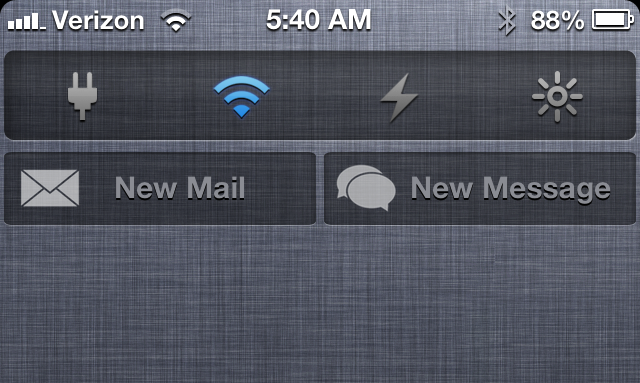

‘Compose’ adds new Mail and Message shortcuts to Notification Center

Looking for a quick and easy way to compose new messages and emails via Notification Center? Then perhaps Compose — a new jailbreak tweak that places shortcuts to each respective app in Notification Center — will suit your fancy.

Compose follows the same visual template that Apple created with its Facebook and Twitter Notification Center shortcuts, but it doesn't work exactly the same. Instead of opening up a small pop-up box to type in any content you wish to share, Compose works more like a shortcut to each respective app. More details inside...

Let’s Talk Jailbreak – 01: Thanks Alyssa Milano!

It's been a long time in the making, (remember this?), but we have finally started our first weekly podcast. This particular podcast, entitled Let's Talk Jailbreak, will be focused mostly on jailbreaking, and the jailbreak community. We hope to have some great developers and influential members of the community on soon. In this first episode, we talk to iDB founder Sebastien Page, as he gives us a high level overview of iDownloadBlog.

PPSSPP: The first PSP emulator for iOS

http://www.youtube.com/watch?v=ELqzUY-SZEA

PPSSPP is a PSP emulator that looks quite amazing. Yes, the framerate is slow, but that's to be expected for an early build of a hardware emulator. The fact that this is running a PSP game (Wipeout Pure), and it looks almost exactly like it does on the PSP, is pretty incredible.

According to the audible YouTube commentary, the emulator is running so slow, because it's using interpreter instead of Just In Time compilation (JIT), which would increase performance significantly. If the developer, Henrik Rydgard of Dolphin Emulator fame, and the rest of the development community can solve this issue, then we'll have a pretty solid PSP emulator on our hands.

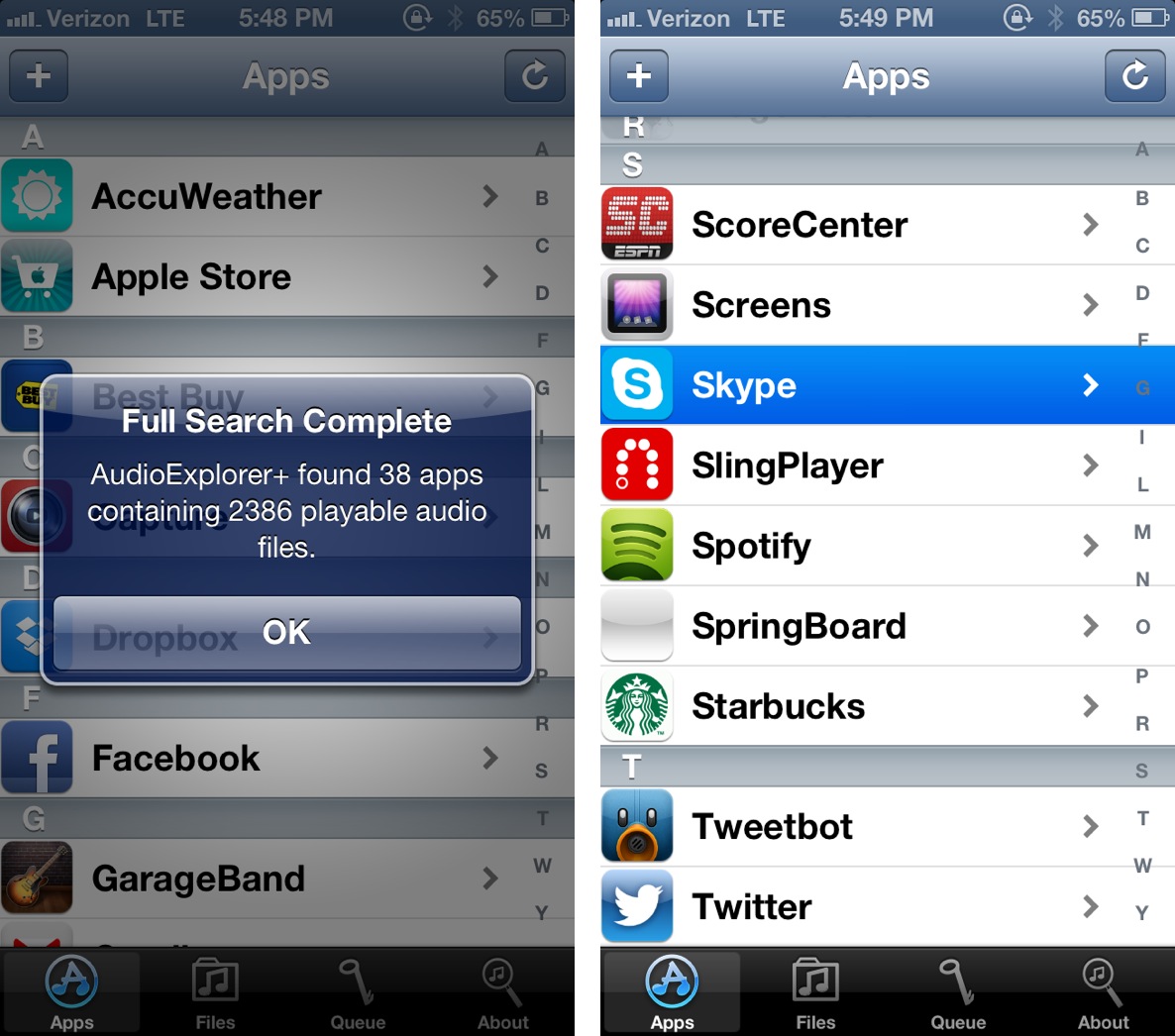
AudioExplorer+ lets you extract audio from any app and import as a ringtone

Looking to create some awesome ringtones? Then look no further than AudioExplorer+, a new jailbreak tweak, which scans all of the apps you have installed on your device in search of audio files. You can then use the audio files found, and import them into iTunes and use as ringtones.

After a few minutes of usage, I can firmly say that AudioExplorer+ is worth its $1.99 asking price, especially if you're someone who likes to have custom ringtones. This means that any music contained with an app — whether it's an email client with a particular jingle that you enjoy, or the music from your favorite game — can be used as a ringtone, or saved to your iTunes library. Check inside for a demonstration as to how it works.

Filippo Bigarella’s Harlem Shake now available on Cydia

https://www.youtube.com/watch?v=bDeibFpJk3U

Want a Harlem Shake on your Springboard like we showed you in yesterday's post? Then head over to Cydia right now, because Harlem Shake is now available to download for free. To activate the tweak, simply assign an Activator gesture to Harlem Shake, and have at it.

Evasi0n 1.5.3 released to fix Windows crashes

Evasi0n received another minor update today, this time to fix a crash that occurs during the jailbreak process on Windows boxes. The release — Evasi0n 1.5.3 — is now available for download.

The previous version of Evasi0n — version 1.5.2 — was just released a few hours earlier to address localization needs for additional languages. If you downloaded that version, it's highly suggested that you purge it, and download this latest version instead, especially if you're running Windows.

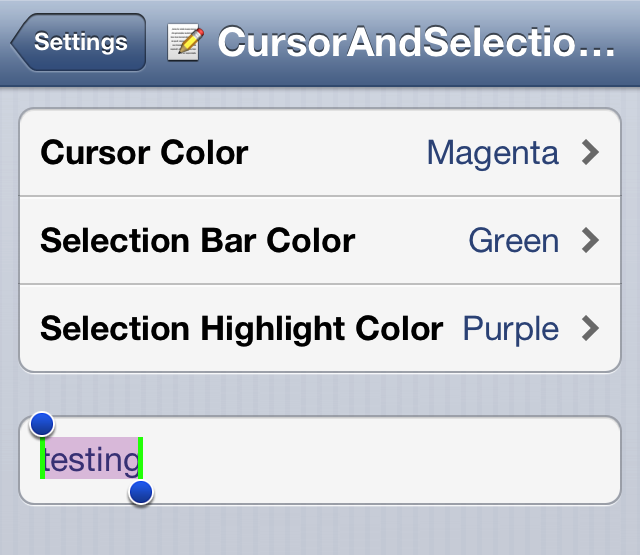
How to alter your iPhone’s cursor and selection colors

CursorAndSelection Colors is a tweak that brings the ability to alter the color of the iPhone's cursor, selection bar, and selection highlight. This tweak, $1.00 on Cydia's BigBoss repo, features a settings panel that makes it easy to select from amongst over a dozen different colors for any of the aforementioned three elements.

‘PasteboardKey’ makes it easy to access previously copied text

I'm a huge fan of Alfred for OS X. Alfred is a productivity app for the Mac that allows you to launch apps, search, and do a whole host of other things via its sprawling settings. One of my favorite Alfred features is the pasteboard manager. It's basically a place where you can go back and access anything you've copied to your pasteboard.

Understandably, iOS doesn't have anything like this built in, but a new jailbreak tweak allows you to have quick access to your pasteboard from virtually any app as well. The tweak is called PasteboardKey, and it's accessed via the language button on the iOS keyboard. Have a look inside for our full video walkthrough...

How to use the iPhone’s camera without exiting the current app

InstantCamera is a $0.99 jailbreak tweak available on the BigBoss repo, and it lets you access the camera from within any app using a simple Activator gesture. The fact that the developer charges $0.99 for this tweak, when another tweak just like it — a tweak called CamFast — is already available on Cydia free, baffles me.

In fact, both tweaks work exactly the same. Both use Activator gestures to invoke the Camera app API from anywhere, including your Lock screen. So why would you pay $0.99 for this tweak, when it's already been available for free since last year?

Evasi0n 1.5.2 released with new language support

It's been quite a while now, and iOS 6.x is still vunerable to the Evasi0n jailbreak. According to reports, the next version of iOS 6 — iOS 6.1.3 — is expected to change that, stamping out the exploits and potential security vulnerabilities used by Evasi0n. In the mean time, though, it's all gravy. In fact, Evasi0n was just updated today, which brings its version number up to 1.5.2

Evasion 1.5.2 is a very minor update that has to do with language localizations. More specifically, support has been added to include localizations for the native languages of the Evad3rs: French, German, and Chinese.

Change or hide your status bar carrier name with ‘CarrierPigeon’

There are literally about a million and one ways to change the carrier name on an iPhone, and CarrierPigeon is the latest such jailbreak tweak to hit Cydia. As you would imagine, CarrierPigeon is a simple and straightforward jailbreak tweak. Its settings panel contains options to allow you to outright hide the iPhone's carrier name in the status bar, and of course, an option that allows you to customize the carrier name with your own text.