Jeff Benjamin

Jeff has been with iDownloadBlog since 2010, acting as resident video specialist, and tutorial expert. He earned his degree in Computer Network Systems back in 2001, but decided Cisco routers and the like just weren’t for him. Since then, he’s been heavily involved with online writing. He’s written for numerous tech and video game sites since the late 1990′s, and has a knack for explaining things in a simple, clear, and concise manner. Jeff works primarily from the east coast on his Retina Macbook Pro, and shoots video with a Canon DSLR. During downtime he likes to travel the world, visiting the various Apple Stores across the globe. You can email him at jeff [at] idownloadblog.com and follow him on Twitter @JeffBenjam or on Google+.

How to add a Velox style music widget to your iPhone right now

http://www.youtube.com/watch?v=jVgRbDOiUMo

Itching to get your hands on Velox? You're not alone. In the meantime, you may want to give MusicWidget (velox style) a go. It's a free jailbreak tweak available on Cydia's BigBoss repo, that lends Velox styled music controls to the stock Music app.

There are no settings or options to configure for MusicWidget, just install it and go. It's a tweak that works only with iPhones running iOS 6.x. Once installed, a double tap on the Music app icon will reveal music controls in a style similar to the Velox tweak that we showed you earlier. The Music app can be anywhere on your Home screen, it doesn't have to stay relegated to the dock.

If you decide to take it for a ride, let me know what you think about it.

Auxo version 1.4 released on Cydia

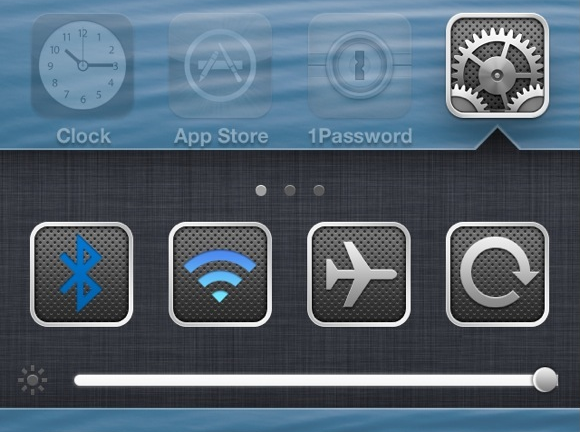
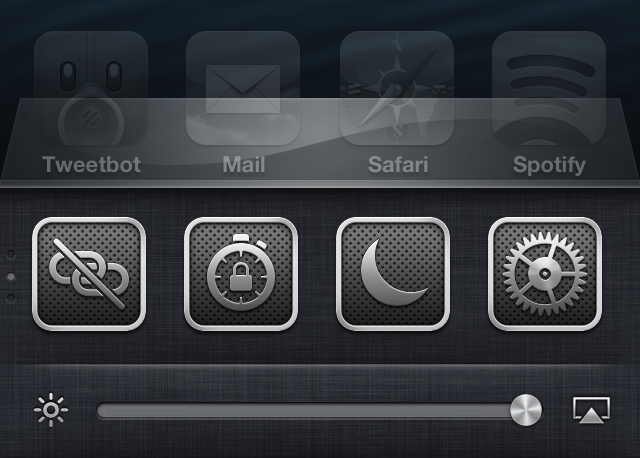
One of my favorite jailbreak tweaks of all time, Auxo, has been updated to version 1.4. This release, as we highlighted in our preview of the update, brings bug fixes, new toggles, and additional settings to the table.

The biggest feature in my opinion, is the adjustment that has been made with the tap zones on the brightness and music control sliders. in the past, those slider knobs have been really difficult to key in on with your finger, but after the 1.4 update, this is no longer an issue.

Let’s Talk Jailbreak 05: Technical difficulties

Our fifth episode of Let's Talk Jailbreak is proof that time flies when you're having fun. We have tons to talk about today, including an update on Sebastien's broken car window, the possibility of an iOS 6.1.3 jailbreak, the top tweaks of the week, Apple's use of widgets, and so much more. I think it's safe to say that you don't want to miss this episode.

Velox: an upcoming tweak that lets you interact with app icons to check notifications and more

Velox is an upcoming jailbreak tweak that I've had my eye on for months. I've been anticipating the release of this tweak for a very long time, because I think it has the potential to make a huge impact on the jailbreak community.

Rarely does a jailbreak tweak come along that has the capability to change the way that you use your device. A very exclusive number of tweaks belong to that group, and Velox has the potential to crash the party.

Yes, Velox is in the same hemisphere, and it contains, perhaps even more long term potential than Auxo. That's because it's a completely different type of tweak that can interact with multiple apps, and features its own API for extended development.

Primarily, Velox is a tweak that allows you to interact with apps on your Home screen in order to check notifications without opening Notification Center. But that's just the tip of the iceberg. Velox also features custom "folders" that can be individually tailored for specific apps. Each of these folders can be accessed using a simple swipe up or swipe down gesture on the app icon that you wish to interact with.

What does this mean? It means that if I swipe up on the Settings app, a folder containing settings toggles is revealed. It means that if I swipe down on the Camera app, the camera is revealed in a folder right there on my Home screen. Trust me, reading these words just doesn't do it justice; you have to see it in action to really appreciate the potential here. Thankfully, I've got an exclusive hands-on video to showcase how it works...

Upcoming Auxo update adds new toggles, bug fixes, and more

A nice little surprise landed in my inbox today: a preview copy of Auxo 1.4. It's a release that brings new toggles, options, and bug fixes to one of my favorite jailbreak tweaks. To begin, let me just tell you that Auxo 1.4 isn't a groundbreaking new release, but you will be happy to find a refined experience when compared to earlier iterations of the tweak.

Take a look inside as I go hands on with Auxo 1.4, covering some of the biggest new features that you can expect to see when the update is officially released on Cydia.

How to change your iPhone’s panorama button

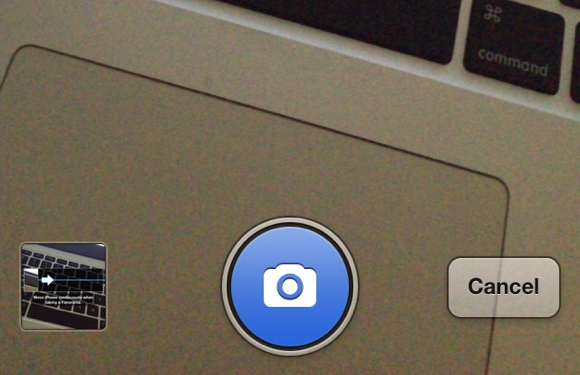
Better Pano Button is a jailbreak tweak for those that hate the original grayscale panorama button found within the iPhone's Camera app. The tweak will allow you to replace the button with a blue button while in panorama mode.

The developer states that having a blue button is for minimalists, which actually doesn't really make much sense to me. If anything, it's less minimal than the standard gray button. He also states that it is better, which is, of course, totally debatable. Check inside for a few more tidbits of information.

‘Beacon’ shows animated Apple logo after each respring

Do you really enjoy the animated Apple logo that appears on your phone the first time it is restored? Would you like to see that animated logo every time you reboot or respring your iPhone? If so, then check out Beacon.

Beacon is a new jailbreak tweak that forces the animated Apple logo to appear each time your respring or reboot your device. That animation is accompanied by a transition animation when switching to your Lock screen. With all of this said, you'd have to really, and I mean really, love that animation in order to be willing to cough up $0.99 for the privilege.

‘TouchPal’ is a free Swype inspired jailbreak tweak

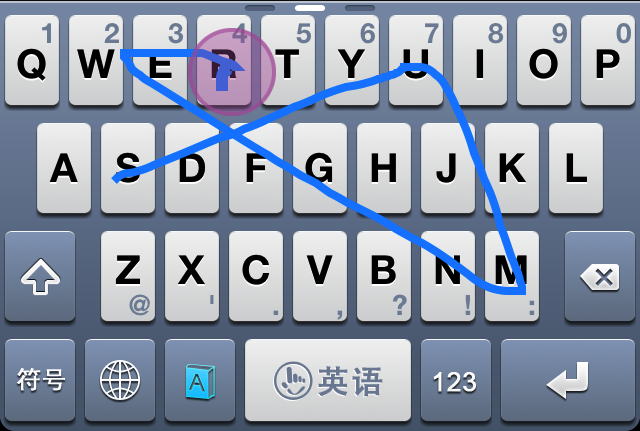
TouchPal is a very under the radar jailbreak tweak that allows users to replace their stock iOS keyboards to a new Swype inspired keyboard that's downloadable from the App Store. I know that probably sounds a bit odd, so let me explain a bit.

TouchPal is actually two different things. First, it's a legitimate App Store app that can be downloaded by anyone, whether or not they are on a jailbroken device or not. The standalone app was created as a multi-language keyboard that allows you to have accurate predictive text by means of standard taps on keys, or swipe gestures, which are inspired by Swype.

Unfortunately, by itself, you can only use TouchPal as a standalone app, and then copy that text to other applications, or take advantage of an app's built in URL scheme for inter-app communication. The good news is, that there's a second part to this puzzle piece, and it comes in the form of a jailbreak tweak that's adorned by the same name — TouchPal. This jailbreak tweak allows you to incorporate the keyboards featured in the standalone app, right into stock iOS. This means that you can use the TouchPal keyboard within normal apps like Notes, Mail, Safari, and any other app that you use on your iPhone.

Needless to say, TouchPal is really neat. Take a look inside as I demonstrate how it works in our full video walkthrough.

Let’s Talk Jailbreak – 04: Someone broke into the car

In our fourth episode of Let's Talk Jailbreak, Sebastien and I discuss p0sixninja's potential exploits for iOS7, being scared to install tweaks that might force a restore, biteSMS and iRealSMS, Sebastien's trial run with f.lux, one of Jeff's favorite sleeper jailbreak tweaks, finding a new iOS 6.1.2 device, and much, much more. You don't want to miss this...

‘Pinnacle’ lets you easily navigate the Settings app menu structure

http://www.youtube.com/watch?v=unSQMgdkpRs

Pinnacle is a new jailbreak tweak designed to peruse the menu structure of the Settings app using a simple tap and hold gesture. The tweak contains an option that allows you to immediately go back to the root of the Settings menu, or to select from a list of sub-menus. To use Pinnacle, simply tap and hold on the current menu's back button.

Obviously, a tweak like this is best suited for deep menu structures like you'll find in the Settings app, but Pinnacle also works with any app that uses iOS' stock chrome menu interface for navigation. I look at it as a different take on Ryan Petrich's SwipeBack tweak.

Apple releases OS X 10.8.4 beta to developers

The latest beta version of Apple's desktop operating system — OS X 10.8.4 — has been released to developers. This new iteration of Mountain Lion is labeled as build 12E27, and thus far, details on what new features it contains are scarce.

Like Apple often does with its desktop beta releases, it has asked developers to focus on specific aspects of the OS, those being Wi-Fi, Graphics Drivers and Safari.

Is this Facebook’s upcoming smartphone?

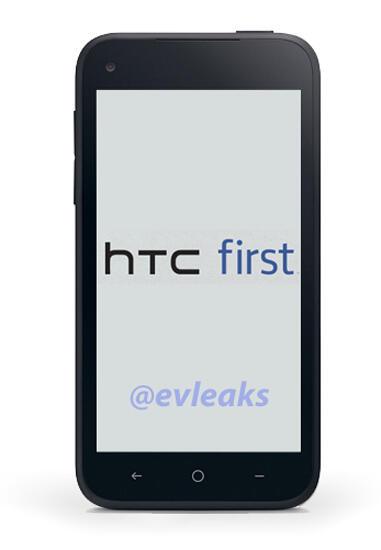
A new image of what is purportedly the upcoming Facebook phone has been leaked on Twitter. The image, first posted by @evleaks, shows off a generic looking Android device made by HTC.

It's widely expected that Facebook will announce its first real foray into the hardware business on Thursday, this, by means of a partnership with handset manufacturer HTC. Last week, Facebook sent out invites that stated: "Come see our new home on Android." It looks like that was more than just an invitation, as it also reveals the purported name of the device: Facebook Home.