Jeff Benjamin

Jeff has been with iDownloadBlog since 2010, acting as resident video specialist, and tutorial expert. He earned his degree in Computer Network Systems back in 2001, but decided Cisco routers and the like just weren’t for him. Since then, he’s been heavily involved with online writing. He’s written for numerous tech and video game sites since the late 1990′s, and has a knack for explaining things in a simple, clear, and concise manner. Jeff works primarily from the east coast on his Retina Macbook Pro, and shoots video with a Canon DSLR. During downtime he likes to travel the world, visiting the various Apple Stores across the globe. You can email him at jeff [at] idownloadblog.com and follow him on Twitter @JeffBenjam or on Google+.

Badger beta updated with support for all apps and more

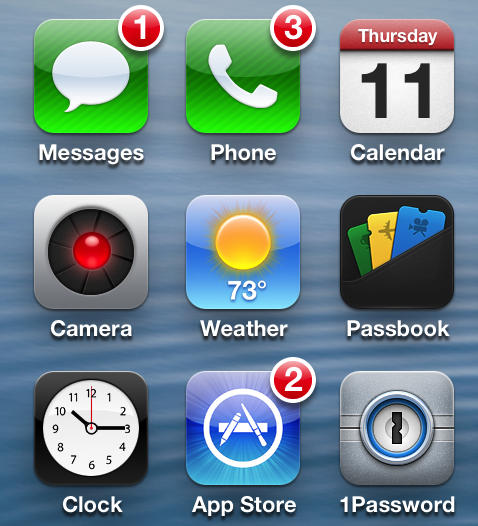
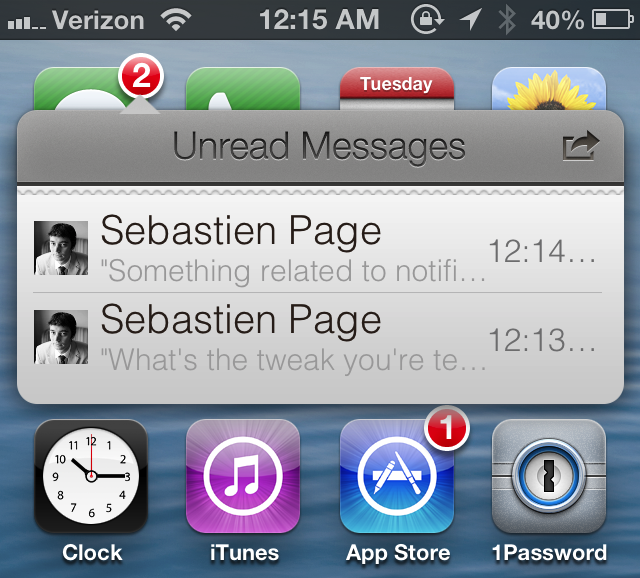
Badger — the highly anticipated jailbreak tweak that let's you view notifications right on the Home screen — has been updated. The tweak, still in beta, continues to receive incremental updates as it inches closer to a public release.

In our very first look at the tweak, Badger was extremely limited, only allowing users to view notifications for the Messages app. After the recent updates, Badger now allows users to view notifications for every app installed on the device, and more.

Filippo Bigarella donates over $5,000 from proceeds of his jailbreak tweak LivelyIcons to charities

Back in mid February, we brought you coverage on a jailbreak tweak called LivelyIcons. It was a tweak, created by Filippo Bigarella, that let you have animated app icons on your Home screen. The animations were nice, but the big news about LivelyIcons' was Bigarella's promise to donate some of the proceeds to cancer research.

To be honest, I had almost forgotten about the tweak until Bigarella sent out a tweet today updating the progress of the earnings and donations. Judging by the numbers, it looks as if LivelyIcons was a huge success. Check inside for the details...

QuickShoot Pro: a great way to quickly snap photos and videos

Have you ever missed an ideal snapshot as you waited for the Camera app's animation and UI to finish loading? I think it's safe to say that all of us have missed a perfect photo as a result of having to wait on the iPhone's Camera app. Things have gotten considerably better in this regard as hardware speeds have improved, but it's still not exactly perfect.

QuickShoot Pro is a jailbreak tweak that seeks out to solve the issue by letting you snap photos and videos directly from the Home screen. It accomplishes this feat using a couple of different methods. The first method requires you to double tap on the Camera app icon for a photo, and a triple tap on the app icon for video. By doing this, a photo or video is taken without the Camera UI, hence resulting in a faster composition.

The second method is a simple Activator gesture. You can setup an Activator gesture for taking a photo or starting a new video. QuickShoot Pro features quite a few options that can be used to configure the tweak to your needs and liking. It's not going to completely reduce the wait time associated with taking a new photo, but it's certainly faster than the stock method for taking photos and videos. Take a look inside as we break down QuickShoot Pro in our hands on video walkthrough...

Slides from the evad3rs’ Hack In The Box 2013 presentation now available for download

Interested in some detailed analysis of the evad3rs' mobile exploit strategies? If so, then look no further than the slide presentations from the 2013 HITB Security Conference in Amsterdam.

The presentation, entitled Swiping Through Modern Security Features, features low level details on the exploit strategies used by Pod2g, Planetbeing, Musclenerd and Pimskeks. Take a look inside for the full download link.

How to quickly share notes on Twitter and Facebook

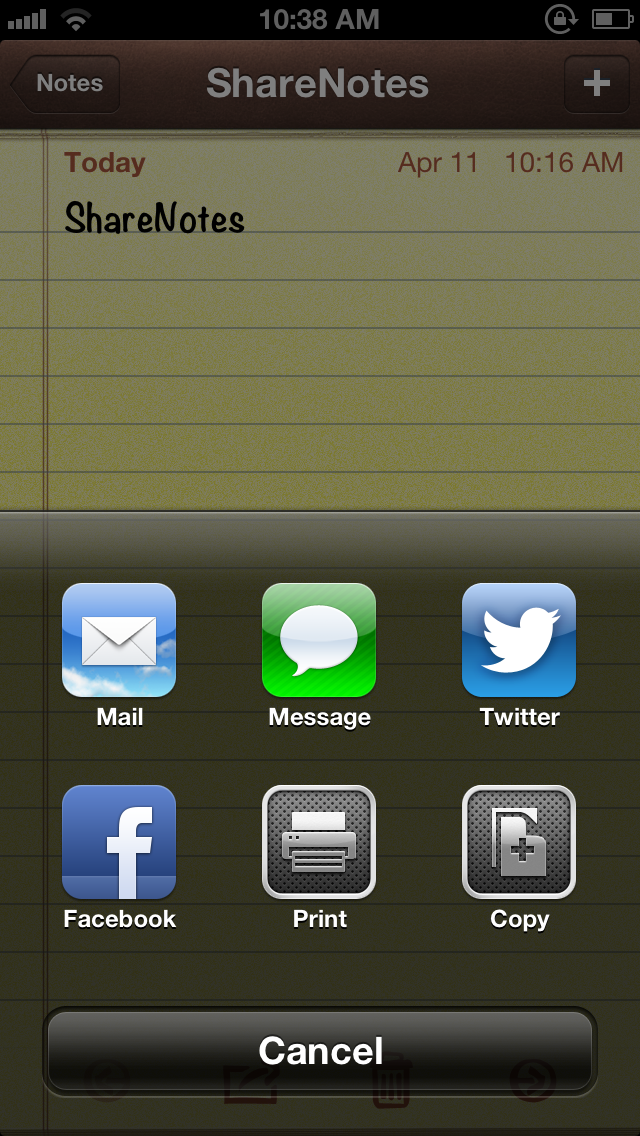
ShareNotes is a new jailbreak tweak that allows you to share notes on Twitter and Facebook using iOS' built in share sheet. The sheet is accessible via a tap on the share button in the Notes app, and it features two new buttons for Facebook and Twitter sharing once this tweak is installed.

The stock sharing options for notes are quite limited; you can only share notes via Mail or Messages. This jailbreak tweak opens things up a bit. Take a look inside for screenshots and more info...

Cydia introduces new TSS Center, Saurik explains what happened to iOS 6 TSS data

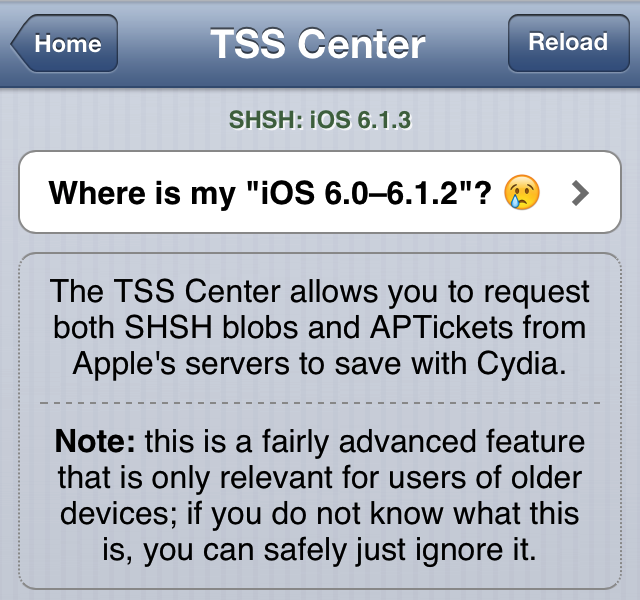
Recently, Saurik, the creator of Cydia, posted a new blog entry explaining the history of Cydia's TSS caching capabilities. As you know, Cydia has been able to automatically save off SHSH blobs for potential downgrade ability with jailbroken devices.

Things have changed rapidly over the years as iOS' security evolved. The earlier versions of iOS included absolutely no downgrade protection. Eventually, with the adaption of TSS, basic verification to make sure that you were installing newer firmware, instead of older firmware arrived. This security was enhanced further with the adoption of a new verification scheme — APTicket — which has proved to be a pain in the rear for would be downgraders. Yes, there have been, and will always be a few exceptions to that rule, but for the most part, Apple has done a good job of cutting off the ability to downgrade firmware.

What does all of this have to do with Cydia's new TSS Center? Well as it turns out, the APTickets saved for iOS 6.0-6.1.2 are all "useless", as they're incomplete tickets unsuitable for booting a device.

In a post on his blog named Where did my iOS 6 TSS data go? Saurik explains in verbose detail the issue at hand...
New evidence shows 802.11ac headed to future Macs

Are you ready for faster wireless speeds? How about better range? If so, then you'll be happy to hear that new evidence shows that Apple is implementing 802.11ac support into its latest version of its desktop OS.

The OS X 10.8.4 beta release, that we told you about earlier, contains code not contained in previous versions of the OS. This code suggests that Apple is adding Gigabit wireless support, which is also known as 802.11ac, to future Mac hardware.

How to select a specific song from the Lock screen using ‘Pluck’

http://www.youtube.com/watch?v=gs9Xxc-_a6o

Pluck is a recently released tweak that places a dedicated button on the iPhone's Lock screen for selecting Music. To view the button, simply invoke the iPhone's music controls by double pressing the Home button while on the Lock screen. Tapping the button allows you to "pluck" a new track from your Music Library, instead of forcing you to unlock the device and venture into the Music app just to select a specific song.

Once the button is tapped, a new sheet featuring your Music Library is pulled in from the bottom of the screen. This sheet can also be accessed by means of an Activator gesture, which is configurable in Pluck's preferences. Check inside for a few more details.

How to make the iPhone’s Spotlight background transparent

Clear The Air is a new jailbreak tweak that allows you to adjust the transparency of the Spotlight search in iOS. Options can be configured to adjust the transparency on a sliding scale, maintain the status bar's opacity, and a general kill switch to quickly enable or disable the effect.

If you're looking for a tweak that allows you to enjoy your background wallpaper while performing Spotlight searches, then this is the tweak for you.

OS X 10.8.4 build 12E30 seeded to developers

If you're a registered OS X developer, you may be interested in this news. Just a week after Apple seeded the 12E27 beta build of OS X 10.8.4, it seeded this new build — dubbed 12E30. As with the previous build, Apple is asking developers to focus on specific areas of the OS, namely Wi-Fi, Graphics Drivers and Safari.

How to merge live front facing camera video with your wallpaper

http://www.youtube.com/watch?v=X2n96JcpAls If you have an iOS device with a front facing camera, you can use a new jailbreak tweak on Cydia to "merge" the wallpaper image with live video from the device's front facing camera. Faded Camera Wallpaper is the name of the tweak, and it's a free download on Cydia's ModMyi repo. It's a tweak that will display a faint video feed from the front facing camera, canvased on top of the Home screen wallpaper.

The tweak is exactly as described, and contains no options or settings, which is unfortunate. It might be an effect that you wouldn't mind using from time to time, but there's not even an off switch to disable it. As it stands, it's a usable tweak, but it's in desperate need of a preference panel to at least toggle it on or off. Without such an option, you have a surefire battery killer on your hands, as it appears that the camera is in action even when not at the Home screen wallpaper.

What do you think?