Anthony Bouchard

Anthony Bouchard joined the iDownloadBlog.com team in 2016 after originally covering Apple and iPhone jailbreak news at ModMyi.com. As an experienced editor, he brings more than 15 years’ worth of jailbreaking knowledge to our in-depth guides, opinion pieces, and news articles. His passion for device customization and user choice sparks his strong push to empower readers with the tools they need to explore and enjoy the freedom that comes with jailbreaking. Anthony blogs about not only jailbreaking, but also Apple software & accessories, drones & photography, and Nintendo gaming systems. Anthony honed his advanced technical knowledge over the years with hands-on projects ranging from gaming PC builds to engine repair mechanics. His never-ending hunger for knowledge is why you’ll always find him tinkering – tearing things apart and putting them back together to understand what makes them tick.

‘Volume Mixer 2’ lets you configure all volume settings in one interface

Your iOS device has multiple volume settings, and each one controls something different.

For example, you have your media volume, which affects your song and video sound output, and you have your ringer volume, which affects your ringtones, text tones, and notification sounds. But there are also other volume settings that you can set where applicable.

Volume Mixer 2 is a jailbreak tweak that provides you with an interface where you can conveniently adjust all of those volume levels at one time, and in this review, we'll talk about how it works.
Blockhead makes your MacBook charging brick less annoying

I love my Mac, but honestly, I hate the AC adapter. The 'wall wart,' as I like to call it, sticks out so far from the wall that it can be incredibly inconvenient for plugging in behind couches and in other tight spaces.

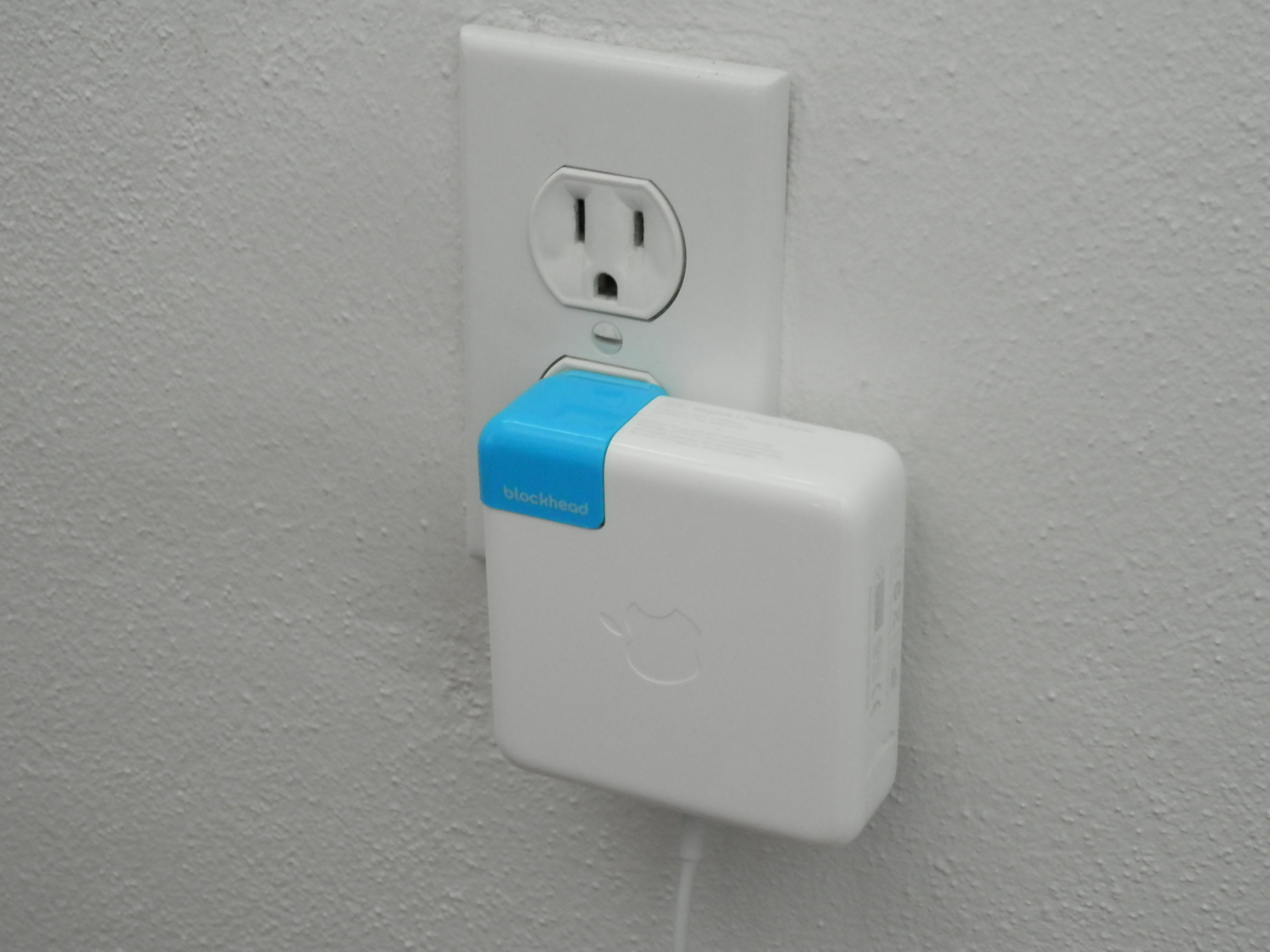
Blockhead, which was only just recently announced, eliminates the annoying protrusion of Apple's AC adapter and is now available from Ten One Design.

Now that the Blockhead is available for purchase, we've been lucky enough to get our hands on one. In this review, we'll walk you through its design and how it looks.

How to fix IP address conflicts on your Wi-Fi network

Every so often, you might end up with two devices on your Wi-Fi network that have the same IP address. This conflict can cause a plethora of problems with trying to use the internet on any of the devices affected.

Fortunately, there's a really easy to way reset your IP addresses on your iOS devices or Macs, and in this tutorial, we're going to show you how!

What to do if iTunes doesn’t recognize your iPhone or iPad

If you ever sync your iPhone, iPod touch, or iPad with iTunes, then more than likely you've experienced hiccups at some point in time where iTunes has been unable to find or recognize your device.

You have it plugged in, but for whatever reason, it just doesn't show up in iTunes. What gives?!

In this piece, we'll go over what to do if iTunes doesn't seem to recognize your iOS device when you plug it in to your computer so that if and when it happens to you, you'll be prepared to tackle the situation.

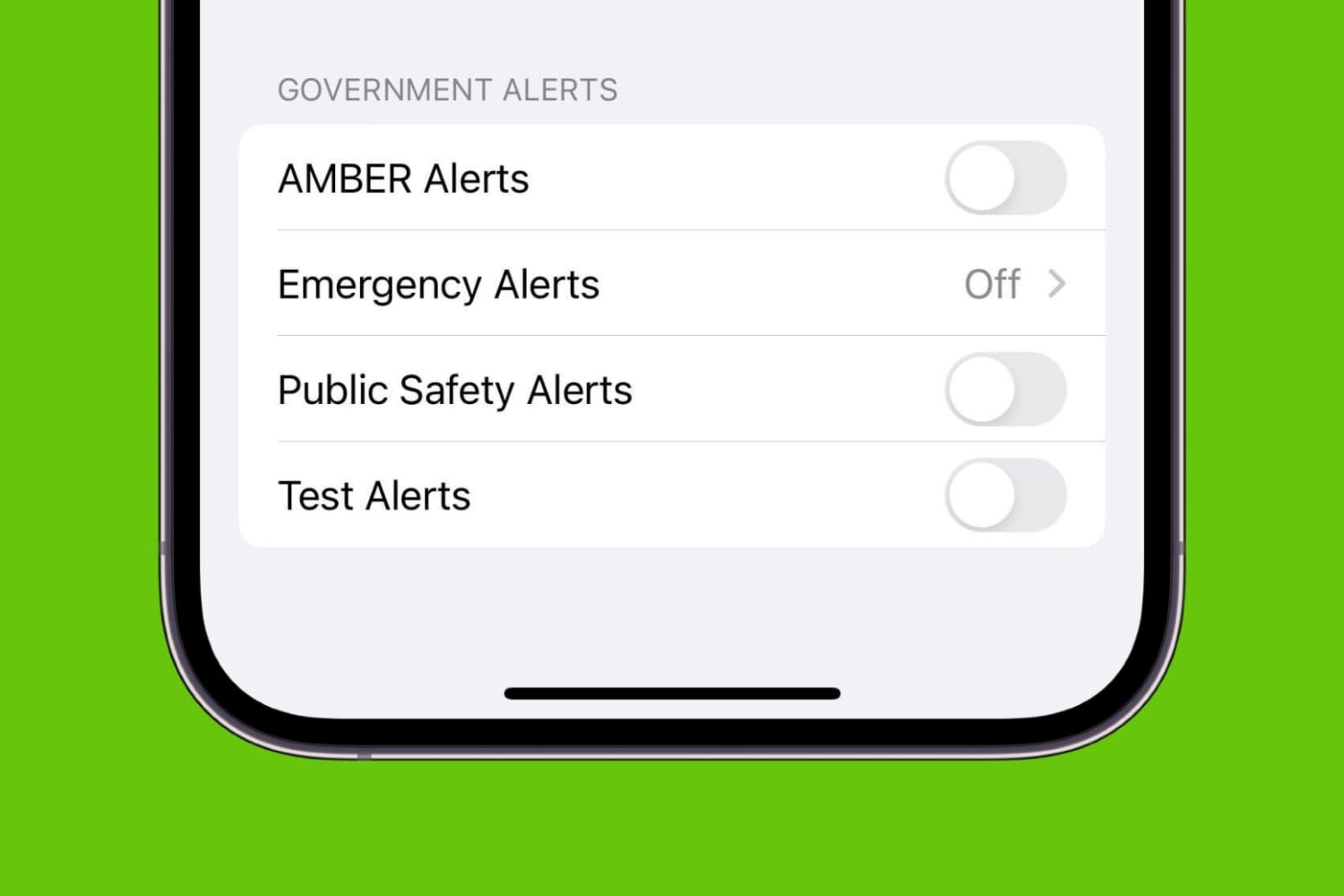
How to turn off AMBER, Emergency, Public Safety, and Test alerts on iPhone

AMBER Alerts, Emergency Alerts, Public Safety Alerts, and Test Alerts on iPhone

Your iPhone comes equipped with government notifications, such as AMBER, Emergency, Public Safety, and Test alerts. These time-sensitive notifications are pushed out to individuals by their carriers based on their location and can be useful for a variety of reasons. On the other hand, if you don’t think you’ll be using them anytime soon or you get sick of seeing them on your device, you can always disable them.

EarthView Walls grabs random wallpapers from Google Earth for your jailbroken iPhone

Choosing a wallpaper can be tough, that's why every week we show you a featured wallpaper post in order to help you stay relevant and refreshed.

But if you want more, you might be interested in a new free jailbreak tweak called EarthView Walls, which will grab random wallpapers from Google's Earth view and set them as your device's wallpaper.

We'll walk you through how the tweak works in this review and talk a little about why it could be an optimal solution for you.

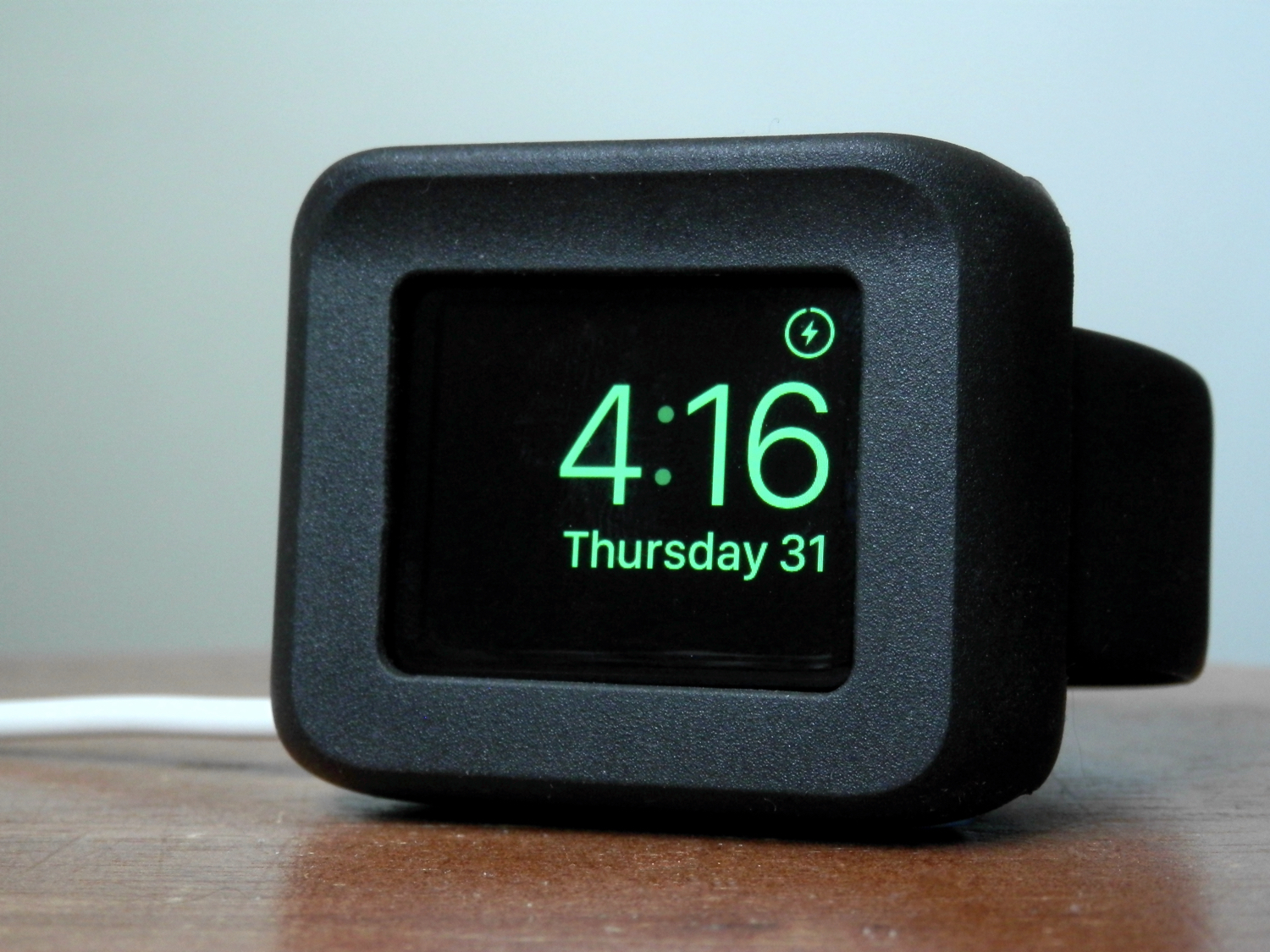
Timeframe: the Apple Watch desk stand that doubles as a case

Fellow Apple Watch users, the Timeframe by Ten One Design is a wonderful way to enjoy Night Stand mode while it charges at night.

Moreover, it'll still feel as though your device is well-protected from falls or pets that might like to climb up on your night stand at night because it offers a protective bezel that surrounds all of the delicate parts of the device.

In this review, we'll walk you through our thoughts on the Timeframe.

This tweak keeps music from resuming after hanging up a call on your iPhone

Anyone who uses their iPhone to pick up calls, whether they're phone calls or FaceTime calls, knows that when music is playing, iOS will automatically pause the music until the phone call ends. When it does, iOS will resume the song where it left off.

Those who don't like how the music resumes after a phone call really have no way to disable the feature on a stock iPhone; instead, you would have to go back to the app that is playing the music and pause it manually.

A new free jailbreak tweak called PauseAfterCall solves this problem.

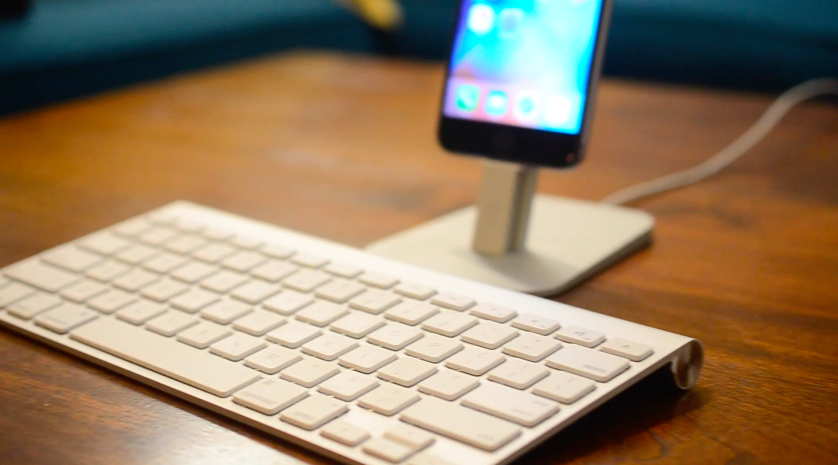
Molar: an immersive Bluetooth keyboard shortcut tweak for jailbroken devices

Using a Bluetooth keyboard with your iOS device is not unheard of, especially with the much more powerful iPad Pro that Apple is dubbing a true mobile competitor for notebook computers. Unfortunately, what Apple lets you do with them is quite limited.

A new jailbreak tweak called Molar is now available in Cydia for $1.99 that gives your iOS device a plethora of Bluetooth keyboard controls that stock iOS device users could only dream of having.

In this review, we'll talk about what Molar allows you to do on your iPhone, iPod touch, or iPad with a Bluetooth keyboard.

Bookmark specific SMS or iMessage messages with SmsSave

Every so often you send or receive a cherishable or important message in the Messages app on your iPhone, whether by SMS or iMessage. In some cases, it would be really nice if iOS offered a way for you to boak ark those messages so you could look back on them more easily later on.

A new free jailbreak tweak called SmsSave is available in Cydia and gives you the power to bookmark messages right inside of the Messages app on your iOS device. We're going to show you in this review how it's used and talk about why it's going to be helpful.

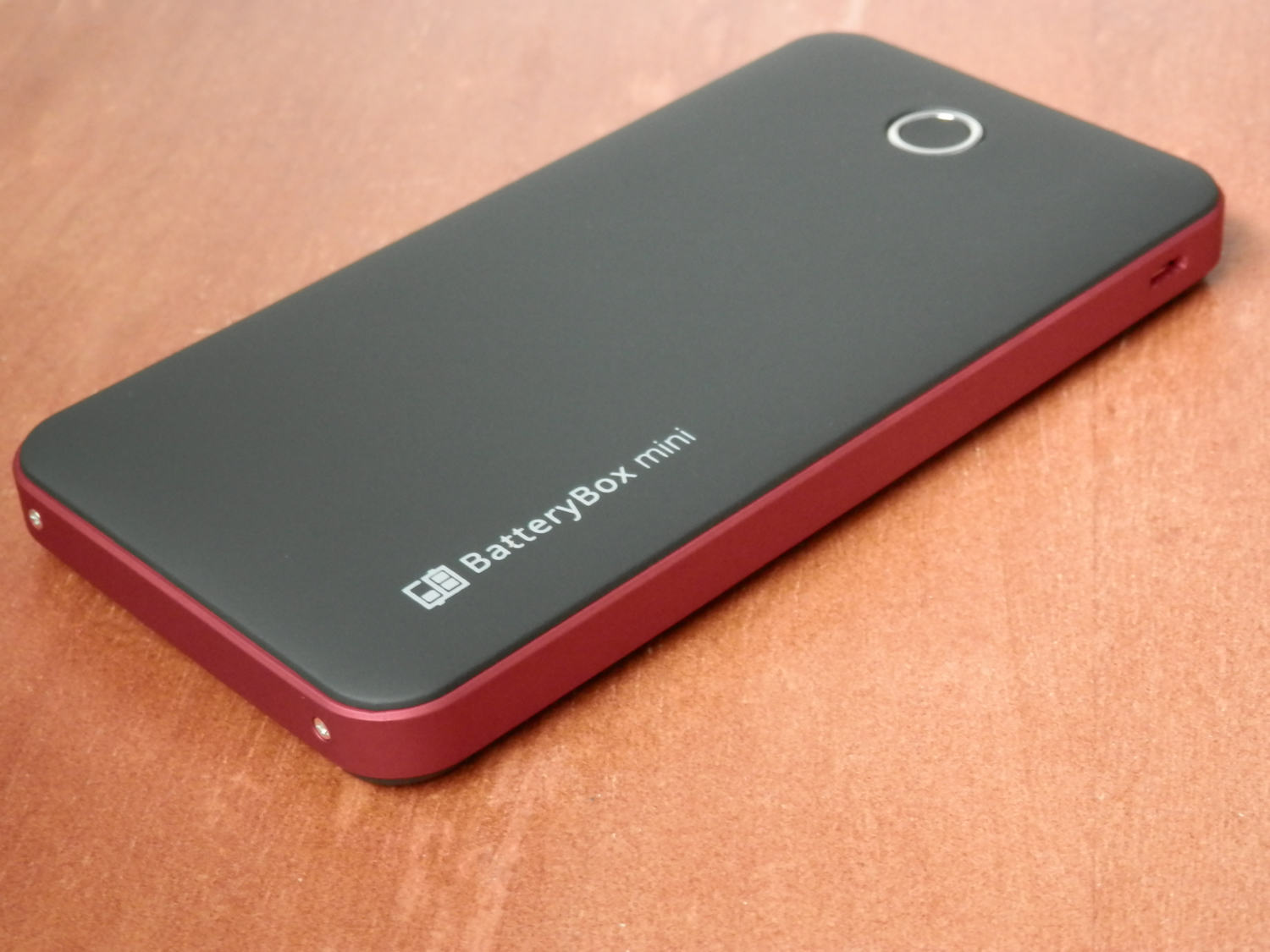
BatteryBox Mini keeps your iPhone (and much more) powered while on the go

Because I'm always out and about, and my iPhone can always use a good charge when I'm away from an outlet, external battery accessories are always of great interest to me. BatteryBox, which you may remember made it to both my top 5 accessories for iPhone and top 5 accessories for Mac lists, has long filled that void for me.

Nevertheless, I've been looking for something a little easier to carry around with me when I leave the house or leave the car, and something I can use a little more easily while walking around and while not carrying a backpack.

One solution I've found to work quite well for this need is BatteryBox's little brother, dubbed BatteryBox Mini, which can be had on the BatteryBox website for less than $35. In this review, we'll take you through the features of BatteryBox Mini and show you whether it's a good investment for your needs.

10+ things to do if your Mac won’t switch on

MacBook powering on and showing the Apple logo with a progress bar below it

Most of the time, when you want to use your Mac, you can just press the power button or lift the MacBook screen, hear a startup sound, and your computer will begin booting, so you can use it.

Sometimes, however, you don’t get so lucky. There may be a time when you go to use your Mac, and it doesn’t turn on at all.

As reliable as Macs can be, they can hiccup occasionally. In this piece, we talk about what you can do to troubleshoot if your Mac won’t power on after you press the power button.