Anthony Bouchard

Anthony Bouchard joined the iDownloadBlog.com team in 2016 after originally covering Apple and iPhone jailbreak news at ModMyi.com. As an experienced editor, he brings more than 15 years’ worth of jailbreaking knowledge to our in-depth guides, opinion pieces, and news articles. His passion for device customization and user choice sparks his strong push to empower readers with the tools they need to explore and enjoy the freedom that comes with jailbreaking. Anthony blogs about not only jailbreaking, but also Apple software & accessories, drones & photography, and Nintendo gaming systems. Anthony honed his advanced technical knowledge over the years with hands-on projects ranging from gaming PC builds to engine repair mechanics. His never-ending hunger for knowledge is why you’ll always find him tinkering – tearing things apart and putting them back together to understand what makes them tick.

These new tweaks bring Apple’s MagSafe charge animation to jailbroken devices

One of the things that makes the brand new and upcoming iPhone 12 & 12 Pro lineup unique is the addition of support for MagSafe accessories. Apple touts MagSafe for iPhone as a larger version of the Apple Watch charger that attaches magnetically to the rear of the handset and charges the device at up to twice the speed of any Qi-enabled wireless charger. As you might come to expect, MagSafe even includes a charging animation unique to itself, as shown above.

It wasn’t long after the introduction of MagSafe that avid jailbreakers began asking whether it’d be possible to have a similar charging animation on their existing pwned devices… and the short answer would be yes. The longer answer is yes, and that a duo of new and free jailbreak tweaks dubbed Lock Screen Battery – MagSafe by Tomasz Poliszuk and MagSafe by iOS developers Ethan Whited and MTAC are already available and make this possible for various devices.
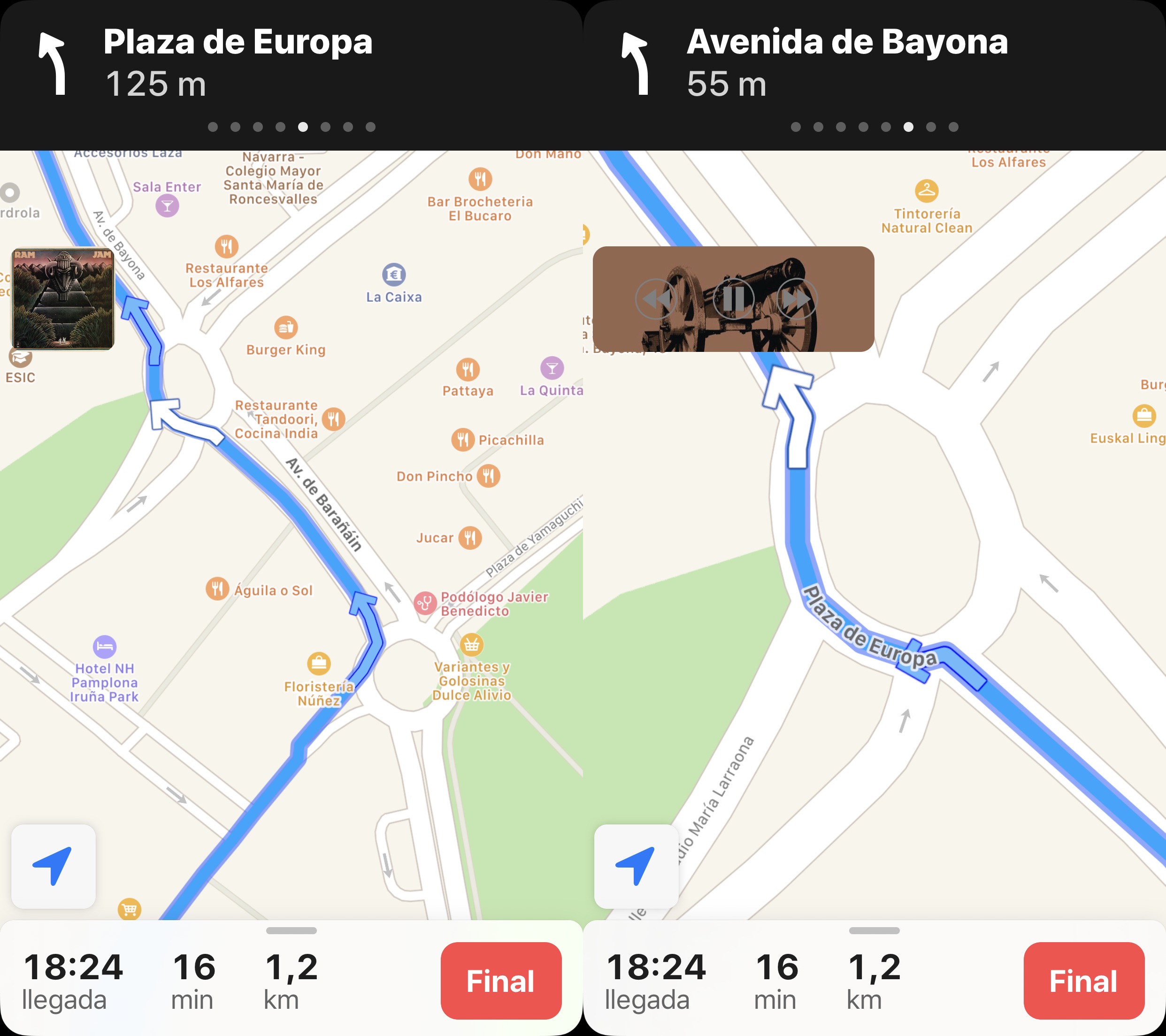
SilentMaps13 makes Apple Maps navigation less intrusive to music playback

It’s fairly common for drivers to listen to music as they cruise around, and with CarPlay and Bluetooth accessories becoming more popular in modern cars, it becomes more and more likely that drivers will stream their music from their smartphone as opposed to the radio. Another thing drivers often use is their handset’s built-in navigation feature, and unfortunately, directions from the Maps app have a tendency to announce directions at all the worst times…

Enter SilentMaps13, a newly released jailbreak tweak by iOS developer Greg0109 that helps prevent the Maps app from announcing directions right as the beat of your favorite song drops. The tweak offers user-configurable alternatives to having Siri’s voice interrupt your track, and it’s sure to offer an augmented user experience when used in a navigation-esque setting while listening to music in the car.

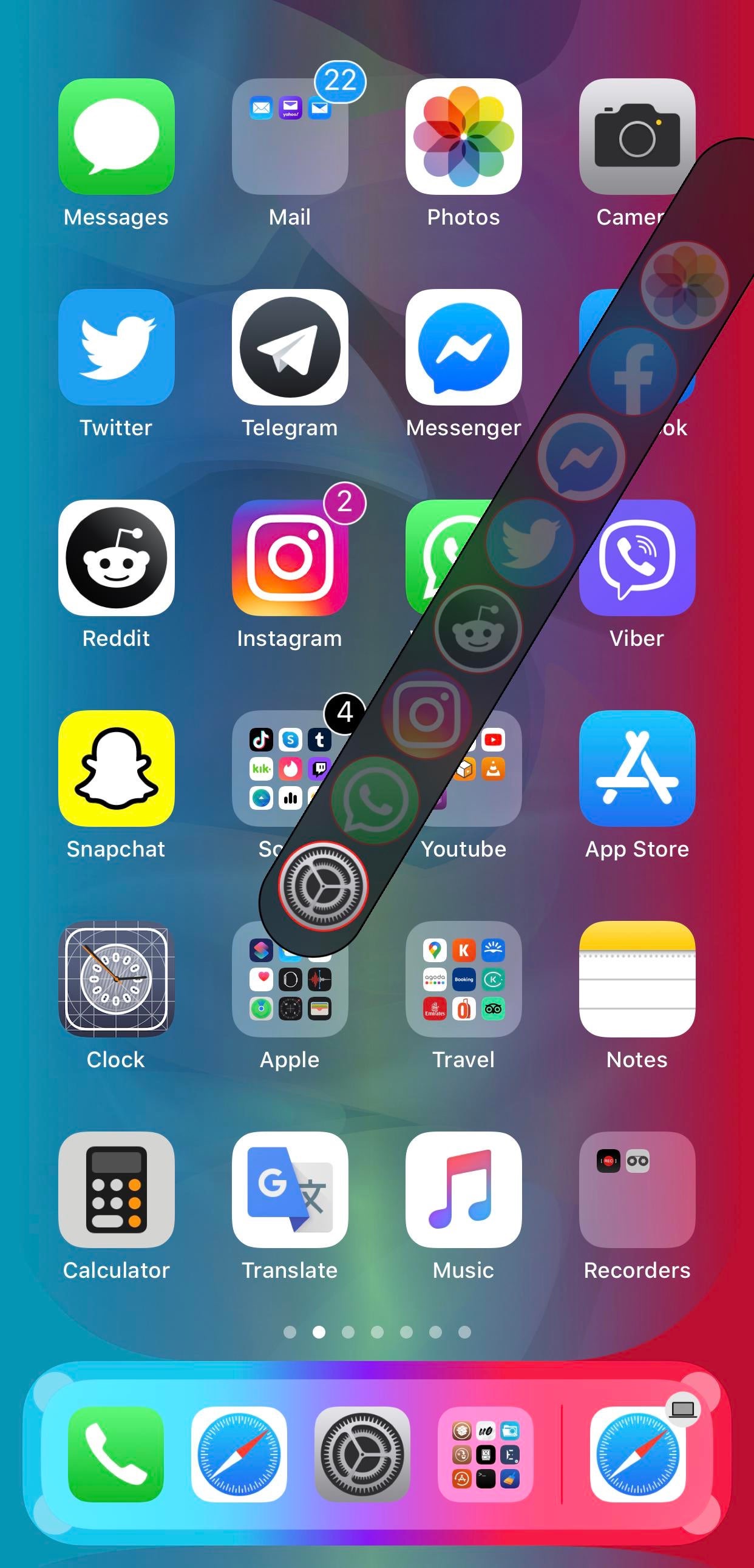
AppButton makes it easier to multitask on jailbroken iPhones

Love it or hate it, the iPhone’s native App Switcher doesn’t seem like it will be receiving any substantial upgrades anytime soon. With that in mind, it should come as no surprise to anyone that the jailbreak community continuously tries to provide a better user experience for those with valid frustrations regarding the native user interface.

If you, like many others, are searching for a better App Switcher experience on your pwned handset, then you might want to take a moment and observe a newly released and free jailbreak tweak called AppButton by iOS developer MiRO.

Set a maximum battery charge level for your iPhone with BattSafe

Low Power Mode.

When charging your iPhone’s battery from empty to full, it ordinarily stops powering the battery upon reaching 100%. While most people enjoy seeing a high battery percentage following an extensive charging session, some tend to feel just the opposite. Believe it or not, it’s actually quite the contentious topic.

UPDATE: Starting with iOS 17, you can now restrict your iPhone to only charge up to 80%, no jailbreak required.

With that in mind, we’re excited to talk about a newly released and free jailbreak tweak dubbed BattSafe by iOS developer udevs. This is an add-on that lets users designate a preferred battery level after which the handset will stop charging when connected to a power source.

Prank those who try to guess your iPhone’s passcode with ToldYou

Whether you have an iPhone or another smartphone of a different make and model, one thing we all probably have in common is that someone has attempted to guess our handset’s passcode when we weren’t looking.

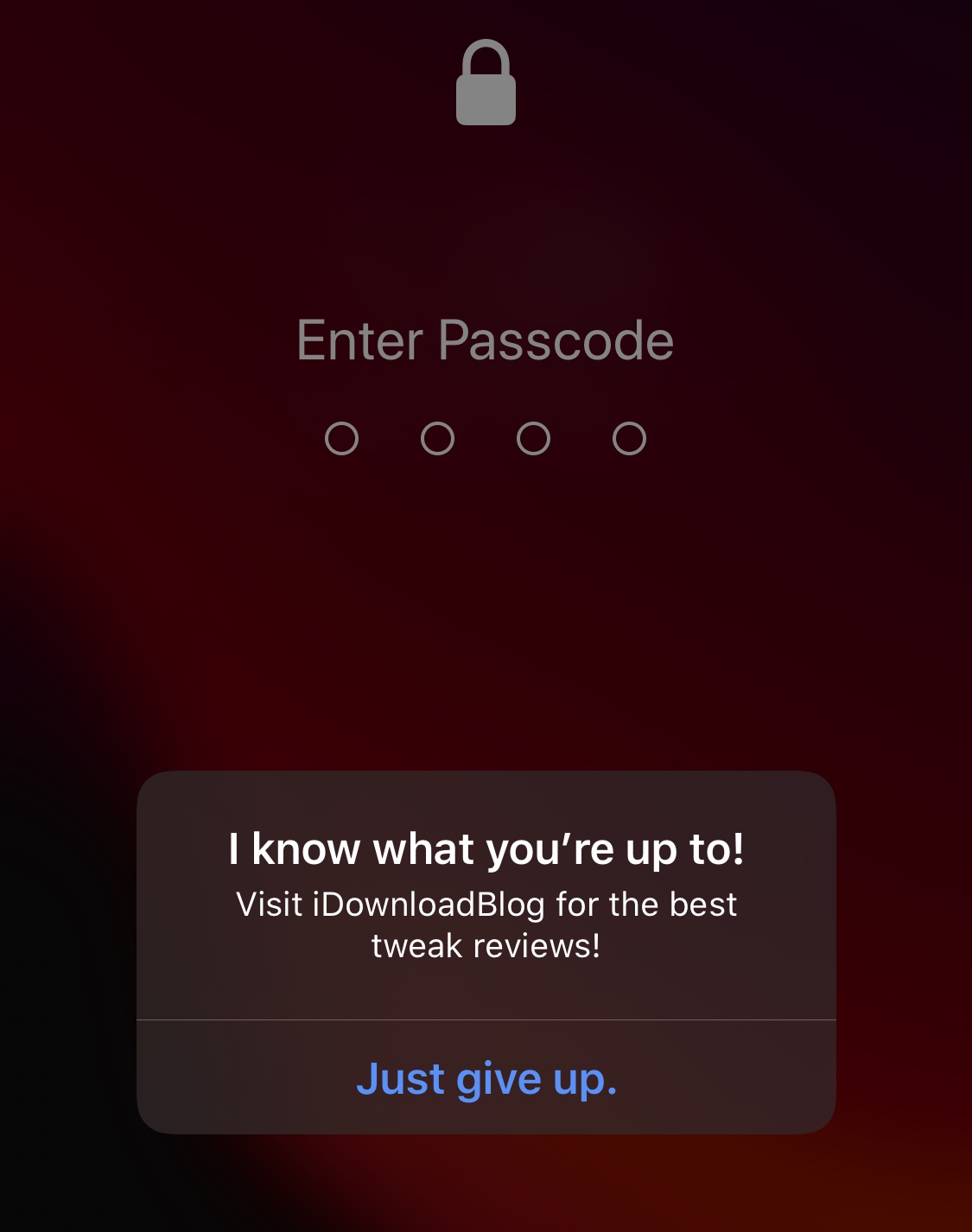
The horrible and sad truth is: nosy people exist; but the good news is that anyone with a jailbroken iPhone can now use a newly released and free jailbreak tweak called ToldYou by iOS developer Huseyin Kabasakal to strike back at these nosy people in a somewhat humorous way.

This tweak lets jailbreakers on iOS 14 customize the App Library

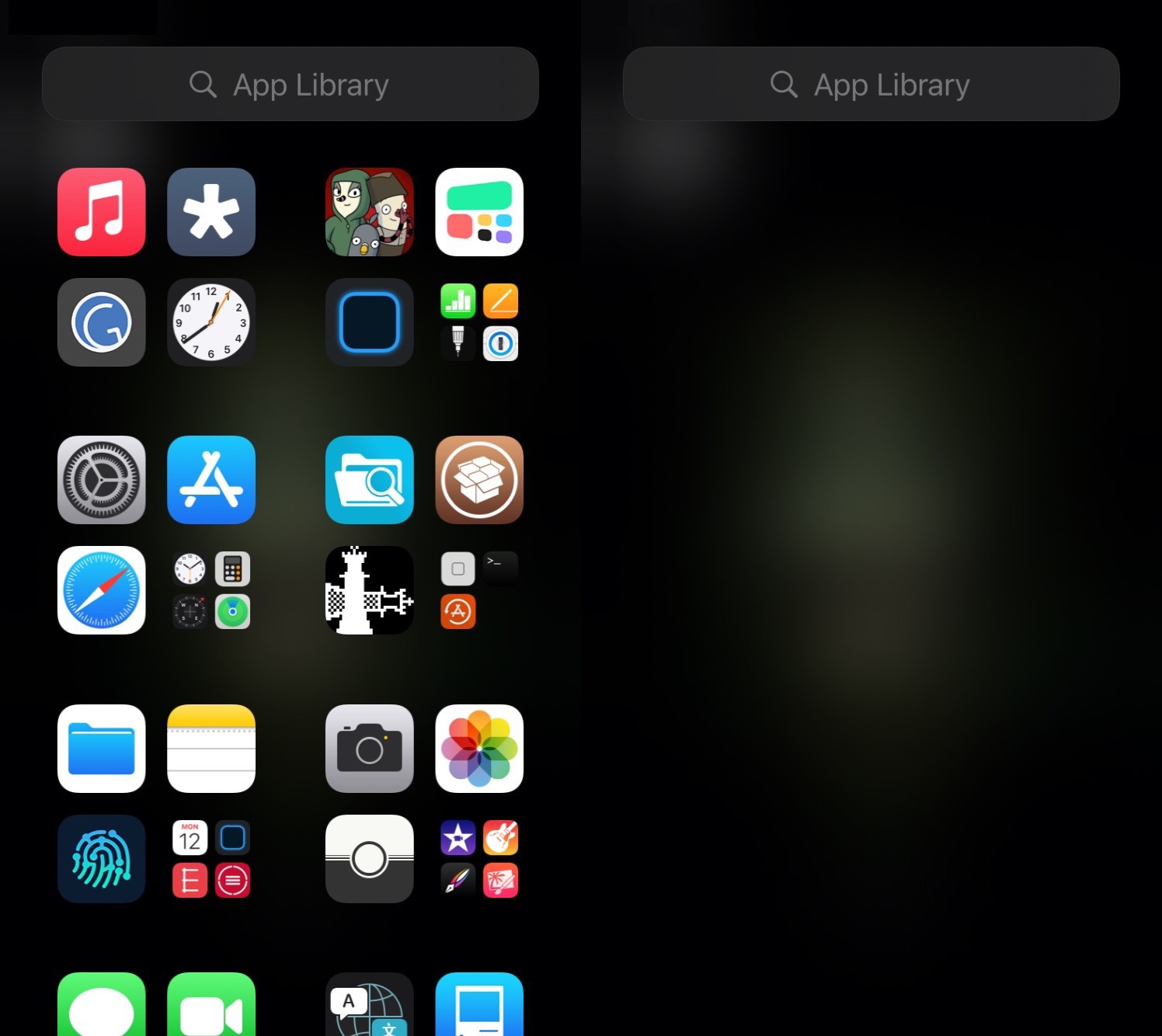
One of the new features in iOS 14 that received a ton of praise from early adopters is the App Library. It not only serves as a one-stop shop for all your handset’s installed apps, but it also enables users to effectively hide certain icons from the Home Screen to make more room for the upgraded widget experience.

Now, with the help of a newly released and free jailbreak tweak dubbed App Library Controller by iOS developer Tomasz Poliszuk, those rocking pwned iOS 14 devices will be able to do more in the realm of customizing the App Library interface.

Comparison: iPhone 11 Pro vs iPhone 12 Pro vs iPhone 12 Pro Max

Apple on Tuesday announced its brand-new iPhone lineup for 2020, which included the iPhone 12 Pro and 12 Pro Max in addition to the smaller and less-expensive iPhone 12 mini and iPhone 12 options. For now, we’ll focus on the flagship models.

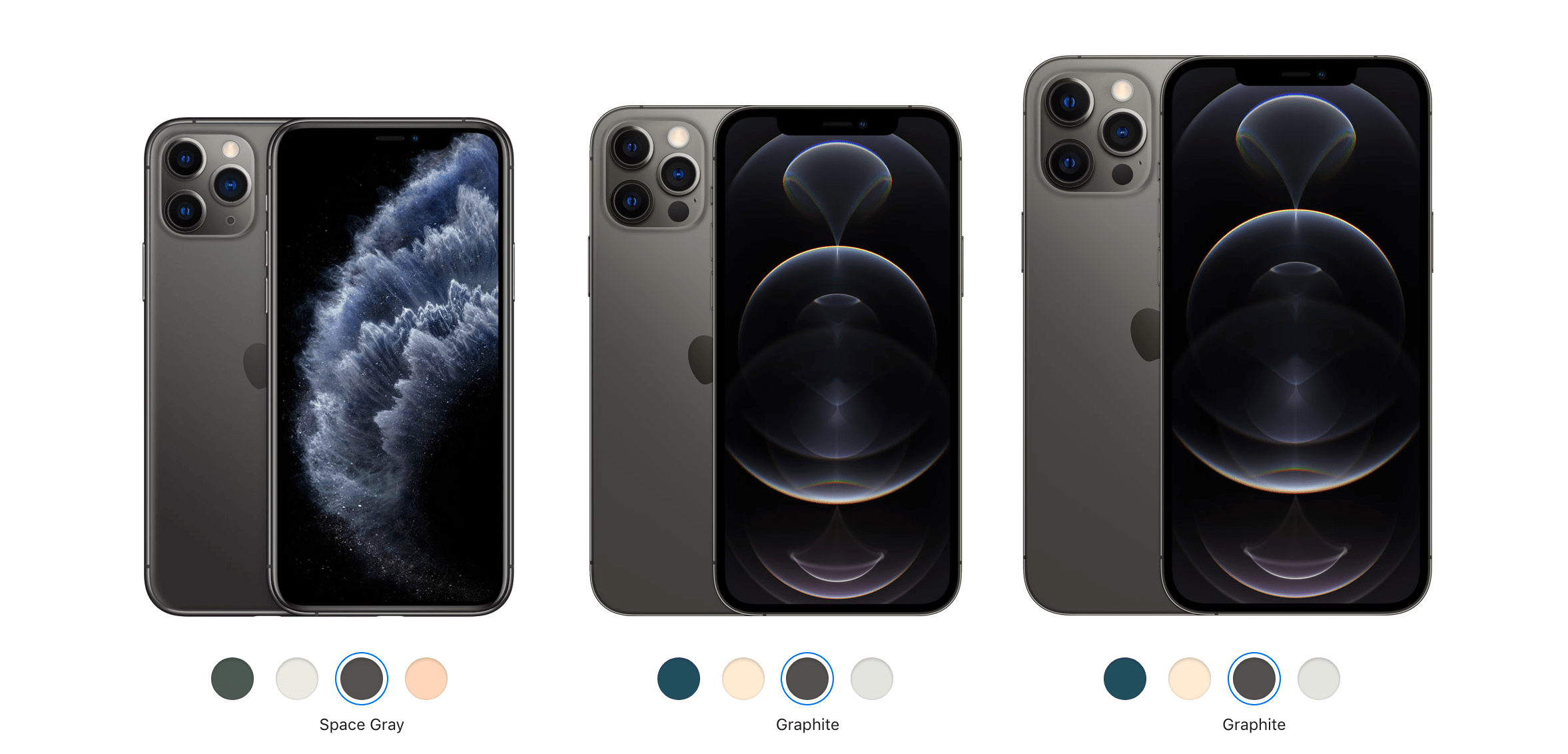
In this piece, we’ll help those who already own last year’s iPhone 11 Pro decide whether or not they should upgrade to this year’s iPhone 12 Pro or 12 Pro Max by comparing each handset’s technical specifications to the other.

This tweak adds an icon in the Status Bar whenever music is playing

If you’re one to listen to a ton of music via your jailbroken iPhone or iPad, then chances are you could benefit from the likes of a newly released and free jailbreak tweak dubbed NowPlayingIndicator by iOS developer iCraze.

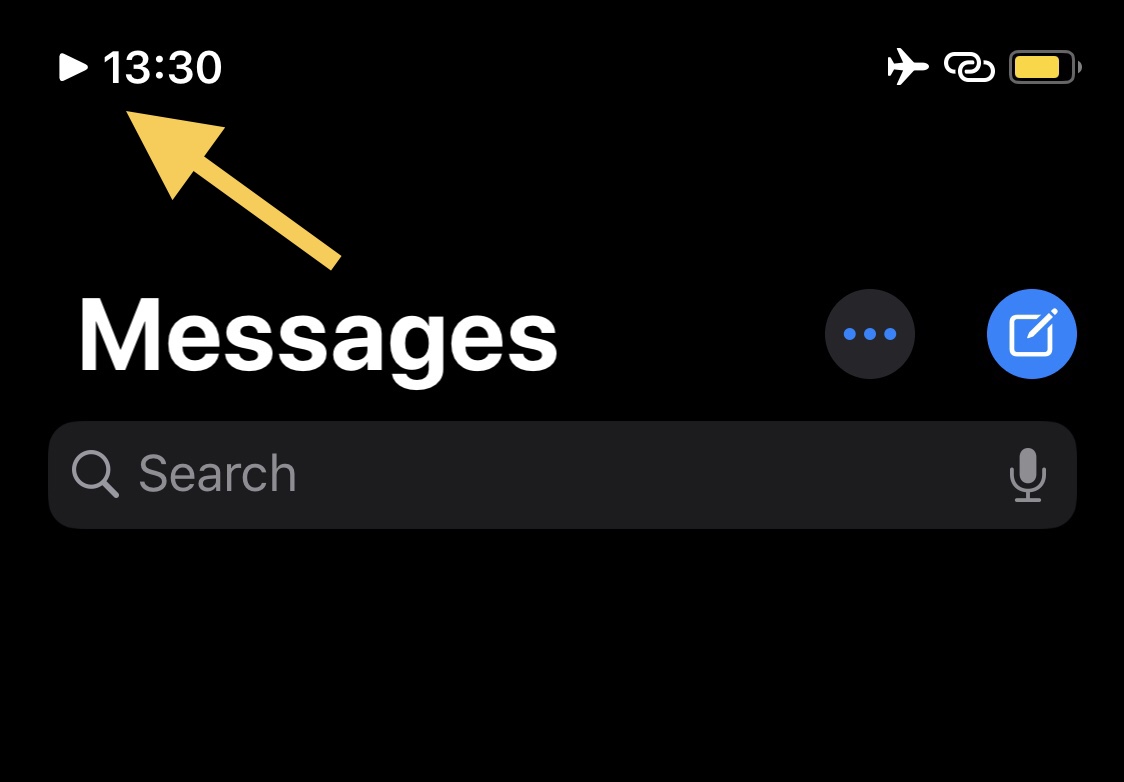
This tweak’s name is particularly telling in terms of what it does. Once installed, NowPlayingIndicator adds a play button-shaped icon to the Status Bar, just to the left of the time, whenever you have music playing. The illustration above depicts how the tweak looks in action.

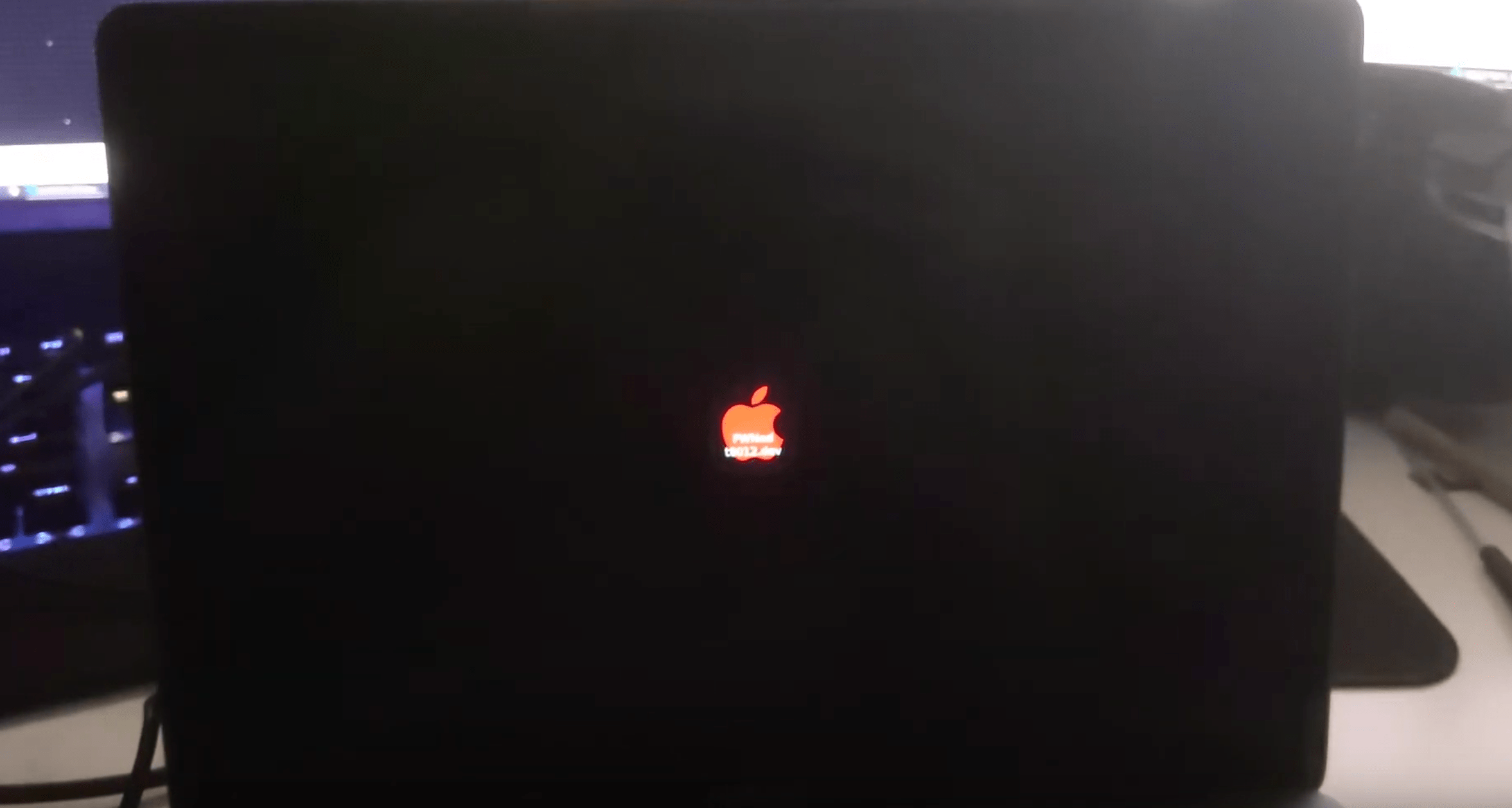
Security researchers demonstrate ‘PlugNPwn’ attack on T2-equipped Mac

It wasn’t long after the checkm8 bootrom exploit gave rise to the checkra1n jailbreak tool that clever hackers learned how they could use the same exploit (along with other hacks) to tamper with the proprietary T2 chip embedded in a bevy of modern Macs. In fact, the checkra1n jailbreak tool’s most recent update even added support for the T2 chip in Macs for interested tinkerers.

Despite how incredible the aforementioned circumstances sounded to jailbreak enthusiasts at first glance, those on the other side of the fence quickly began wondering about the implications this might have for the security of Apple’s most popular computers. Now, we may finally have some idea thanks to information published by the t8012 Development Team.

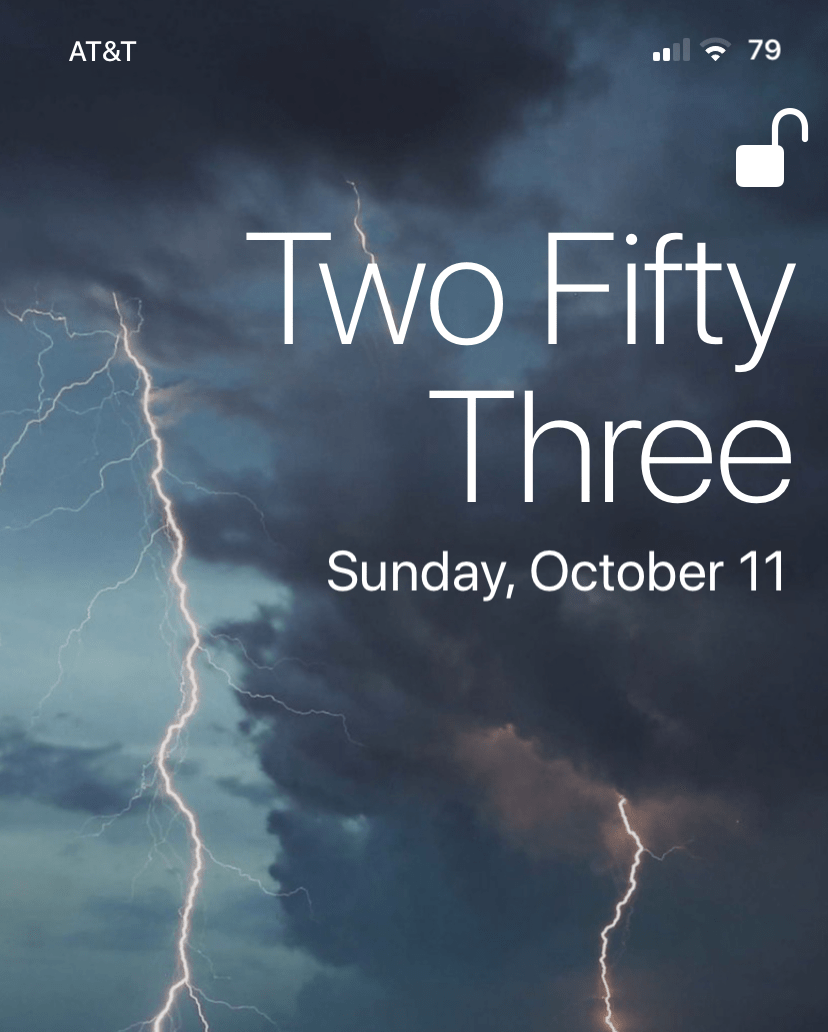
TextTime gives jailbreakers a text-based Lock Screen time display

The iPhone’s Lock Screen was designed to show the current date and time at a glance, and it does a particularly good job of it right out of the box. The large numerical display that comes from the factory makes discerning the current time an effortless task. But let’s say you’re jailbroken and want something fancier…

TextTime is a newly released and free jailbreak tweak by iOS developer Lightmann that changes how the iPhone’s Lock Screen displays the current time. It does this by switching from a digital numeric readout to a word-based readout that quite literally spells the time out for you.

Jailbreak tweaks of the week: AltDaemon, Annotation, iGotBlind, and more…

The jailbreak community has been nothing short of a crazy roller coaster ride lately. From the release of the first public iOS 14 jailbreak from checkra1n and the announcement of an imminent exploit for iOS 13.7 to the departure of legendary security researcher and exploit finder Brandon Azad, it's tough to tell what might happen next. Still, the wheels just keep on turning.

In this roundup, we'll discuss all the latest jailbreak tweak released from Monday, October 5th to Sunday, October 11th. As usual, we'll start by talking about our favorite releases and then work our way into an outline of the rest afterward.

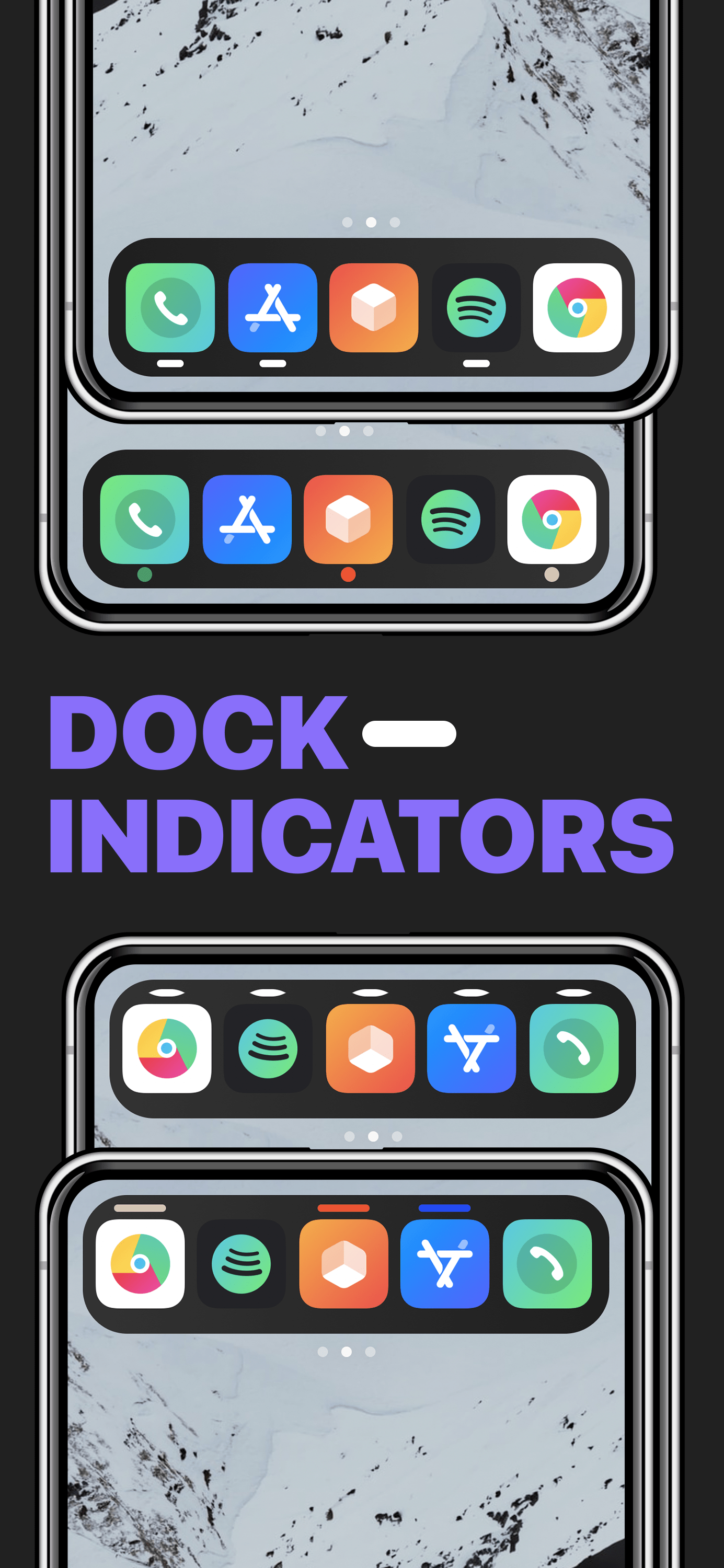
This tweak brings macOS-inspired open app indicators to the iPhone’s Dock

On a Mac, running applications are represented in the Dock with a tiny indicator light beneath the icons that represent said applications. iPhones and iPads also have application Docks, but no such indicator appears on those platforms.

Whether or not such a feature would be useful on an iPhone or iPad remains to be seen, however a newly released and free jailbreak tweak called Dock Indicators by iOS developer LacertosusDeus can bring this functionality to these devices in a fun and customizable fashion.