Learn how to see all SMS and iMessages for a specific phone number if you’re using two or more SIM cards on your iPhone.
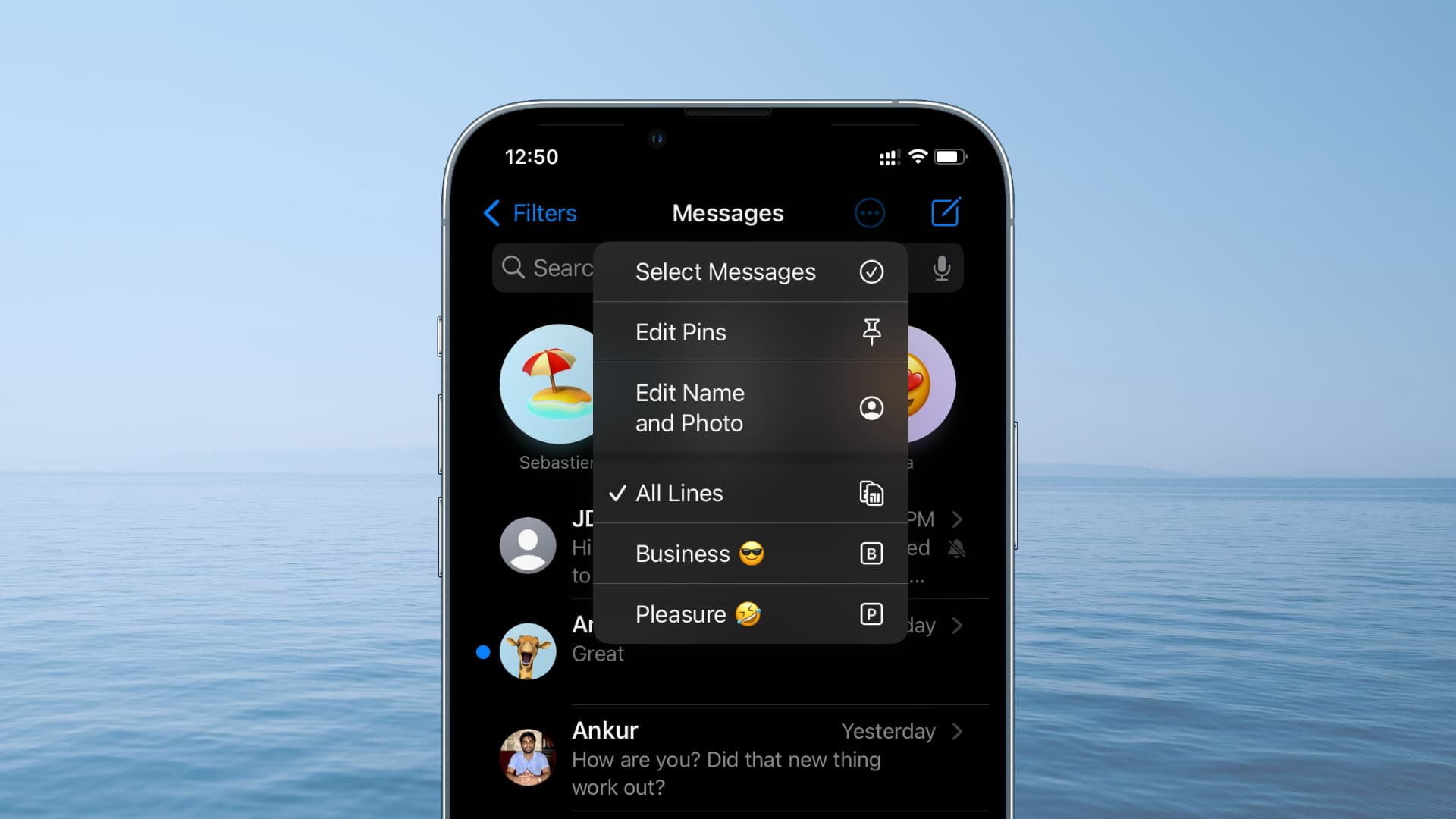
Recent iPhone models support multiple SIMs, allowing you to add and store up to 8 (or more) eSIMs, although only two can be active at a time.
If you use more than one SIM on your iPhone, such as one for personal contacts, another for business, and one for international travel, there may be times when you want to view texts from just a specific line.
Fortunately, the iOS Messages app has a lesser-known feature that lets you filter messages by SIM card. This makes it easy to view texts from the selected SIM line and find a particular message quickly.
Filter messages based on SIM card or phone number on iPhone
1) Open the Messages app on your iPhone running the latest version of iOS.
2) Tap the three lines icon at the top and select your SIM card under the Filter By heading. The Messages app will filter out all other texts, showing only those SMS and iMessages you have received on that selected line. Tap the same icon and select Messages to see the unified inbox with all messages.

Note: Pinned messages remain unaffected by this filter.
If your iPhone is running an older version of iOS, follow these steps instead:
1) Open the Settings app and tap Apps > Messages.
2) Scroll down to the Message Filtering heading and tap Unknown & Spam.
3) Turn on Filter Unknown Senders. You can leave SMS Filtering to None, SMS Filter, or select an installed third-party app like Truecaller.
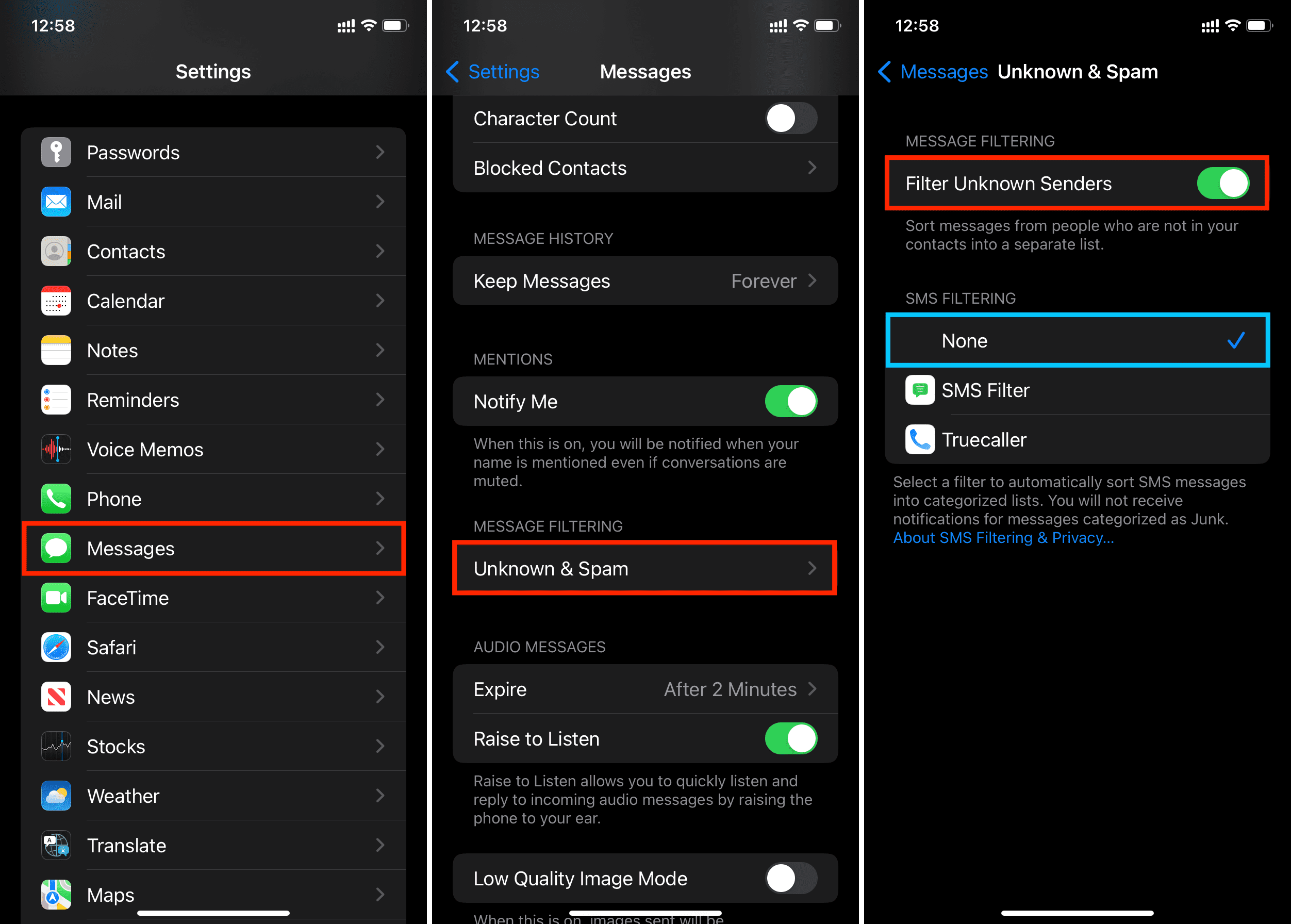
4) Exit out of the Settings app and open the Messages app.
5) Tap the newly visible three-dot menu button from the top right, and select the desired line.
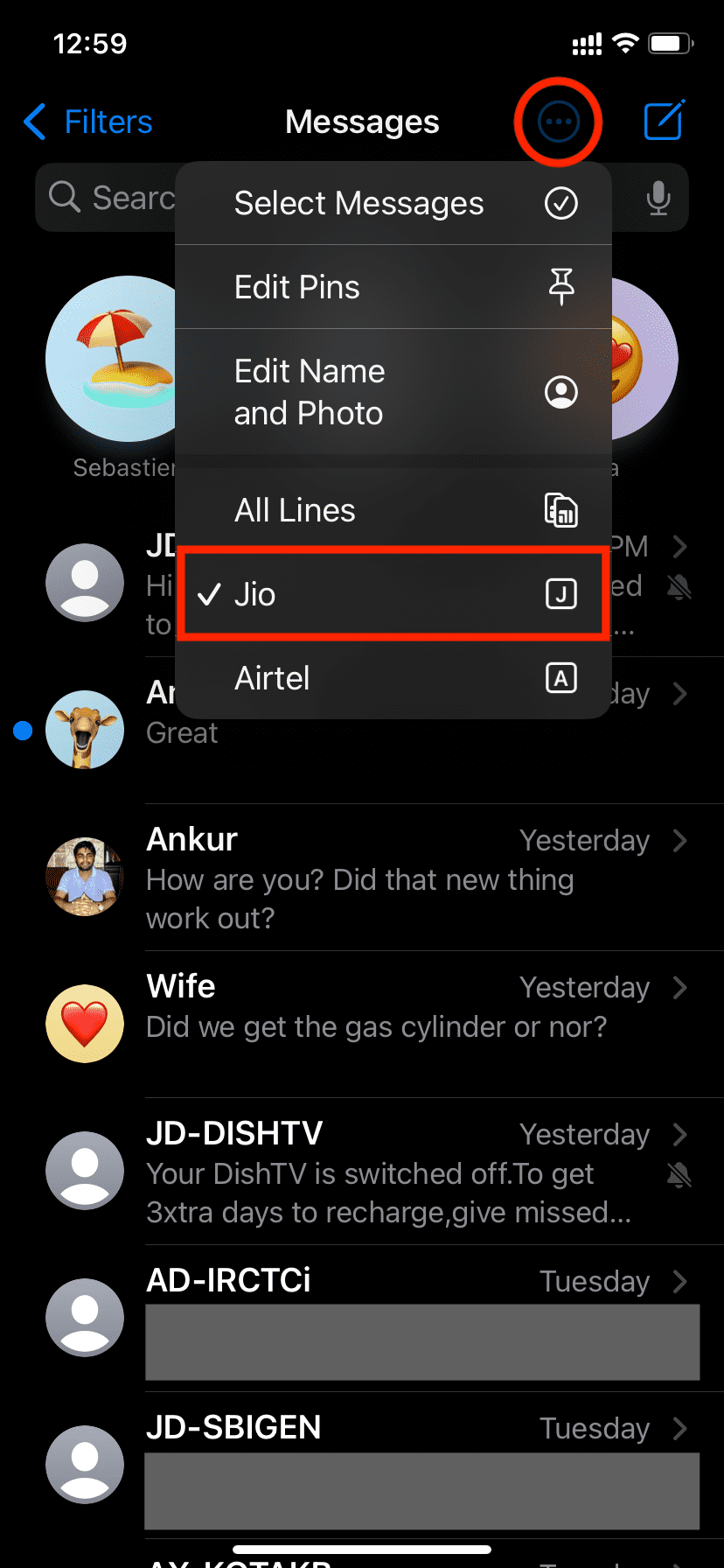
To get back to the unified inbox that shows all messages, tap the menu button and select All Lines.
On a related note: