Learn how to use the Zoom accessibility feature to magnify what’s on the Apple Watch display if you cannot discern text and buttons on the tiny screen.
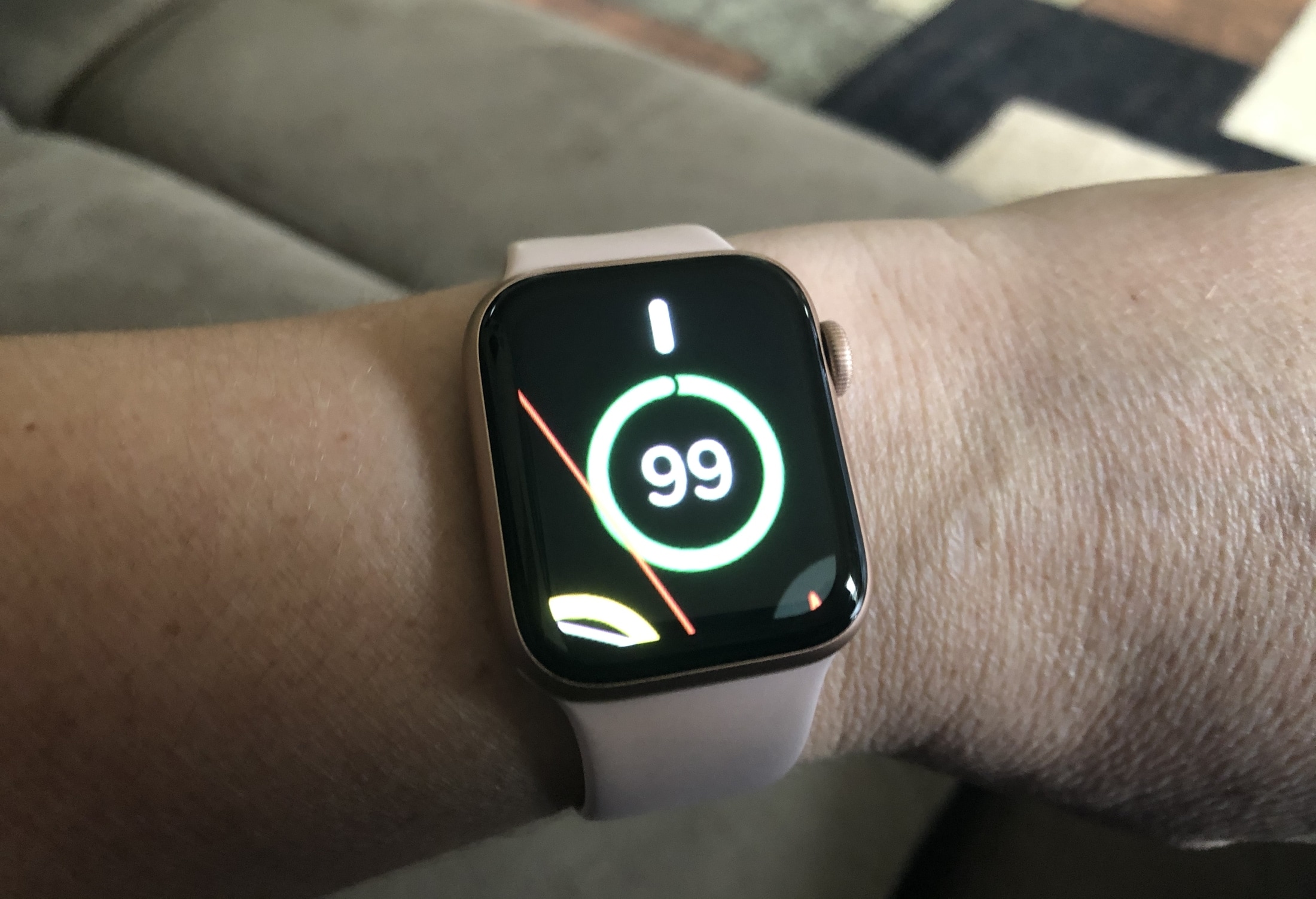
Even with the Apple Watch screen size and resolution having improved over the years, the screen is still too small for some people to read.
The watchOS software powering your Apple Watch includes an accessibility feature called Zoom that can help with that.
If you have vision issues or find it too difficult to read small complications on the watch face or use specific apps, you can zoom right in to make everything bigger and easier to see and read.
Step 1: Enable screen zoom on Apple Watch
You can turn it on from your iPhone or directly on the watch.
From your iPhone
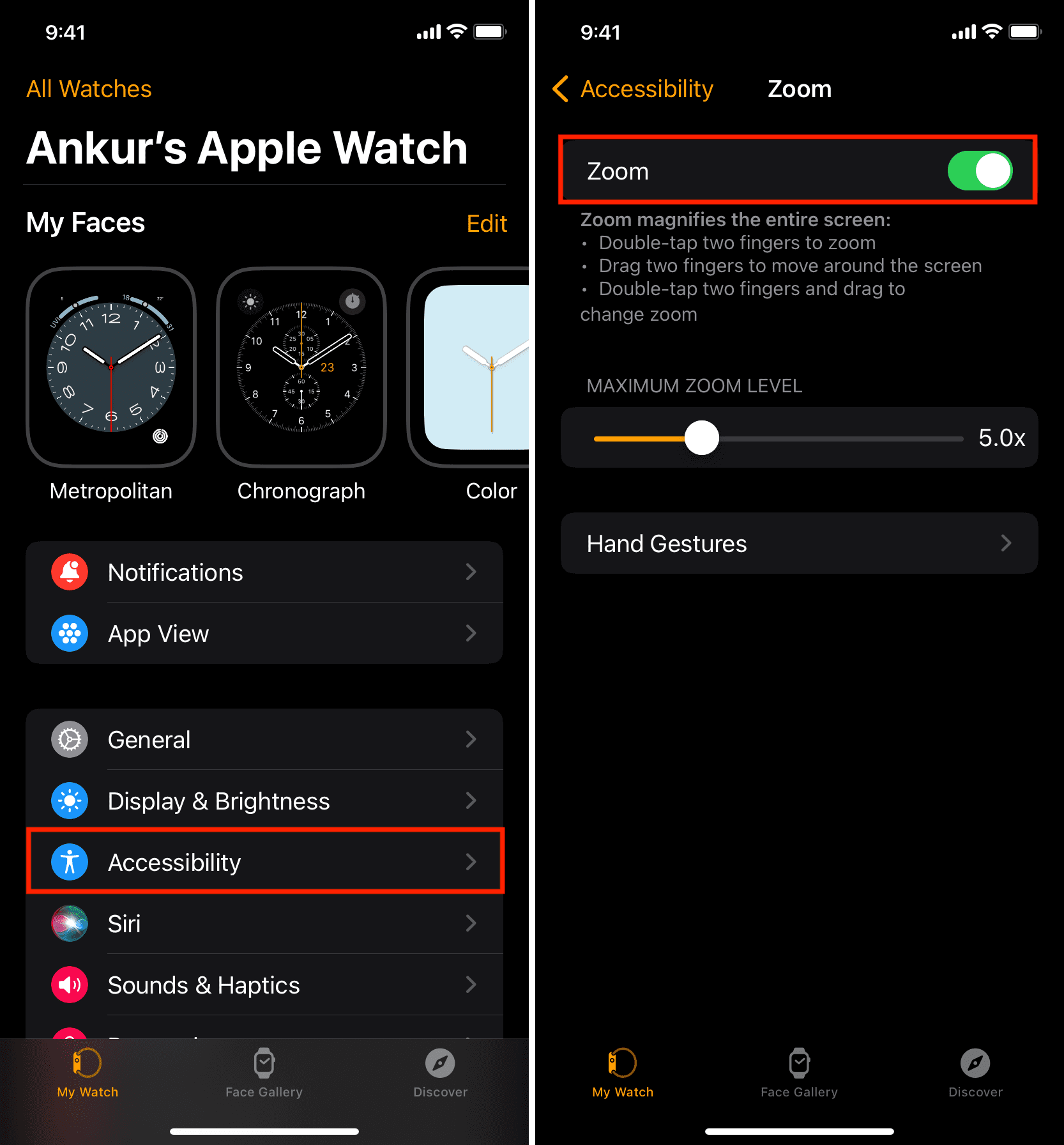
- Open the Watch app on your iPhone and tap Accessibility.
- Select the Zoom option, then turn on the feature on the next screen.
- You can keep the default maximum zoom level (5.0x) or adjust it to the zoom level you need. The maximum level of magnification is 15.0x and the minimum is 1.2x. Try using the feature for a bit before changing the zoom level.
From your Apple Watch
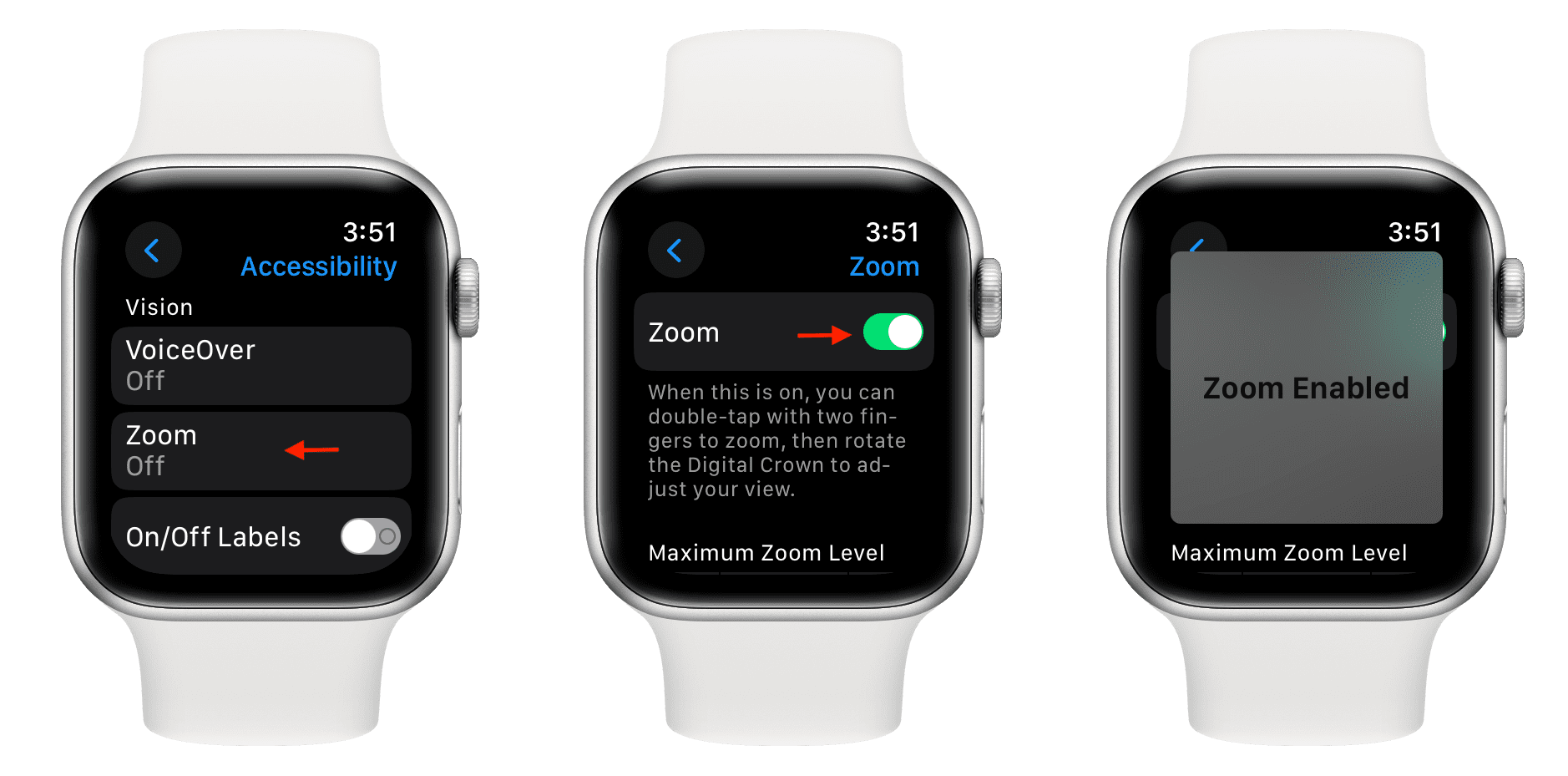
- Open the Settings app.
- Scroll down and tap Accessibility.
- Tap Zoom and turn on Zoom on the next screen.
- Tap the plus (+) and minus (-) buttons to adjust the maximum zoom level.
Note: You can also double-tap and hold with two fingers and drag up or down them to adjust the zoom level, which can be tricky if you have oversized fingers.
Step 2: Use zoom on your Apple Watch display
- Activate: Double-tap with two fingers on the display to magnify the onscreen content.
- Move around: Drag with two fingers or rotate the Digital Crown to pan the screen while zoomed in.
- Deactivate: Double-tap with two fingers again to set the default zoom level.
Note: Apple Watch screenshots are taken with the standard magnification level; you cannot screenshot a zoomed-in interface.
There’s no need to squint at the display of your Apple Watch every time a notification hits your wrist with the Zoom feature. You can even assign it to the Accessibility Shortcut to choose the Zoom option on the fly by triple-pressing the Digital Crown.
Other zoom-related tips: