Learn how to add the Siri icon to your Mac’s Dock and top menu bar for quick access or remove it from these places if you want to declutter that space.
There are multiple ways to trigger Siri on your Mac. You can say “Hey Siri” or use a keyboard shortcut that involves holding together the fn + S keys (or command + Space Bar in older versions of macOS).
Now, if you use Siri extensively, you may want to have its icon on the Dock and the menu bar so you can invoke it with just a click. However, if you don’t use Siri or prefer the keyboard shortcut, you may want to get rid of its icon from the Dock and menu bar to free up space in those areas.
Add or remove Siri from the top menu bar
Go to System Settings on your Mac running the latest version of macOS, click Menu Bar, and check or uncheck the box next to Siri.

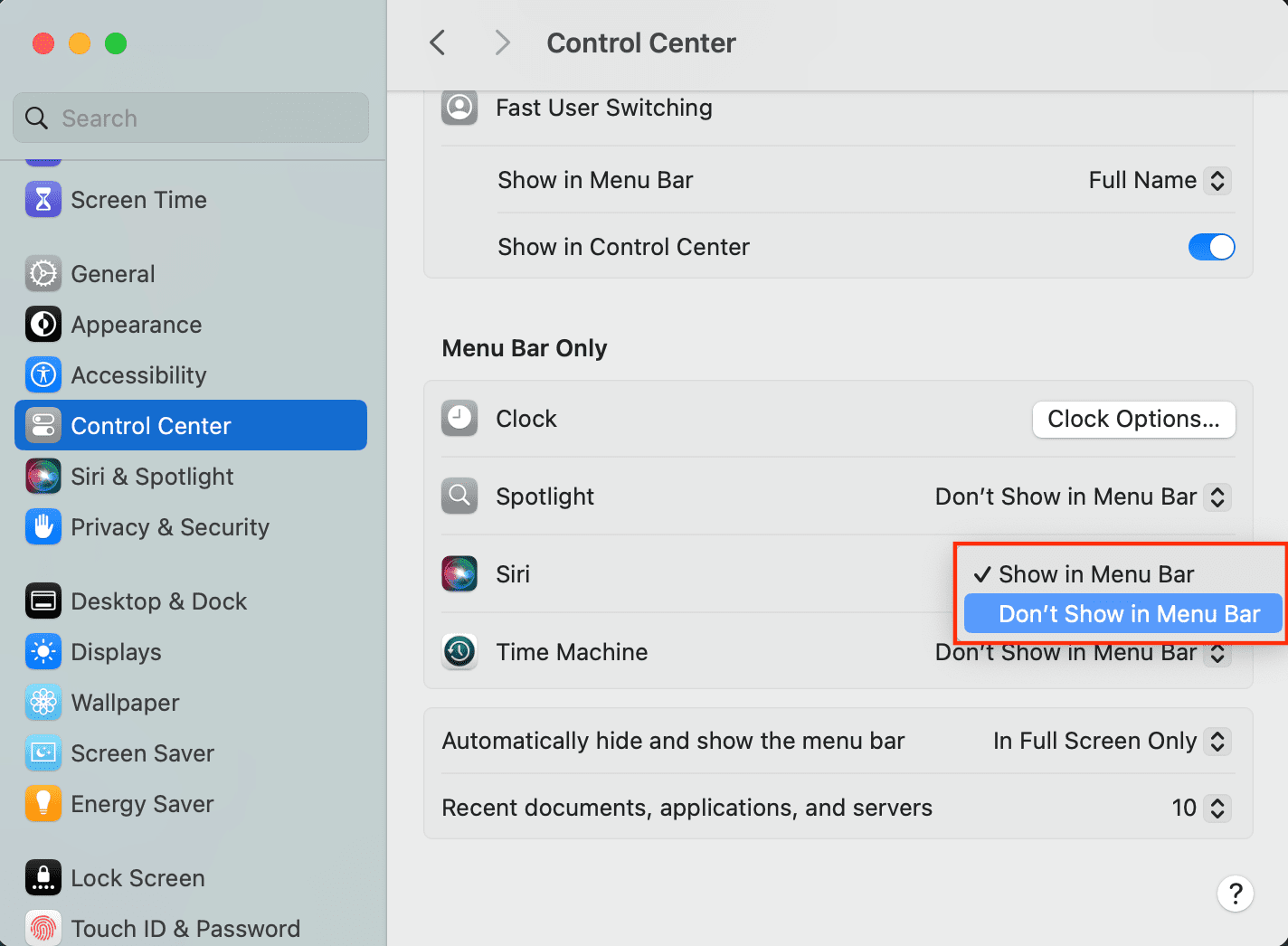
If your Mac is on a slightly older version of macOS, head to System Settings > Control Center, click the drop-down menu next to Siri, and select Show in Menu Bar or Don’t Show in Menu Bar.
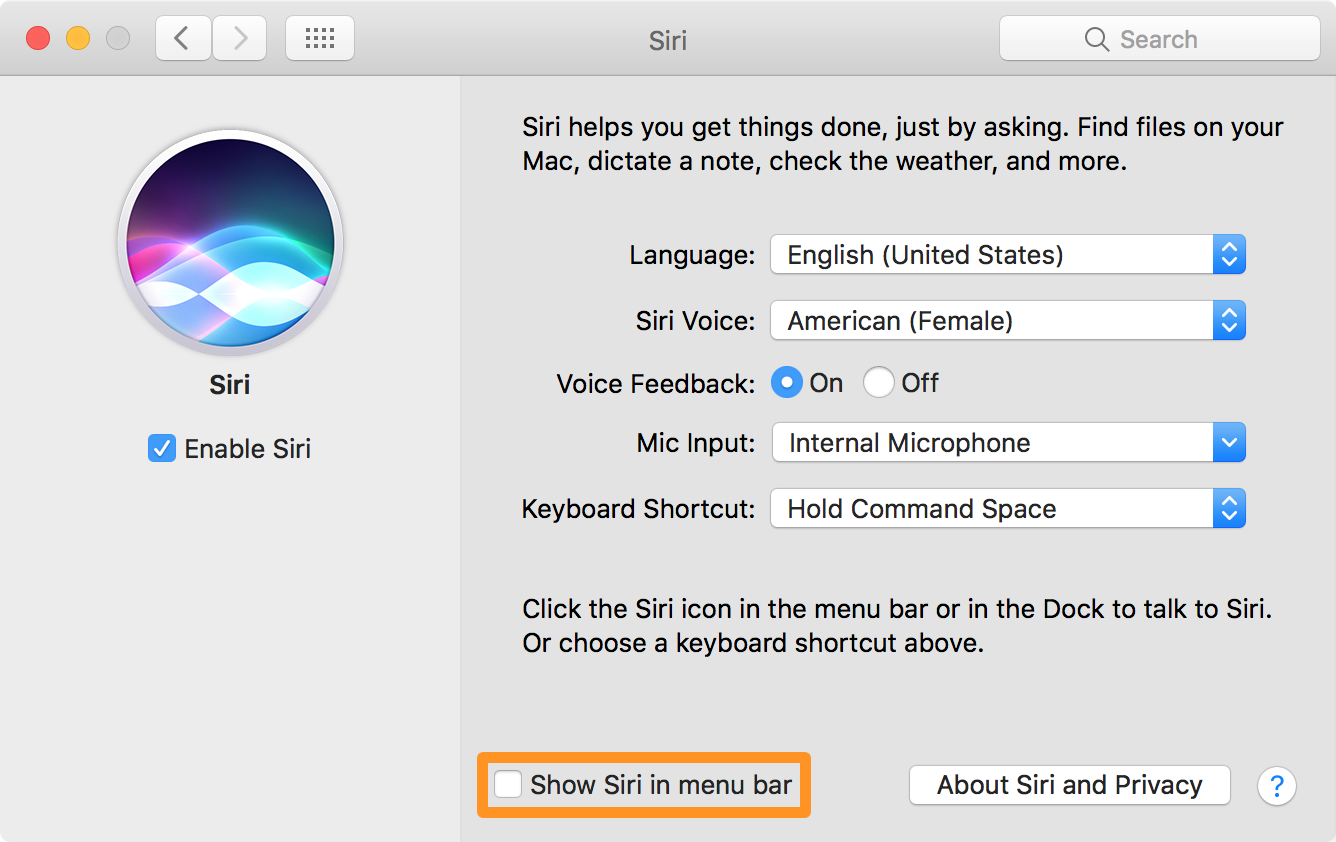
If your Mac is running an even older version of macOS, go to System Preferences > Siri and check or uncheck the ‘Show Siri in menu bar’ option.
Additionally, you can hold down the command key and drag the Siri icon away from the menu bar to remove it.

Add or remove Siri from Mac’s Dock
Open Finder and select Applications from the sidebar. If you don’t see it in the sidebar, click Go > Applications from the top menu bar. Find the Siri app here, drag it to your Mac’s Dock, and drop it there.
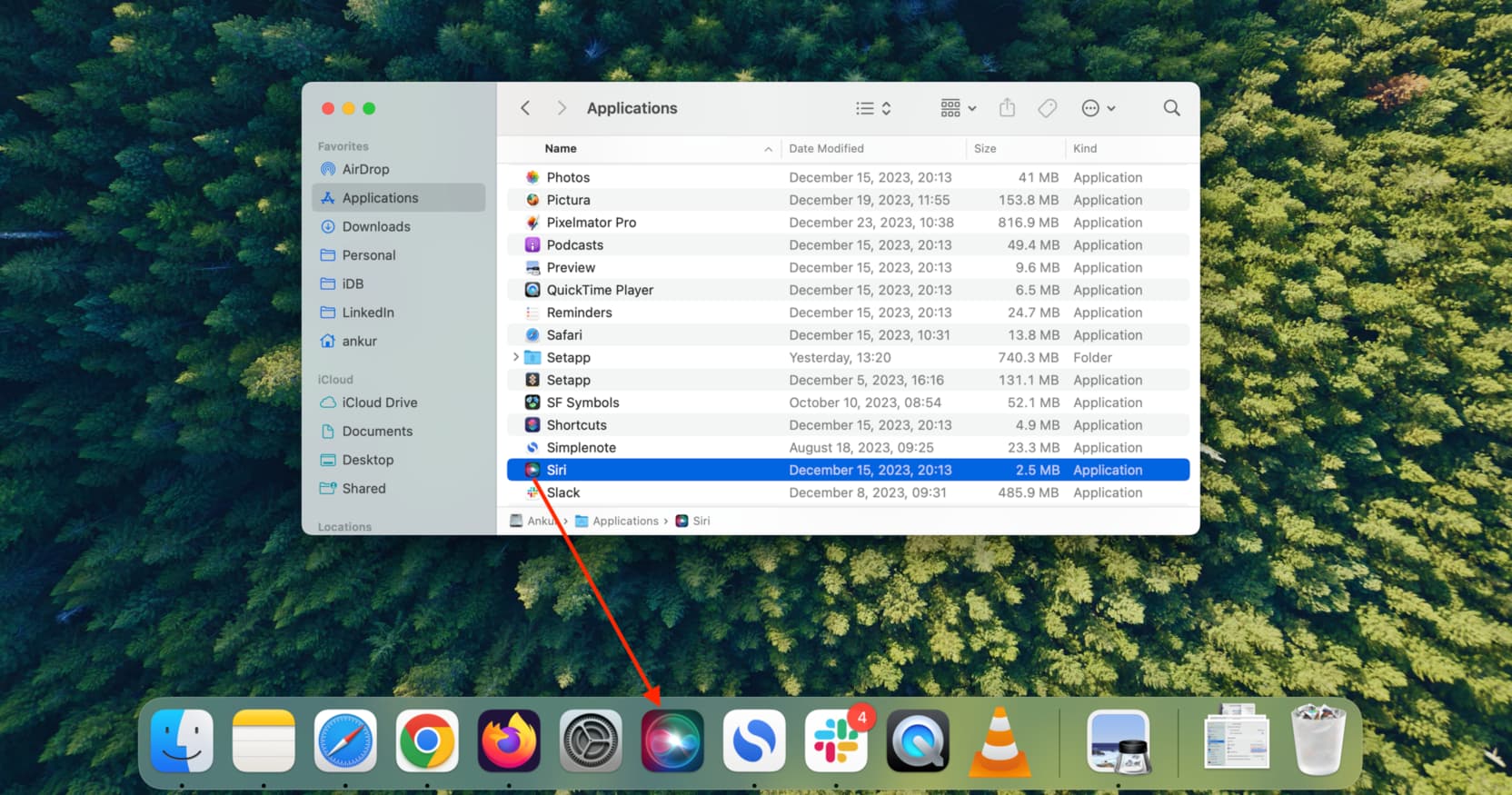
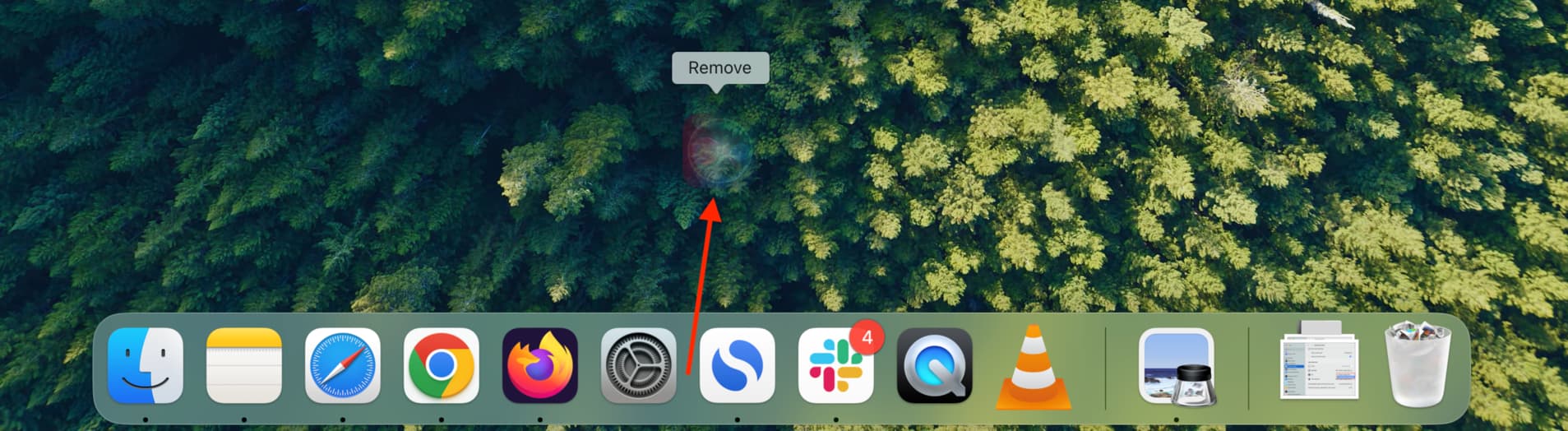
If Siri is already added to your Mac’s Dock, you can place the cursor on its icon and drag it a few inches away from the Dock until you see the “Remove” label. When you do, simply release your click, and the icon will disappear.
Have you hidden the Siri icons from the Dock and/or menu bar on your Mac? Share in the comments.
Other Siri tips: