Learn how to add specific people to your DND whitelist so you can receive calls and text notifications from important contacts even when your iPhone is in Do Not Disturb mode.
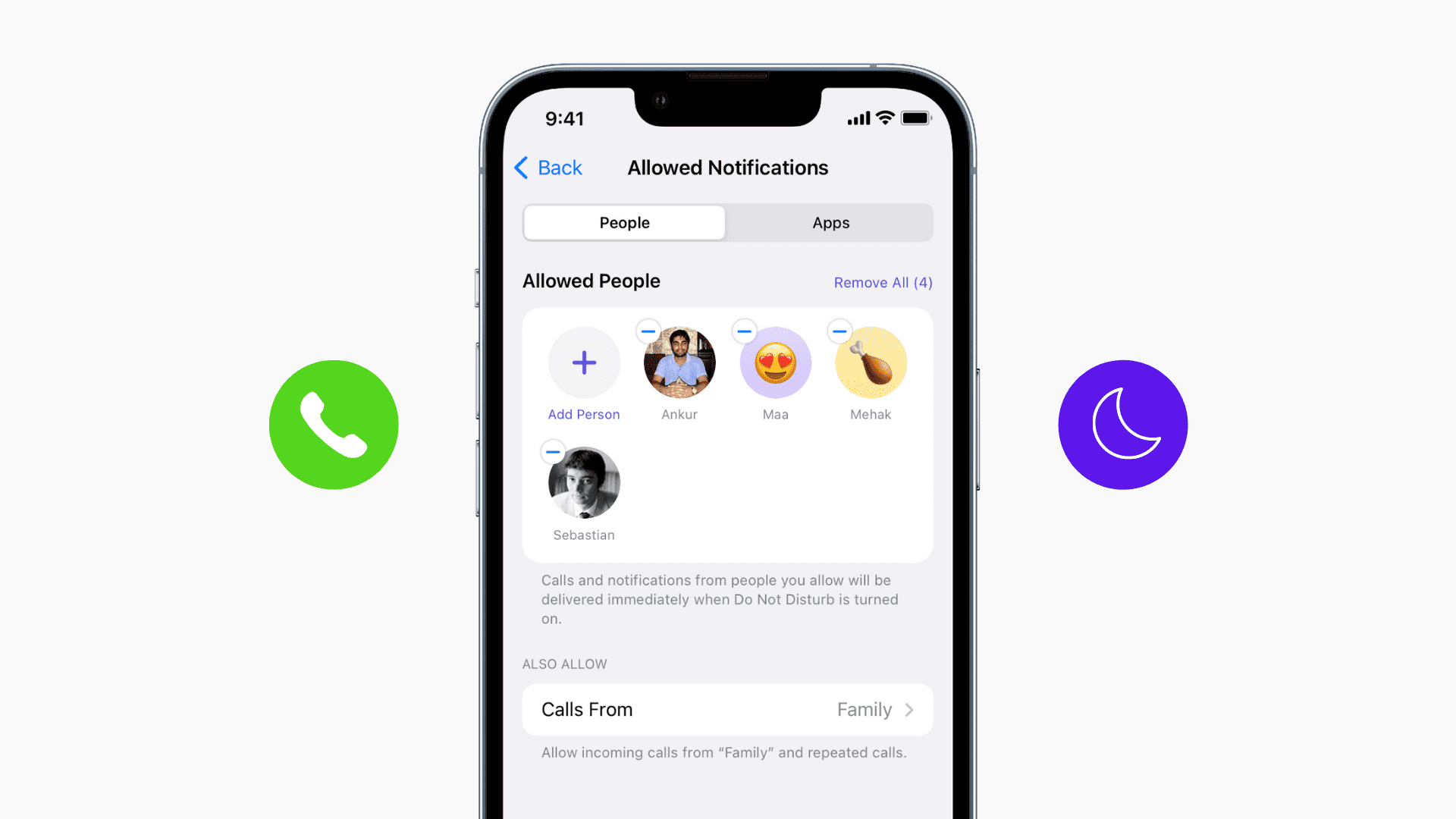
Do Not Disturb (DND) is a handy Focus mode that helps you opt out of notification hell when you want some quiet moments. In this mode, all alerts (calls, texts, apps) are silenced, including notification tones and haptic vibrations.
But what if you want to continue being notified about calls and texts from a few important people in your inner circle while in DND mode? Apple lets you add a contact to the DND allow list so their calls and texts can break through this Focus mode.
Allow some calls and texts in DND on iPhone
You have three ways to do that:
- Add people to the DND allow list.
- Favorite such contacts, then allow calls from Favorites in DND.
- Create a group in the Contacts app and exclude that group from DND.
You can configure all these options from one pane.
1) Open iPhone Settings and tap Focus.
2) Select Do Not Disturb.

3) Tap People in the Allow Notifications section.
4) Select “Allow Notifications From” at the top.
5) Tap Add People, select the relevant contacts, and tap the checkmark icon to exclude them from DND.
Or, tap Allow Calls From and exclude Favorites or one of your contact groups from DND mode.

From now on, you’ll continue to receive calls and texts from these people even when your iPhone is in DND mode.
To remove someone from the list, just tap the minus button next to their name.
Override DND with Emergency Bypass
Emergency Bypass lets you override DND on a per-contact basis to always allow calls and texts from a specific person even if silent mode is active or the device is in a Focus mode like Do Not Disturb. You can set up Emergency Bypass separately for calls (cellular and FaceTime) and text messages (iMessage and SMS), giving you the flexibility to allow only calls, only messages, or both.

If you set up an emergency bypass for your Mom, for example, and you’re in a meeting with your iPhone set to silent or DND mode, her calls and texts will come through, and you’ll hear the call ringing and the notification delivery tone. So, make sure to use Emergency Bypass sparingly and only for really important contacts.
Also, check out: How to silence unknown callers on iPhone and Android