In this brief tutorial, we show you when the X app (formerly Twitter) starts playing videos in Picture in Picture on your iPhone and how you can stop that from happening.
When the X app plays video in the background
Older versions of the X app would keep playing a video in Picture in Picture (PiP) if you swiped out of the app, as long as you had a premium subscription.
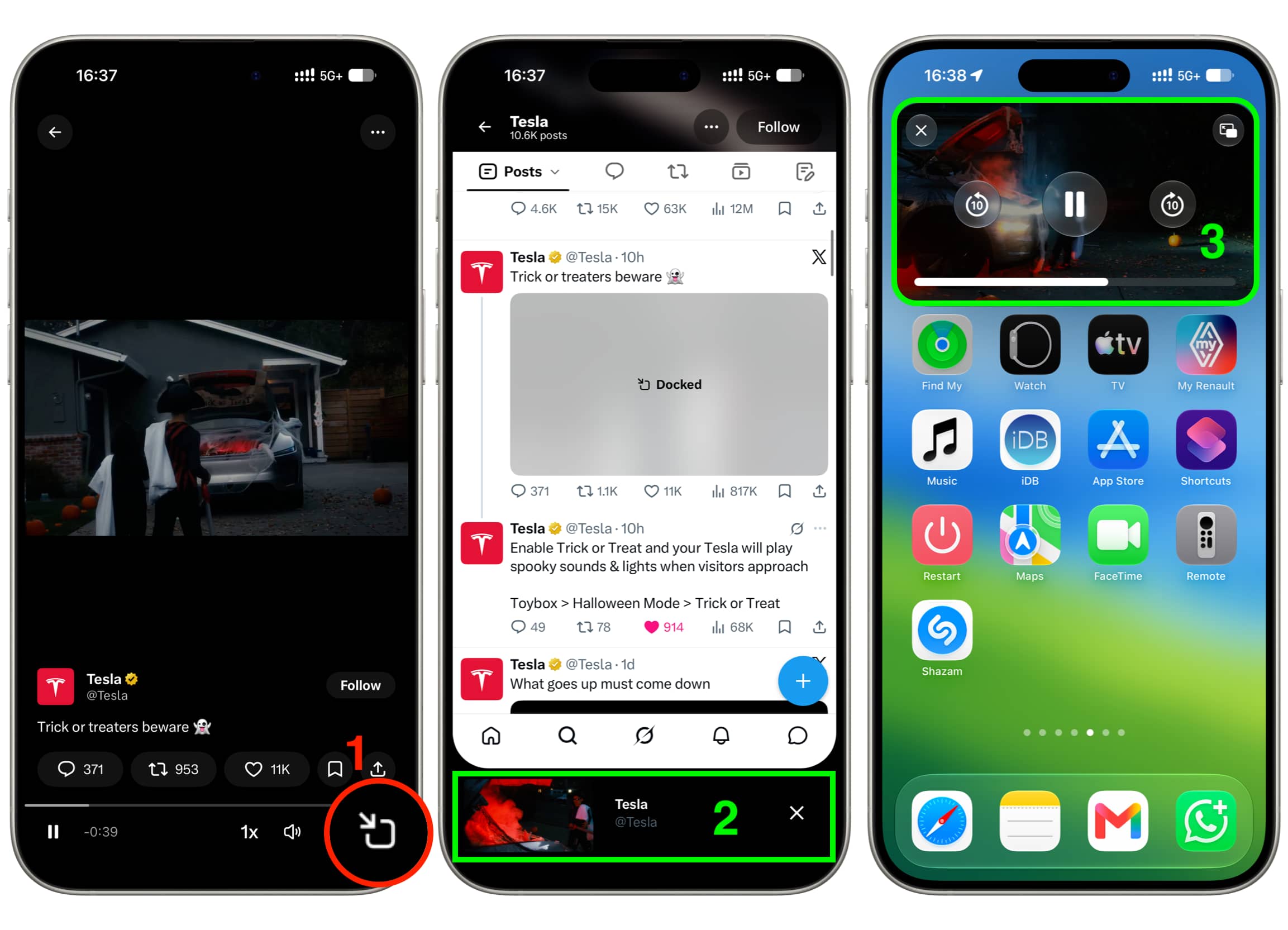
But the recent version of the app no longer does that. Instead, it only continues to play the video in Picture in Picture if you:
- specifically tap the PiP button under the video, which first makes it play in a tiny horizontal bar at the bottom of the screen;
- then swipe up to exit the app, which moves the video playback to the standard iOS Picture in Picture window.
Stop background video play from X app
As evident from my explanation above, if you don’t want the video from X to keep playing even after going out of the app, then simply don’t tap the Picture in Picture icon before leaving the app.
In case the video is already at the bottom of your X app screen, tap the “X” button to close it, and then you can swipe out of the app; the video won’t play in the background.
Turn off Picture in Picture for X app videos
Unlike apps like YouTube, the X app has no in-app controls to manage Picture in Picture on iPhone or iPad. iOS also doesn’t offer a per-app Picture in Picture management option at the system level.
So, if you want to permanently turn it off, you’ll have to disable Picture in Picture at the OS level by following these steps. Just remember that it will also turn off automatic Picture in Picture for YouTube, Netflix, Prime Video, FaceTime, WhatsApp video calls, and every other app.
- Open the Settings app on your iPhone or iPad.
- Tap General.
- Tap Picture in Picture.
- Turn off Start PiP Automatically.
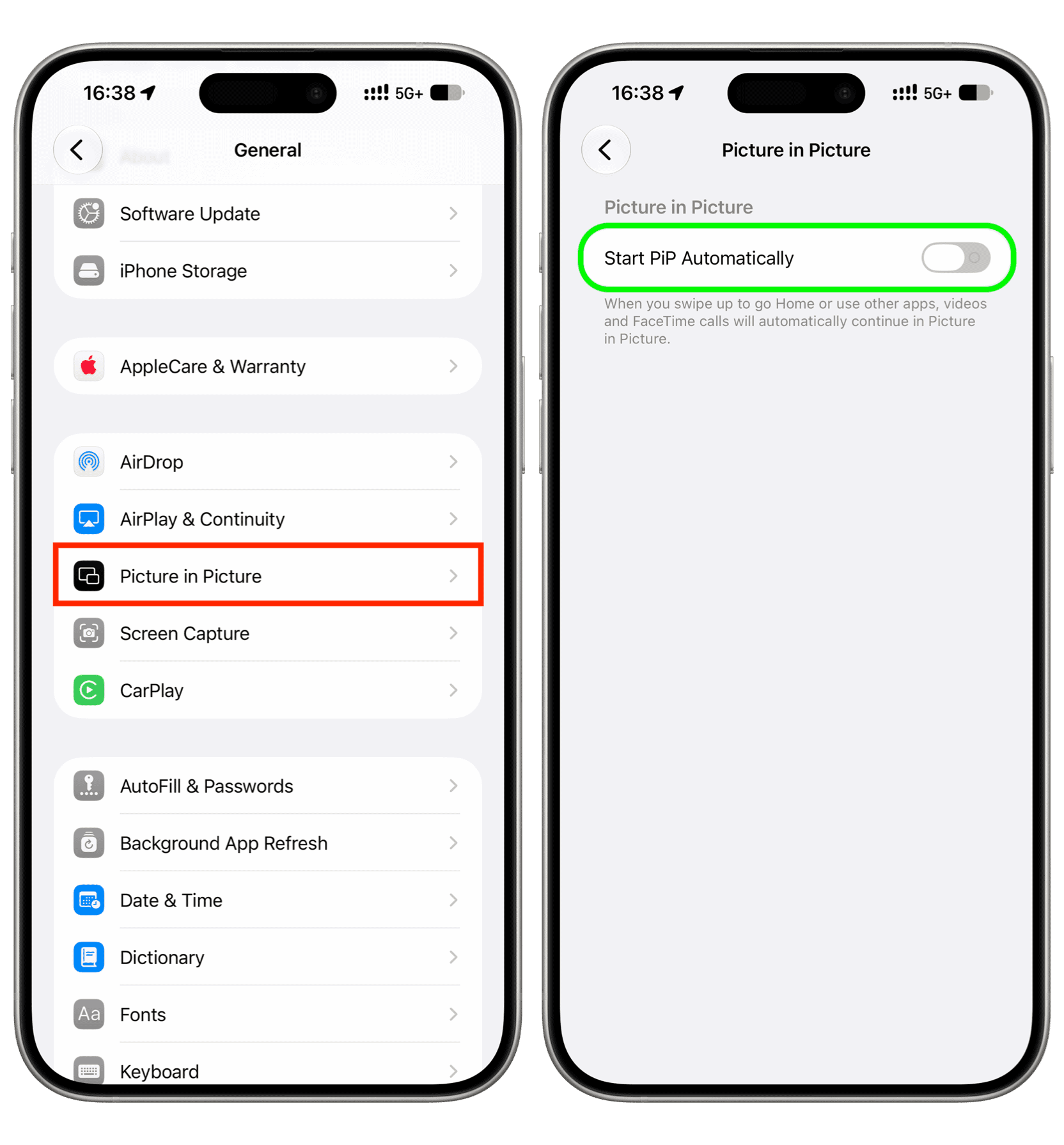
Moving forward, when you have a video playing in the bottom bar of the X app and swipe up to exit the app, the playback will no longer continue in Picture in Picture, but you’ll still hear its audio. You can manage audio playback by tapping the controls on the Lock Screen or Dynamic Island.
More on X: