Learn how to limit the number of photos your Apple Watch can sync from your iPhone, and see how much storage space they’re taking up.
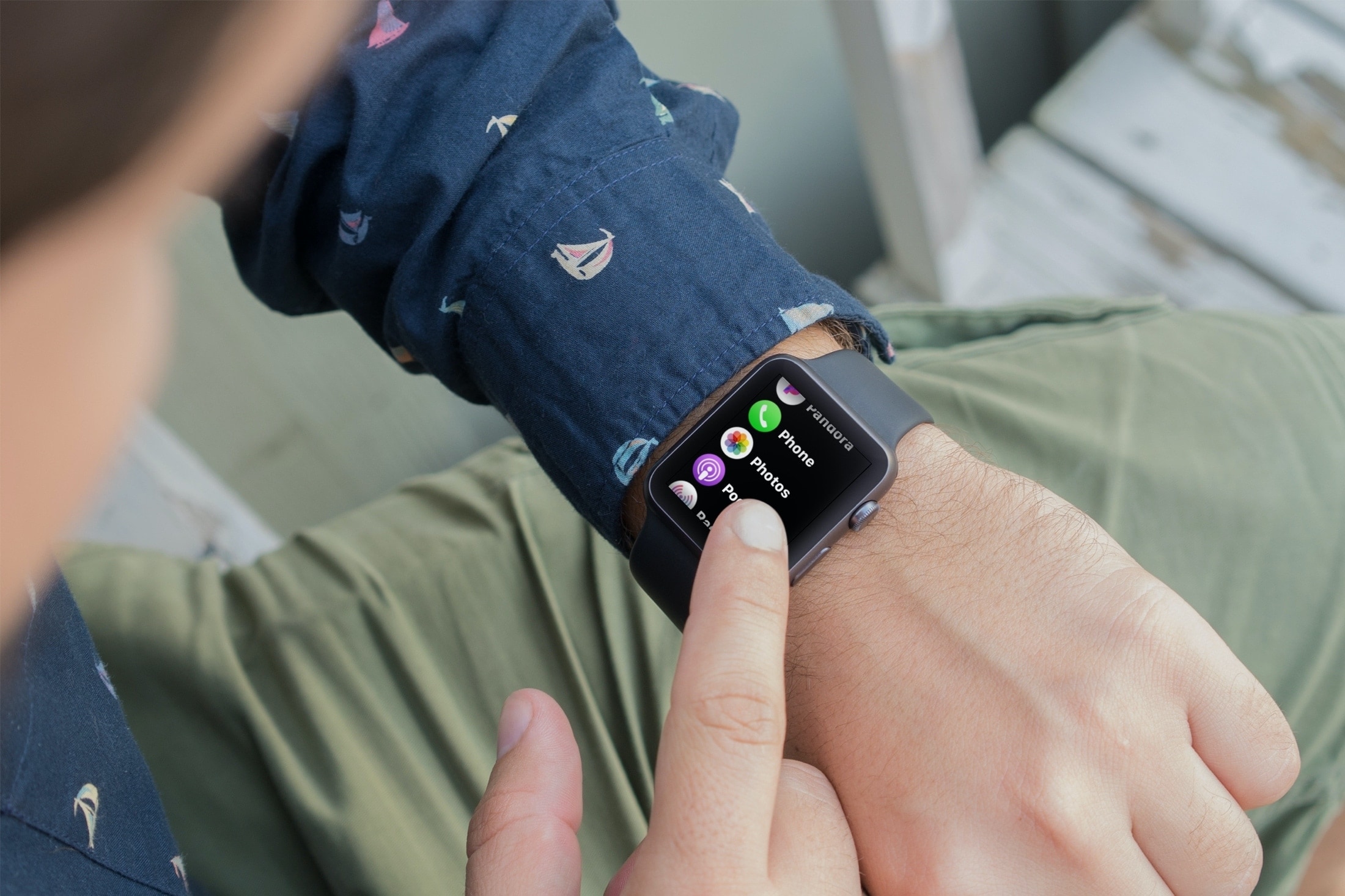
Your Apple Watch can locally store up to 500 photos from your iPhone. But like apps and other data, images take up valuable storage space on your Apple Watch.
Plus, having a lot of photos can make it tedious to view them all on the small watch screen, which is not as touch-friendly as an iPhone.
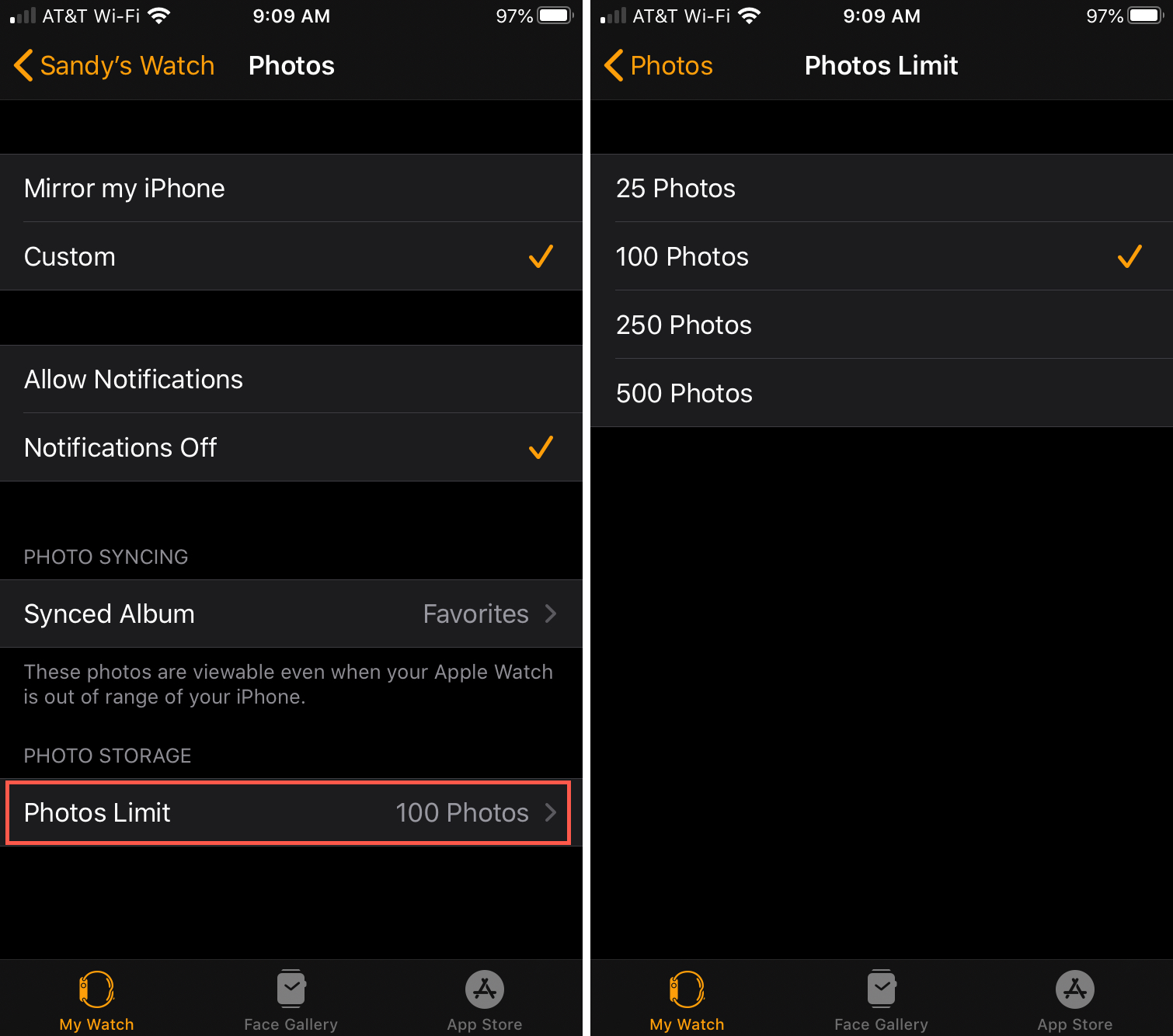
Limit the number of photos on your Apple Watch
- Open the Watch app on your paired iPhone.
- Tap Photos in the My Watch tab.
- Tap Photos Limit.
- Choose between 25, 100, 250, or 500 photos.
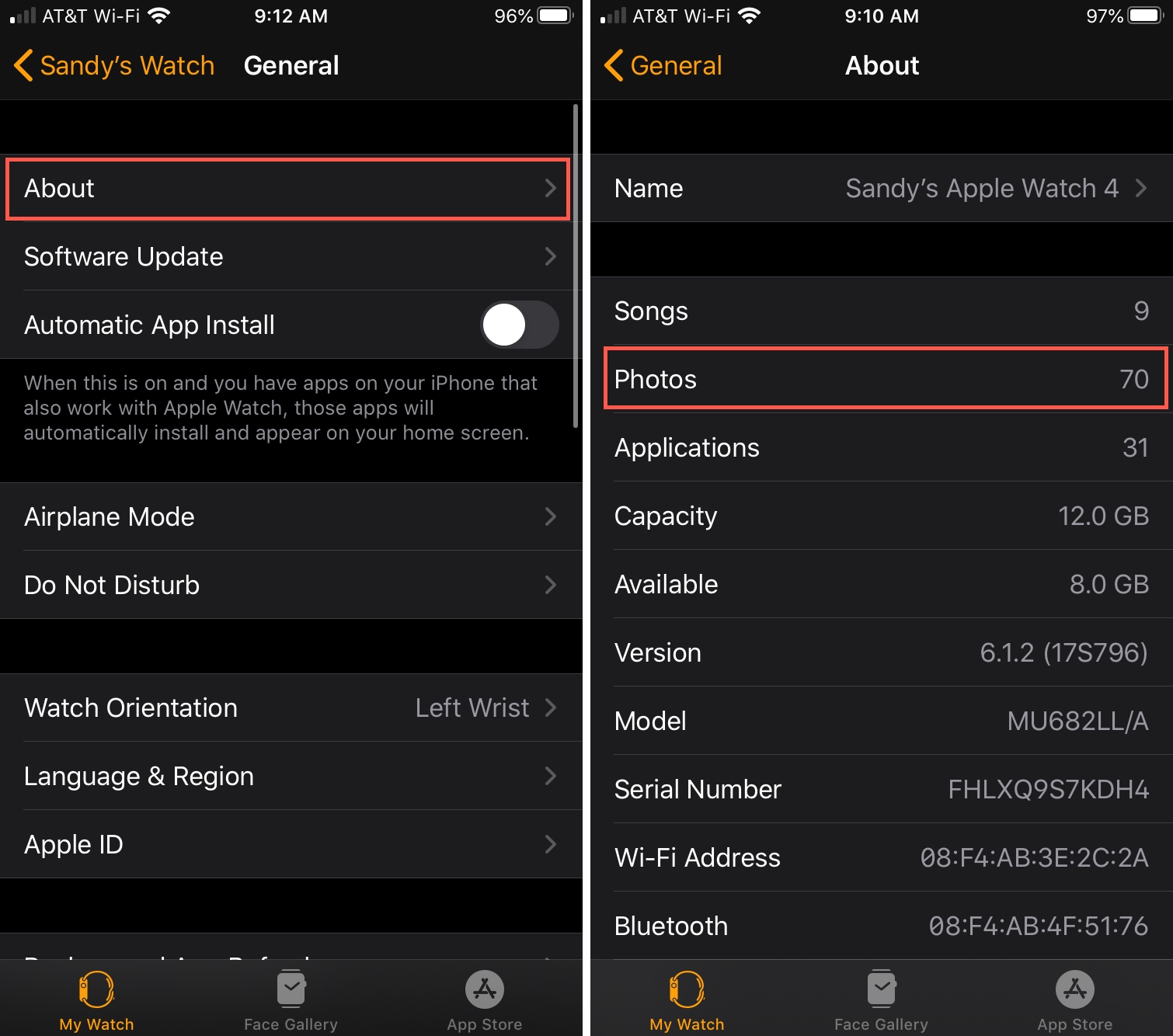
See how many photos are stored on your Apple Watch
You can view how many pictures your Apple Watch currently keeps stored on the device itself or in the companion Watch app on your iPhone.
On Apple Watch
- Open the Settings app.
- Select General > About.
- The number of Photos is shown below the number of songs on your watch.

In the Watch app on iPhone
- Open the Watch app on your iPhone.
- Navigate to General > About.
- The number of Photos stored is displayed below the number of Songs.
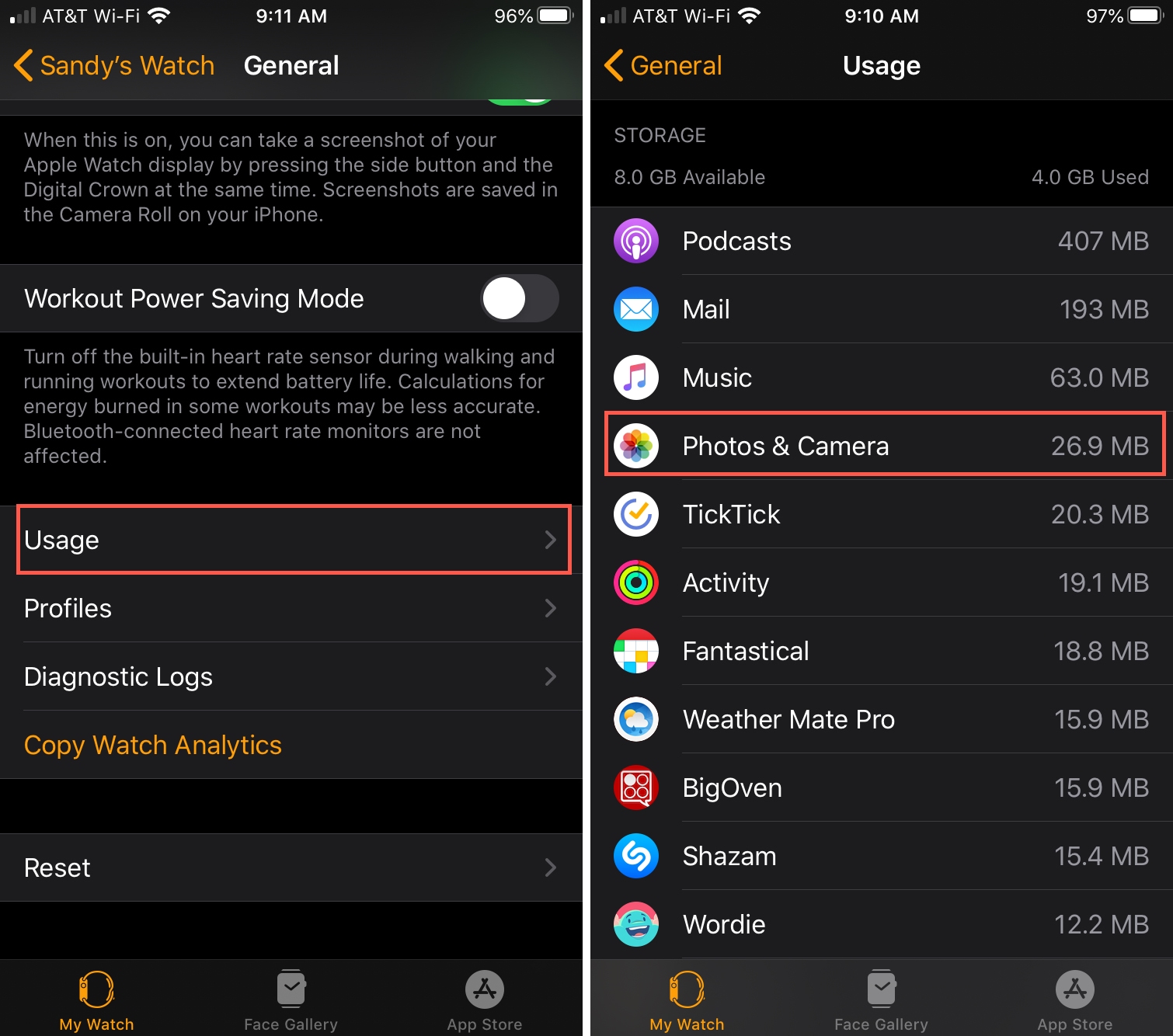
View how much storage photos take up on your Apple Watch
You can check the amount of storage lost to photos synced from your iPhone directly on the Apple Watch or in the Watch app on your paired iPhone.
On Apple Watch
- Open the Settings app on your Apple Watch.
- Navigate to General > Storage.
- The amount of storage space taken by images is displayed under the Photos section, and you even get a nice bar graph showing storage breakdown.

In the Watch app on iPhone
- Open the Watch app on your iPhone.
- Navigate to General > Storage. The amount of storage space lost to photos is shown under the Photos section.
It’s awesome that you can enjoy your favorite iPhone photographs right on your wrist.
But with your Apple Watch having much less storage space than your iPhone, you’d be wise to restrict the number of synced photos in order to keep storage usage under control. Out of curiosity, what’s your current Apple Watch photo limit?
On a related note: