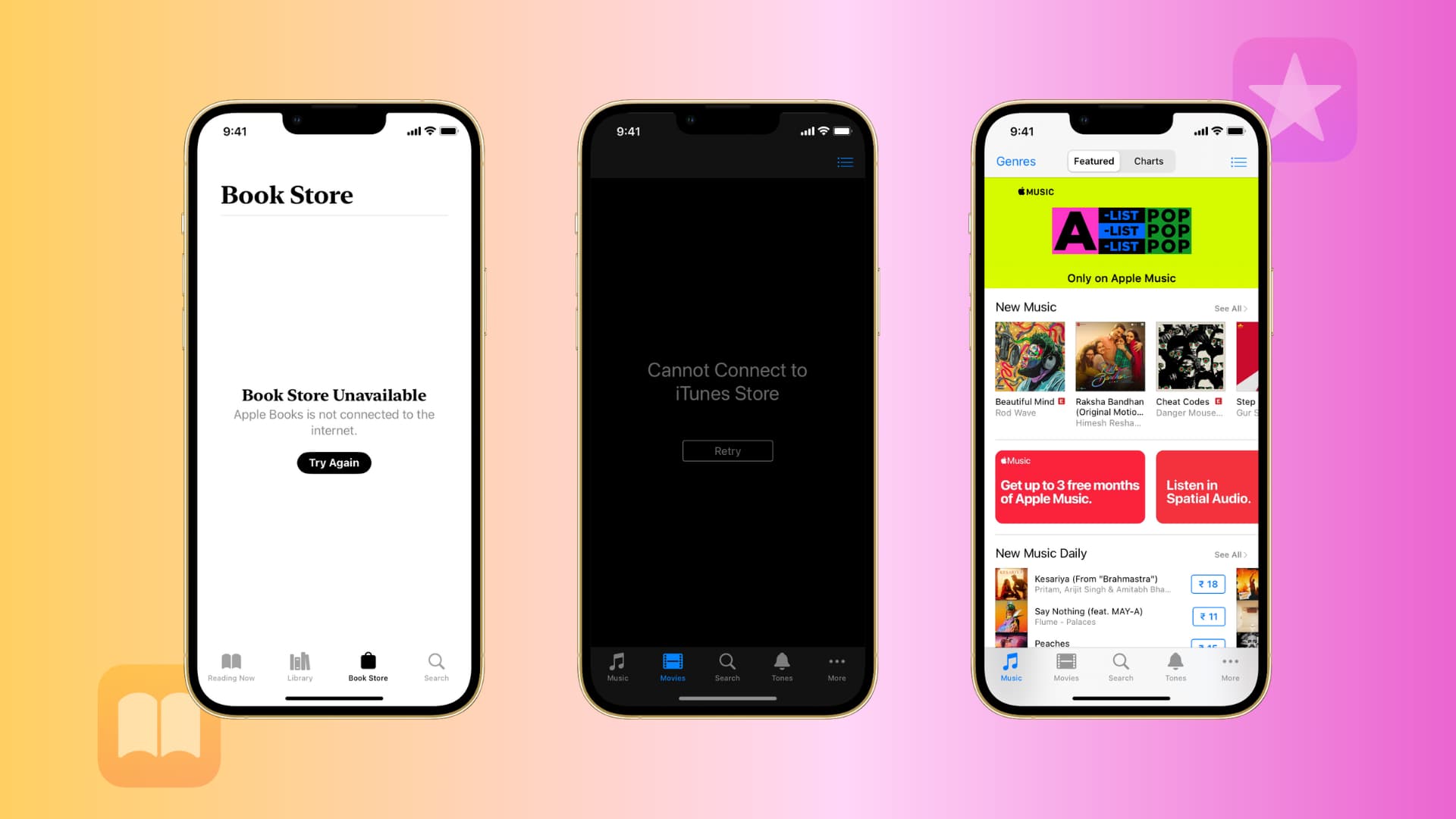
Fix: Cannot Connect to iTunes Store

Sebastien, Sep 12, 2010

Here is a quick tip for those of you who sometimes get the error saying Cannot Connect to iTunes Store. Besides getting this annoying error message, it makes it impossible for you to either download or update applications from the App Store.

I’m not sure what the problem is but here is how to fix it:

1. SSH to /private/var/mobile/Library/Caches/com.apple.mobile.installation.plist
2. back up and delete the file
3. Reboot

Done! You should now be able to download and update your apps.

 
  • Justin

    I’ve been getting that error lately, I figured it was just busy apple servers. I have not jailbroke, so I can’t do the SSH thing. But usually by the time I push ok and try again, it works.

  • http://www.metzener.com/ Dave M.

    I most likely is busy Apple servers. Before deleting anything from your iDevice, I suggest trying a couple of times on the iDevice as well as trying in iTunes.

    I receive that error a couple of times a month and every time, when I try again, I get through.

  • naz

    thanks for this fix.
    however,after I’ve deleted the file, when I reboot, all of my installed apps gone.
    anyway to get this fix without removing all installed apps?

    thanks again.

  • Kirk

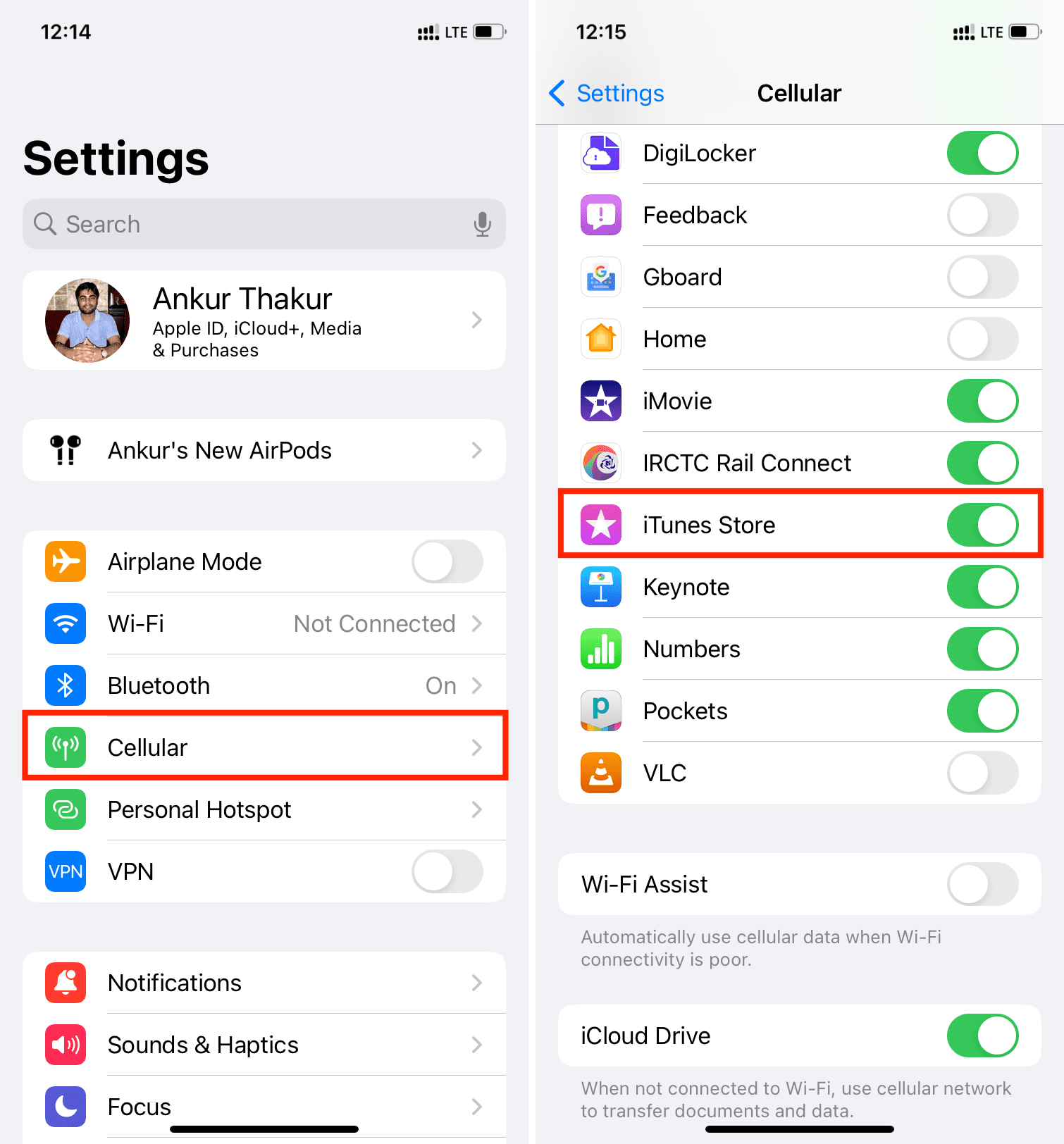
    i get that error on wifi sometimes. So i turn off wifi and switch to 3g and its fixed. im not deleting any files…

    • http://weifew long

      Thank you, that fixed it!

    • http://www.facebook.com/wynvlieg Wynand Fourie

      Hi Kirk,

      Thank you, this has work for me, Apple should get there shit fixed.

  • Pete

    Yep I get that msg aswell a few times per week. Guess Apple will fix if someone tells them of prob. ???

  • akag9

    Do not do it. Ever!!!!! All your apps (almost all) will dissapear. If you saved a backup ( YOU DID, RIGHT?!) restore the file. Apps are back but layout is gone. If you, like me, have pckgbackup and sborganizer AND save layout nightly – you are lucky!!!

  • JackRobinson

    I have a jailbroken and unlocked 3G 16gig and this process worked fine for me and was never able to get my apps updated bcuz I wasn’t on AT&T data, and this doesn’t allow you update via wifi! None of my apps deleted, worked great thanks for the fix ;-)

    • nderosa

      can you walk thru the steps on how to do this? I have openssh on cydia and am connected to cyberduck. What next?

  • Jacobsweet

    I have an iPod touch 2g on 4.0 jailbroken and I receive every single time! I don’t want to lose all my data and have to rejailbreak. I don’t know much about SSHing so is there any way without having to do that?

  • Pacman

    @Jacobsweet srry having the exact same prob. I have same device software and I’m jailbroken. Srry dude

  • Pacman

    Mine seems to work now. Anyone wanna help Jacob? I’m not sure what the problem is

  • kia

    umm where to type this all :S

  • nderosa

    Ok need a little help. I am in the same situation “can not download” and have open ssh installed on cydia. Can some tell me the steps to do the fix. Meaning I do not know where to go to do the following steps listed above. I just downlaoded cyberduck and am connected thru there but really have zero clue on what to do. Please help.

    Nick

  • http://mbilf.com Tom

    Uh, while I don’t recommend doing it for the reasons other commentators posted above (this is a really crummy fix, to lose your layout!), here’s the instructions for mac users who are dumb enough to download cyberduck:

    Go to Spotlight and type “Terminal”
    type ‘ssh mobile@YOUR IPHONES IP ADDRESS’ (you can get the address from the wifi area of settings)
    hit enter, type yes, hit enter, type ‘alpine’, hit enter, paste this

    ‘mv Library/Caches/com.apple.mobile.installation.plist .’

    to undo,
    ‘cp com.apple.mobile.installation.plist Library/Caches’

    no ‘ of course, that just delimits. The first action moves it (so a copy and delete), but the second action copies it back (so you have a backup in case you decide to delete it again or something, you can use mv to move it back too if you don’t care, because in neither instance is it being really removed, just relocated)

  • http://mbilf.com Tom

    Also, this fix didn’t work for me, and I made the mistake of sorting out the app screens before checking for updates again (what a waste of time). I tried doing it off wifi too, using Edge, and it just took longer to say “Cannot connect to iTunes store”. This is frustrating. However, I will say that in the time between putting apps back on the phone after removing the file, I was able to check for updates for the no apps I had installed just fine.

    • Nderosa

      Ok so i am assuming doing this technique isn’t recommend. So what does one do? Restore through iTunes and re install everything. Kind in mind I’m on a jailbrokeb t-mobile 3GS.

  • Necrath

    yeah this guys “FIX” is BS! i tried it even tried modding the file and search for where the iTunes App store referenced the file. i found a few possibilities but nothing that really made a damn when i changed them back and forth editing the file. still nothing. if anyone has any real leads on whats causing this please post it.

  • http://None Peter

    I deleted the file since i figured i can always put it back and it didnt work, but it didnt mess withany icons after reboot…

    My fix was to go to Settings->store and sign in there…then it worked…I was getting Cannot Connect and when i tried to create another account i would get time out as soon as i clicked next…

    All good now, and i never re-copied this file

    Just my 2 cents

    • Warsoul

      Peter u freaking genius, did wjat u said and it worked perfect! Settings-stOre- sigm in- and done!

    • http://twitter.com/nickfs000 Nick

      It worked thanks!!

  • Jacobsweet

    Ok, what is the problem here?! People have been saying that they turn off their wifi and use 3G or EDGE but I’m using an iPod!

  • Costis

    updating an app using wifi / 3g = not working (cannot connect to itunes store)
    fix suggested by poster = not working (removing all apps – need to restore file)
    installing a free app from appstore on both wifi/3g = working
    signing out / in = not working
    signing out / in from settings = not working
    help.

  • Nadav

    Same for me! Please help!

  • Bulubajump

    I don’t understand step two! Were does this go?! What is the ‘SSH’?! I am only twelve and I can’t get my apple ipod touch (4G) to work for apps. That message does pop up. I don’t know what to do. /:

  • Bulubajump

    I don’t have an apps so it doesn’t matter if it deletes all my apps, ’cause I don’t have any. :D

  • Darkhole

    Fuck i fucking hate u i tried this the error went away file came apps never seen again when i try to reinstall the app will disapear FUCK YOU

  • Darkhole

    ### i ####### hate u i tried this the error went away file came apps never seen again when i try to reinstall the app will disapear #### YOU

  • Darkhole

    ### i ####### hate u i tried this the error went away file came apps never seen again when i try to reinstall the app will disapear #### YOU.

  • Melissa

    AWESOME…Thank you, worked like a charm….have been looking for a fix for days! You ROCK!

  • zax

    OK I just managed to fix my iphone 3gs. Heres how I did it without jailbreaking. Just to make sure we’re all on the same page here, borrowing from Costis:

    updating an app using wifi / 3g = not working (cannot connect to itunes store)
    fix suggested by poster = not working (removing all apps – need to restore file)
    installing a free app from appstore on both wifi/3g = (not working, could not connect to itunes store)
    signing out / in = not working
    signing out / in from settings = not working
    help.

    First thing I did was sign out of my itunes account on my computer. This screwed the pooch even more as I could then not log in to itunes store on my computer. I then opted to sign into my iTunes online support page at something like myitunes.apple.com or something. There I changed my email address to something shorter, mainly because I was sick of typing a long one in every time I wanted to attempt to sign in! Whilst it changed online, iTunes had a hiccup. I have a pleasant screenshot of itunes telling me that my email address has been verified whilst simultaneously giving me a pop up telling me that I could not log in due to my email address not being verified…fun!

    After some emails back and forth with an apple support person I managed to get them to verify my email account. Now I could get back into iTunes on my mac, 1 step backwards, 1 step forward.

    Next I made sure that all my account settings were correct, right address card details etc. Just so there wouldn’t be any problems there.

    None of this made any difference to my phone, from either the iTunes app or the app store all I would get were css-less versions of the apple site from all the software buttons at the bottom of the screen. When I tried to sign in through Settings I just got the joyful “Could not connect to iTunes store” message. Then the thought hit me that Game Centre required a sign in. Opened up Game Centre and there was my old email address, logged out of it and then logged into it using my new email. That all seemed to work easily, off I went to see if I could get into the app store. Nope, still no joy. A day went by, still no new news from apple, (waiting on a reply from their support again) I tried deleting all my apps since Christmas when I was last sure it was working, still no better. Then I thought I’d flick through the other apple apps and see if any of them required a sign in. First one I tried was iBooks. The sneaky little app has a link to it’s own store doesn’t it. It seemed to be working but with my old email address so I logged out, and logged in with my new address. Went straight to the app store and voila, it’s working again.

    Hope this helps someone, I was stuck for two weeks!

    :)

  • free

    this fix worked on my iphone 3g running redsn0w jailbroken ios 4.2.1

    thanks

  • conor

    i downloaded ibooks then i went iinto appstore but cudnt download my app :( need help

  • conor

    im not jailbroken plesee im need help desperately :( :( :(

  • JAILBROKK

    I’m a recent jailbreaker of my itouch of 4.2.1 iOS software and i jailbroke with greenpois0n.. its my 1st week being jailbroken and i want to add songs but my itunes won’t recognize my device. it comes out as a foreign device on my computerr what to i dooo?? D:

  • Scott

    Fix: I was having the same problem where app store wouldn’t load after jailbreaking with greenp0ison 4.2.1. I just uninstalled Appsync 4 from cydia this is the jailbreak app that allows you to sync installius apps. Presto – I can access AppStore again! Next I am going to look for the app called remove metadata which also let’s you sync with iTunes, but ignores the installous apps.

  • Scott

    I just learned that Installus 4 has metadata remover built-in. It’s in one of the settings.

  • Brian

    I called Apple support, and they told me to “Reset Network Settings.”

    Got to Settings – General – Reset – Reset Network Settings.

    Basically it resent the Wi-Fi settings and problem solved!

    Make sure you to get your router psswd to re-connect to Wi-Fi.

  • Ashlie

    Did not work. Still gave me the error. I have yet to find a fix for this problem that actually works. =/

  • http://www.jadedtimes.com Dave

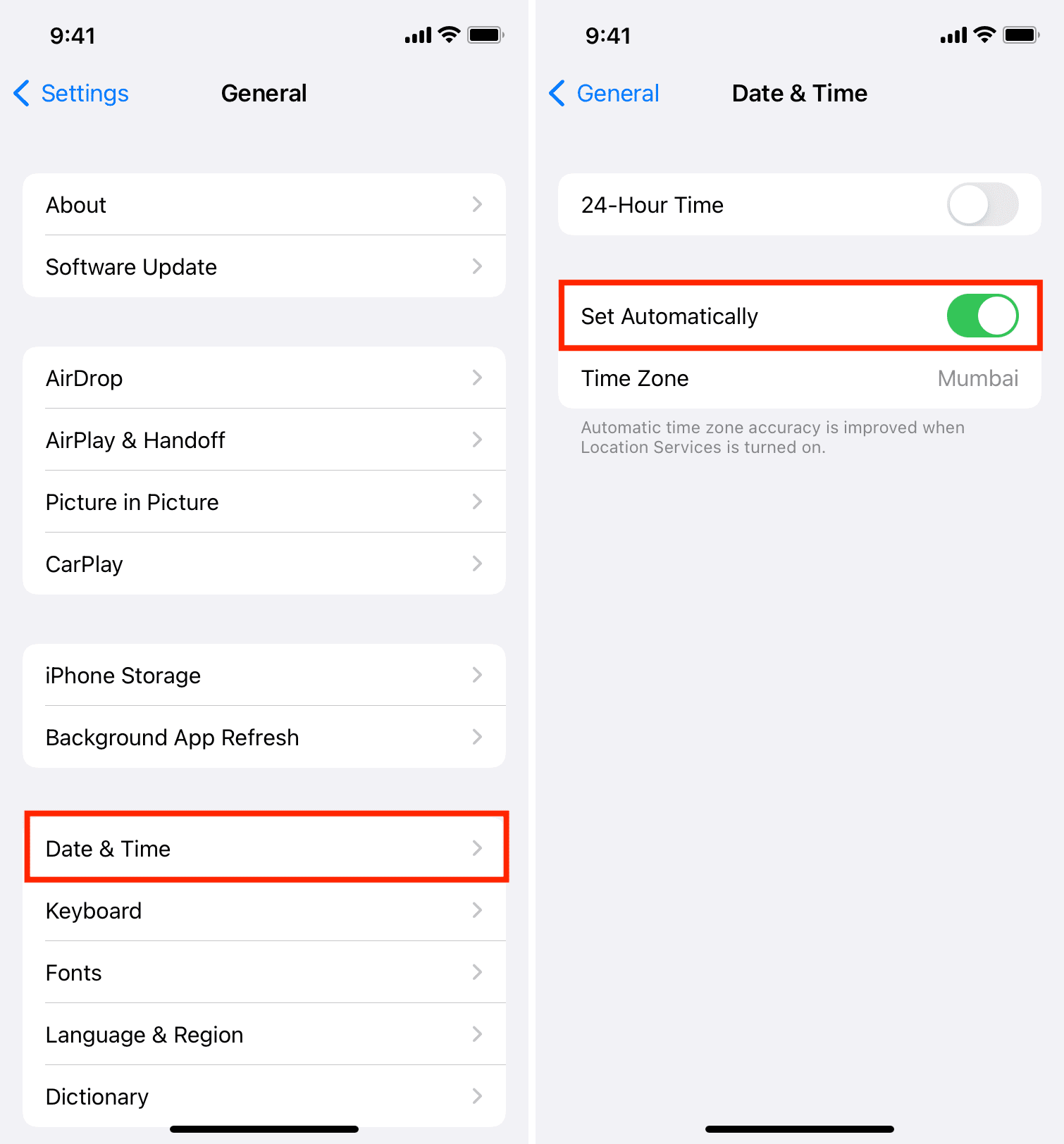
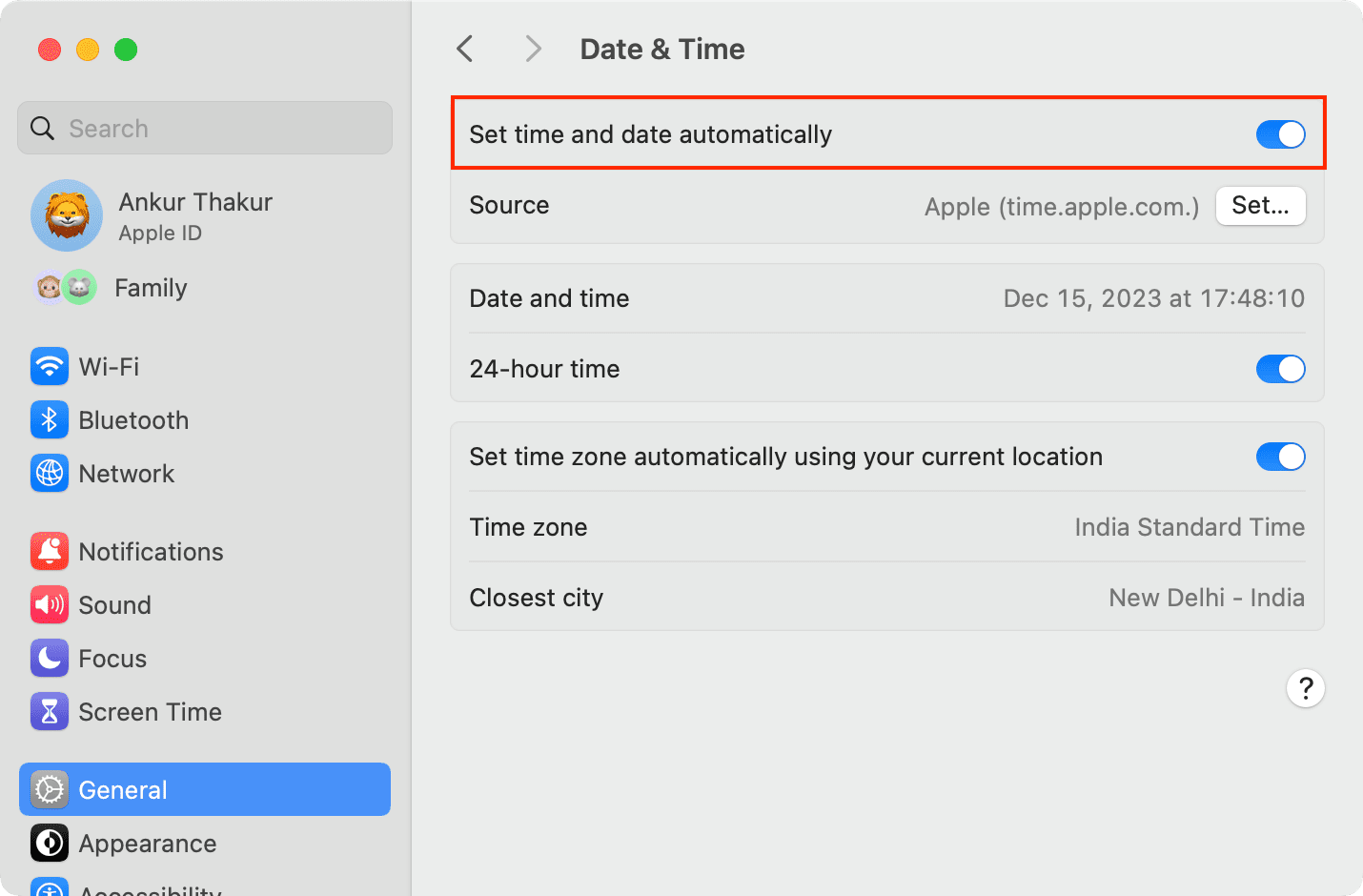
    Check your date/time settings. My phone somehow randomly decided it was in Sydney, Australia. When I set it back to Portland, USA everything magically started updating and working again.

    If this is what’s wrong, all you have to do to do this is go to Settings –> General –> Date & Time, then turn auto update off, reset your region (if that’s what’s wrong) and turn auto update back on again.

  • http://www.macmend.com macmend

    My suspicion is that jailbreaking is the culprit here, jailbreaking one device on an itunes ID seems to end up restricting all devices connecting to the itunes store on that ID.

    I had this problem after breaking my iphone 3GS my macs my ipad nothing would connect, then i reset back to factory and restored old setup and hey presto! everything can connect again.

    What it says to me is that you need different Itunes IDs for different situations

  • Ray

    I started having this error when I travelled to europe (from Singapore). During my stay in Europe as well as ever since, I am not able to access app store. Keep getting the damned error. Resetting network settings didnt help at all. Any ideas ppl?

  • Mike

    I had this problem and here is how I resolved it:
    1) Removed ibooks
    2) Reinstalled ibooks
    3) “Purchased” a free ibook from phone (Required iTunes password)

  • http://Yahoo Nick

    Thanks, worked perfect for me, I had been getting this error for the past two weeks, Fixed now, =)

  • happyhiker

    Reset Network Settings.”

    Got to Settings – General – Reset – Reset Network Settings.

    Basically it resent the Wi-Fi settings and problem solved!

    Make sure you to get your router psswd to re-connect to Wi-Fi.

    This works!

  • http://profile.yahoo.com/SKW3XWSUU2CJLA6R3XRQKO5ESA G Honest

    i change my password.. now when i go to apps for update it always say …cannot connect to itunes.. i try different ways i applied all the thing that i read.. but that doesnt solve the problem.. but the thing is i can purchased with my new password but i cant update..so i decided to delete the 4 applications that need to be update.. and i use my new password to purchased or download it again and it works.. i was wondering probably it wont do it coz those are my old apps with the old password ,so if i get an update again.. i wil delete and download again with my new password until theyre done by using my new password it works..

  • http://www.facebook.com/profile.php?id=576095397 James Lßr Skßr Litvak

    Worked!! Thank you so much!! This has been plaguing me for weeks and I thought I’d tried everything short of a complete restore.

  • http://www.facebook.com/people/Rouie-De-Leon/100000062895557 Rouie De Leon

    how can i do the first steps

  • http://www.facebook.com/SweStars Johan Hereora Hummerhielm

    Actually the suggestion this site made – deleting the /private/var/mobile/Library/Caches/com.apple.mobile.installation.plist was the ONLY thing that worked (and I used iFile, which is much, much easier to browse and use)

    I’ve tried ALL other suggestions that is offered on this site (as well as two others) but none worked except deletion of com.apple.mobile.installation.plist.

    Try it if nothing else works. Worked for me!

  • Eric Olson

    iTunes Store problem solved after hours of work!

    I was unable to access the iTunes Store (“Basic connection to the store failed. The network

    connection timed out.”) until I deleted (not just disabled) the free version of SPEEDbit

    Video Accelerator running on my Windows XP.

    Good luck!

  • Joe Combopiano

    I had a similar issue to this. I fixed it just by navigating to the iTunes App, opening it, and then killing it’s process.

  • Oscar Juárez

    cool advice , now i can update BUT after i did this rebbot di not work , apple logo got stuck so i had to run JUST REBOOT in redsnow and now its working perfect.

  • http://twitter.com/KALZZA KAZZA

    I had the same problem and I tried everything and finally the following reset solved the problem.
    On your Ipad, go to settings/general, then on the right column, go to the bottom and click on the RESET button and click on the top button (RESET ALL SETTINGS). This reset will not erase your data or downloaded apps but only reset your settings. Just follow the instructions from then on.