Web

SpotURL Jailbreak Tweak Lets You Visit Websites From Spotlight

Would you like to add a little more functionality to your iPhone's Spotlight? SpotURL is a new jailbreak tweak, by Filippo Bigarella, that allows you to visit a website straight from the Spotlight page.

Instead of having to enter a web address in Mobile Safari, SpotURL will let you enter the address right on your iPhone's homescreen. For quick navigation to a web page, SpotURL is about as good as it gets.

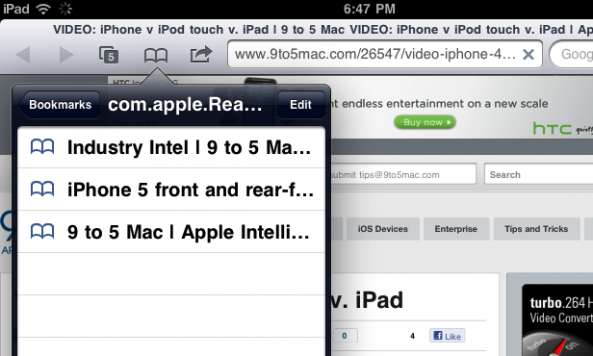
New in iOS 5: Save and Read Webpages Later with Reader

In iOS 5, Apple has taken services like Instapaper and Read It Later head-on with a new feature called "Reader." Like the similar feature that has existed in Safari on the Mac, Reader for iOS 5 will strip a webpage in Mobile Safari of unneeded images and ads for a more enjoyable reading experience.

Articles can also be saved for reading later on any iDevice that's set up with your iCloud account. Bookmarking is a thing of the past.

Safari “Reading List” in Mac OS X Lion Will Wirelessly Sync Bookmarks with iOS Devices

Apple's next version of their desktop operating system, Mac OS X Lion, is nearing the final stages of developer beta testing. It is suspected that Apple will release the new OS to Mac users this summer.

More and more features are being uncovered in the developer builds of OS X Lion, and a recent finding points to a cloud-synced bookmark feature in Apple's browser, Safari. The new "Reading List" feature in OS X Lion will allow users to wirelessly sync their bookmarked webpages with iOS devices.

This would allow you to easily take your bookmarked pages with you on the go...

How to Browse Cydia On Your Desktop Computer

Looking for jailbreak apps and tweaks in Cydia can be a very slow and painful process. Cydia usually has to load almost every single user action, and browsing for content can take quite a long time.

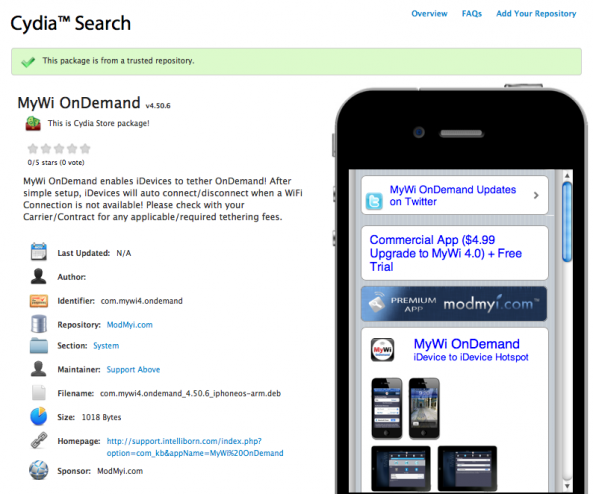
Cydia Search is a new resource developed by Planet-iPhones that allows you to search and browse for Cydia content from your desktop computer. With a full set of browsing and navigation options, Cydia Search takes the pain out of using the iPhone to browse for jailbreak content.

JailbreakQA is an Online Resource for Your Jailbreak Questions

Even if you consider yourself a "jailbreak expert," you probably still have questions from time to time. And there's no better way to learn than to ask questions to people that know more than you.

Two people that know more about jailbreaking than most of us are chpwn and comex. They're both hackers and develepors that have been heavily involved in the jailbreak community for a long time.

Chpwn and comex have a iOS jailbreak resource site called JailbreakQA. It's a crowd-sourced Q&A tool that lends itself towards jailbreak novices and experts...

Lima is a New Browser-Based Cydia Alternative

After Cydia was crippled by the the recent Amazon EC2 outage, jailbreakers have been seeking out alternative options to get their favorite iOS extensions. Currently, Cydia is widely known as the "only" jailbroken app store, but it certainly seems like the Infini Dev Team is looking to change that.

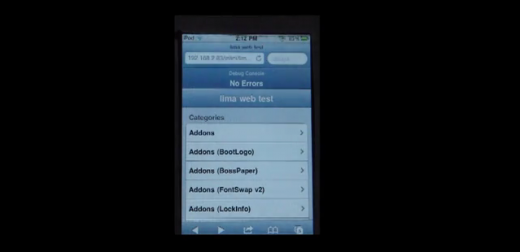
You may recognize them as the developers who are bringing back the popular Icy package installer, which has been absent from the jailbreak scene since iOS 3.0. But Icy's not the only Cydia challenger these guys have been working on. They have another project in the oven called Lima...

Gmail Web App Updated, Can Undo Actions

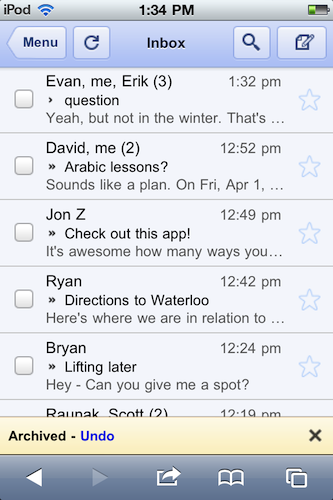
The Gmail web app just keeps getting better and better! If you use the Gmail web app with Safari on your iPhone, you'll be happy to know that Google has now updated Gmail's web interface with an "undo" feature.

The web app will now allow users to undo an action such as archive, delete, add/remove a label, or move a message/conversation. When you select one of these actions, Gmail shows a yellow bar that displays what you just and allowing you to undo it, instead of having to dig the message out of the Trash. 

How to Make Safari Load Faster on the iPhone

Although Safari may not be perfect, as far as truly native iPhone browsers go, it's all we've got. If one of your major problems with Apple's mobile browser is how long it takes to load, you're in good company.

It's Safari's built-in session saving feature that makes the browser so sluggish. In most cases, it will completely reload you're previous page you were on at launch. iOS doesn't have an option to disable this feature, but there might be a way around it...

Google Search Term “Tilt” Actually Tilts iPhone Search Results

Google has been known for quite a few pranks (no, Android is not one), and their latest joke took nearly five days to uncover.

When you use your mobile device to search Google for the term "tilt" or "askew," as pictured above, the search will return with the results tilted ever so slightly to the right. The trick works on both iOS and Android devices.

How to Speed Up Web Apps on the iPhone

In iOS 4.3, Apple has supposedly limited the speed of web apps added to the iPhone's home screen. Develepors and users have been reporting that web-based applications launched from an independent springboard icon are loading more than 2x slower than sites opened in Mobile Safari.

Meaning that, web apps/favorite sites launched from an icon shortcut aren't given any access to the Nitro Javascript engine that's baked into iOS 4.3. If Apple has intentionally hampered the performance of web apps in 4.3, such a move could been seen as a subliminal push to get people downloading more App Store apps.

If you've noticed lagging performance with your favorite web apps in iOS 4.3, there's an easy way to take advantage of Mobile Safari's full resources...

iOS 4.3 vs iOS 4.2.1 Safari Web Browsing Speed Comparison

At Apple's iPad 2 Event earlier this week, one of the major improvements in iOS 4.3 was Mobile Safari performance.

Steve Jobs claimed that Apple has included the new Nitro JavaScript engine in iOS 4.3 which now powers Safari. According to Apple, the new Nitro JavaScript engine, not only improves web browsing responsiveness, but also runs JavaScript up to twice as fast as iOS 4.2.1, resulting in web pages and interactive features loading faster than ever before.

Gmail’s “Priority Inbox” Now Available on the iPhone

Gmail's "Priority Inbox" feature has been implemented into Gmail's web app on the iPhone. Priority Inbox is a relatively new feature in Gmail that helps show you the most important emails in your inbox.

Google's Priority Inbox algorithm studies your email habits, and determines which messages deserve your attention first. If you've enabled Priority Inbox in the standard web version of Gmail, the same functionality will now be available in Gmail's iOS web app...