UI

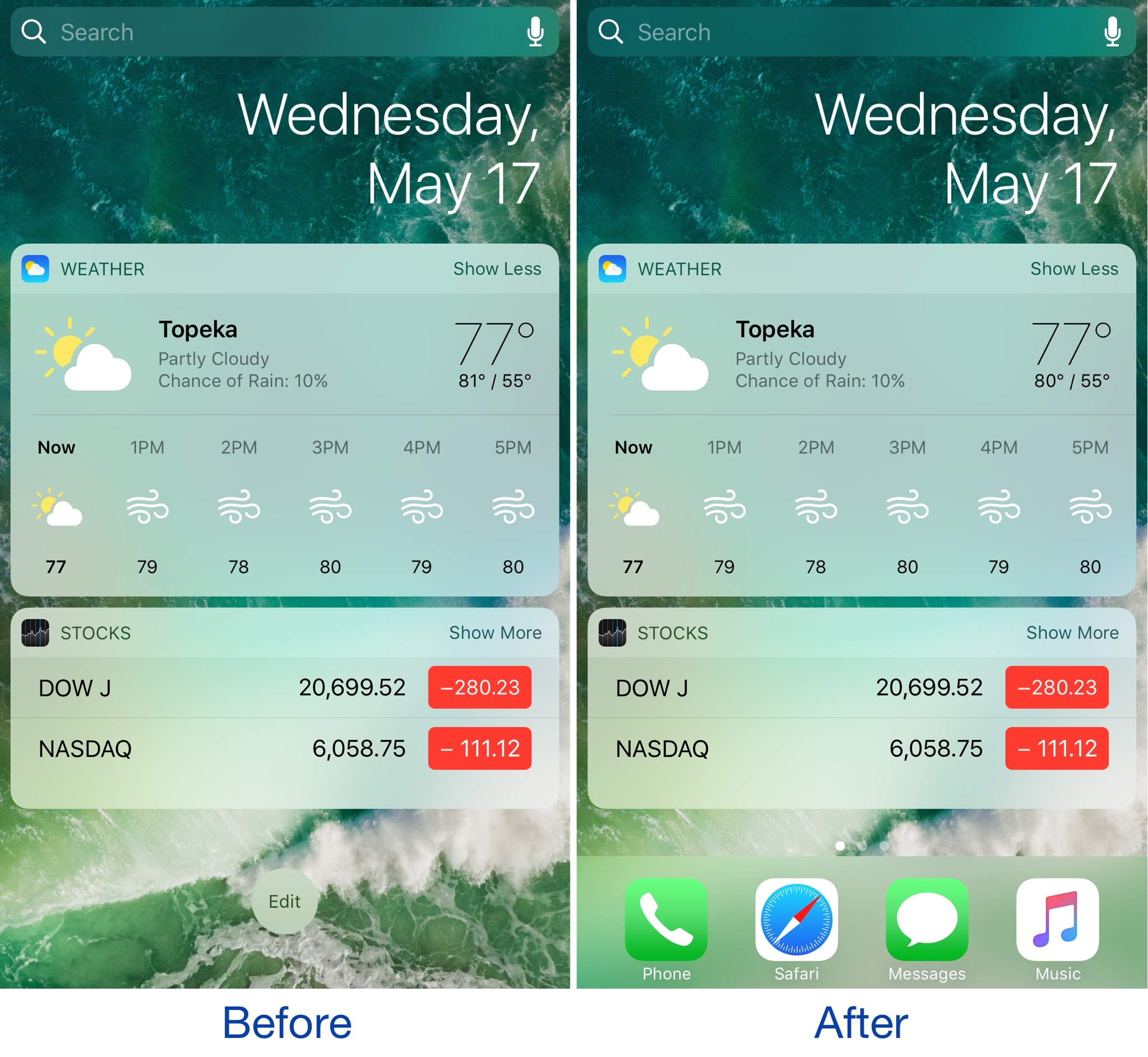
Add the Dock to the Today view with this handy tweak

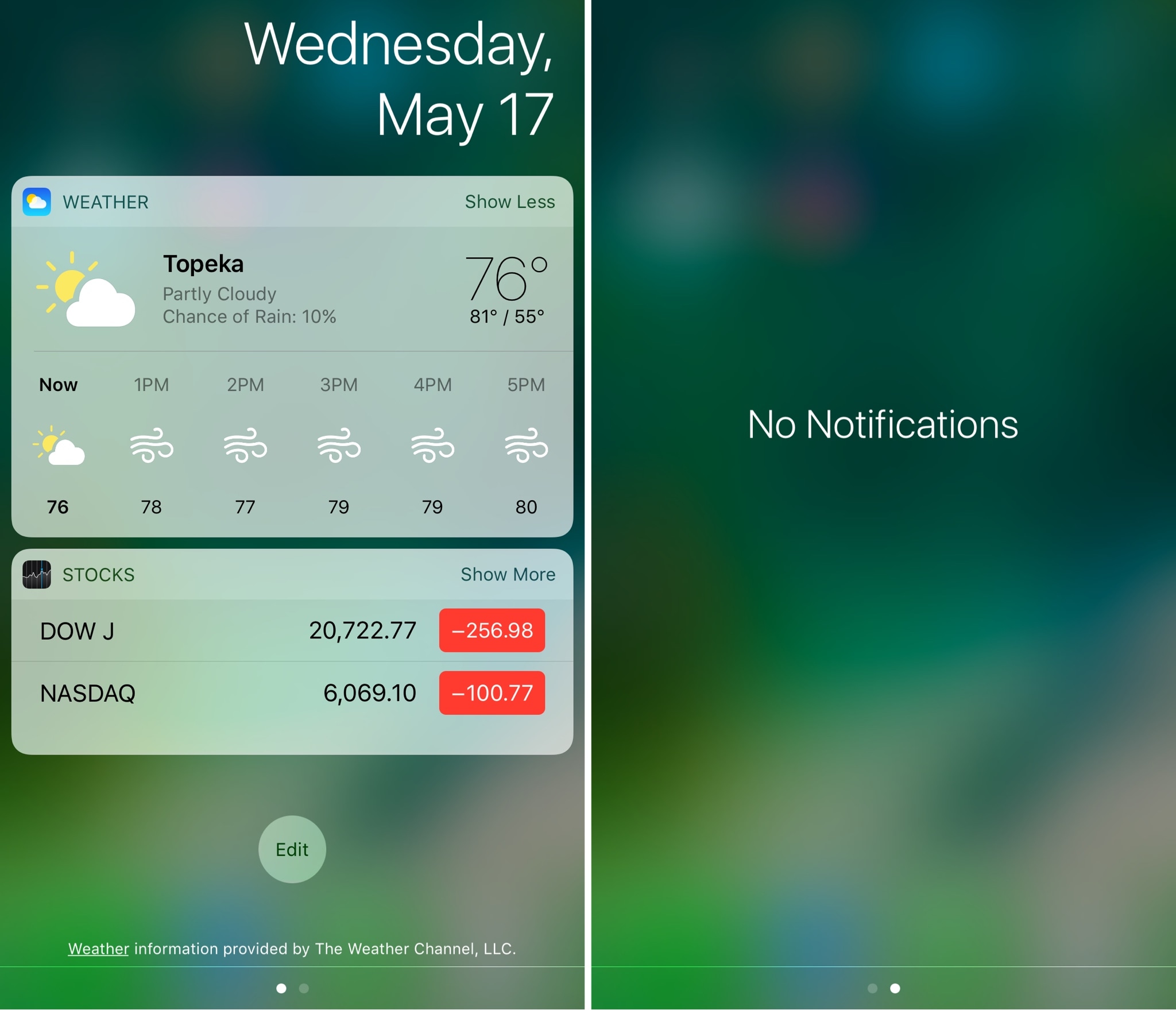
The Dock is a special part of the Home screen that houses your favorite apps and appears on all pages except for the Today page, which is where your widgets appear. On the other hand, if you wanted to change that, you officially can.

A new free jailbreak tweak dubbed ViewDockOnTodayView by CydiaGeek allows the Dock appear on the Today page with all of your widgets and in addition to all of your regular Home screen pages.

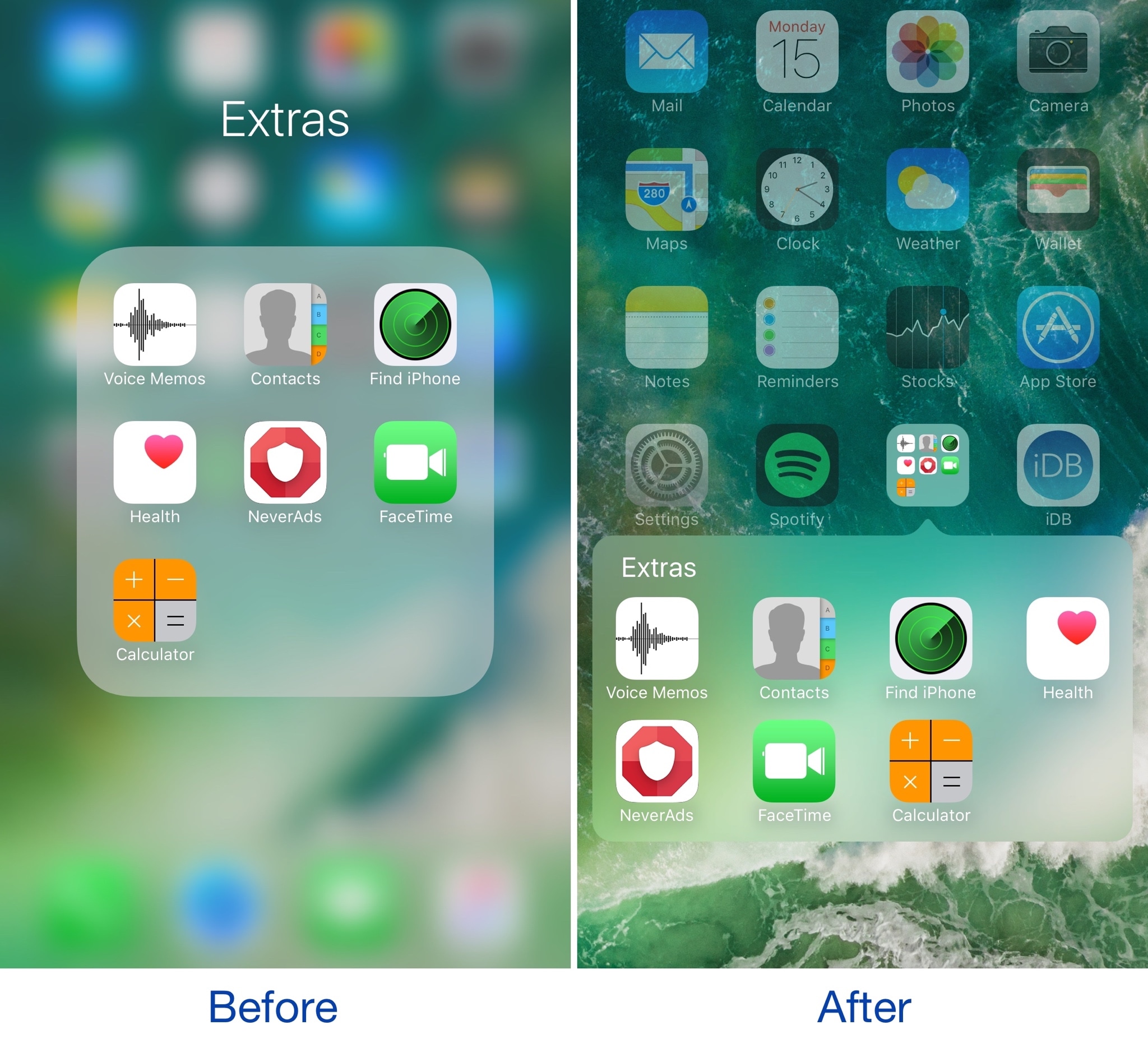
Make your folders look the way they did in iOS 6 with ClassicFolders 2

If you’ve got nostalgia for older skeuomorphic versions of iOS, or you’re just looking for a different look and feel for your device altogether, then a new jailbreak tweak called ClassicFolders 2 just might tickle your fancy.

This tweak gives your folders a throwback to the days of iOS 6 and earlier by giving them a page break-style instead of the full-screen effect that's been around since iOS 7.

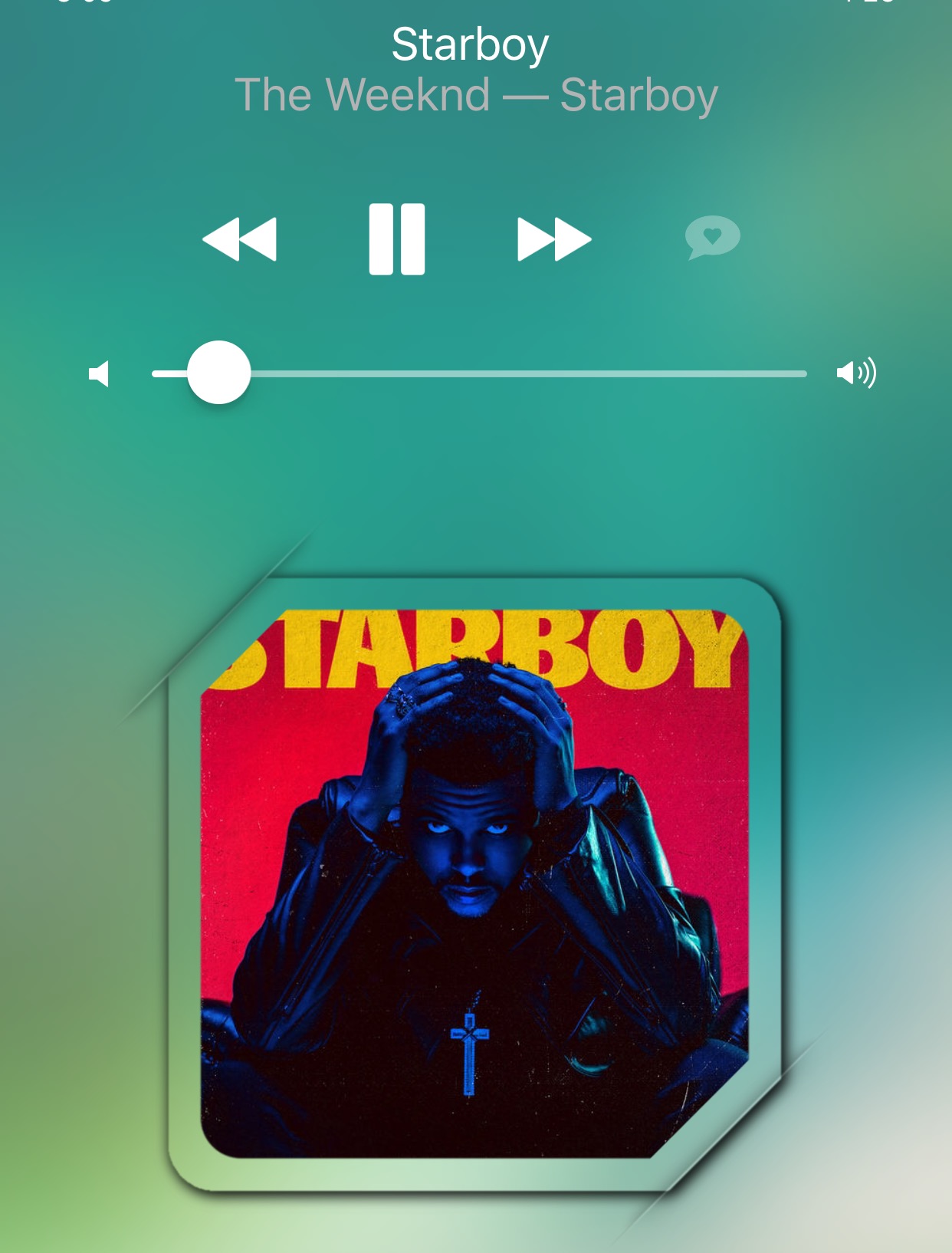
Masq lets you customize the Now Playing interface

The Now Playing interface found both on the Lock screen and in Control Center when you're listening to music is the main focus of a new jailbreak tweak dubbed Masq by iOS developer candoizo.

The tweak lets you spice up the look of each interface independently with themes and a trough of aesthetic options. Tailored for the creative mind, Masq is a great addition to themed devices and stock-looking devices alike.

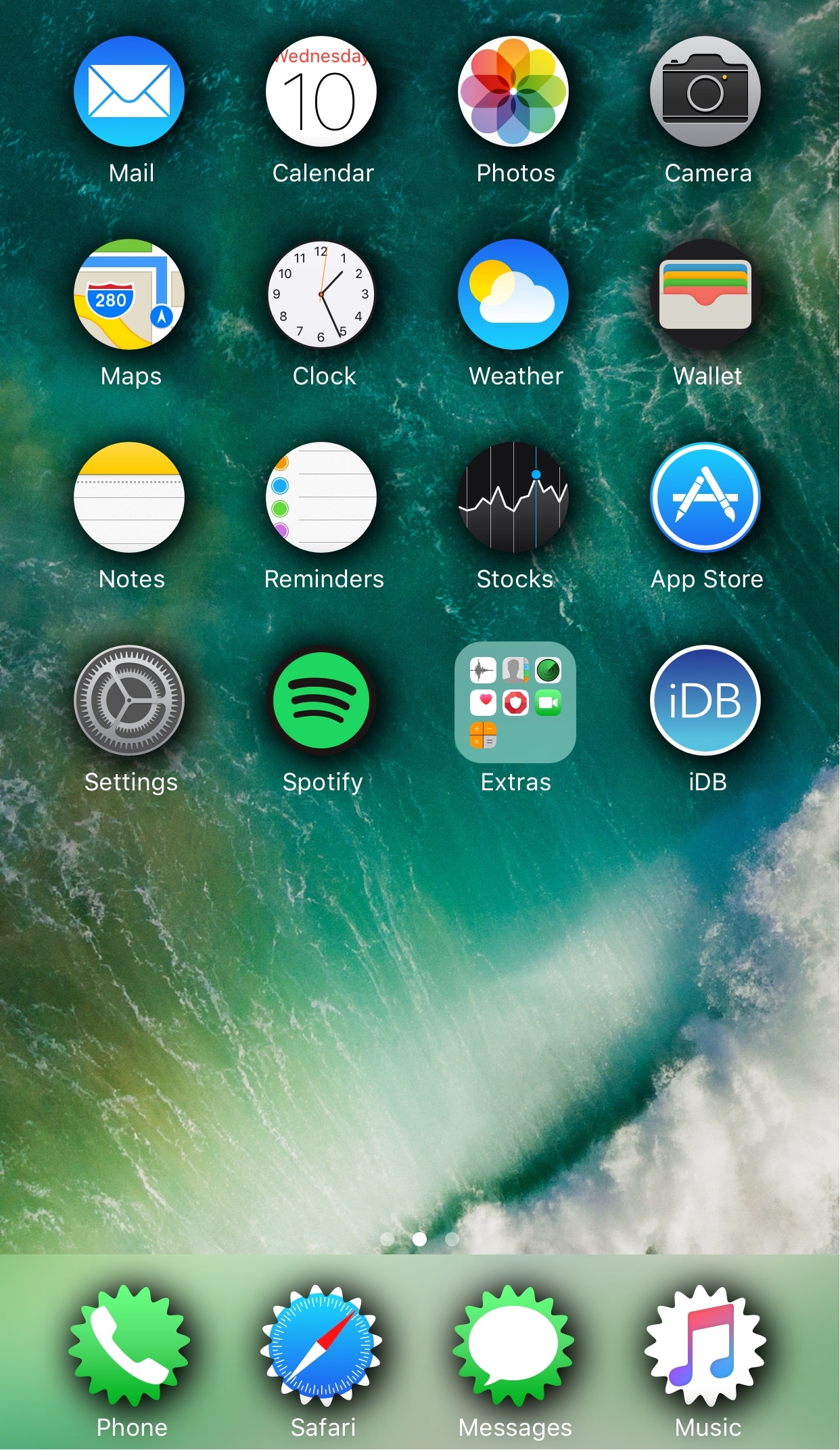
Change the shape of your app icons with SpringToolz

Looking to spice up your Home screen a little bit more? A new free jailbreak tweak called SpringToolz by iOS developer Stoyan Stoyanov lets you change the shape of your Home screen icons, add drop shadows, and much more.

The tweak comes loaded with a vast number of shape options to choose from and can give your device that distinct appearance you’re looking for to make it stand out from the rest.

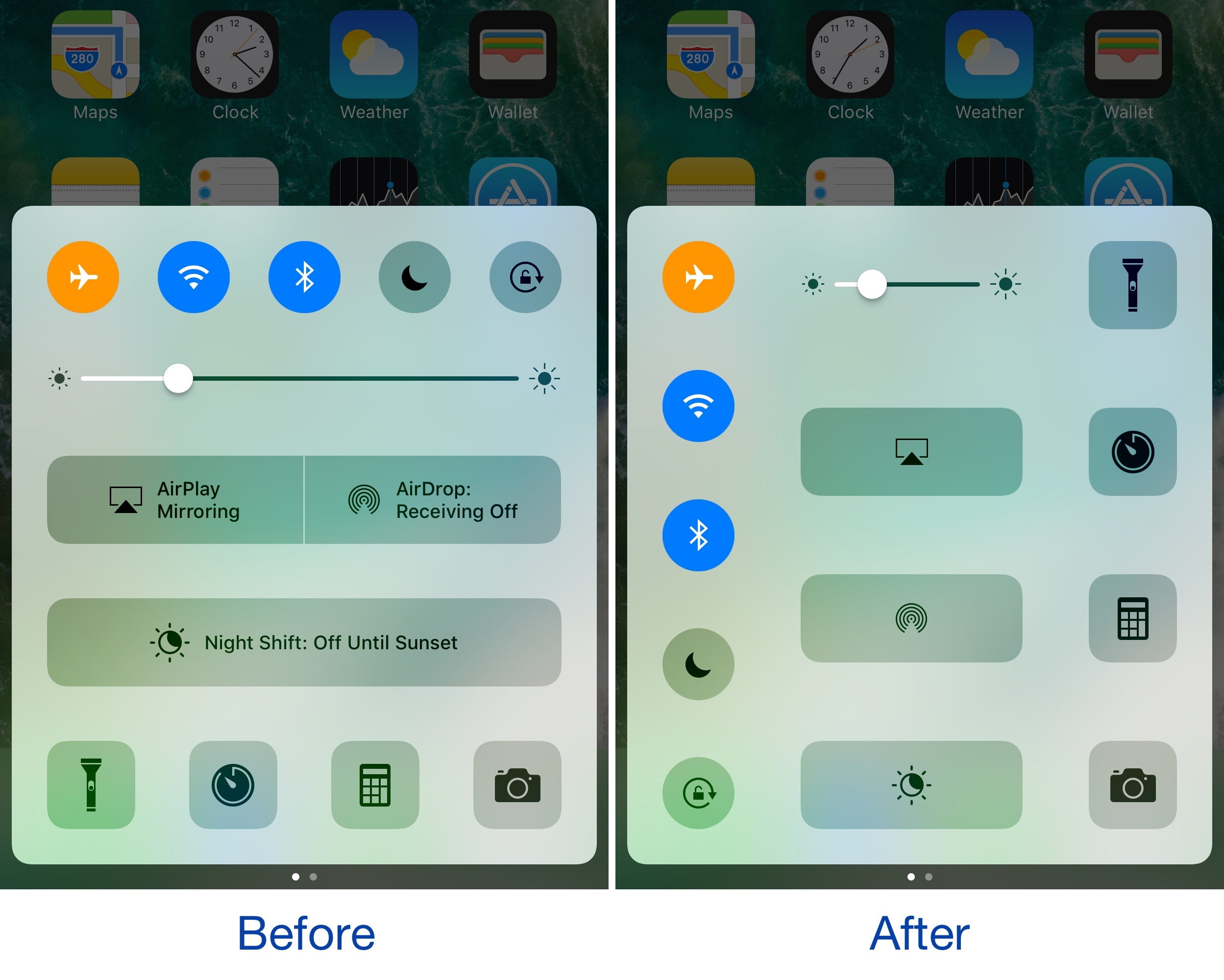
CCVertically gives Control Center a vertical makeover

Control Center normally has a horizontal layout; it's categorized into rows with each section having its own dedicated purpose, whether it’s for toggles, shortcuts, or sliders.

If you're interested in trying something new, then you might be interested in a new free jailbreak tweak called CCVertically by iOS developer pxcex. This tweak flips everything 90 degrees to give Control Center a vertical layout.

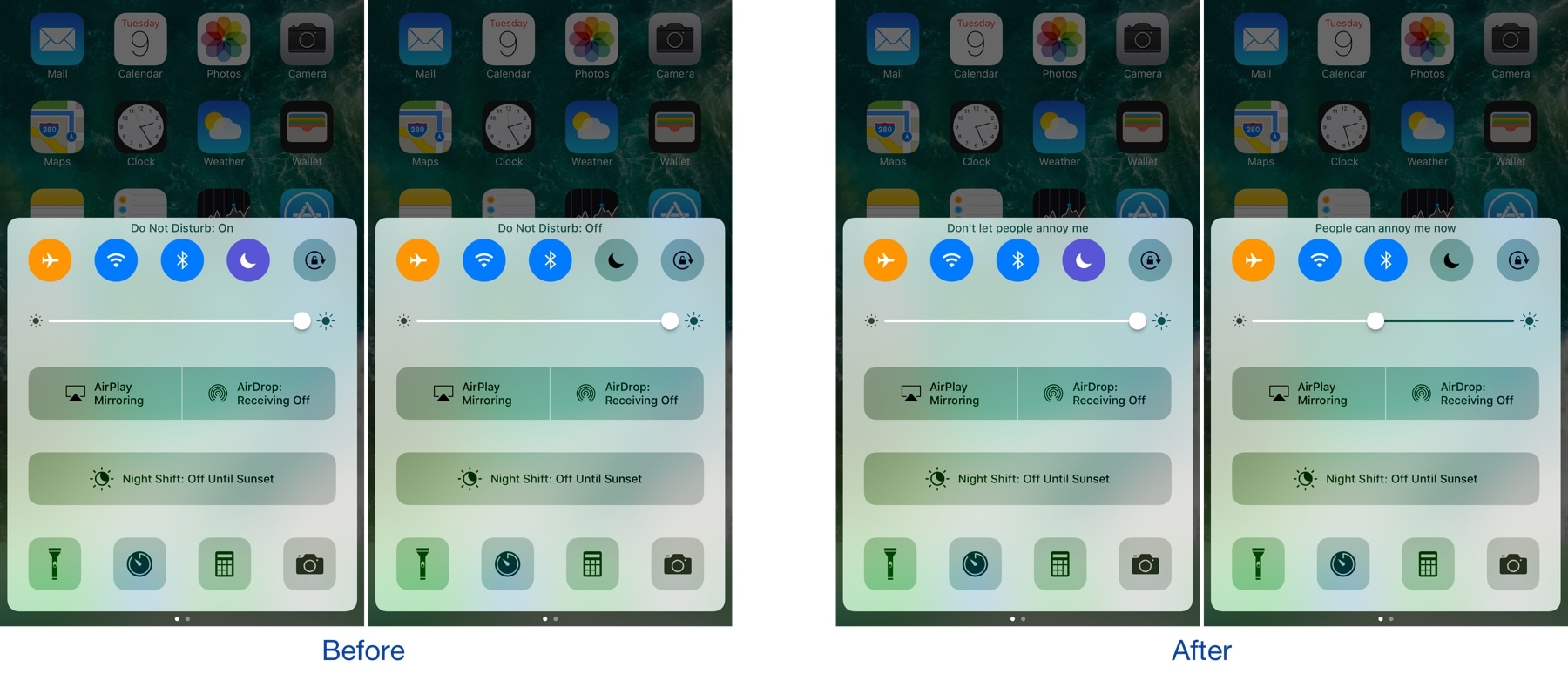
Customize the Control Center toggle button statuses with CCStatus

Control Center houses a bevy of toggles that make accessing certain iOS features more convenient. Whenever you toggle one of the features on or off, a status update appears at the top of Control Center that lets you know what you changed.

A new free jailbreak tweak called CCStatus by iOS developer harrywantstodev lets you customize these strings of text so that your customized statuses appear when you toggle buttons on or off instead.

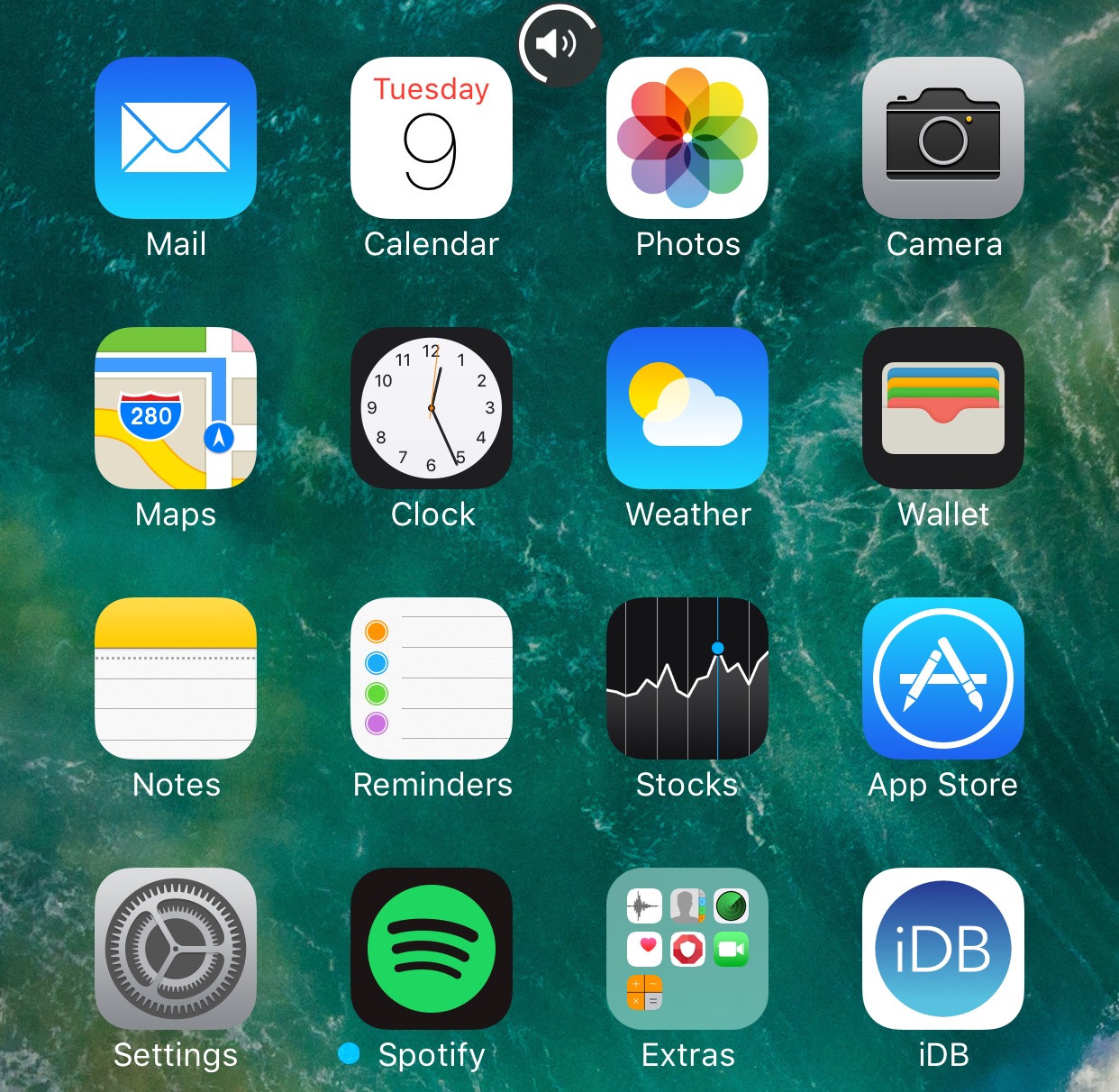
WAStatusVolume brings a WhatsApp-inspired volume HUD to iOS

The jailbreak community has brought forth a myriad of different solutions for replacing the ugly stock volume HUD in iOS, but one of my favorites so far is a new jailbreak tweak dubbed WAStatusVolume by iOS developer midkin.

This tweak takes a WhatsApp Messenger-styled approach to making the volume HUD experience better by taking the same volume indicator you’d normally see in the WhatsApp Messenger app and making it available system-wide.

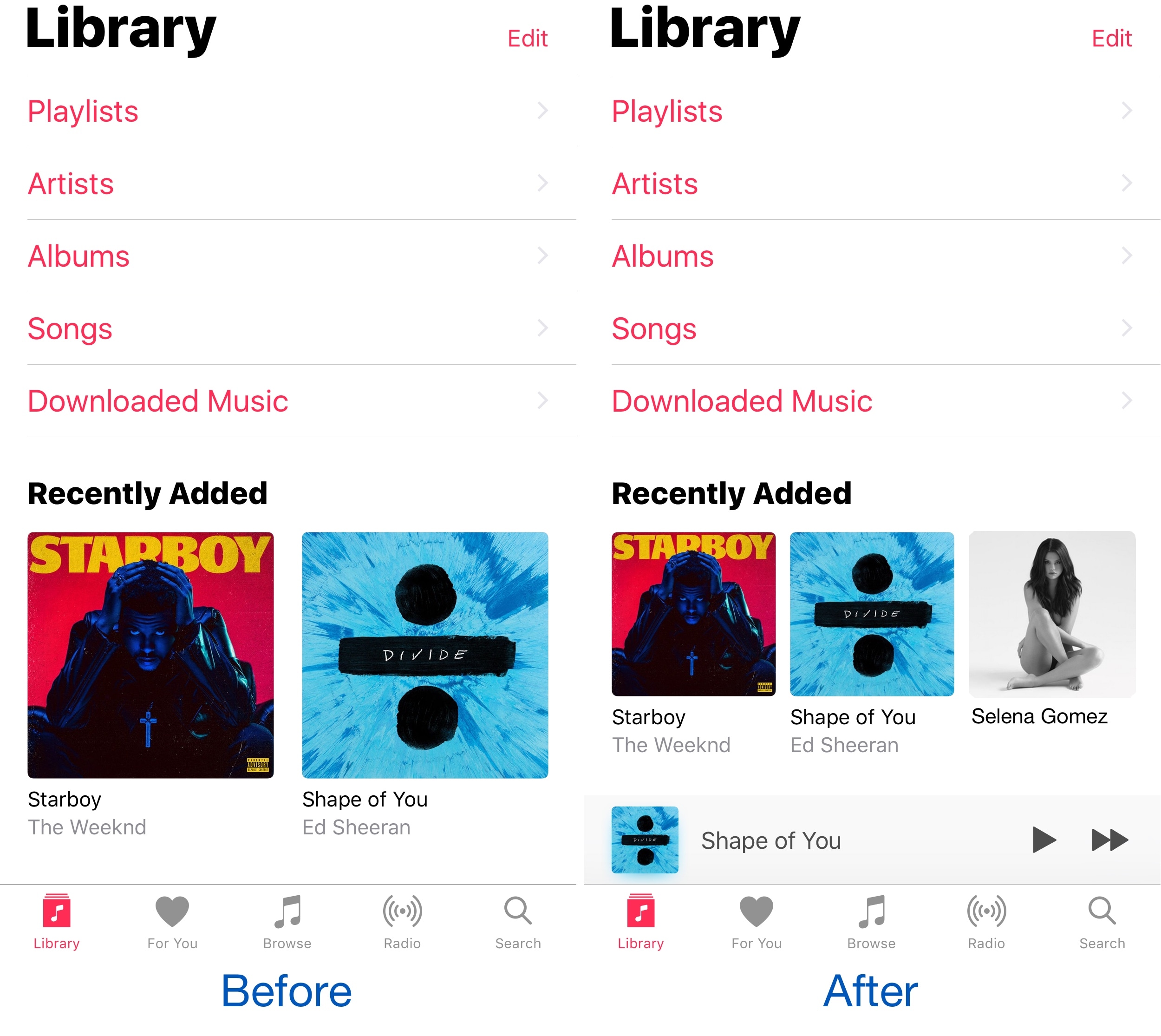
See more at a glance in the Music app with MusicMoreColumns

Apple’s own Music app underwent several major UI changes since the debut of Apple Music, and one part of the latest redesign is how the app displays two columns of your music on the screen at once.

Because two columns can be limiting, and because modern iPhones have larger displays, a new free jailbreak tweak called MusicMoreColumns by iOS developer HiDan enables three columns in the Music app so you can see more at a glance.

This tweak makes your iPhone animations bouncier

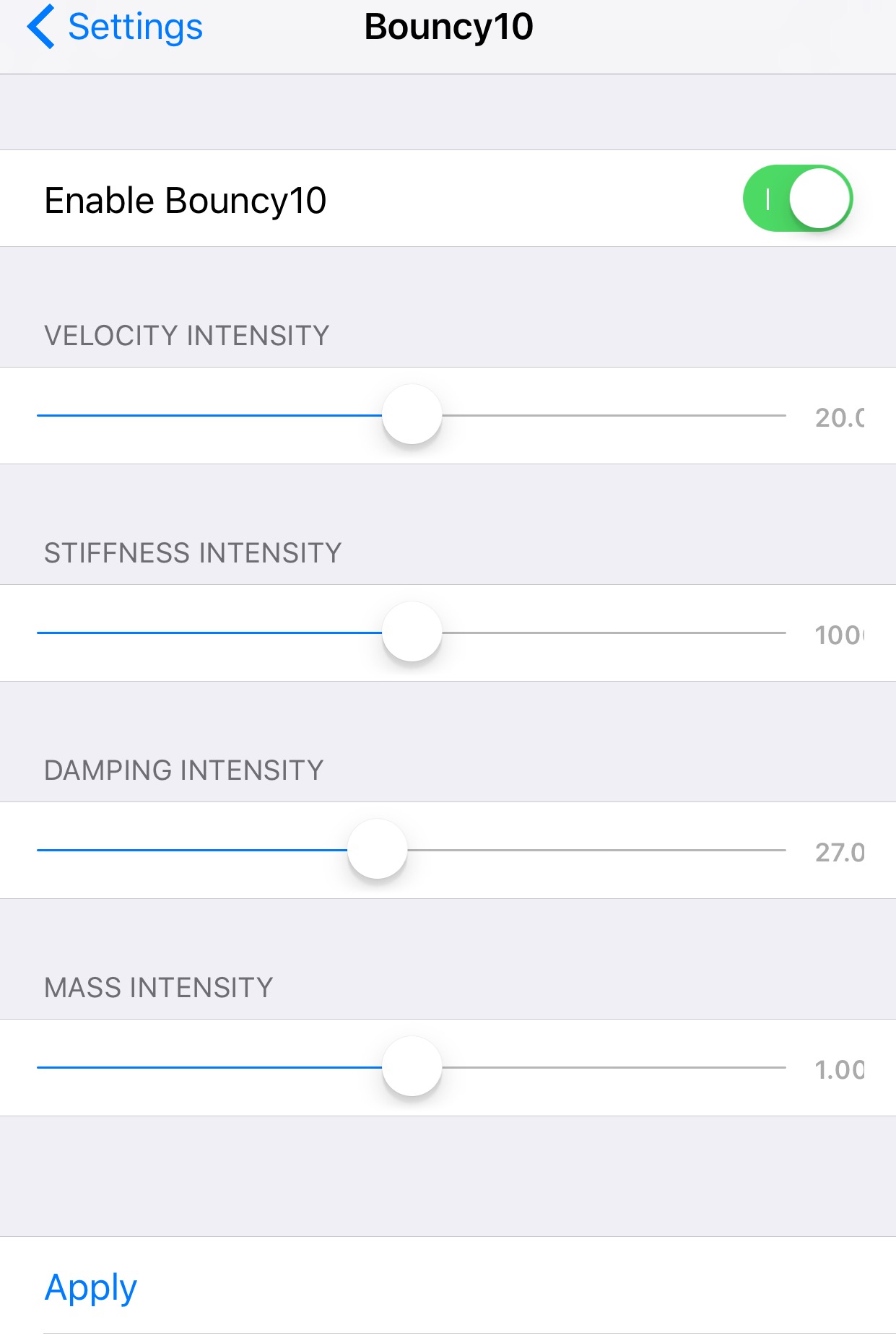
Bouncy10 is a new free jailbreak tweak by iOS developer Rishanan that gives iOS a system-wide fun and quirky animation makeover rather than the smooth and boring animations you've become to used to.

It takes a bouncier approach to iOS animations, and more importantly, they're fully adjustable, allowing you to have a different animation effect than other Bouncy10 users.

QuickFlash puts a flashlight button on your Lock screen

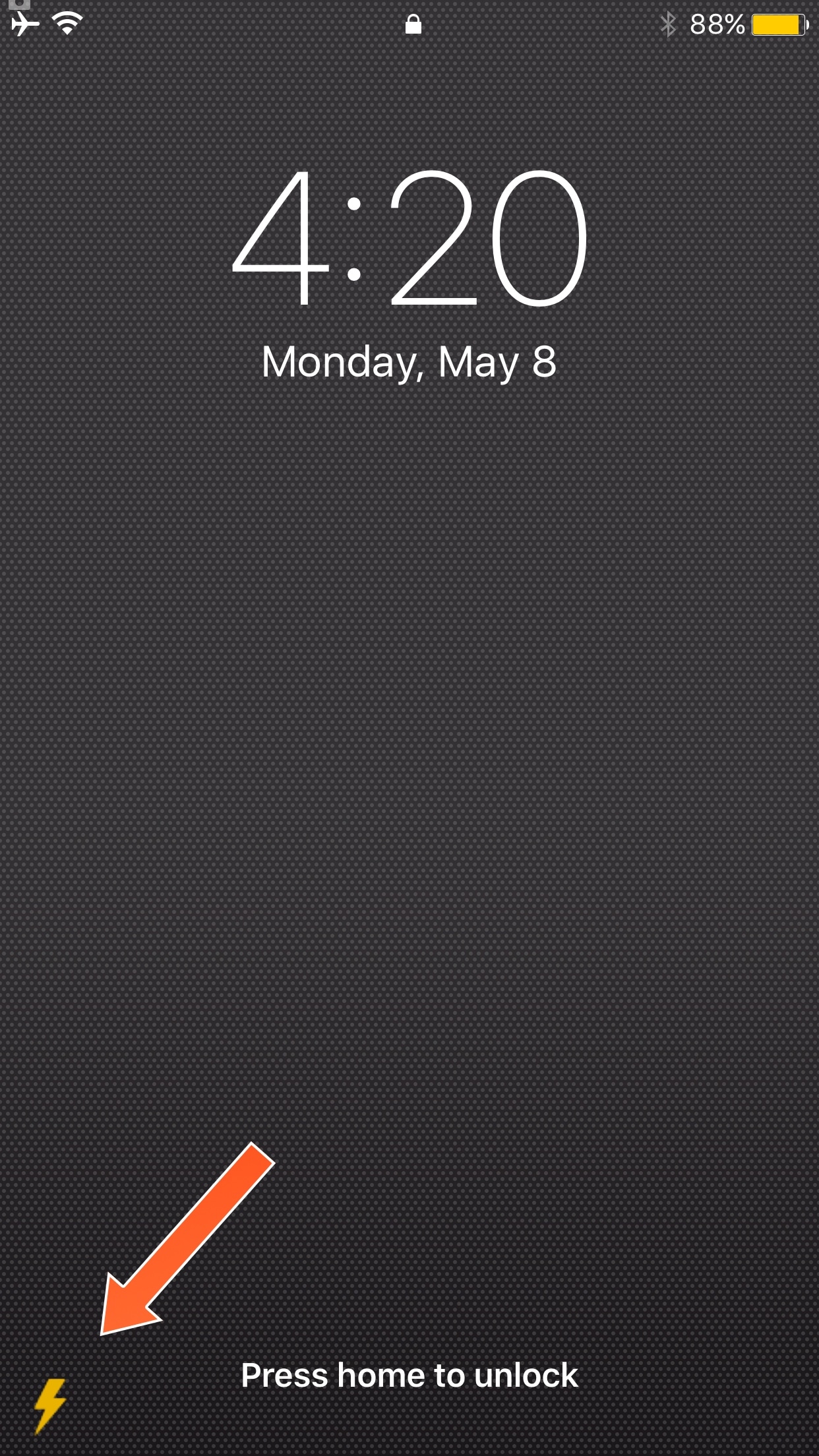
Having quick access to your iPhone's LED flash is always convenient, and that’s why Apple built their own Flashlight toggle into iOS when they introduced Control Center with iOS 7. But now, you can make accessing the flashlight even easier.

A new free jailbreak tweak called QuickFlash by iOS developer Ziph0n adds a flashlight button to the bottom right of your Lock screen, allowing you to turn on the flashlight with just a tap.