UI

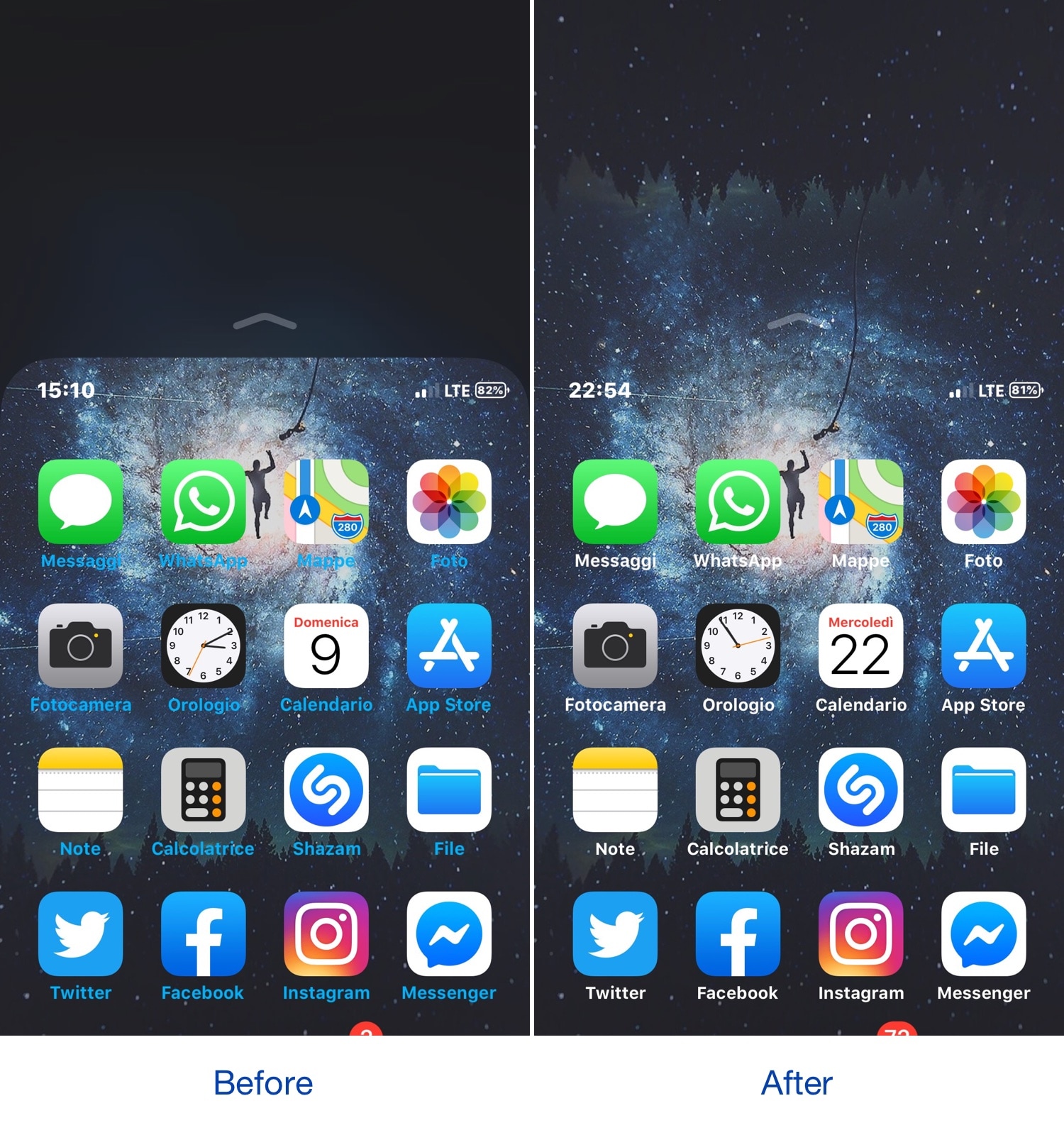
Rishima brings the iOS 13 volume HUD to jailbroken devices

Apple’s upcoming iOS 13 and iPadOS firmware updates come jam-packed with new features that are certain to have jailbreakers’ mouths watering.

Fortunately, the jailbreak community has a way of porting many of Apple’s latest software features to older versions of iOS such that jailbreakers don’t feel so bad about not upgrading, and a new free jailbreak tweak release called Rishima (BETA) by iOS developer iKilledAppl3 is an excellent example of this.
ImageCorrect brings image-based text replacement to iOS

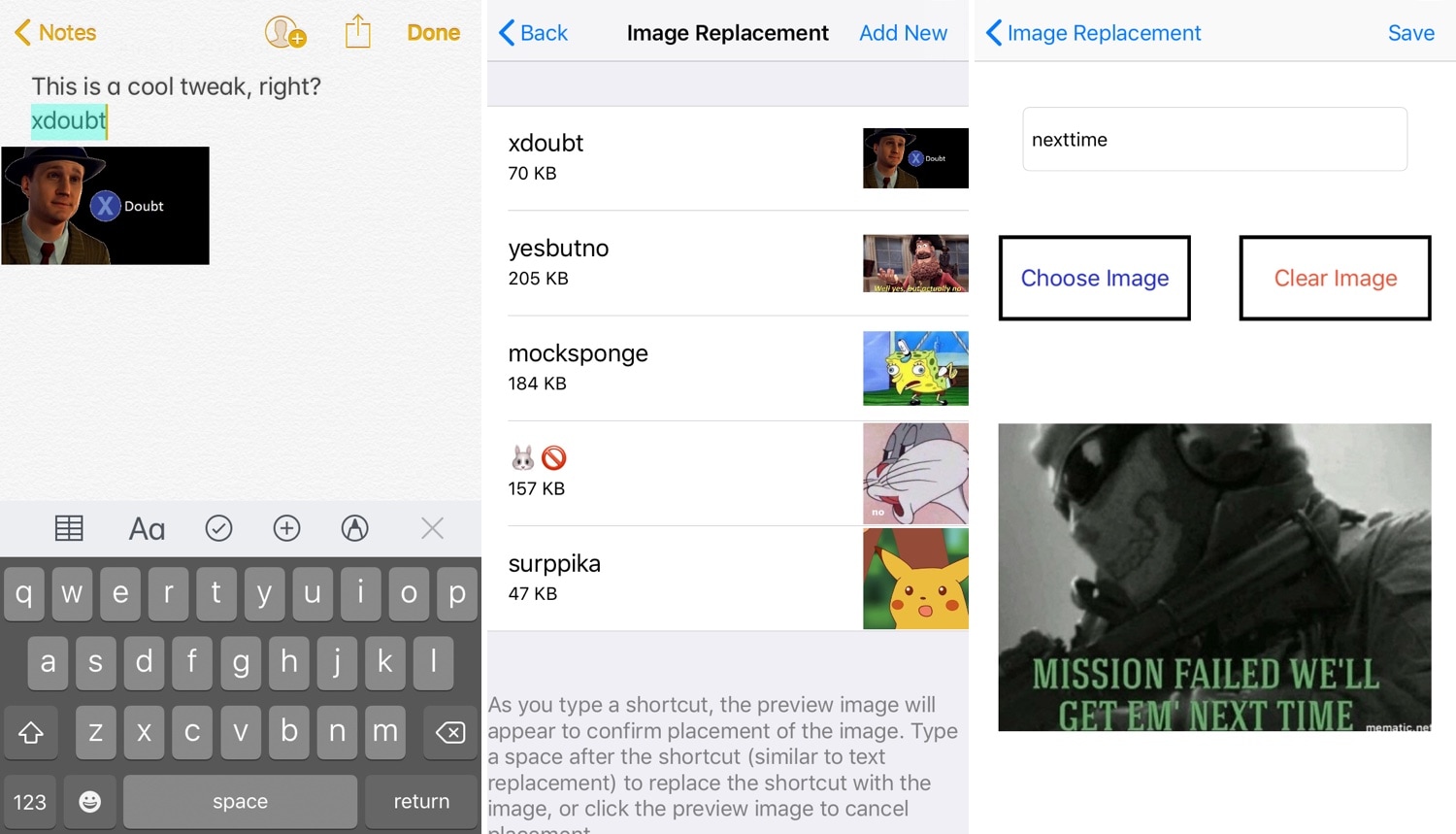
iOS comes with a native text replacement feature that lets users set shortcuts that will automatically expand to full words or phrases when typed. But wouldn’t it be neat if the same concept applied for images?

I’ve long wondered about this myself, and so I’m excited to share that a newly-released and free jailbreak tweak dubbed ImageCorrect by iOS developer Satvik Borra brings this feature to pwned handsets.

Give your jailbroken handset a clean new aesthetic with Vibrancy

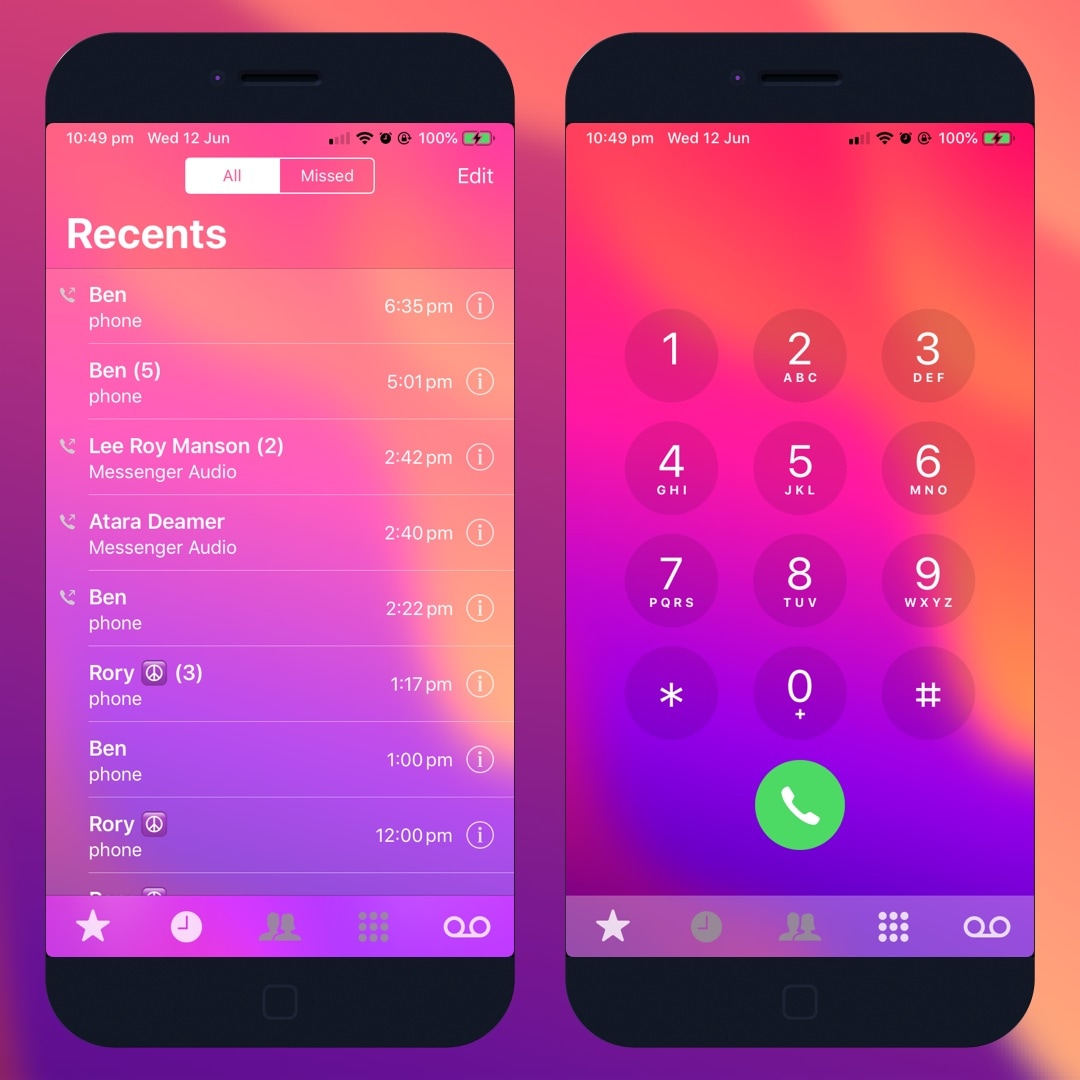
If you’re interested in giving your jailbroken handset a refreshingly-pleasant aesthetic makeover, then you just might want to turn your attention to a newly-released jailbreak tweak called Vibrancy by iOS developer Dylan Duff.

Vibrancy transforms the look and feel of your iOS device by adding bright and vibrant blurs to many of your handset’s user interface. Out of the box, Vibrancy supports each of the following components of iOS:

SilentMaps makes iOS’ Maps-centric voice navigation more music-friendly

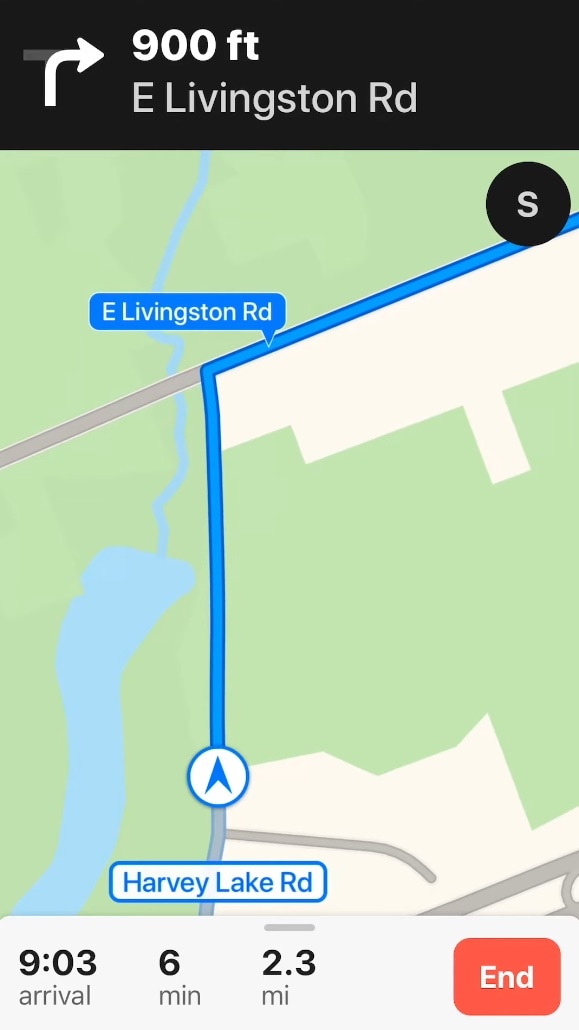
Apple’s Maps app comes in handy for me more times than I can count when I need help getting to my destination, but for what it’s worth, the app’s voice navigation tends to become a nuisance when I’m trying to listen to music at the same time.

SilentMaps is a newly-released and free jailbreak tweak by iOS developer LonestarX that aims to resolve this problem by replacing the native Maps app’s voice-centric navigation with subtle sound effects that let you know when a critical turn on your route is near.

This tweak makes the Reachability interface a bit more aesthetically-pleasing

Apple seems to be making the shift to larger iPhone displays, and while this is great for media consumption, it also tends to make one-handed usage a bit more challenging in most scenarios. This is precisely why iOS comes with an accessibility feature dubbed Reachability.

Despite how useful Reachability can be at times, its aesthetics sometimes leave a lot to be desired. With that in mind, iOS developer CydiaGeek created a new free jailbreak tweak called ReachabilitySheer to make the Reachability interface look both cleaner and nicer.

Axon offers a ‘Priority Hub’ experience on jailbroken iOS 11-15 handsets

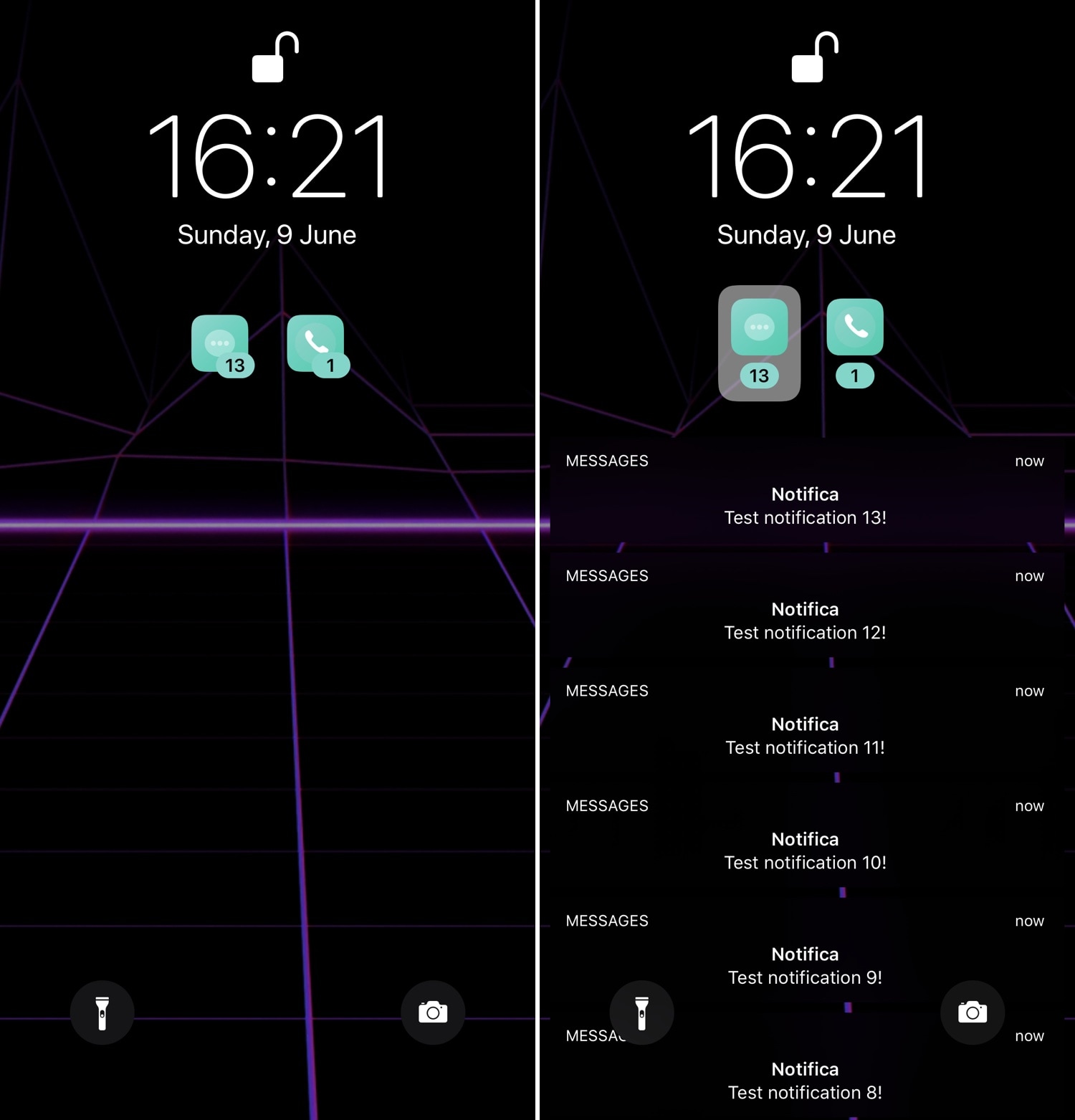
First released back in 2014, Priority Hub was perhaps one of the most popular notification-centric jailbreak tweaks of all time. It ported BlackBerry 10’s grouped notifications feature to the iOS Lock screen, allowing users to filter missed notifications on a per-app basis.

As time went on, developers have re-made Priority Hub for newer iterations of iOS, and now that both iOS 11 and 12 are jailbreakable, it only seems just that a proper remake should be released for those firmware versions. With that in mind, we’re excited to show you a new free jailbreak tweak release called Axon by iOS developer Nepeta.

Customize the text at the bottom of your Lock screen with this new tweak

At the bottom of your iOS device’s Lock screen is a subtle blurb of text that tells you what you should do to unlock your device. On a Face ID-equipped handset, it might say “Swipe up to unlock,” while Home Button-equipped handsets might show “Press home to unlock” instead.

If you’re jailbroken and you’re interested in customizing this text, then you’re in luck because iOS developer Dave van Wijk has just released a new free jailbreak tweak called LSTextChanger that lets you do just that.

Quickly access the settings to your favorite jailbreak tweaks with QuickPrefs

If you have a lot of tweaks installed on your jailbroken iOS handset, then you probably have a plethora of dedicated preference panes lurking in your Settings app. With that in mind, it can be useful in a pinch to have shortcuts to the preference panes you use the most.

With the aforementioned concept in mind, we’re excited to show you a newly-released free jailbreak tweak called QuickPrefs by iOS developer AnthoPak, which makes some of your most-used jailbreak tweak-centric preference panes in the Settings app easier to access.

Magma Pro offers the most extensive Control Center colorization we’ve seen yet

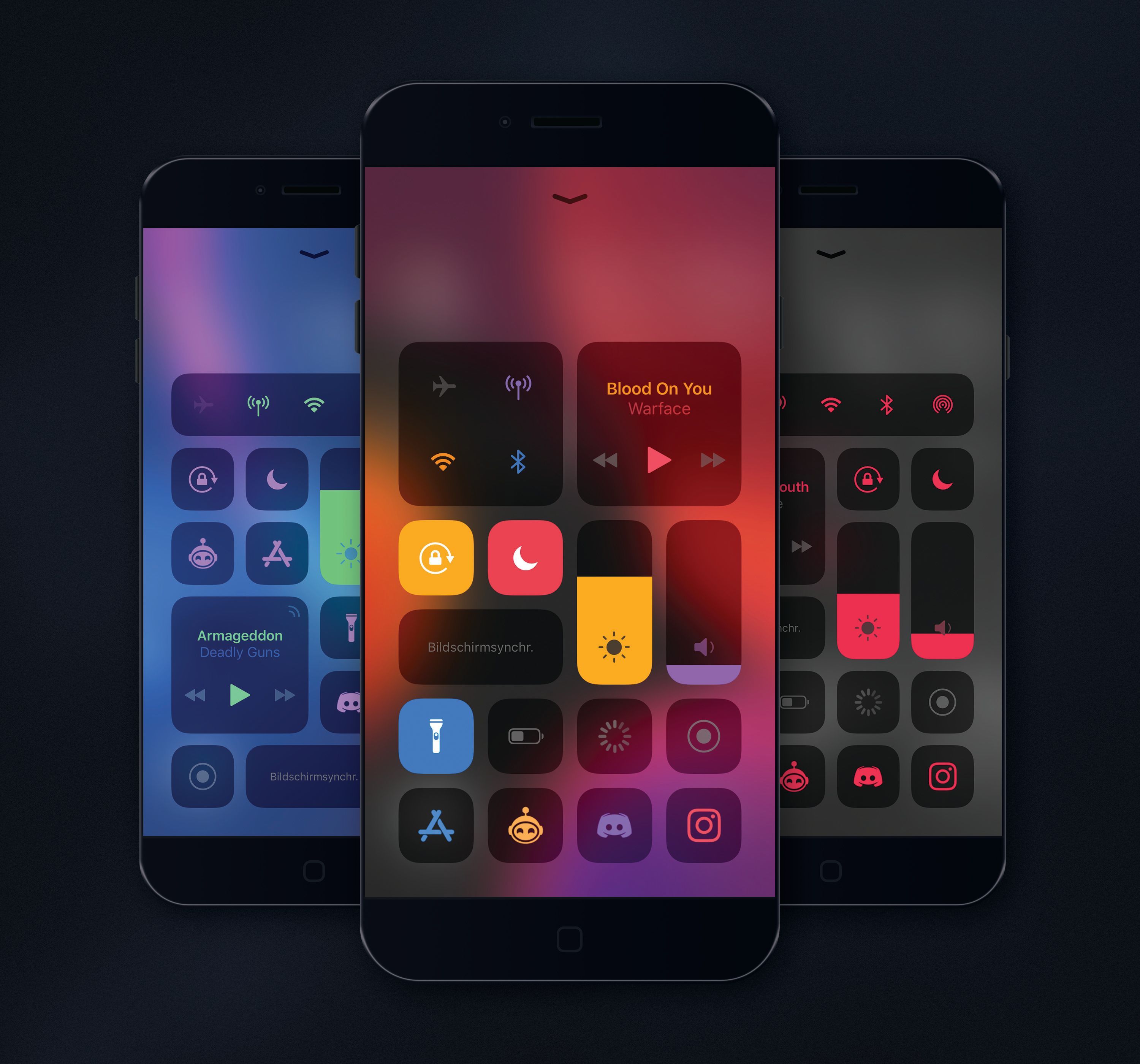
It wasn’t too long ago that we showed you a fun and quirky jailbreak tweak release called Magma by iOS developer NoisyFlake, which allowed users to customize the color-centric appearance of iOS’ Control Center interface.

Magma was an instant hit among jailbreakers, and this might explain why NoisyFlake has just released a more feature-packed version of Magma called Magma Pro.

Shrink the size of iOS’ notification banners with Nanobanners

Veteran iOS users probably still remember the day when Apple introduced notification banners to their mobile operating system to replace the intrusive notification alerts that used to pop up in the middle of your display. But it seems like modern banner notifications are a lot taller than they need to be.

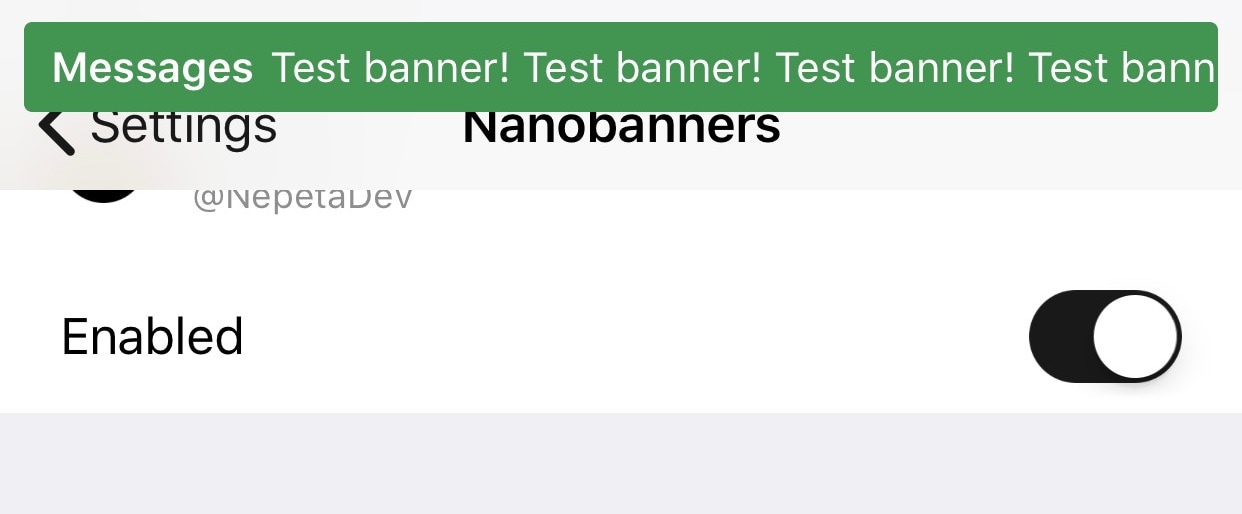
Those interested in shrinking down the size of their handset’s incoming banner notifications will come to appreciate a newly-released and free jailbreak tweak called Nanobanners by iOS developer Nepeta. This tweak takes a no-BS approach to making your handset’s banner notifications more tolerable, as shown in the screenshot example above.

This tweak gives your iPhone’s power-down menu a Samsung-style makeover

You can access the power down screen on any iOS device with a hardware button gesture that varies depending on the handset, and while it comes in handy at times, many would agree that the interface is somewhat lacking and leaves a lot to be desired.

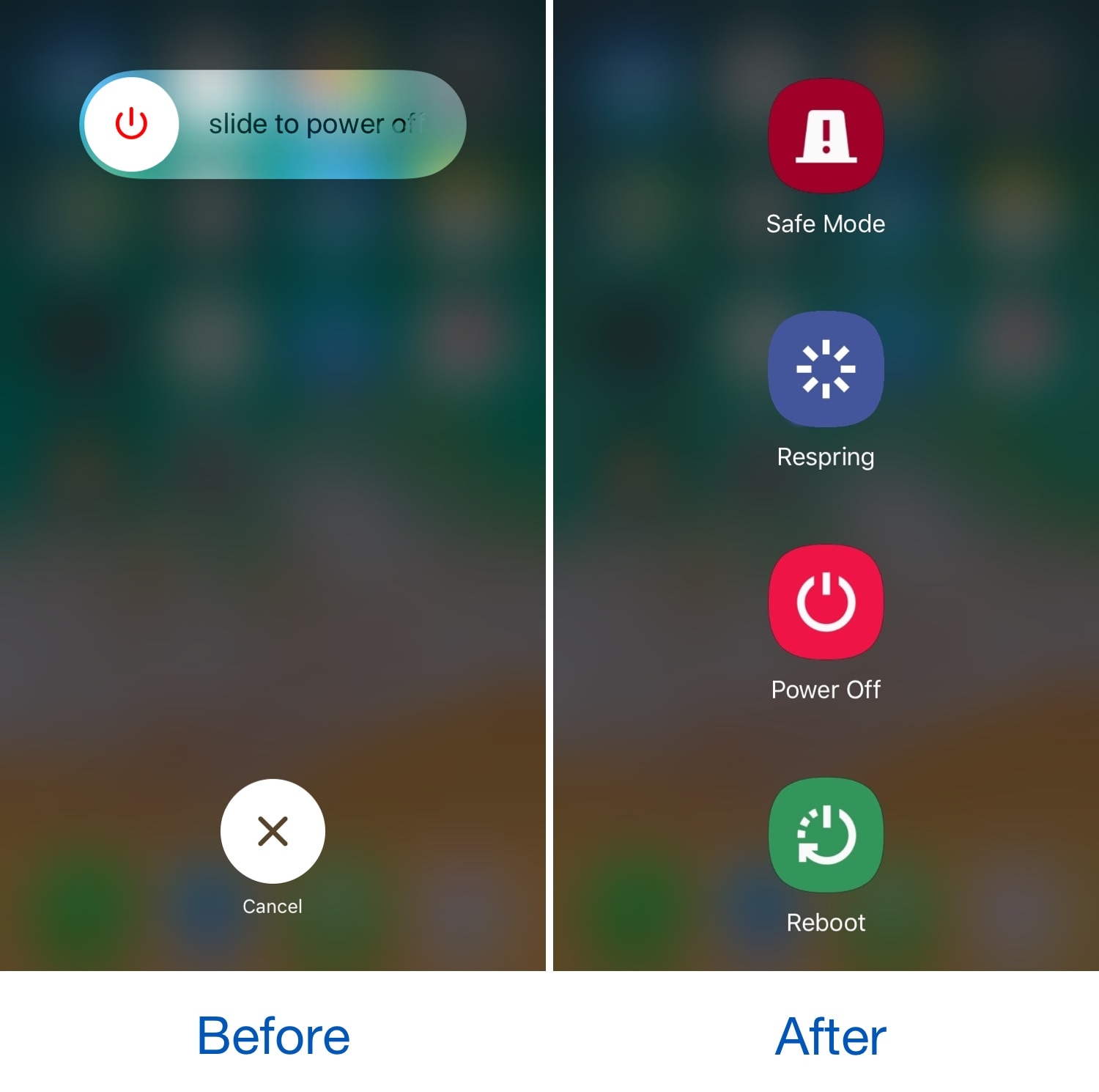
Here to help in this department is a newly-released jailbreak tweak called SamsungPowerDown by iOS developer DevNTNghia, which as the tweak’s name implies, gives your handset’s native power down screen a Samsung-esque makeover.