Tutorial

Learn how to master your Apple devices with our comprehensive tutorials. From iPhone and iPad to Mac, Apple Watch, AirPods, and more, our expert guides will help you unlock the full potential of your Apple products. Discover new features, tips, and tricks each day to enhance your user experience.

How to use Conversation View in iOS Mail app

In iOS 9, you could organize emails in Apple's stock Mail application by thread but that was pretty much it. iOS 10 introduced a pair of new settings for simplifying inbox management.

The first tells Mail to arrange emails in a thread in the order they were received, with the most recent ones at the top. The other prompts the app to unify threads by including relevant emails from other mailboxes.

In this tutorial, we're going to teach you how to enable and use Conversation View in Mail and leverage the aforesaid toggles to bring some order to your inbox.
How to receive a notification when your friends are leaving or arriving at a set location

Apple’s Find My Friends app has been much maligned over the years and for many served as a great example that Apple does bloatware just as well as the competition. With the arrival of iOS 10 and the ability to delete the stock apps some users might find pesky, Find My Friends certainly must be a contender for the title of most frequently trashed app on the Home screen.

This comes in spite of the fact that, over time, Find My Friends has actually inherited some redeemable qualities: next to a useful widget, one feature in particular has enjoyed little to no exposure, even though there are compelling real life use cases for it.

GPS not working on your iPhone? Try this

Your iPhone’s GPS capabilities can be really useful, whether you’re using them to navigate to a special event, play Pokémon GO, or even to just grant your favorite apps your current location so they can do what they were made to do.

Of course, like all things, GPS can sometimes be flaky and it doesn’t always want to work right, causing headaches for you. Fortunately, there is something you can do about it. There are a number of troubleshooting steps you can take that might help your GPS work properly.

How to hide Skype calls from the Phone app on your iPhone

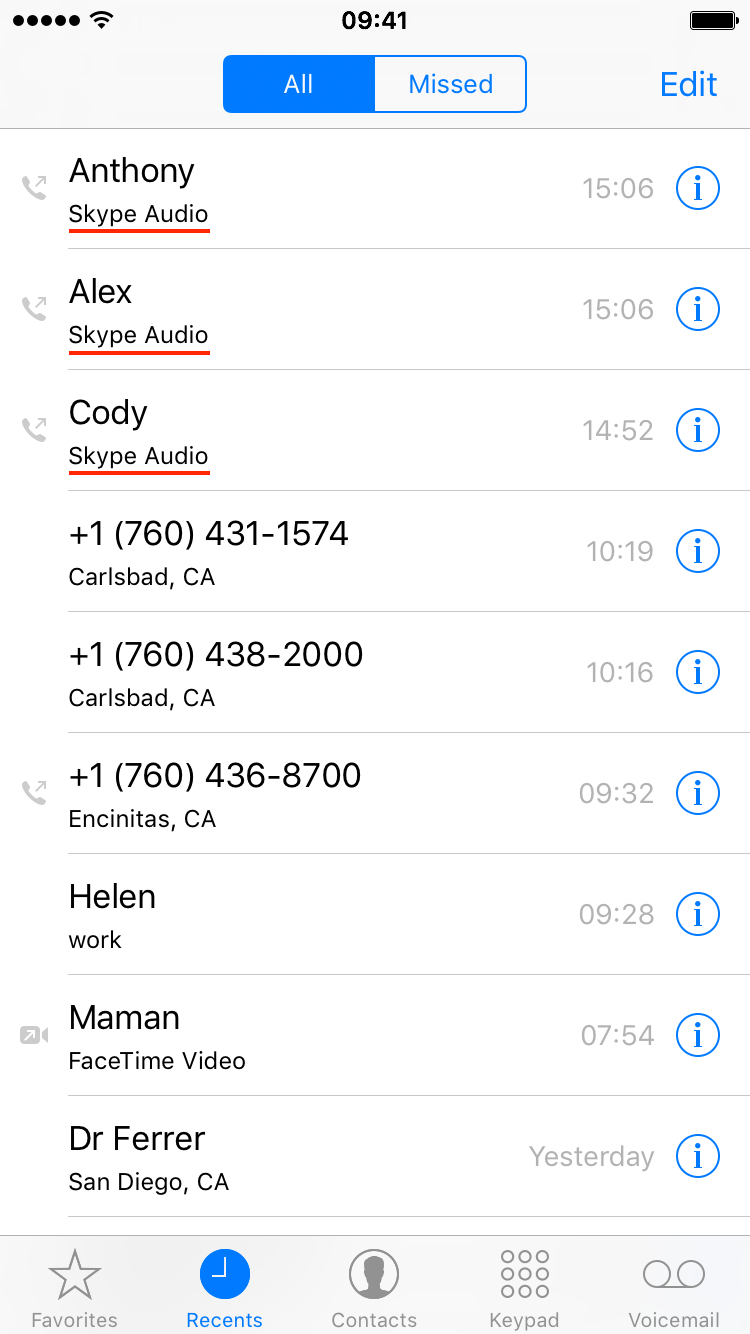
Apple has recently introduced CallKit, a new framework available to developers that allows them to integrate their VoIP apps with the native Phone app user interface. In essence, this is a great addition that puts VoIP apps at virtually the same level as normal phone calls. Incoming Skype or WhatsApp calls, for example, are now displayed fully on the Lock screen, which is an improvement compared to how these calls were handled prior to iOS 10. Likewise, any call placed or received with a supported VoIP app will be logged into the Phone app like a normal call.

This tight integration of VoIP apps and the native Phone app UI can have a downside for some users who might prefer not to see their recent Skype calls history show up in their Phone app. If you're one of these people, we'll show you exactly how to stop Skype from showing recent calls in your Phone app.