Theme

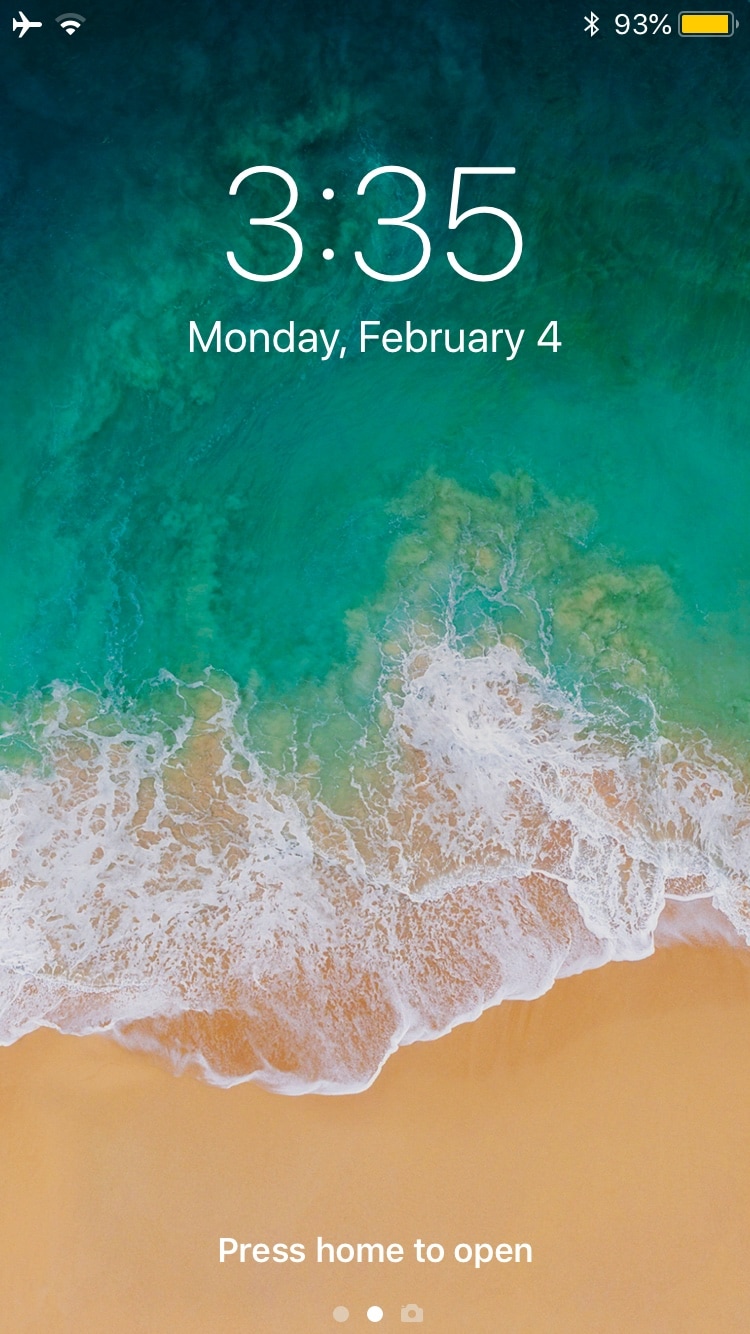
Jellyfish: a new Lock screen aesthetic inspired by watchOS’ Motion face

With each meaningful iteration of iOS, Apple slightly tweaks the aesthetic of the iPhone’s Lock screen, but these changes aren’t significant enough to warrant much praise. That said, if you’re looking for something extraordinary, then you might have more luck with a jailbroken handset.

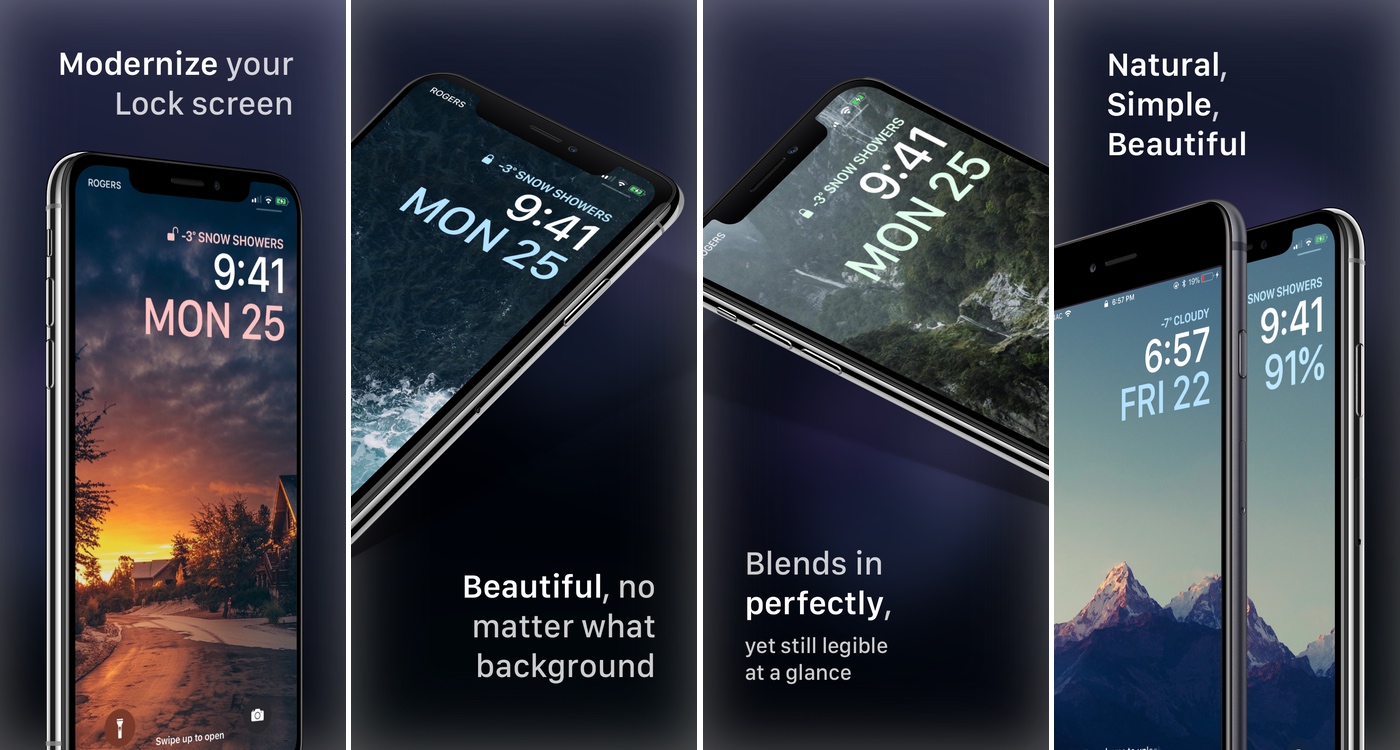
Enter Jellyfish, a jailbreak tweak by iOS developers Justin Proulx and Ayden Panhuyzen that aims to modernize the look and feel of your handset’s Lock screen interface.
Bring ‘Dark Mode’ to your newly jailbroken iOS 12 handset with Noctis12

The popularity of dark mode-centric jailbreak tweaks has only continued to skyrocket over the past several years, and now that unc0ver can jailbreak iOS 12, many avid jailbreakers are looking for ways to implement the perfect dark mode experience on iOS 12.

If you fit the description above, then you’ve come to the right place because iOS developer LaughingQuoll has just released the latest iteration of his popular Noctis jailbreak tweak. The new iOS 12-compatible build has been fittingly-named Noctis12.

BelleVolume: a beautiful volume HUD replacement for jailbroken iOS 11 & 12 devices

iOS is a well-polished mobile operating system, but one thing Apple continues to ignore time and time again is that atrocious native volume HUD. There’s no shortage of jailbreak tweaks that aim to improve this experience on the iPhone and iPad, but perhaps one of our favorites to date is a new release called BelleVolume by Luke Muris and Geometric Software.

BelleVolume relocates the volume indicator to the middle of the Status Bar, which prevents it from obstructing your view in various everyday scenarios. On notched devices such as the iPhone X, XR, XS, and XS Max, the volume indicator materializes just below the notch; other devices display the volume indicator where the time would normally appear.

Modernize your iPhone’s notifications, banners, & widgets with Notifica

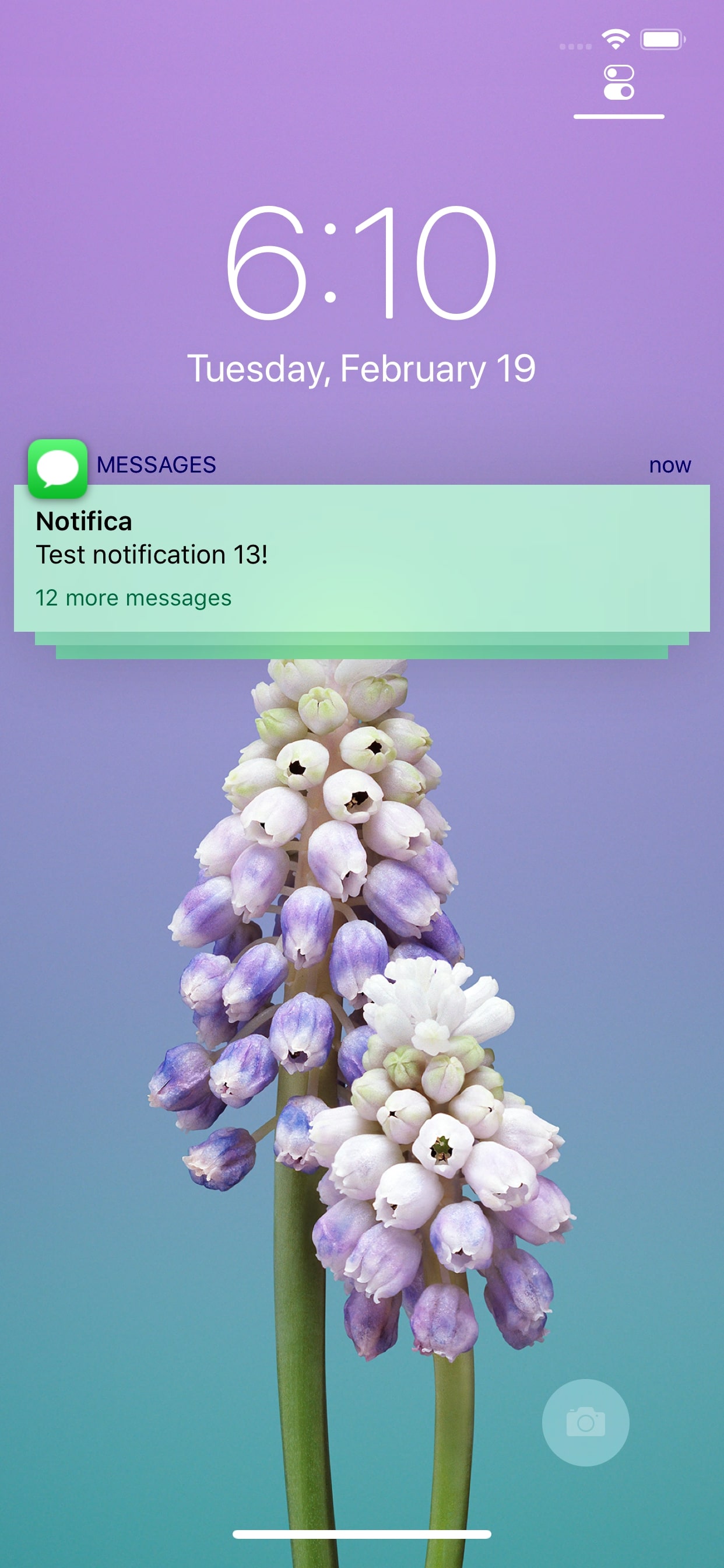
Freshly-jailbroken on iOS 12 and looking for a way to spice up your handset’s look and feel? If so, then you might take a liking to a brand-new free and open-source jailbreak tweak called Notifica by iOS developer Nepeta.

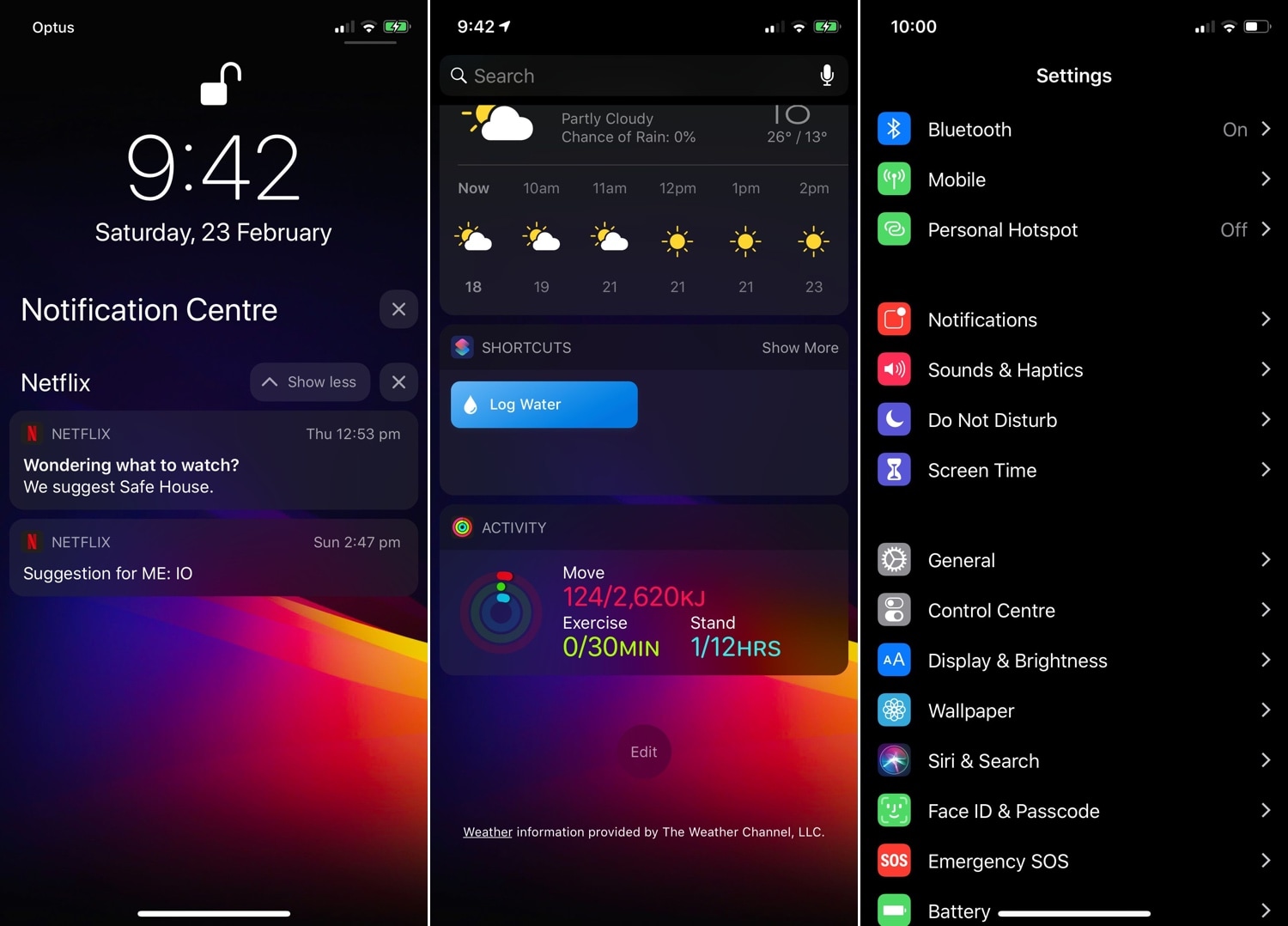
Notifica lets imaginative minds run wild with a plethora of aesthetic-centric customization options for your iPhone or iPad’s incoming notifications, banners, and widgets. For starters, Notifica empowers you to do virtually any of the following:

Colorize the Twitter app however you like with TwitterDarkMode

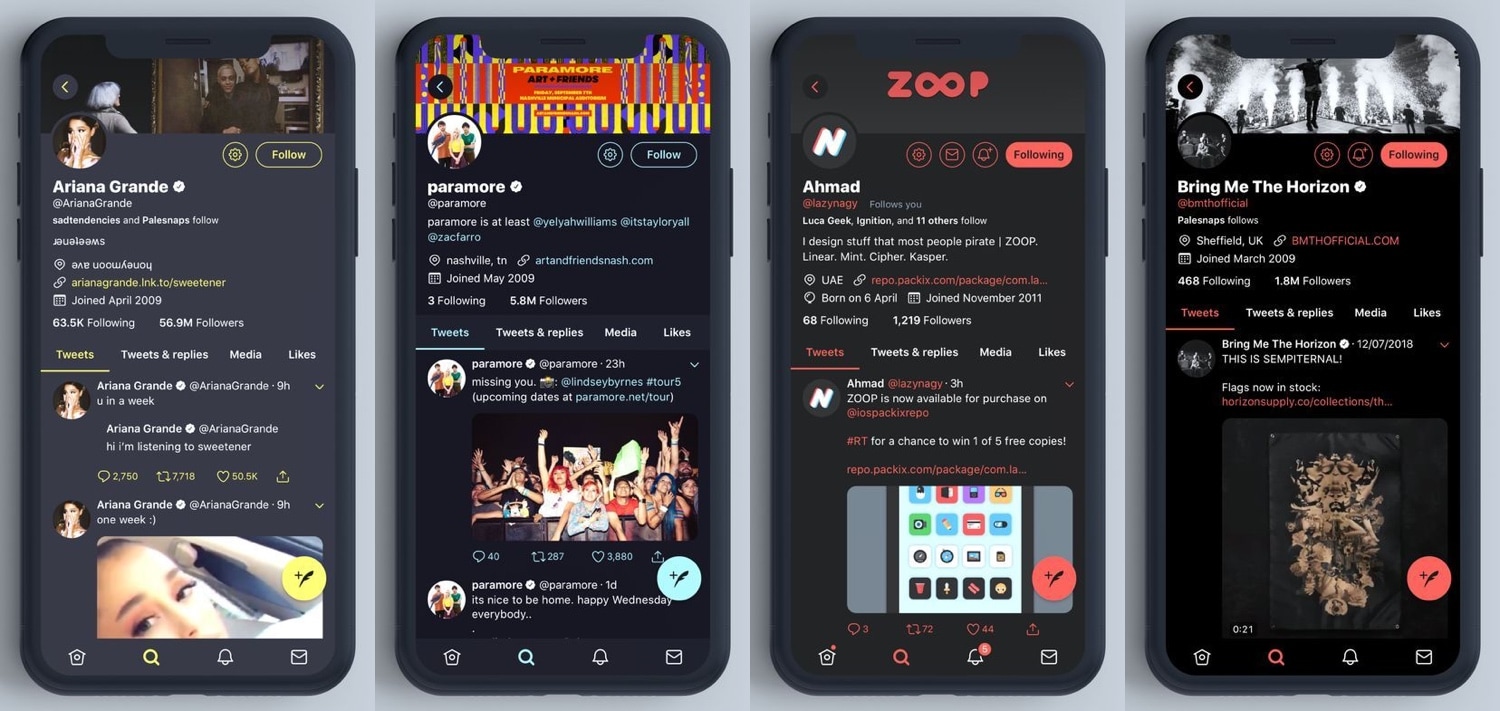
Twitter’s official app supports a feature called Night Mode that can give the app a dark-colored makeover on demand; but compared to some other apps, this ‘dark mode’-esque feature leaves a lot to be desired.

Fortunately, iOS developer Chloeeisoaky recognized these shortcomings and responded to them with the release of a new free jailbreak tweak called TwitterDarkMode.

LockDroid gives jailbroken iPhones a classic Android-style matrix passcode screen

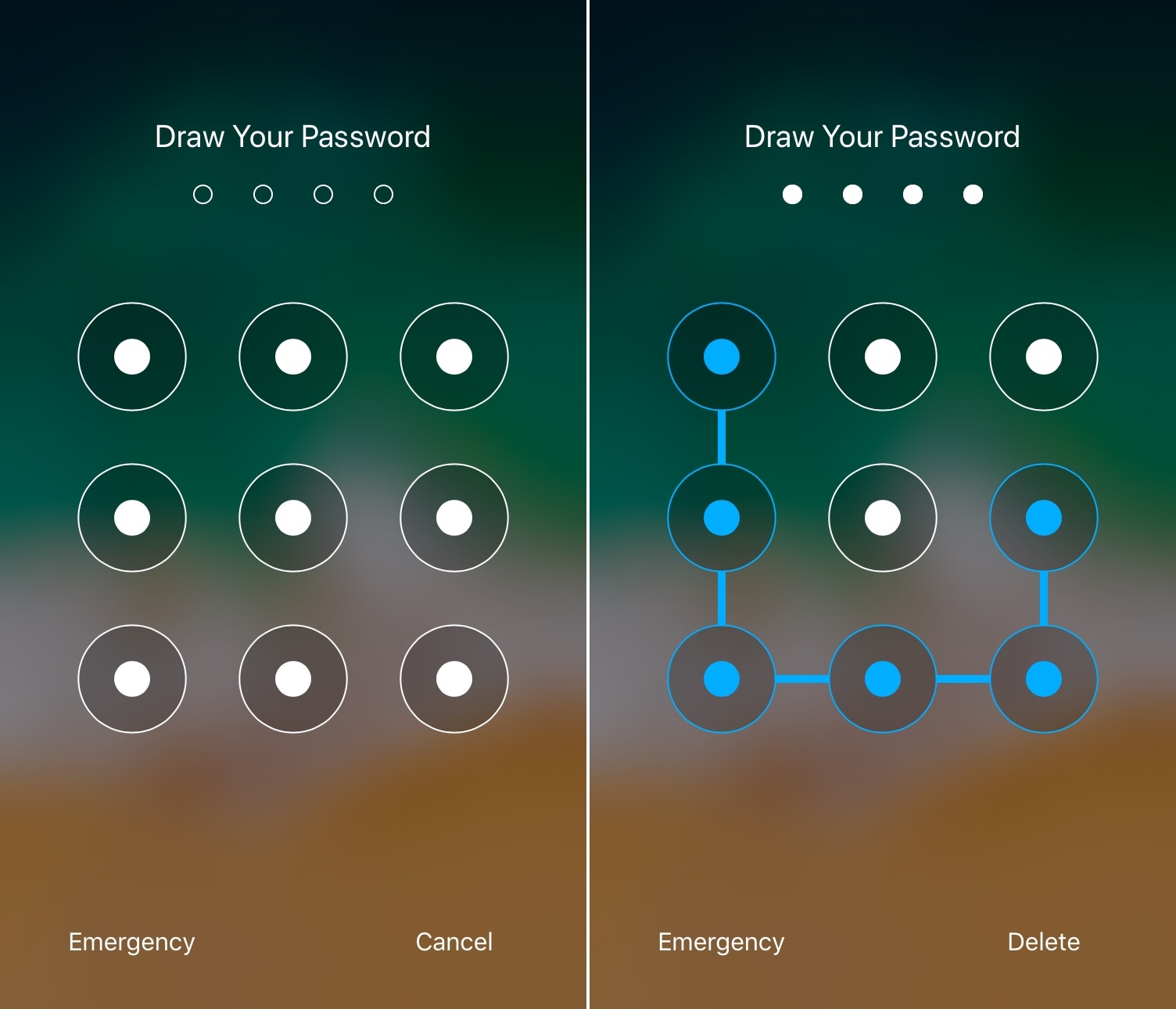
I’ve used a lot of jailbreak tweaks in my day, but some of my all-time favorites were those that brought the classic Android-style matrix/pattern Lock screen interface to the iOS platform.

It’s been a while since we’ve seen one of these classic tweaks optimized for each of Apple’s latest handsets and mobile operating systems, but one that does is a release called LockDroid by iOS developer Julio Verne.

Customize your iPhone’s locking animation with LockAnim

Upon unlocking your iPhone or iPad, an aesthetically-pleasing animation brings all your Home screen's icons into view. On the other hand, pressing the side button to lock your device results in an instantly-black display, as if Apple never intended to incorporate a locking animation into iOS.

If you wish your handset’s locking animation had a bit more spunk than it does out of the box, then you’ll come to appreciate a free jailbreak tweak dubbed LockAnim by iOS developer Julio Verne. Just as the name implies, this tweak brings a bevy of new locking animations to the table, giving you a lot more choice in what you see when you press that side button on your handset.

How to enable the Firefox Dark Theme on Mac

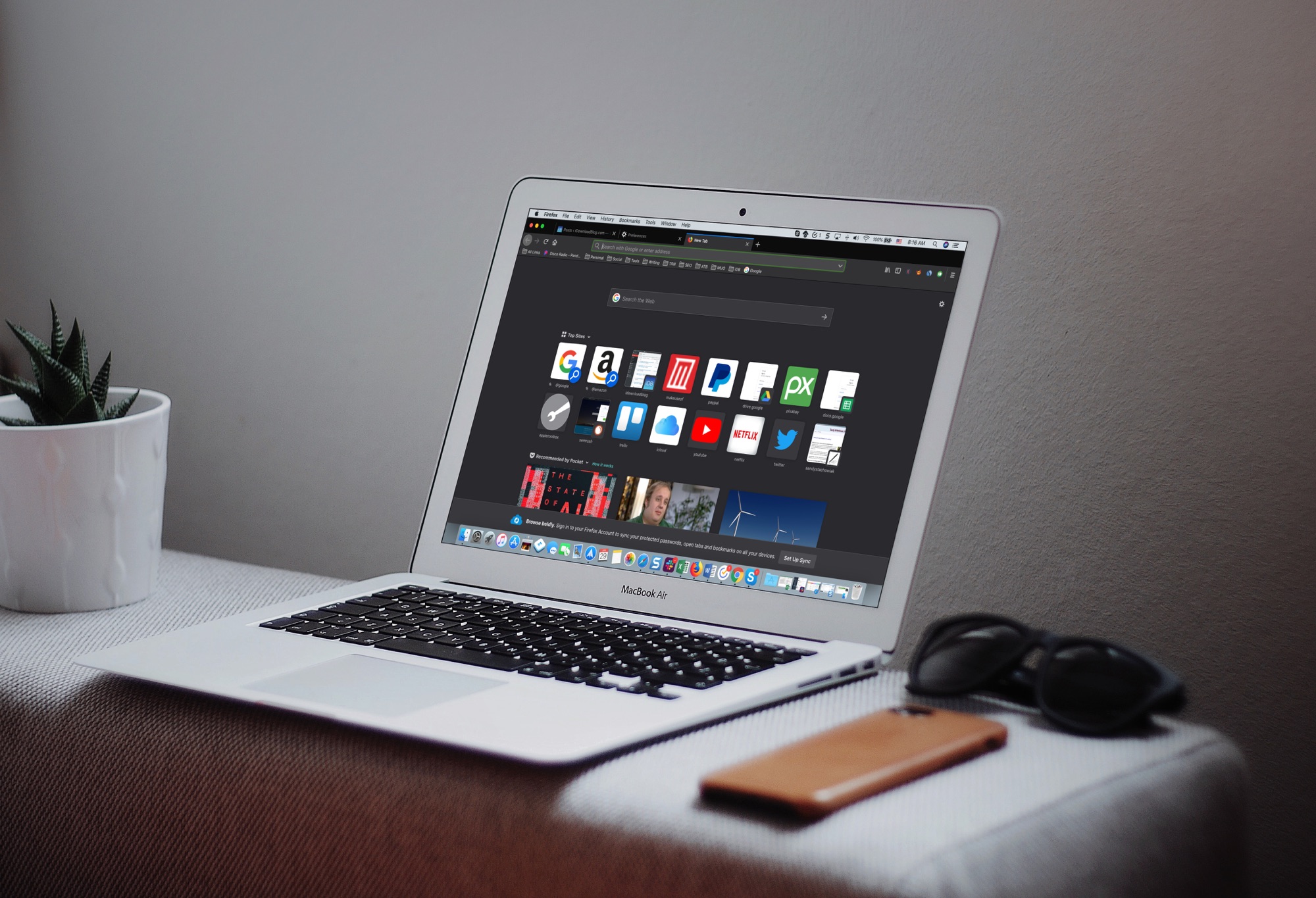
Firefox Dark Theme on Mackbook Screen

The Dark Mode on Mac is a cool feature, not just for the look and feel, but can be helpful for toning down the bright screen, especially in the evening. So, using a dark mode on your apps can be just as useful.

If you use Firefox in addition to or instead of Safari, you can set this up there too. Here’s how to enable the Firefox Dark Theme on Mac.

Turkey brings a pitch-black Dark Mode theme to Cydia

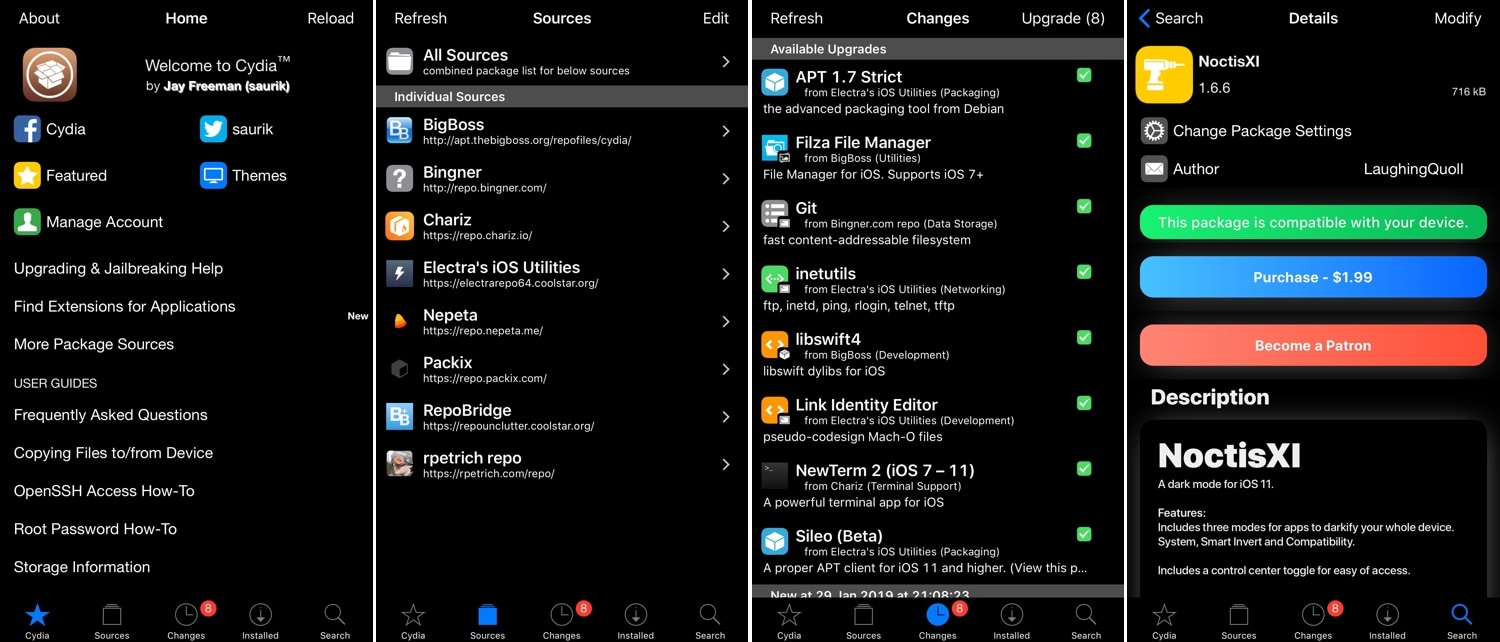
It seems likely that Apple could implement an official Dark Mode feature for iOS 13, so wouldn’t it be nice if you could get the same aesthetic in your Cydia app?

If you’re on board with the aforementioned thought process, then you might appreciate a new jailbreak tweak called Turkey by iOS developer LaughingQuoll. As depicted in the screenshot examples above, Turkey brings a sleek Dark Mode experience to the Cydia package manager.

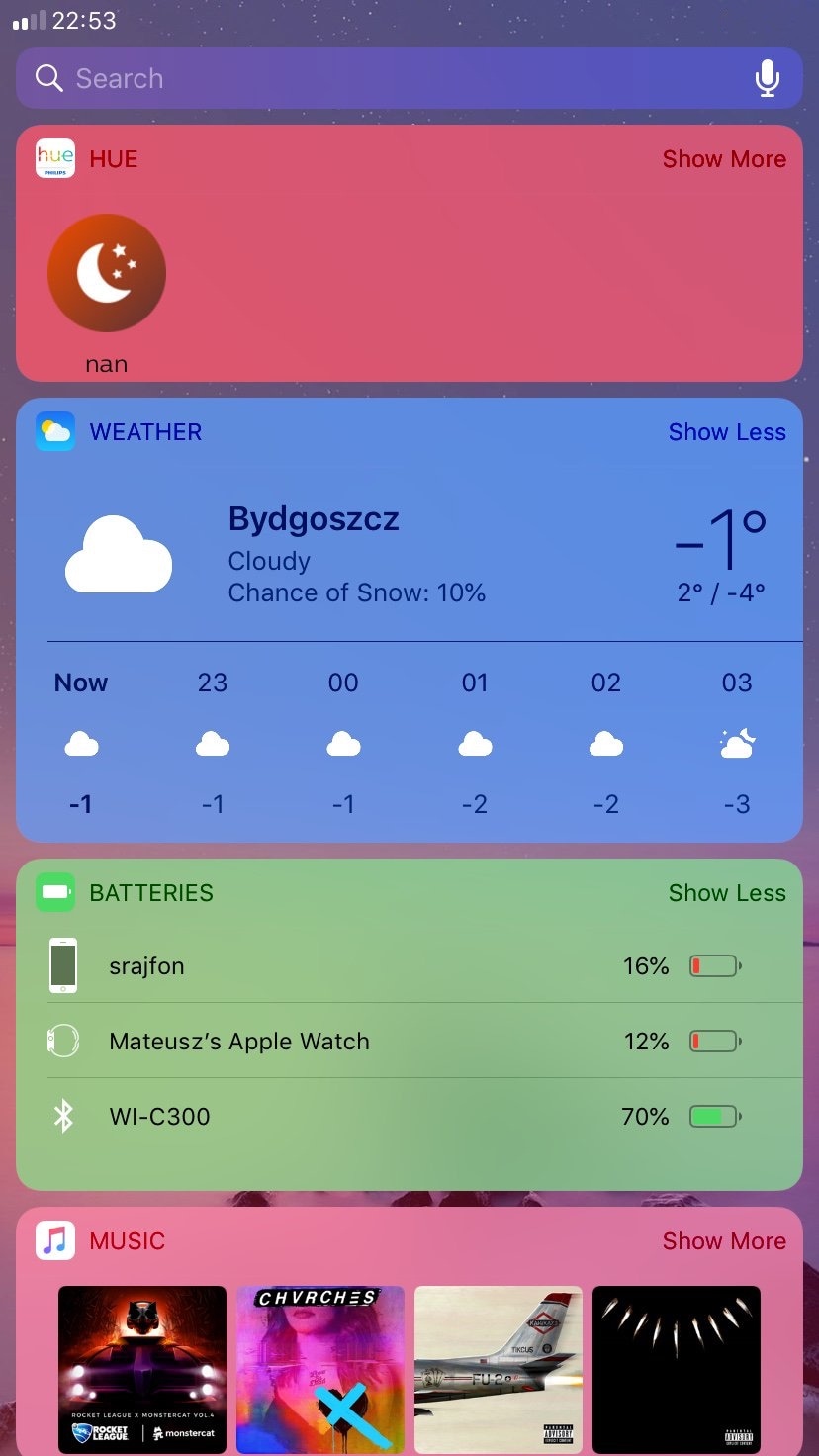
This tweak lets you colorize iOS’ multitude of Today View widgets

If there’s one thing about jailbreaking my iOS devices that stands out to me most, it’s being able to customize the look and feel of iOS outside of Apple’s stock parameters. Fortunately, there’s no shortage of jailbreak tweaks that can do this, and new ones are seemingly being released every day.

In this piece, we’ll take a closer look at Colorful Widgets, a new free release by iOS developer Mateusz Morawski that colorizes your iPhone or iPad’s widgets with a whole host of different options.

Looking to give Cydia a modernized facelift? Try CellDia

Despite the relatively small number of redecorations the Cydia app has received over the last several years, it continues to be a reliable package manager today. Fortunately, Saurik (Jay Freeman) empowered developers to tweak and modify the Cydia app under Cydia Substrate starting in 2015.

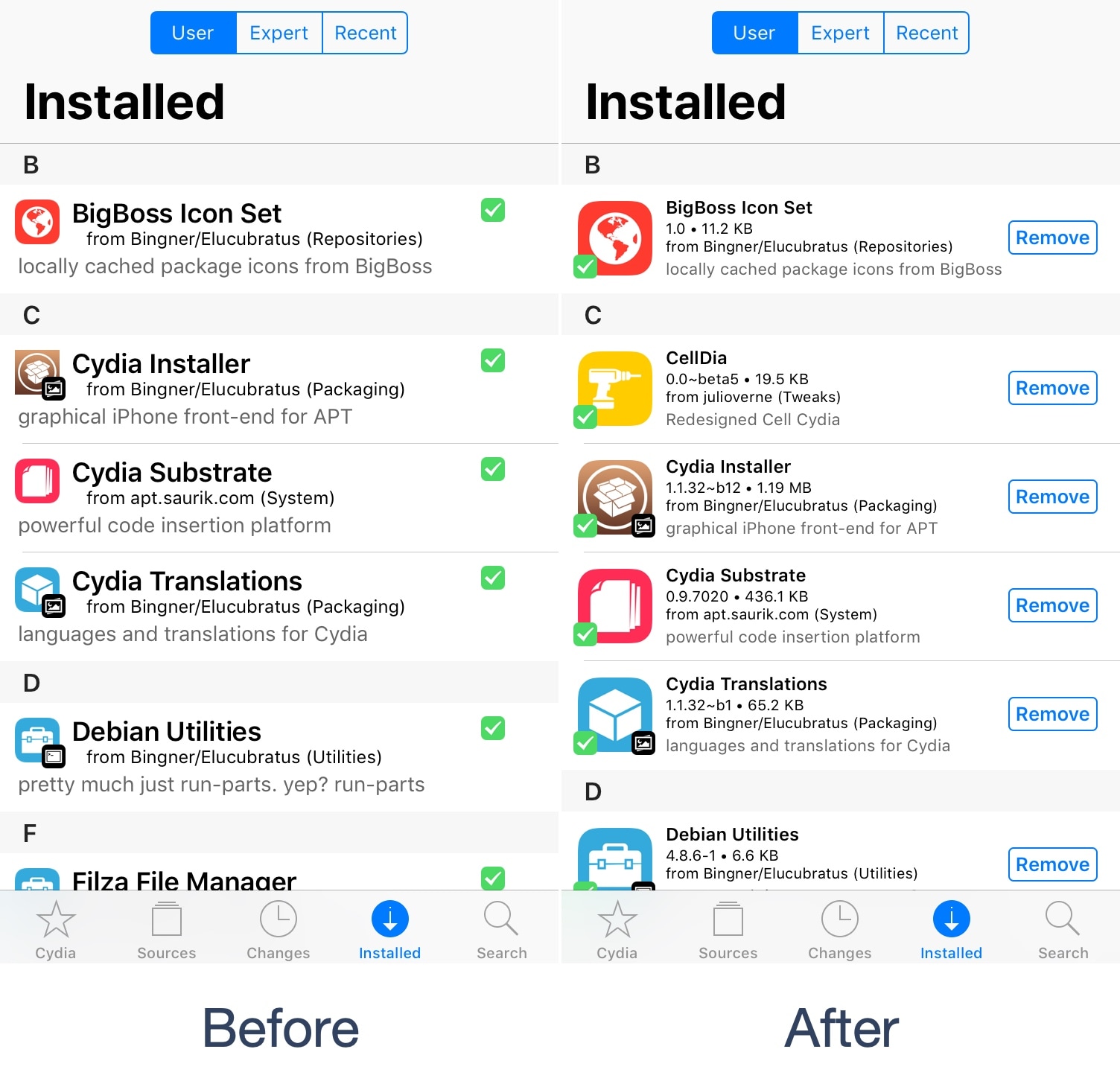
Given the circumstances, the ball is very much in the jailbreak community’s court to make Cydia look and behave differently than it does out of the box, and that’s exactly what a free jailbreak tweak called CellDia by iOS developer Julio Verne attempts to accomplish as you’re about to witness.

DashBored: A tweak to reduce your boredom with the iPhone’s Dashboard interface

Your iPhone’s Lock screen and Notification Center are each home to a specialized interface for displaying the date and time along with a list of information notifications – this interface is known as the Dashboard.

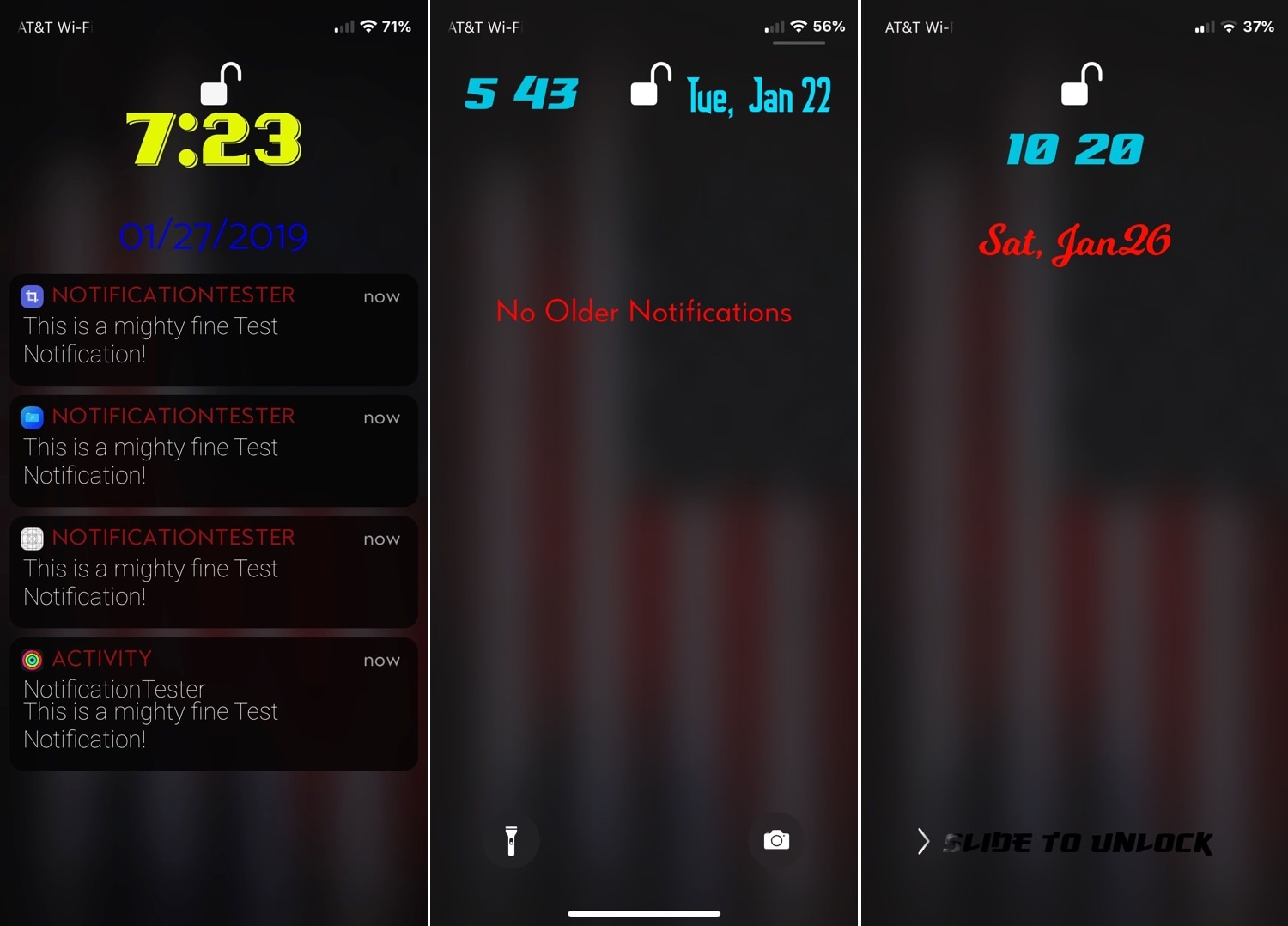
That said, if you’re feeling a bit bored with the stock look and feel of the Dashboard, then perhaps you should try a new free jailbreak tweak called DashBored (pun intended) by iOS developer Smokin1337. As shown in the screenshot examples above, this tweak lets you customize the Dashboard’s colors, font, notifications, text, and much more.