Theme

Ventana brings a Windows 10-inspired Lock screen to jailbroken iPhones and iPads

If you like how the Windows 10 Lock screen looks and feels, then you’ll probably enjoy using a jailbreak tweak called Ventana by iOS developers CoolStar and Jeremy Goulet. This tweak redesigns your iPhone or iPad’s Lock screen to make interface elements appear more as they would on a Windows 10 device.

Right out of the box, Ventana themes the Now Playing interface, any incoming notification banners you might have waiting for your attention, and the date and time display. Ventana also provides you with a Siri shortcut akin to the Cortana shortcut that you might find on Windows 10.

Umbreon: A customizable Dark Mode for web pages in iOS

While most Dark Mode-oriented jailbreak tweaks support iOS’ native app interfaces, the vast majority lack support for the various web pages you might visit while surfing the web.

Two tweaks launched in September, dubbed Deluminator and Nebula, were some of the first to bring a full-featured Dark Mode experience to web pages in particular. But now, a new release called Umbreon by iOS developer Soh Satoh accomplishes this same goal while providing some additional customizations.

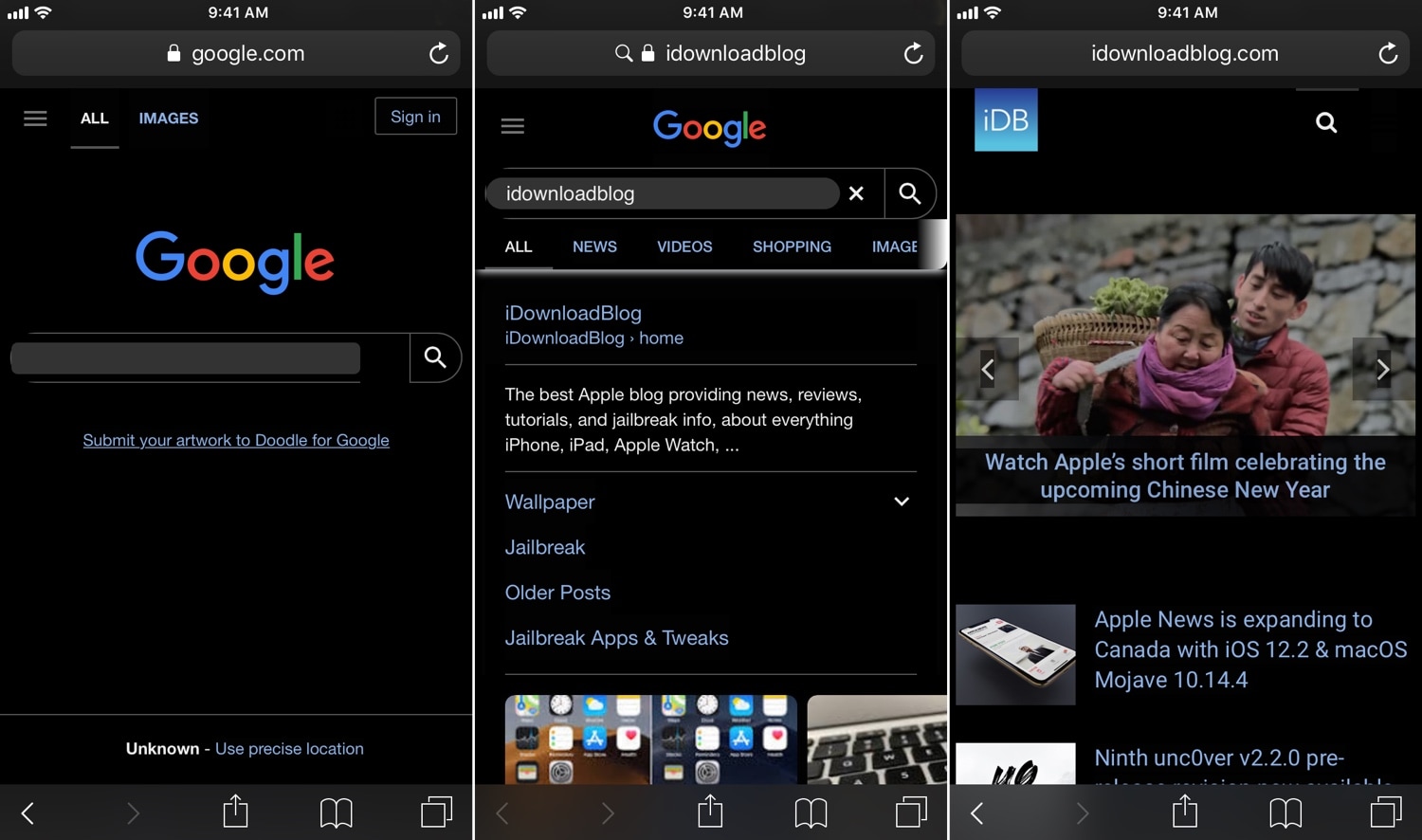
In the screenshot examples above, you can see how white backgrounds on most web pages are darkened to reduce the eye-searing effect that’s typically endured while browsing the internet in a dark environment. Umbreon should play nicely with most standard web pages, but there are some instances where a web page won’t be fully compatible.

After you install Umbreon, you’ll find an extensive preference pane in the Settings app where you can configure the tweak to your liking:

Here, you can:

Toggle the tweak on or off on demand Enable Dark Mode for web pages Combine custom CSS formatting with Dark Mode CSS Select different apps to disable features in Configure a CSS injection delay Toggle gray background instead of black for Dark Mode Enable web image brightness adjustments Use a slider to set a custom image brightness level Enter custom Dark Mode CSS styling if you don’t want to use the default Toggle website filtering Choose whether filter is a black list or a white list Choose whether filter should exactly match URLs or guess websites based on name Inject custom JavaScript Toggle filtering for JavaScript injection

The developer includes a respring button at the top right of the preference pane that you can use to save your changes. You should use it any time you adjust the settings in this pane.

Compared to Deluminator and Nebula, it seems like Umbreon intends to offer more features to the end user, but its aesthetics aren’t as streamlined. As you can probably discern from our screenshot examples above, some website elements don’t render as expected, such as the Google search bar text field and the filtering tabs just above the Google search results.

Finally, we should mention that Umbreon looks best when paired with a core Dark Mode tweak, such as Eclipse or Nightshade; otherwise, you'd only be theming web pages and not the apps you use on a regular basis.

If you’re interested in trying Umbreon, then you can download it for $1.00 from Cydia’s Packix repository. The tweak is compatible with jailbroken iOS 10 and 11 devices. Any bugs should be reported directly to the developer such that they can be fixed promptly.

What are your thoughts about the versatility that Umbreon presents? Let us know in the comments section below.

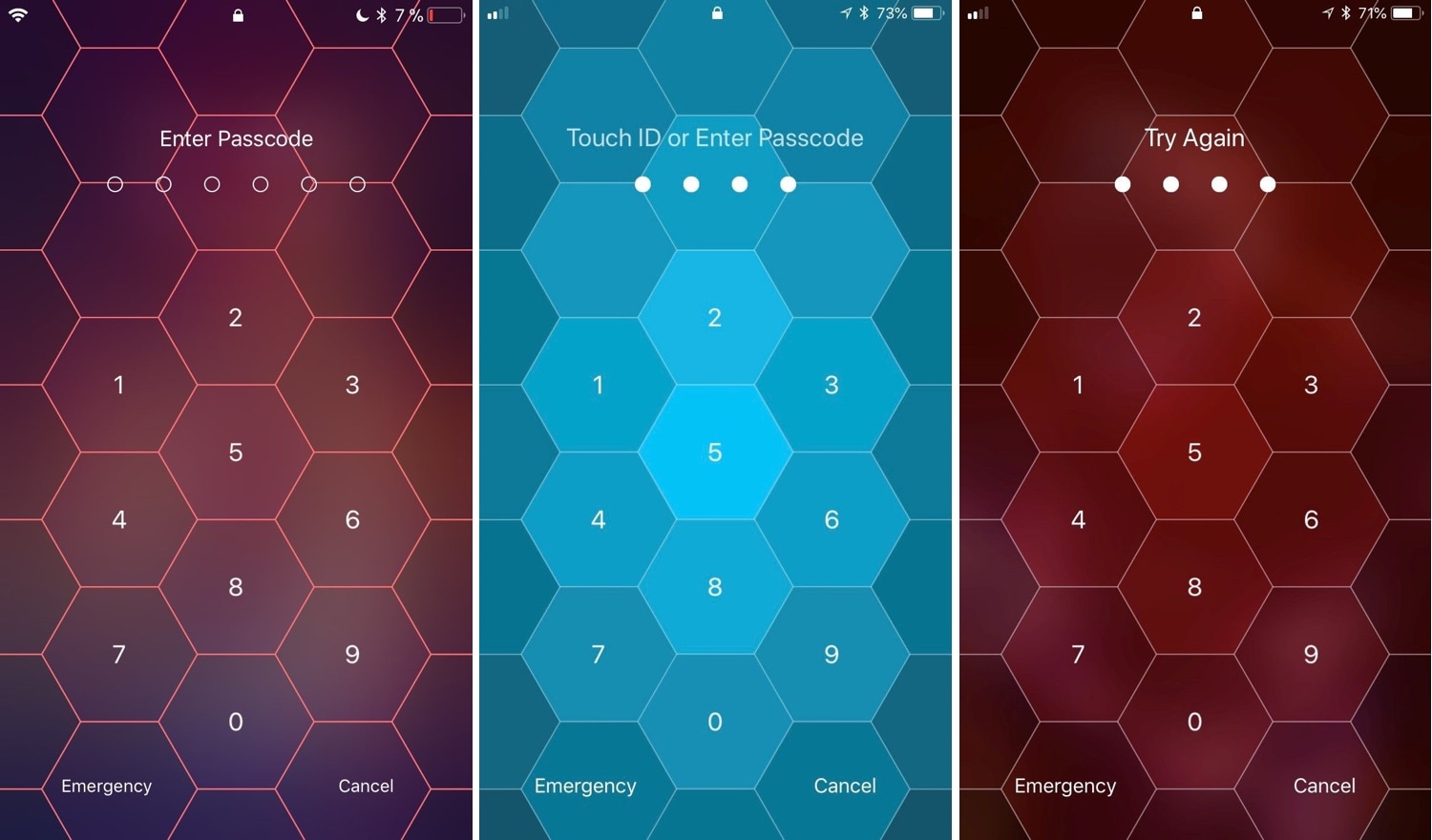
Hive: A hexagonal take on the iPhone’s passcode interface

I use Face ID and/or Touch ID so often these days that I’ve all but forgotten what it’s like to need to enter a passcode manually. Still, iOS occasionally asks for it, such as after rebooting your handset and following a multi-day timeout period. That said, you'll still stumble upon the passcode entry screen at one point or another.

And that brings me to my next point; if you’re jailbroken, then you might want to customize the look and feel of your passcode entry screen. Fortunately, there’s a new jailbreak tweak in town that will let you do that.

Set iPhone wallpapers that change throughout the day with AutoWall

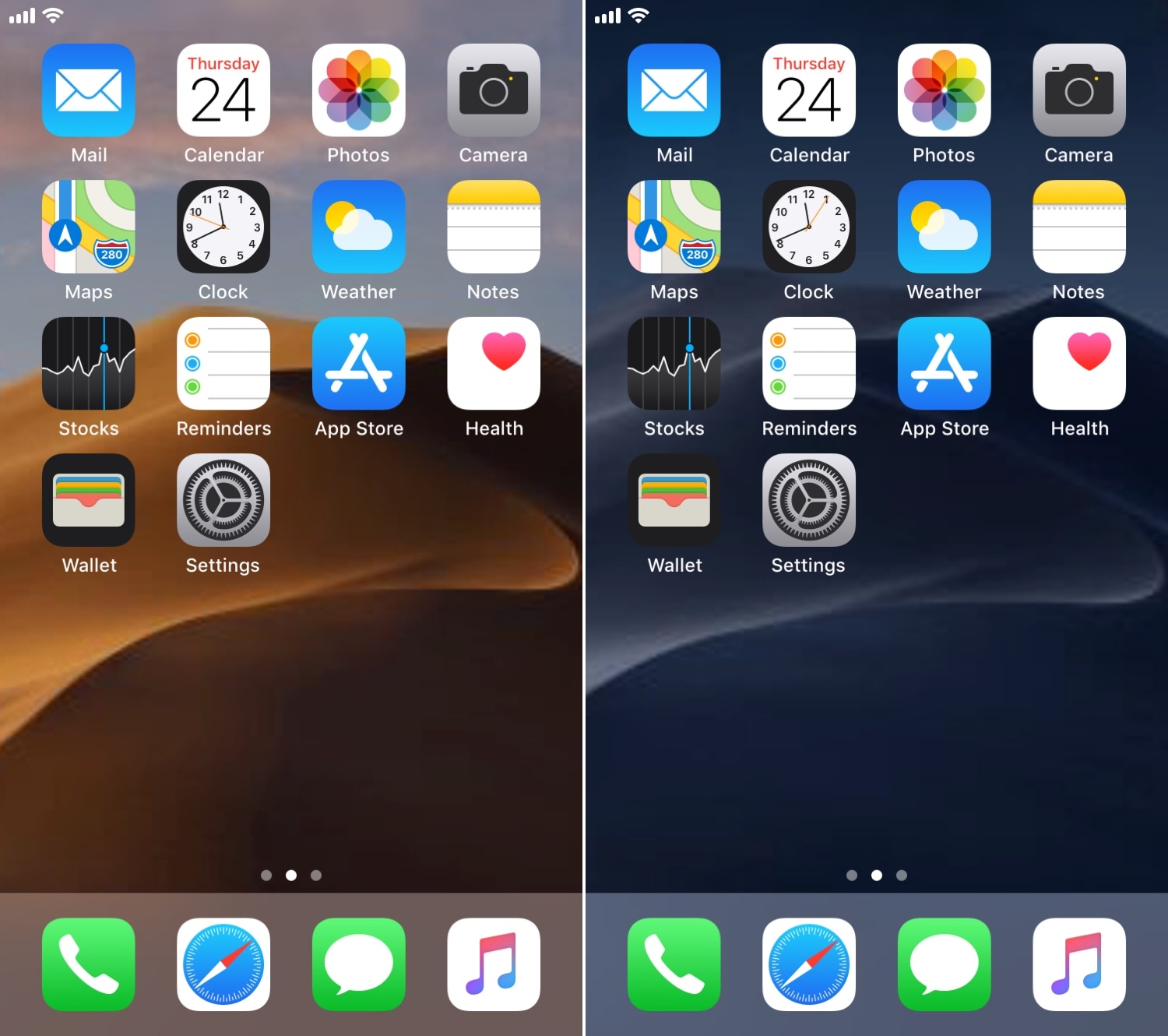
One of my favorite features in macOS Mojave is the dynamic wallpaper, which changes from a daytime desert landscape during the day to a nighttime desert landscape come nightfall. Apple is evidently capable of implementing something like this on the iOS platform as well, but they haven’t yet; and there’s no guarantee they ever will.

Fortunately, jailbreakers don’t need to wait. A free jailbreak tweak called AutoWall by iOS developer Julio Verne lets you have time-centric dynamic wallpapers on your iPhone or iPad – perfect for replicating macOS Mojave’s treasured feature on the iOS platform.

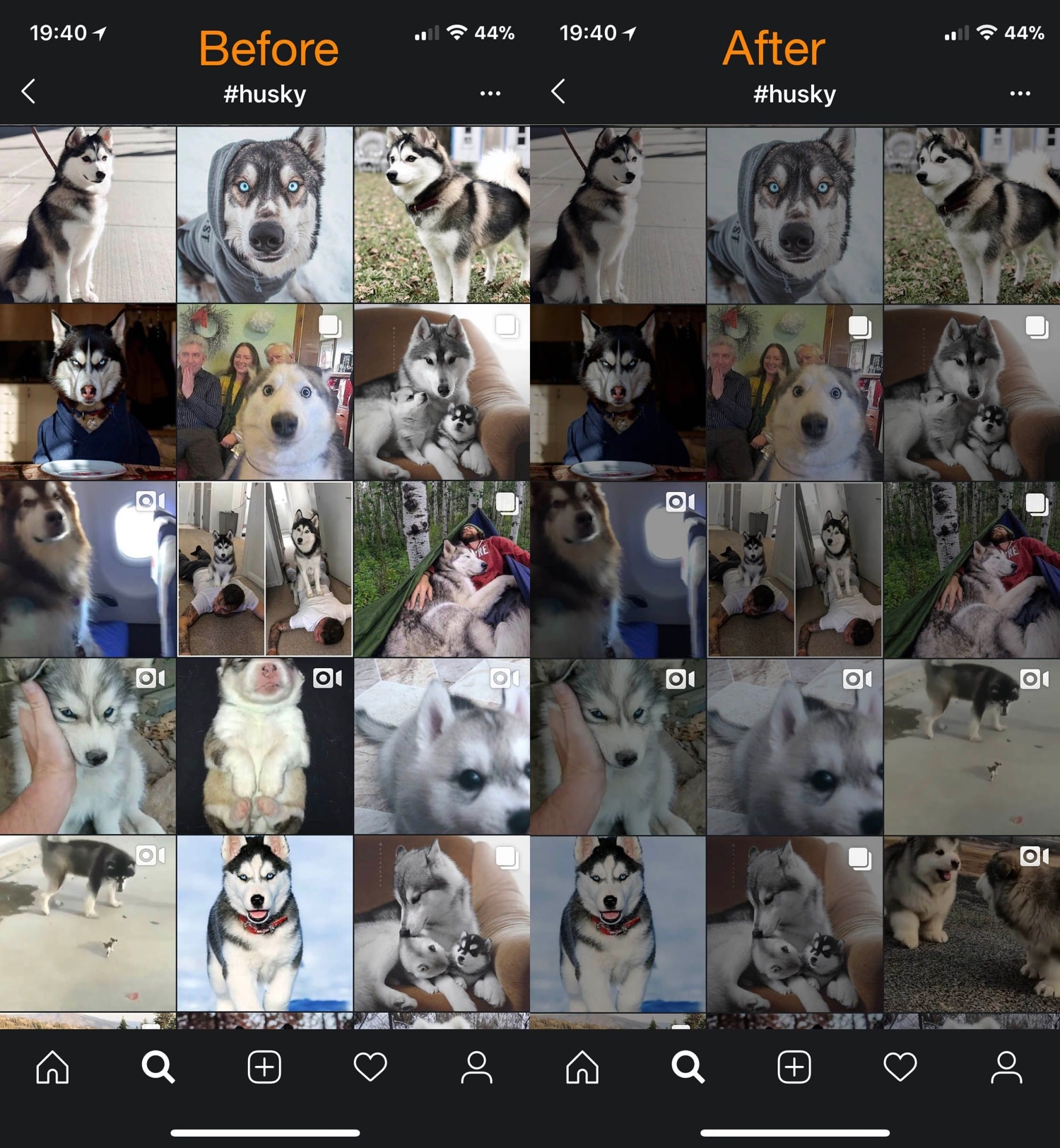
Dimage brings smart image diming to Dark Mode-supported apps

Dark Mode-centric jailbreak tweaks are becoming increasingly popular given the lack of native Dark Mode support in Apple’s mobile operating system, but while the bulk of such tweaks can make an app interface or web view darker, that doesn’t do much for the content inside the app, such as images and screenshots shared by others in social media apps.

Blurbe puts a darker spin on some of iOS’ blurred interfaces

Apple accentuates several interfaces throughout iOS with a blurred background to help bring the overlaying interface into focus; key examples include Control Center, Folders, and Spotlight search, just to name a few.

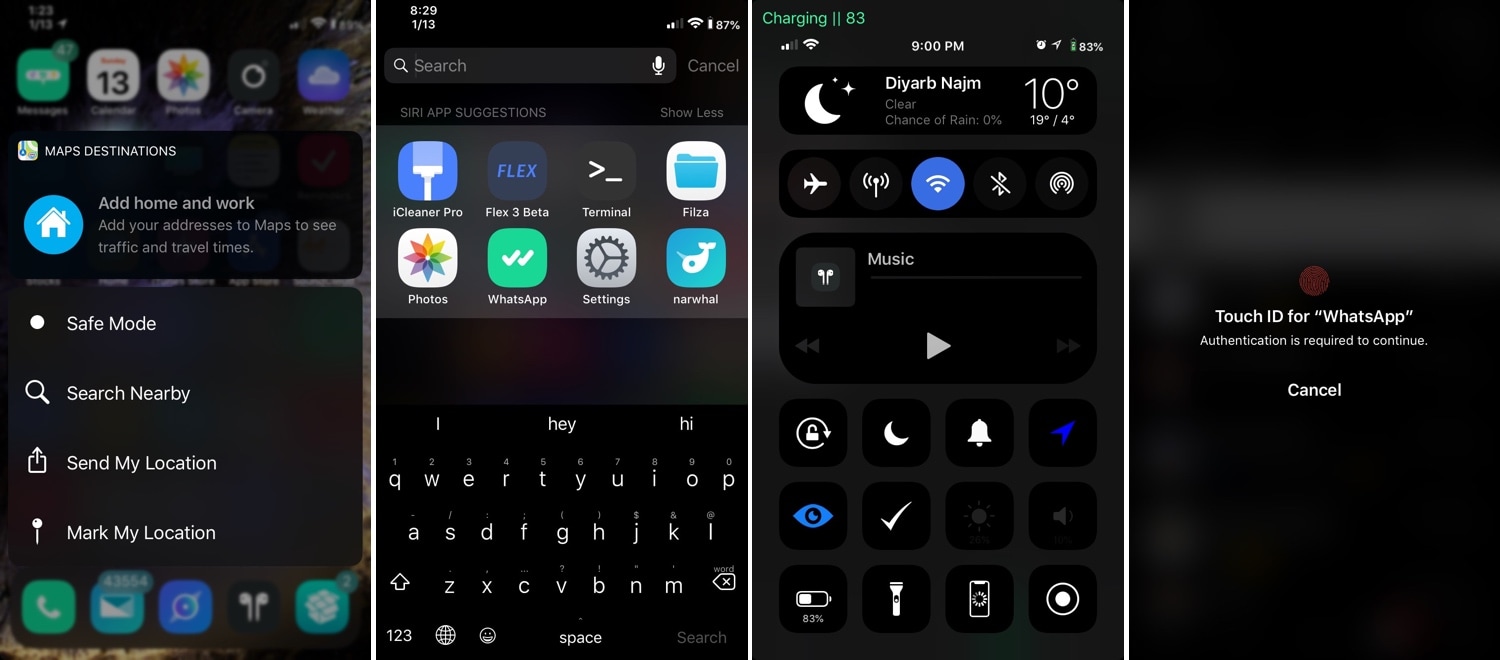
Albeit aesthetically attractive, Apple could bring these blur effects into the modern age with the help of a darker color scheme. Fortunately, that’s something that a new free jailbreak tweak dubbed Blurbe by iOS developer dpkg_ brings to the table.

MessageBubbles brings a new look and feel to your messaging notifications

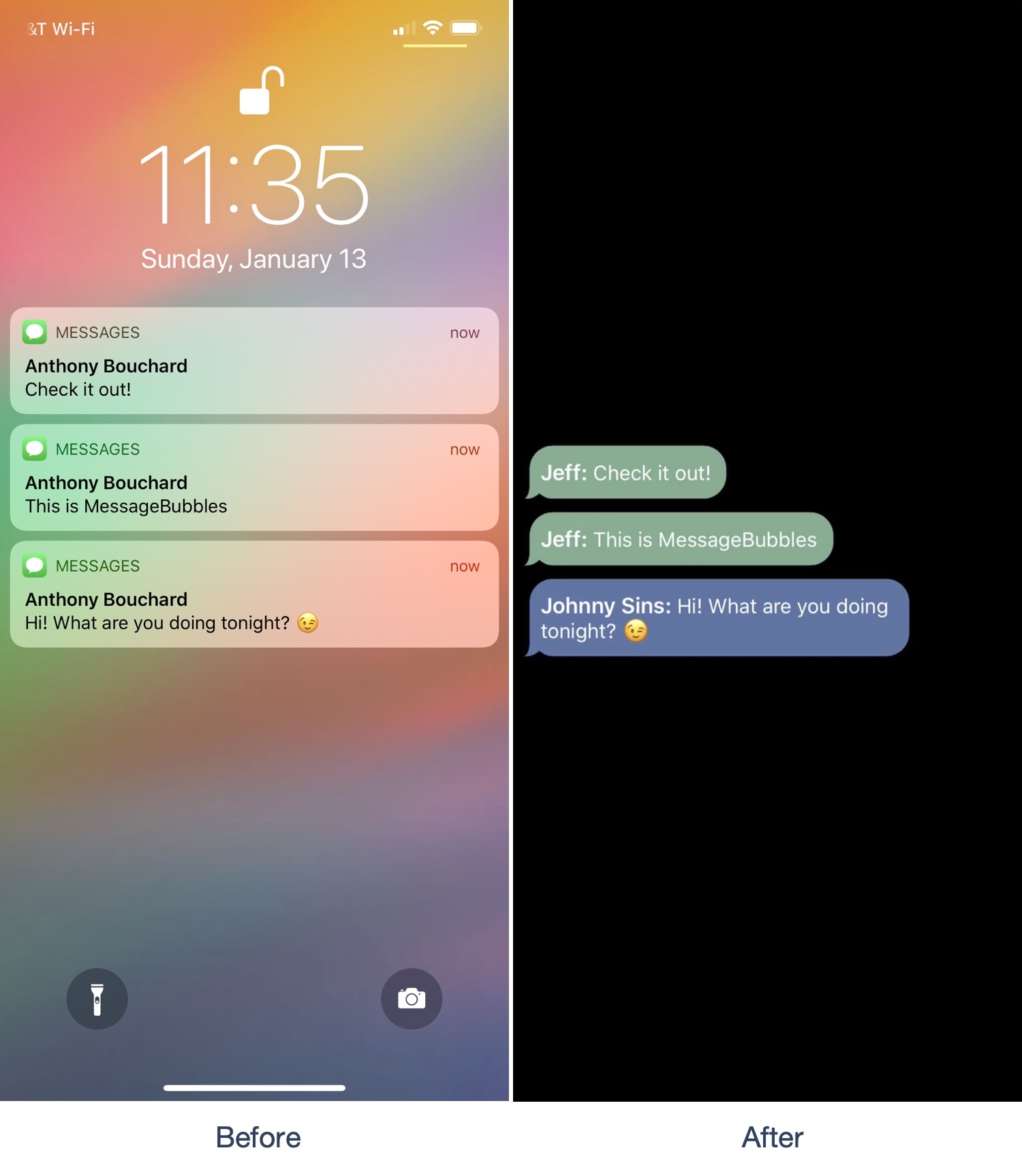
If you own an iPhone, then a significant percentage of your usage likely comprises of text messaging. Notifications for incoming messages typically stack up on the Lock screen until you acknowledge them, but if you fancy something that looks nicer, then you might appreciate a new jailbreak tweak called MessageBubbles by iOS developer Kurrt.

As the name implies, MessageBubbles replaces the Lock screen’s standard notification system with a unique message bubble-centric animation. In the screenshot example above, you’ll see how the background stays black as message bubbles from various apps roll into view. You’ll also notice how the message bubbles are color-matched to the app they originate from. This particular combination looks great on OLED displays, but also works on LCD displays.

Apply a custom color palette to iOS’ official Twitch app with Serene

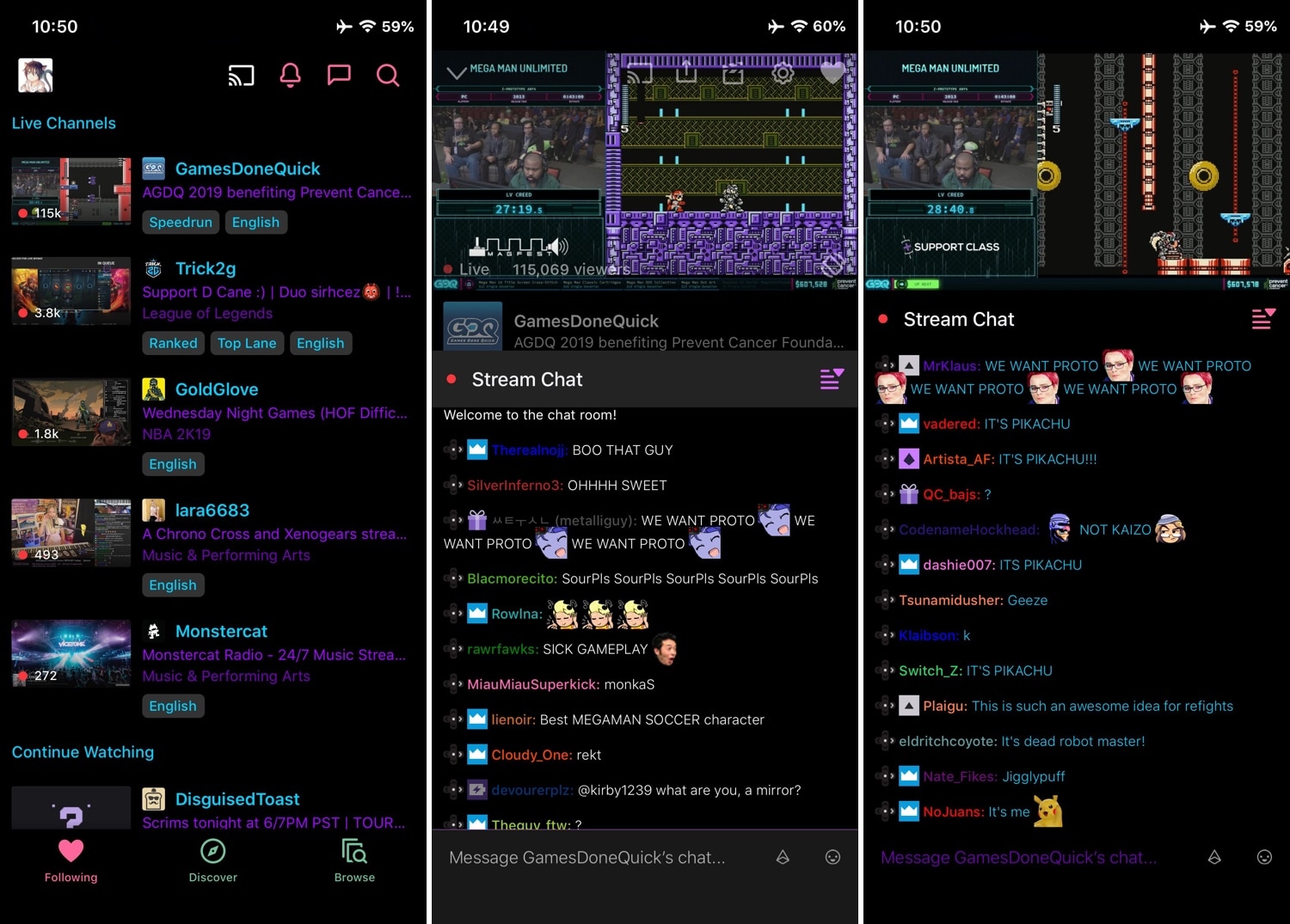
Twitch is one of the most popular ways for people to share their gaming experiences with the rest of the world. On the other hand, the mobile app doesn’t provide any options to customize the user interface out of the box; love it or hate it, you’re stuck with how it looks.

Fortunately, those with jailbroken devices can bend the rules a little bit with a new free jailbreak tweak called Serene by iOS developer Revulate. This tweak gives Twitch users access to colorization options that can help you achieve the look and feel you aspire for.

FullMusic11 makes the Music app’s Now Playing interface look nicer on iOS 11

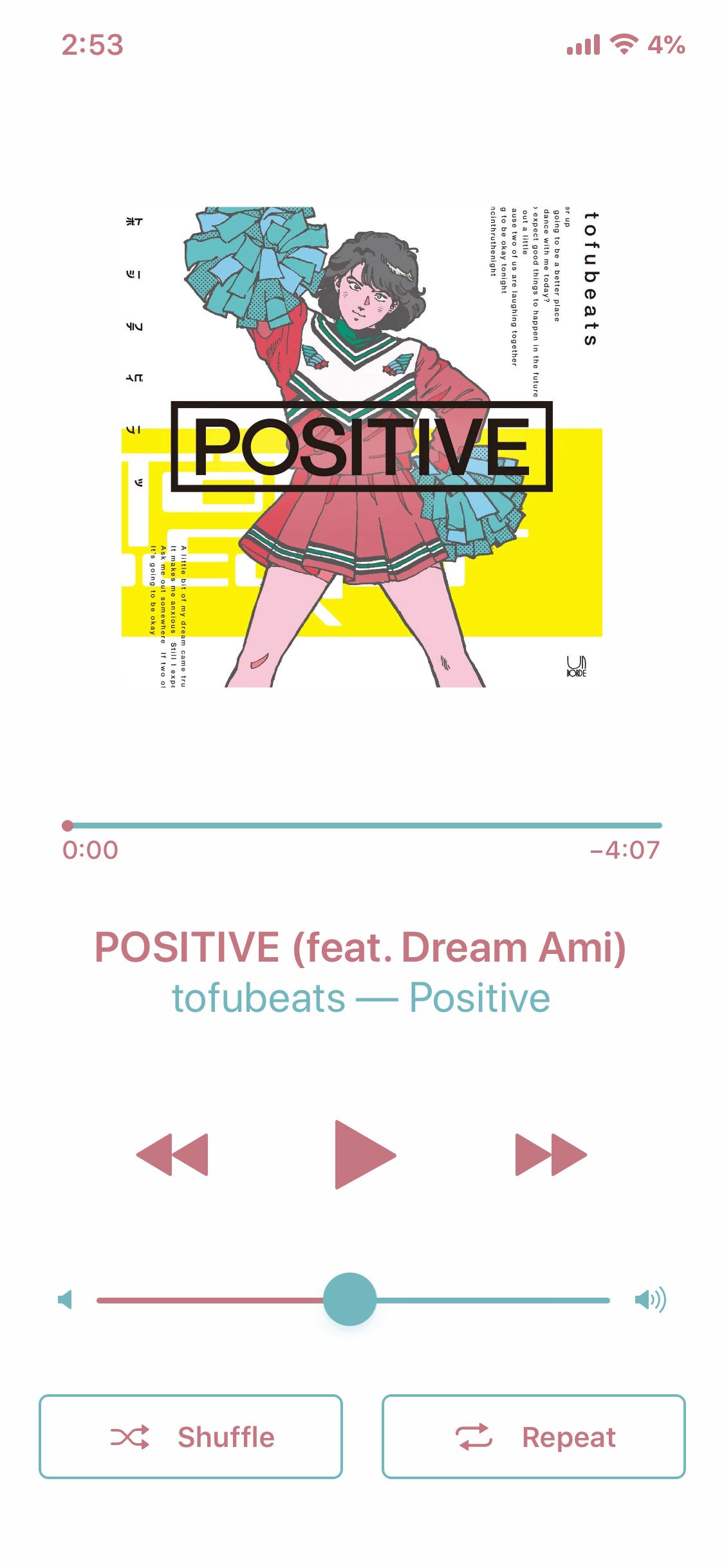
If you use Apple’s Music app to enjoy music on your iOS handset, then you’re likely familiar with how the app’s Now Playing interface doesn’t fill the entire display. Instead, it shows what some might describe as a Now Playing ‘card’ over the top of another interface.

If you fancy more of a full-screen experience while listening to music, then you might take a liking to a new jailbreak tweak called FullMusic11 by iOS developer Soh Satoh. Just as the name implies, this tweak does away with the so-called ‘card overlay’ effect and gives the Music app’s Now Playing interface a full-screen makeover to make it more consistent with other apps in iOS.

Waves brings fun fluid-like animations to your jailbroken iPhone’s Home screen

While most jailbreak tweaks are made in response to some sort of problem or inconvenience in iOS, some exist purely for good fun and entertainment. A new free release dubbed Waves by iOS developer Muirey03 is a beautiful example of the latter.

As you might have inferred already from the name and the screenshot example above, Waves brings a fluid-inspired animation to your iPhone or iPad’s Home screen. The fluid depicted in the screenshot is sensitive to motion, which means tilting your device causes the fluid to move just as the laws of physics in the real world would command.

Night Maps brings a universal Dark Mode experience to various mapview-supported apps

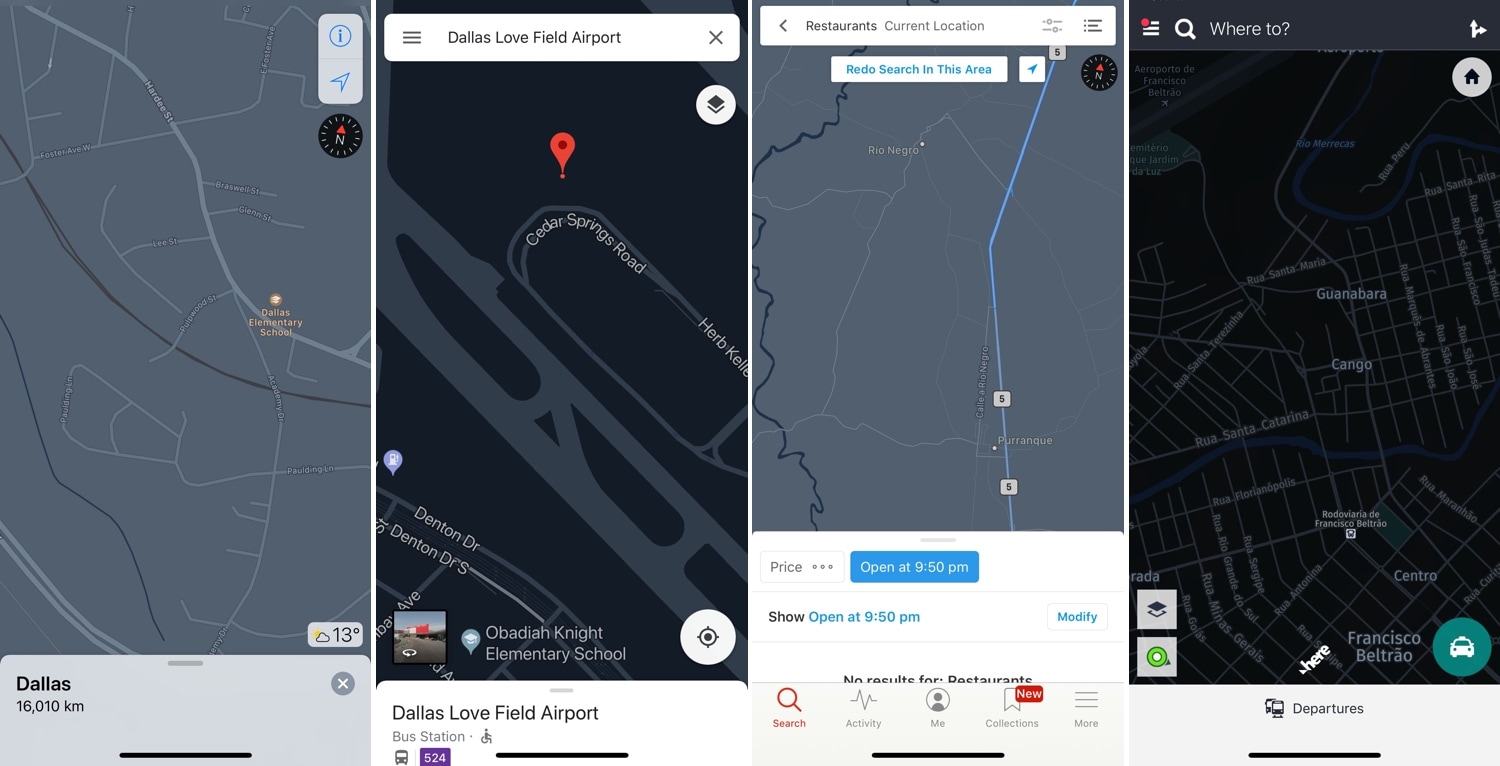
Dark Mode-centric jailbreak tweaks have become quite the hot commodity as of late, but many lack support for the different types of mapviews used in the bevy of map and navigation apps available for download in the App Store.

Enter Night Maps, a new jailbreak tweak by iOS developer FoxFortMobile that fills this particular niche. As shown above, Night Maps brings a universal Dark Mode experience to the mapview of almost any map or navigation app you might use on your iPhone or iPad.

Nightshade provides an all-in-one Dark Mode experience for your iPhone or iPad

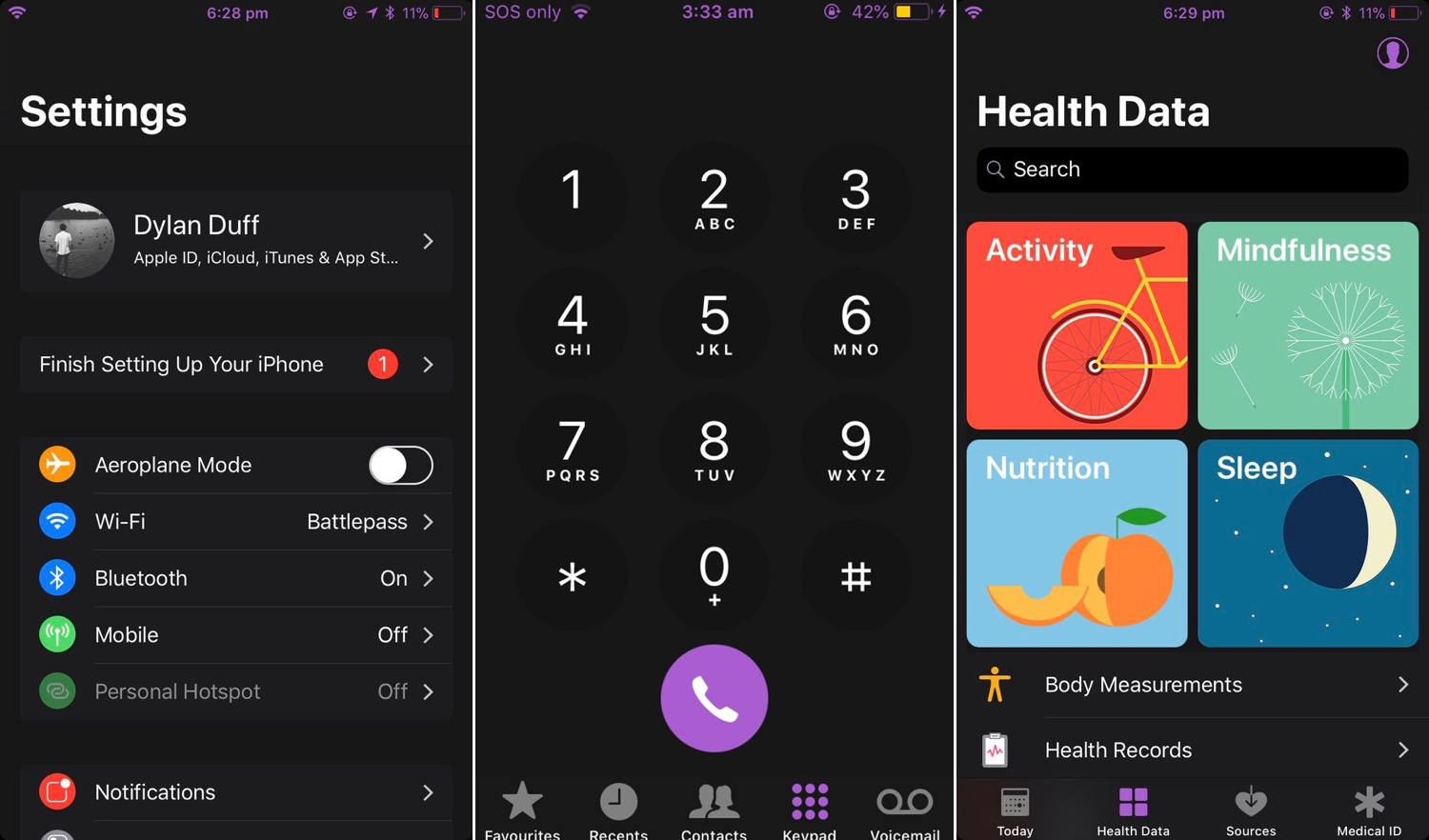
Dark Mode jailbreak tweaks have become quite the hot commodity among iPhone and iPad users, especially considering how Apple officially supports the feature on macOS. But wouldn’t it be nice to have a reliable all-in-one solution for all your apps and user interfaces rather than installing several jailbreak tweaks to achieve the same result?

If you answered ‘yes’ to that question, then you’re in luck; a new jailbreak tweak called Nightshade by iOS developer Dylan Duff promises ‘an all-in-one iOS Dark Mode’ that promises to ‘theme almost every aspect of the UI.’