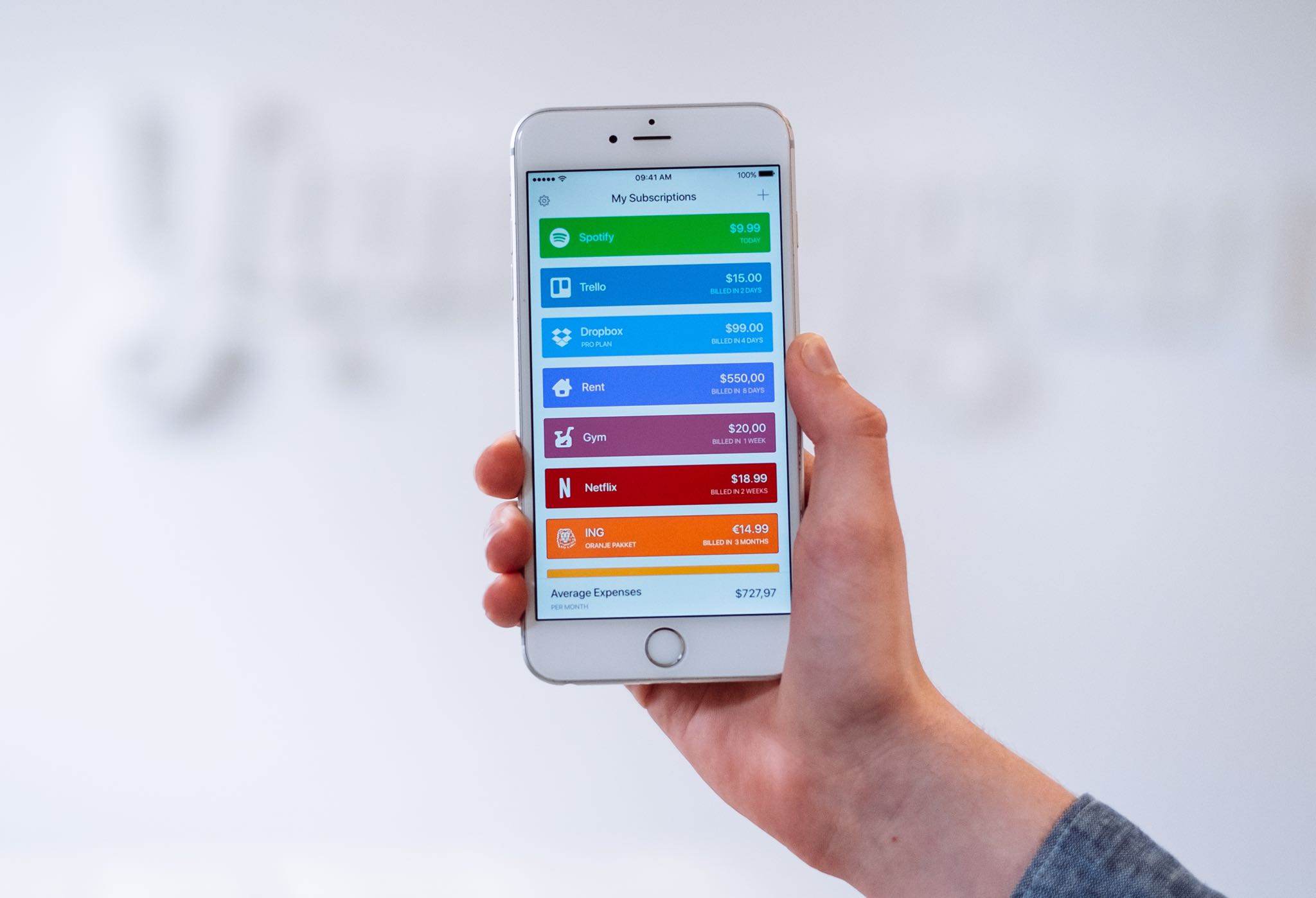
Review

This tweak randomizes the position of your passcode buttons

As you interact with the Lock screen’s passcode entry interface, you’ll notice that the number keys are always in the same place. This makes entering passcodes easier, but it also makes it effortless for nosy folks to glance over your shoulder and watch the numbers you dial in to unlock your device.

Here to help with this problem is a free jailbreak tweak called CodeScramber 12 by iOS developer eskimo_dev. As you might’ve already deduced from the tweak’s name, CodeScrambler 12 randomizes the locations of the passcode’s numeric keys every time you try to unlock your handset, as shown above.

Jailbreak tweaks of the week: AppCrumb, Centaur, Maple, Pagebar, and more

Whether you’re jailbroken by way of Chimera, Electra, or unc0ver, you’re undoubtedly looking for new ways to trick out your liberated iPhone or iPad. That’s why we make these dedicated jailbreak tweak roundups – to make finding the perfect add-ons as easy as possible for you.

In this roundup, we’ll go over all the newest jailbreak tweak releases from Monday, May 20th to Sunday, May 26th. As usual, we’ll begin by discussing our favorite releases first, and then we’ll outline the rest afterward.

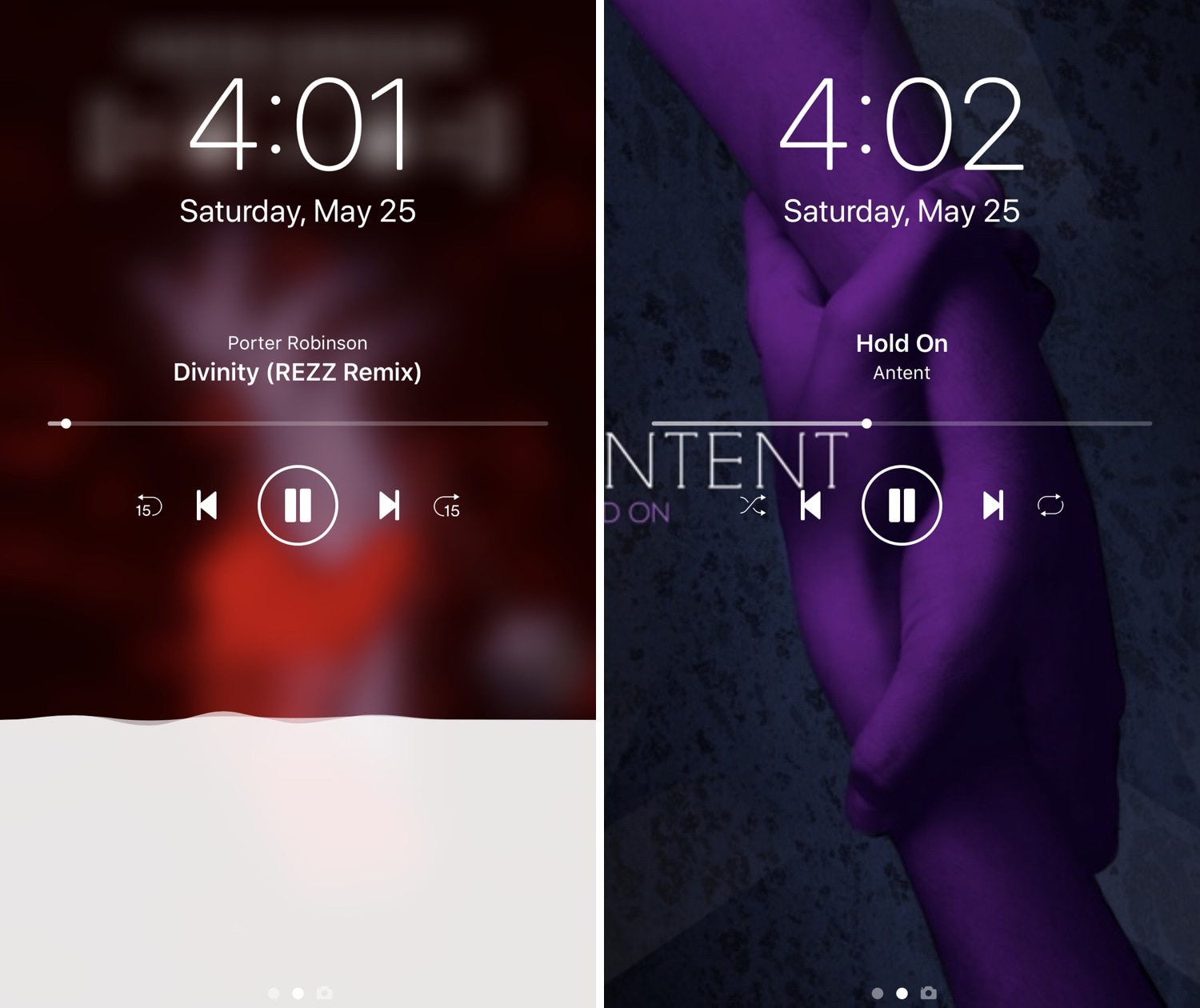
Nereid offers a pleasant upgrade for the Lock screen’s Now Playing interface

iOS’ native Now Playing interface is good enough for most people, but if you demand more out of your user experience than the average Joe and have a jailbroken iPhone or iPad in your possession, then you may want to feast your eyes on a newly-released jailbreak tweak called Nereid by iOS developer Nepeta.

From what we can gather, Nereid brings an improved Now Playing interface to your handset’s Lock screen as you listen to your music. It can set your wallpaper as the Now Playing track’s album artwork, permit color and control customizations, and much more.

AppCrumb replaces iOS’ Breadcrumb links with something better

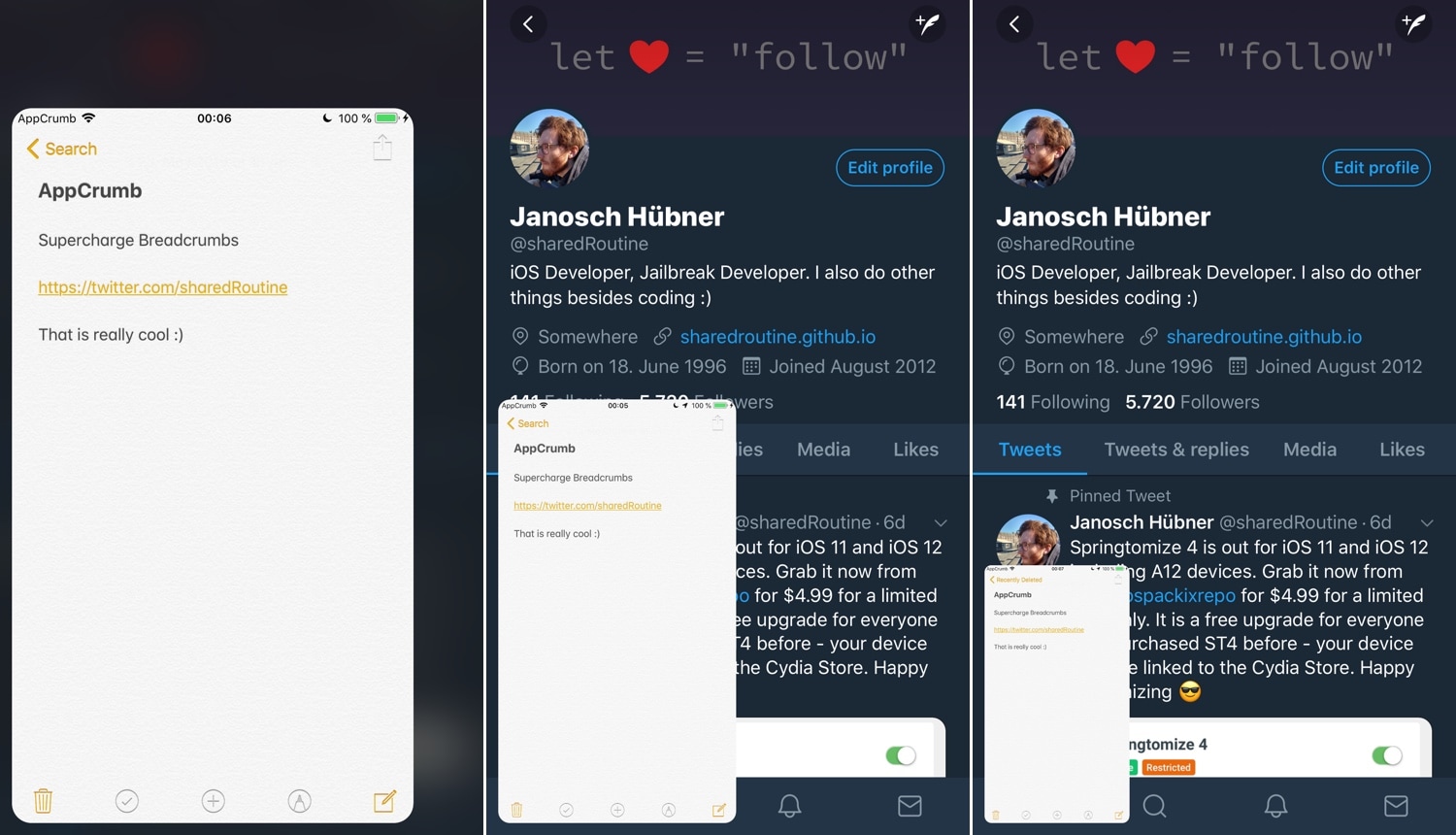
Sometimes when you tap on a link on your iOS device, your handset bumps you from one app to another. Under these circumstances, iOS puts an interactive shortcut in the Status Bar known as Breadcrumbs so that you can return to the previous app, but Apple could have done so much better in this department.

If you’re in agreeance, then you might want to peek at a newly-released jailbreak tweak called AppCrumb by iOS developer sharedRoutine. It improves Apple’s Breadcrumb links by replacing the standard Status Bar shortcut with a more full-fledged windowed app experience.

Center-align all application titles in iOS with CenteredLargeTitles

iOS 11 and 12 introduced a lot of changes over iOS 10, but in the aesthetics department, the large emboldened titles that appear in certain apps really tend to stick out.

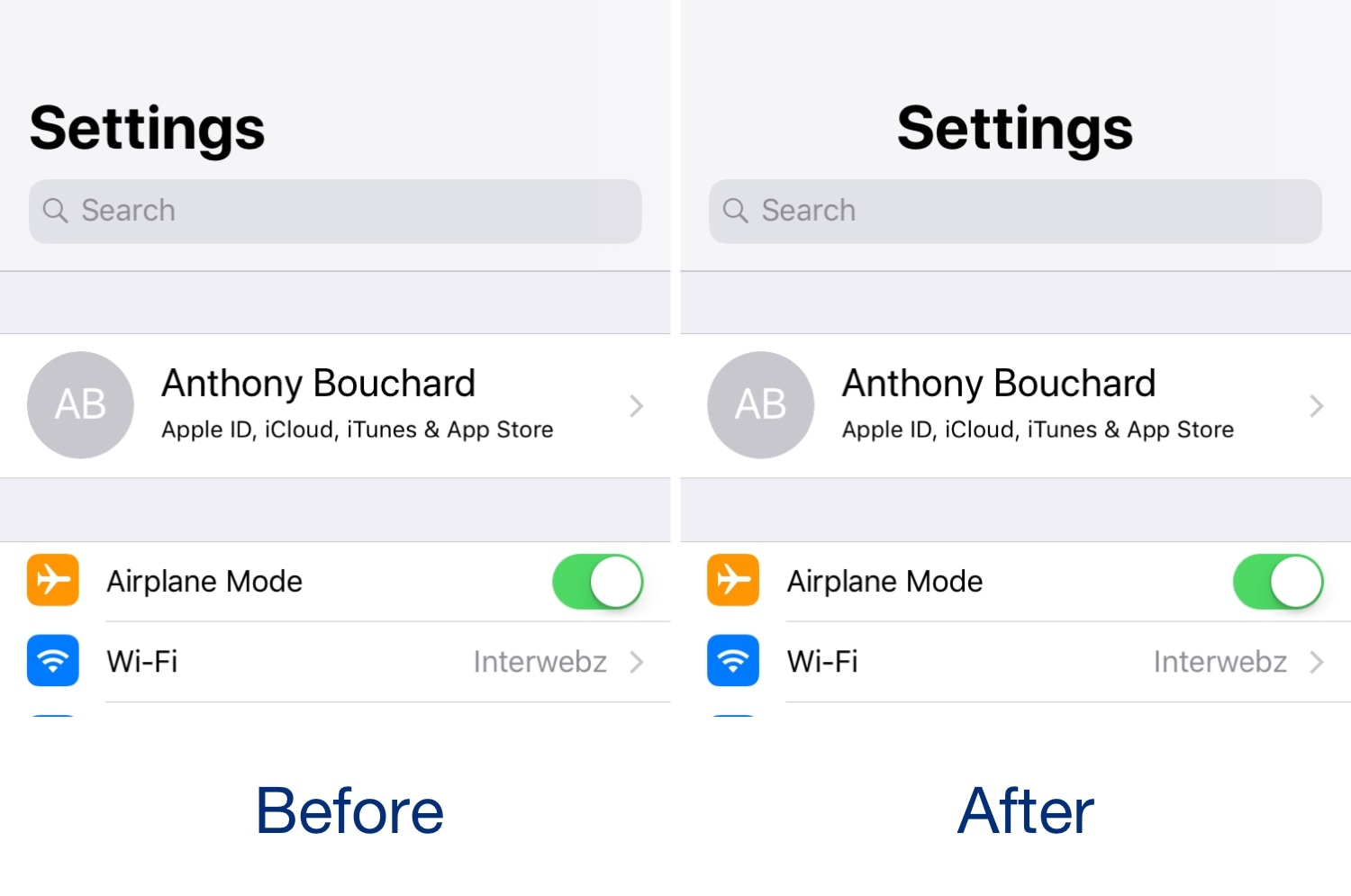
The emboldened titles don’t look terribly horrendous, but one of the most common complaints that we see regarding them is Apple’s choice to left-align the text. Given the circumstances, iOS developer level3tjg came up with a free jailbreak tweak called CenteredLargeTitles to resolve this debacle for the picky ones.

This tweak puts an audio visualizer on your Home screen

I’m a firm believer that the iPhone needs a native audio visualizer, and that’s mainly why I’m such a massive fan of a popular jailbreak tweak called Mitsuha Infinity that we showed you just last month.

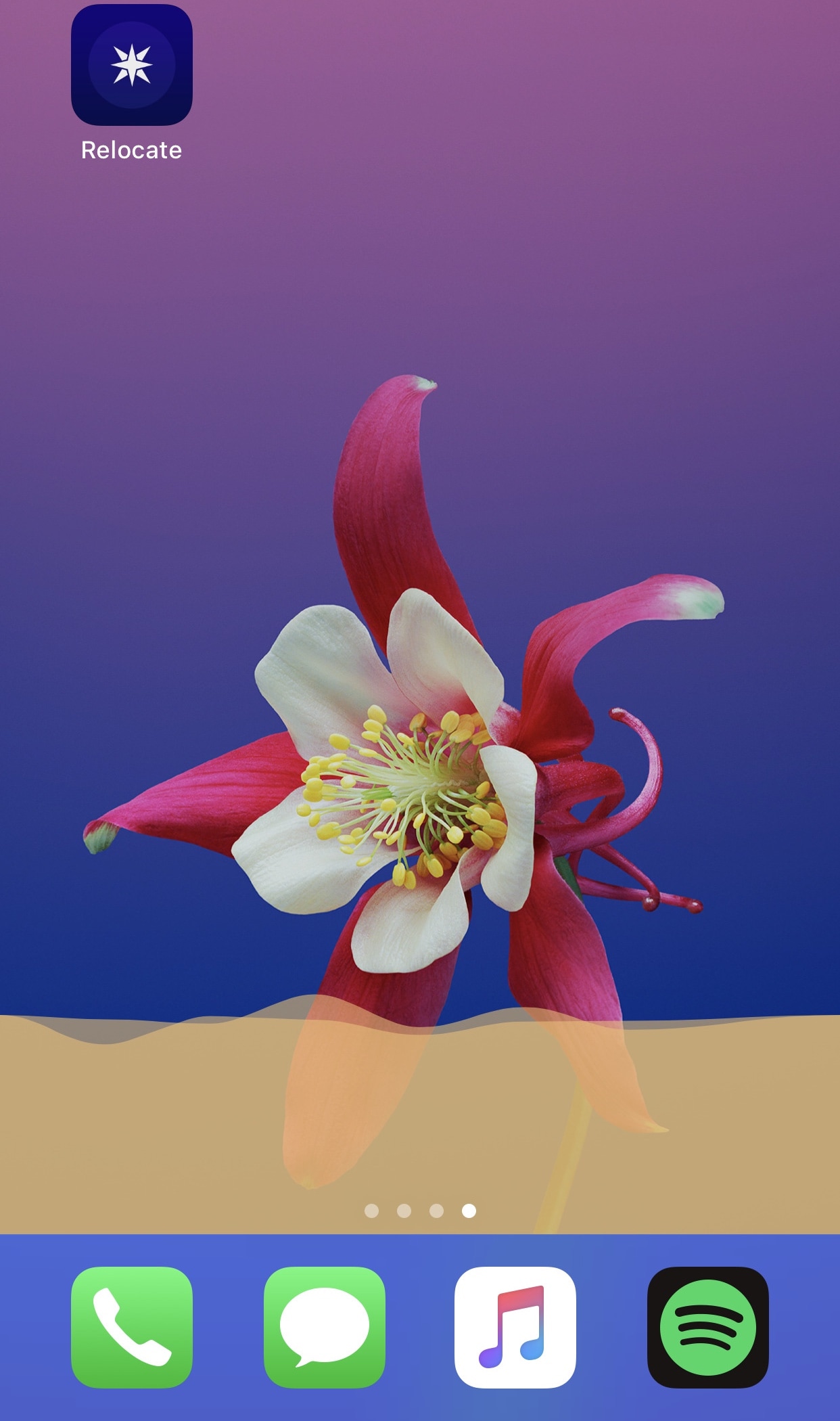
Mitsuha Infinity enabled the audio visualizer in the Now Playing app and on the Lock screen, but with a new add-on called Mitsuha Infinity – Home Screen by iOS developer Nepeta, you can now enjoy the same effect on your Home screen.

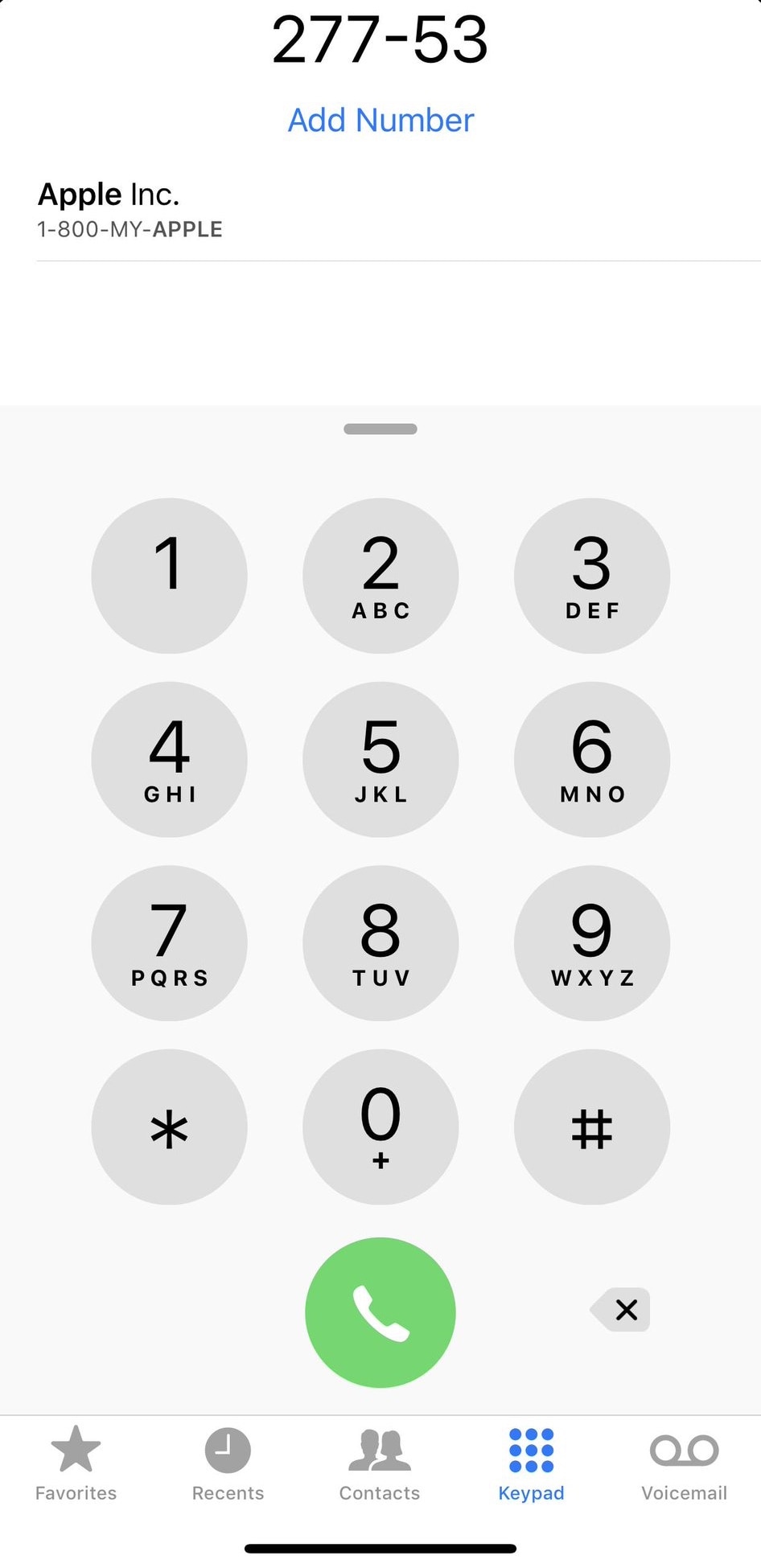
T9Dialer brings T9 dialing support to the iPhone’s native Phone app

T9 dialing was initially introduced as a means of making text input easier on 3x4 numeric keypads, much like those found on old cell phones. Modern smartphones with their phone number hot-linking and advanced contact lists have all but phased out the need for such things, but to those wishing they could access T9 in the iPhone’s native Phone app: you’re in luck.

T9Dialer is a somewhat new jailbreak tweak released by iOS developer Jordan Koch (eskimo_dev) that ports full T9 functionality to the numeric keypad in the iPhone’s native Phone app.

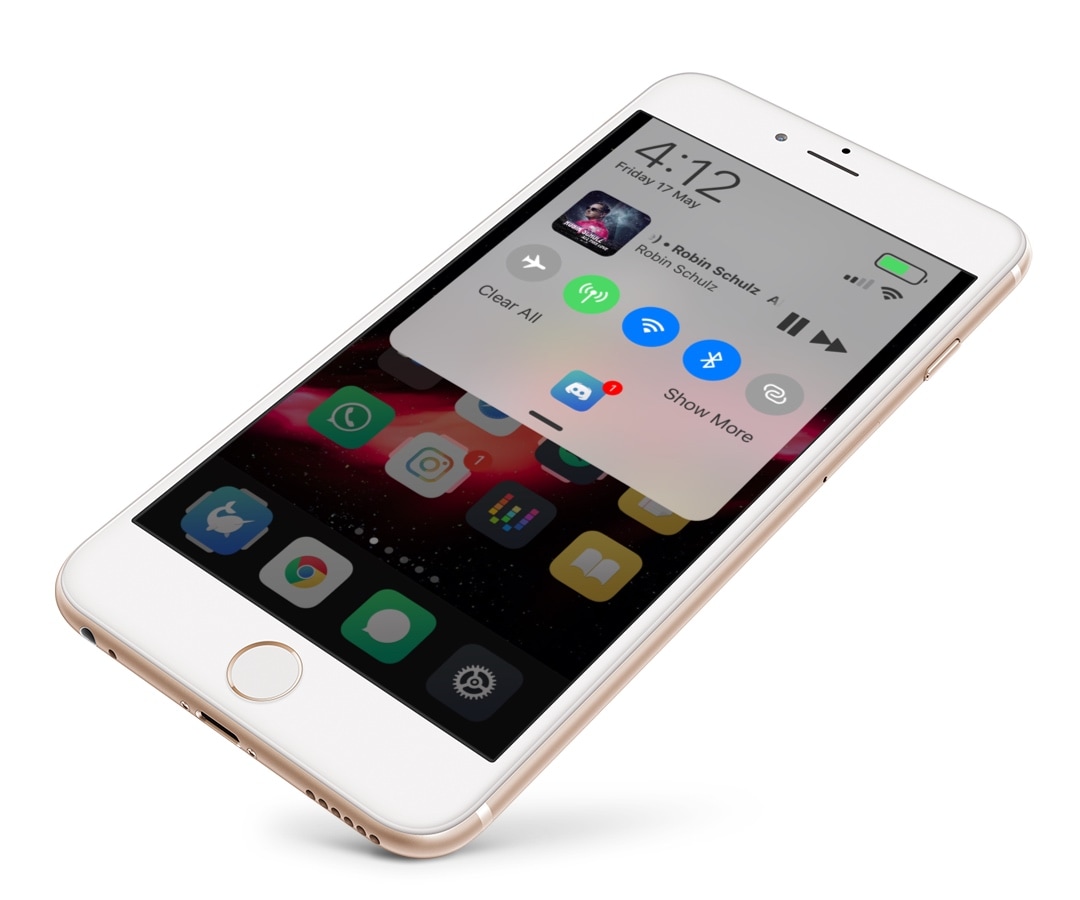
Centaur supercharges Notification Center with modules and other new features

There’s no better place in iOS to look for missed notifications than the Notification Center itself, but you wouldn’t be alone if you thought that the native Notification Center interface could benefit from a facelift.

If you’re in the market for a refreshed Notification Center interface, then you just might come to appreciate a newly-released jailbreak tweak called Centaur by iOS developer Muirey03. Centaur reimagines Notification Center by incorporating a slew of useful features like Control Center toggles, device information, and music controls, to name a few:

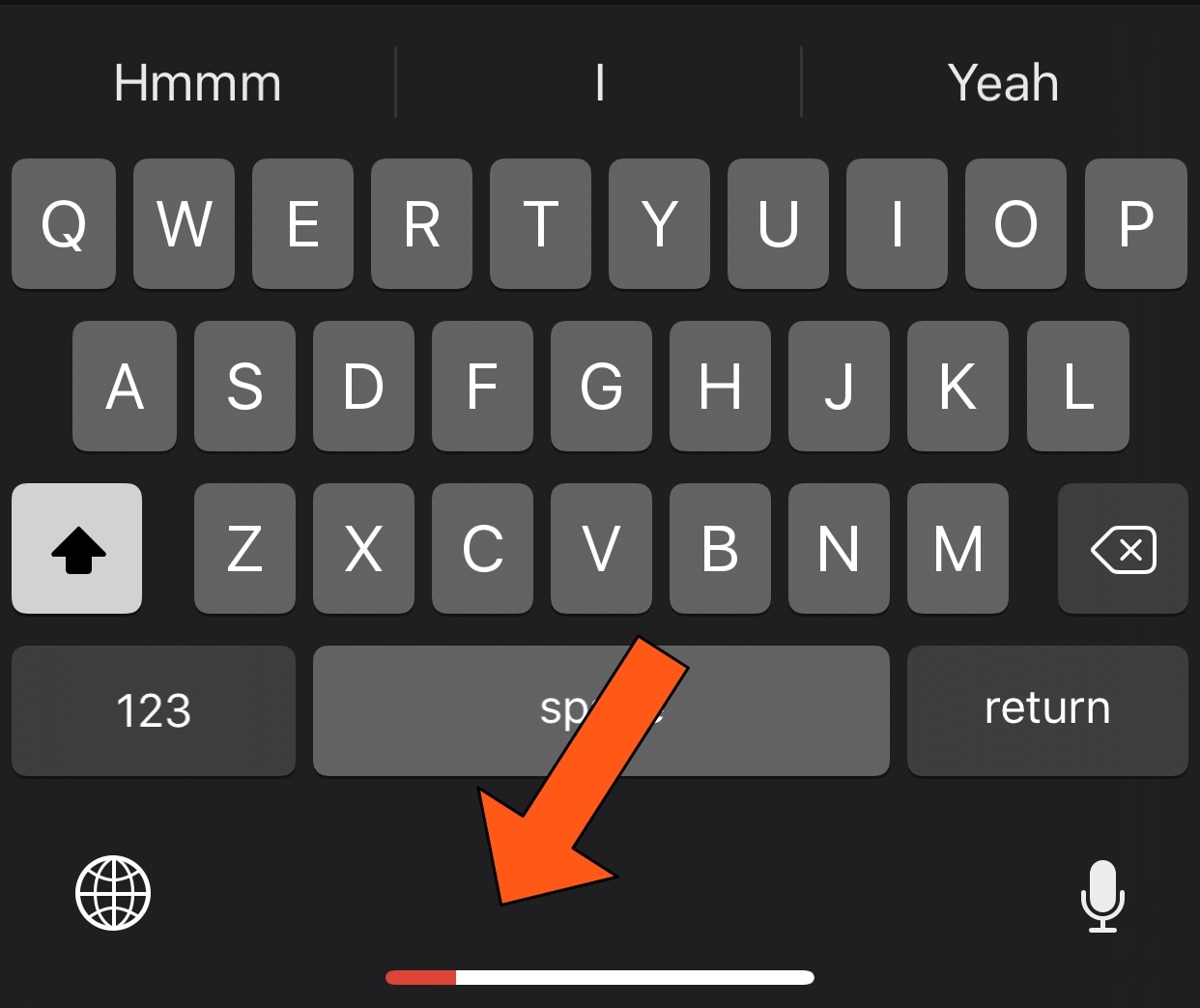
This tweak transforms the Home Bar into a Now Playing progress indicator

All notched handsets, including the iPhone X, XR, XS, and XS Max, ditch the traditional Home Button in lieu of the new Home Bar, which is a software-centric ‘grabber’ that lives at the bottom of your display. The Home Bar is used to unlock your handset, return to the Home screen, and access the App Switcher, but that’s about it.

It seems like the Home Bar could be made to do so much more, and that's why we were particularly fascinated by the release of a new free jailbreak tweak called HomeBarMediaProgress by iOS developer Jordan Koch (eskimo_dev), as it aims to give the Home Bar an added purpose. More specifically, the tweak transforms the Home Bar into a status indicator for any Now Playing media that might be playing in the background.

DockRemover hides the application Dock from your Home screen

Most people use the Dock on their Home screen for fast access to their favorite apps, but that isn’t the case for everyone; some jailbreakers, for example, run custom Home screen setups and may prefer to hide the Dock altogether.

If you fall into the latter group above, then you may take an interest in a new free jailbreak tweak dubbed DockRemover by iOS developer Blake Boxberger. As you've probably inferred from the name already, DockRemover hides the  Dock from your iOS device’s Home screen, offering a cleaner overall aesthetic.