Review

Jailbreak tweaks of the week: AirPort, HideYourApps, Springtomize 4, and more

We’ve witnessed an unprecedented number of high-quality jailbreak tweak releases in the last several weeks, and for that reason, we like to cap off each weekend with a roundup to ensure that you don’t miss anything good.

In this roundup, we’ll showcase all the most notable jailbreak tweaks released from Monday, May 12thto Sunday, May 19th. As usual, we’ll discuss our favorite releases first and then outline the rest afterward.
Make certain aspects of iOS look a lot nicer with Modernize

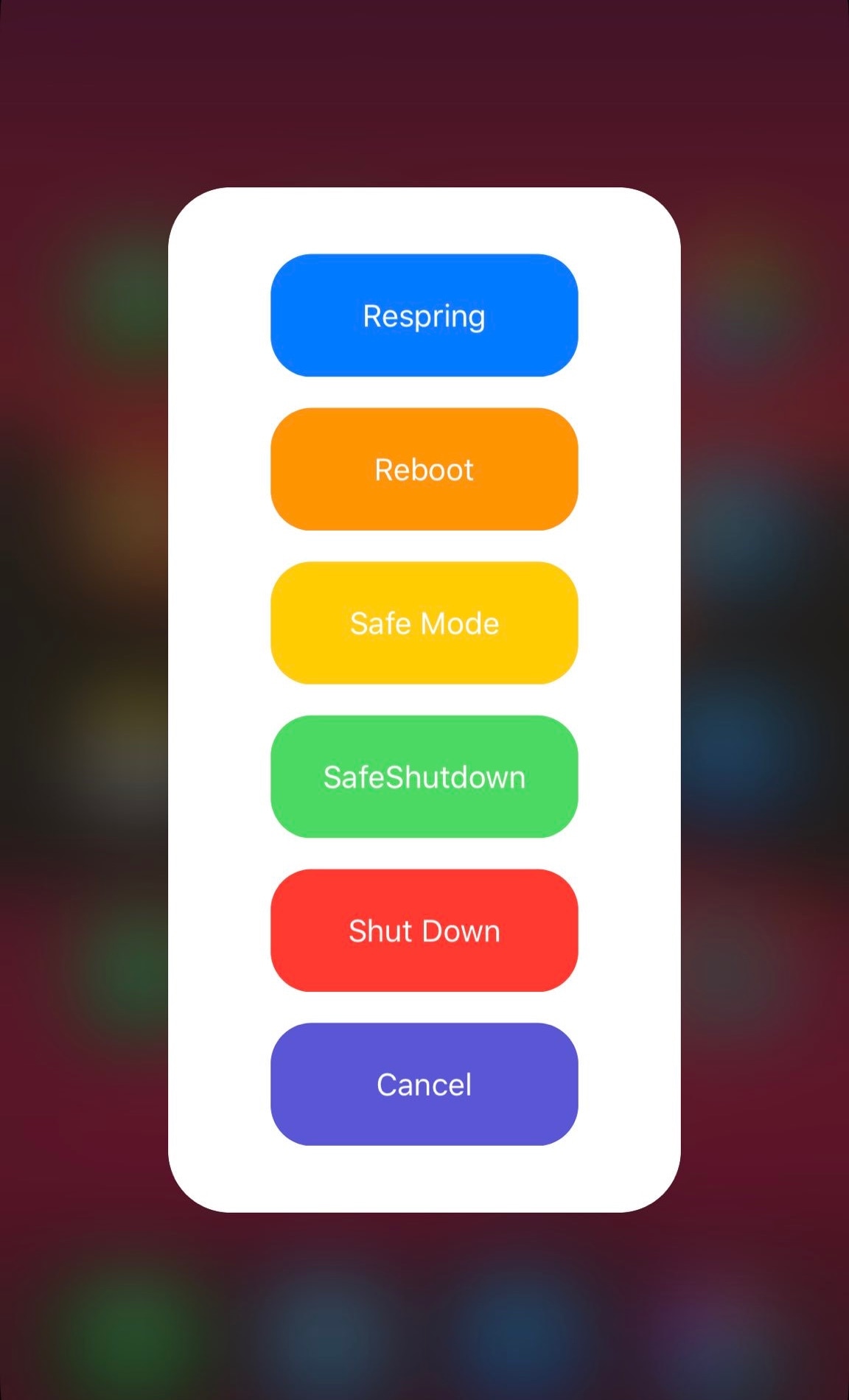
Apple works hard to make each incremental iOS release look spiffier, but some places that don’t receive as much attention as they should include the native power down menu and volume HUD interfaces, just to name a few.

With a newly-released jailbreak tweak called Modernize by iOS developer tylerd3v, you can change that. Just as the name implies, it can make the aforementioned interfaces more useful and aesthetically pleasing.

Pasithea 2 clipboard manager for jailbroken devices gets powerful new features & support for iOS 14

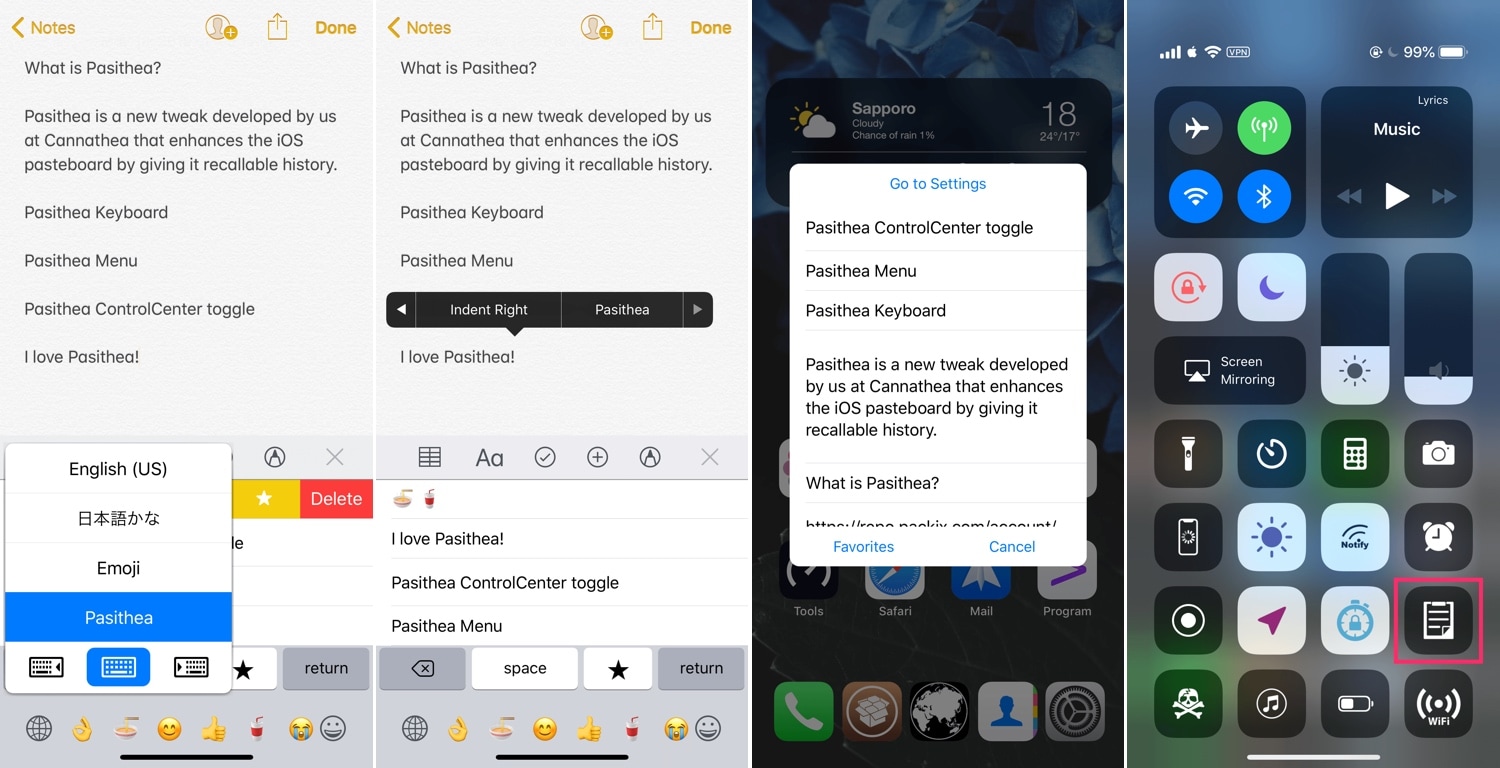
One of the weakest links in iOS’ native multitasking capabilities is the clipboard management system, and perhaps unsurprisingly, there’ve been a lot of jailbreak tweaks released in recent memory to address this problem, such as CopyLog and Copypasta to name a few.

As for those who favor the classics over newer and more lightweight releases, Pasithea 2 by iOS developer Cannathea can provide a more full-fledged clipboard-access experience, and with native keyboard integration at that.

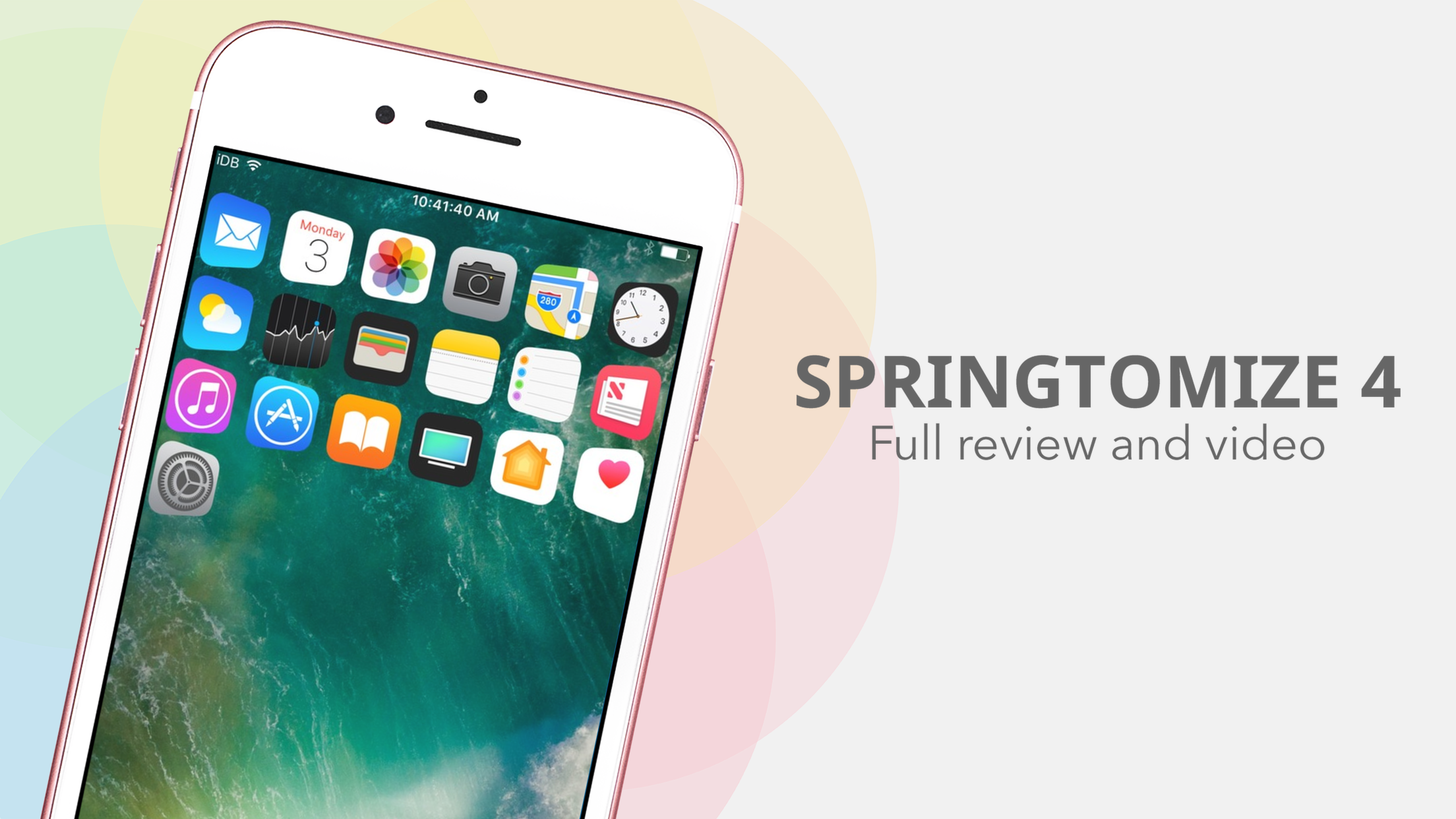
Springtomize 4 moves to Packix, picks up official support for iOS 11 & 12

Springtomize is a name that veteran jailbreak enthusiasts should be firmly familiar with. Not only is Springtomize one of the most popular all-in-one tweaks ever conceived in the history of the community, but it’s still being maintained to this very day.

iOS developer Janosch Hübner (sharedRoutine) released an updated version of Springtomize 4 in the Packix repository on Friday with full support for iOS 11.0-12.1.2, and as you might come to expect, this update incorporates support for A12(X) handsets.

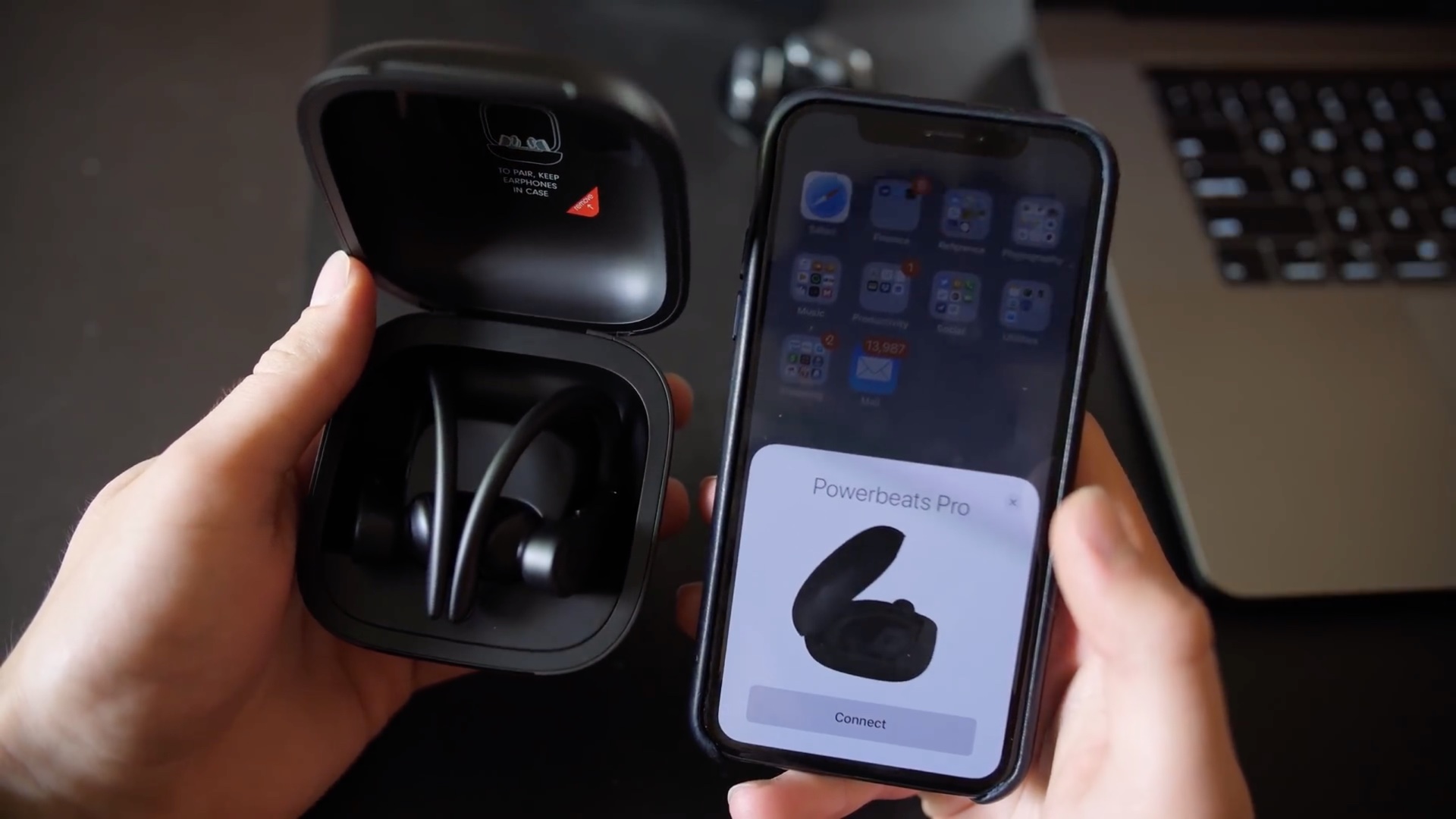
Powerbeats Pro: unboxing + our initial review

Male hand holding Powerbeats Pro in their charging case next to an iPhone.

Powerbeats Pro, Apple's truly wireless earphones with the in-house designed H1 headphone chip, hands-free Hey Siri, IPX4 water resistance and other perks, have been available since May 10. We though we'd check them out to give iDownloadBlog readers a closer look at one of the most important new audio product under Apple's ownership of Beats.

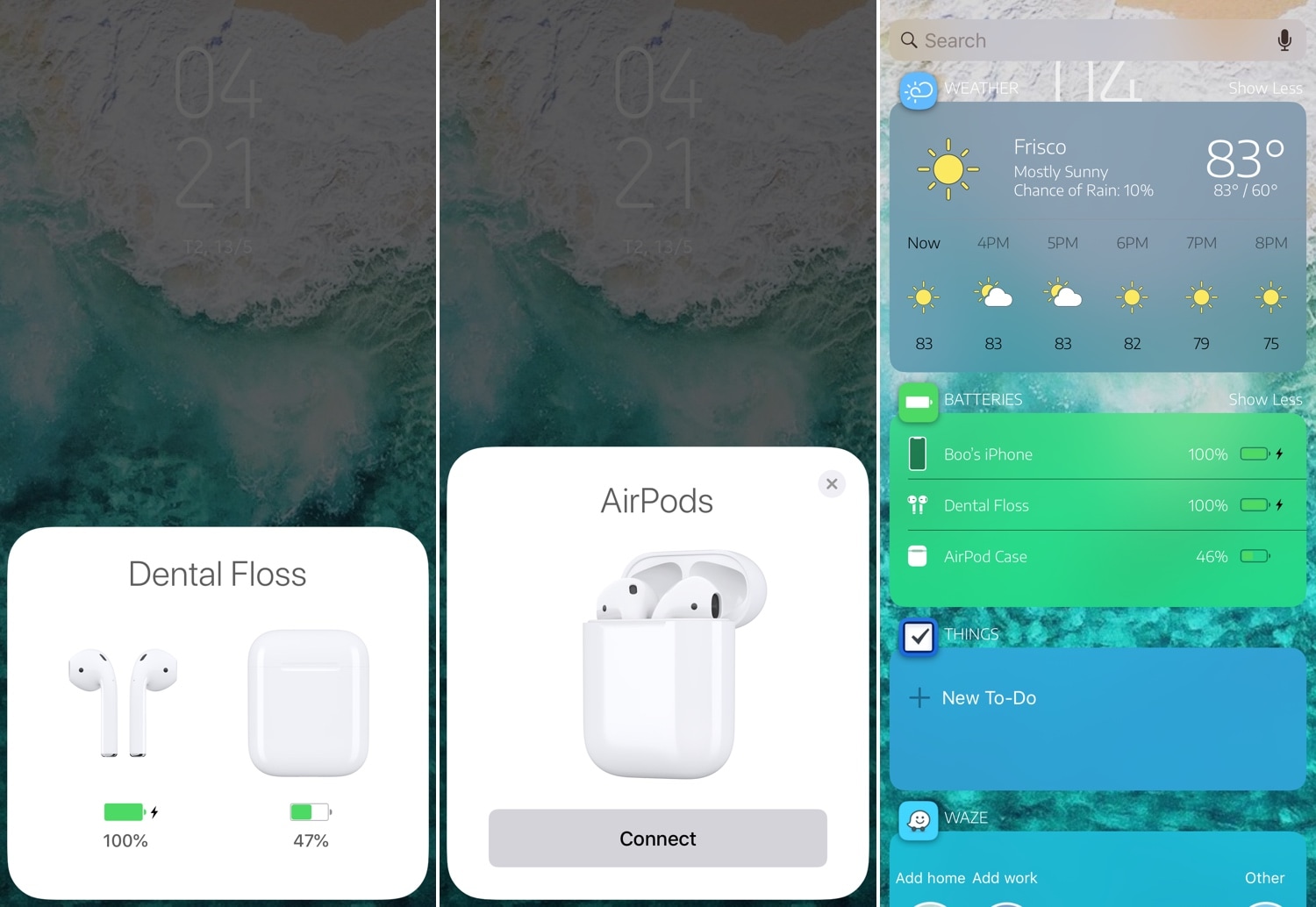
This tweak enables Apple’s native pairing UI for the new AirPods on pre-iOS 12.2 devices

If you’re trying to use a pair of second-generation AirPods with an iOS handset running any firmware below iOS 12.2, then you’re likely all too familiar with the ‘limited’ functionality that ensues. Fortunately, it doesn’t have to be that way, especially for jailbreakers.

AirPort is a newly-released jailbreak tweak by iOS developer Boo that makes second-generation AirPods behave more like the original AirPods on pre-iOS 12.2 firmware. More specifically, it ensures that the beautiful pairing UI appears when you open your AirPods in the proximity of your handset and displays the proper AirPods-style glyphs in the Battery widget on the Today page.

BrowserDefault lets you change the default web browser on your iPhone

Safari Private Browsing Button Missing iPhone

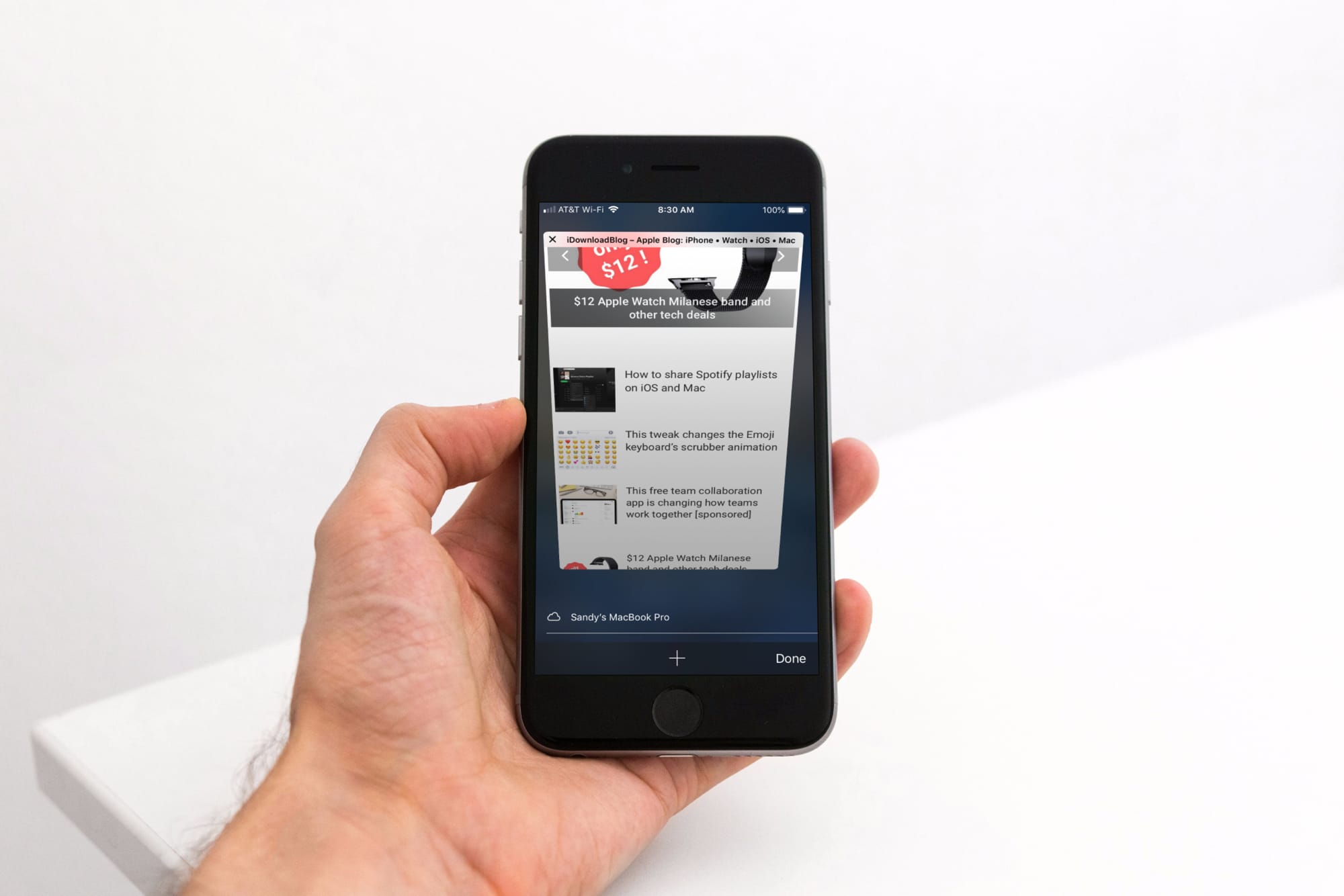
Some people love iOS’ Safari web browser, but if you’re the type of person who would rather use a third-party alternative like Chrome or Firefox, then you might be disappointed to learn that Apple doesn’t let you configure a default web browser apart from Safari. On the other hand, those with jailbroken handsets can have their cake and eat it too.

With the help of a new jailbreak tweak called BrowserDefault by iOS developer lpane, you can choose the default web browser apart from Safari that your handset will use to launch web links when tapped.

Customize your Lock screen text’s aesthetics with Fabric

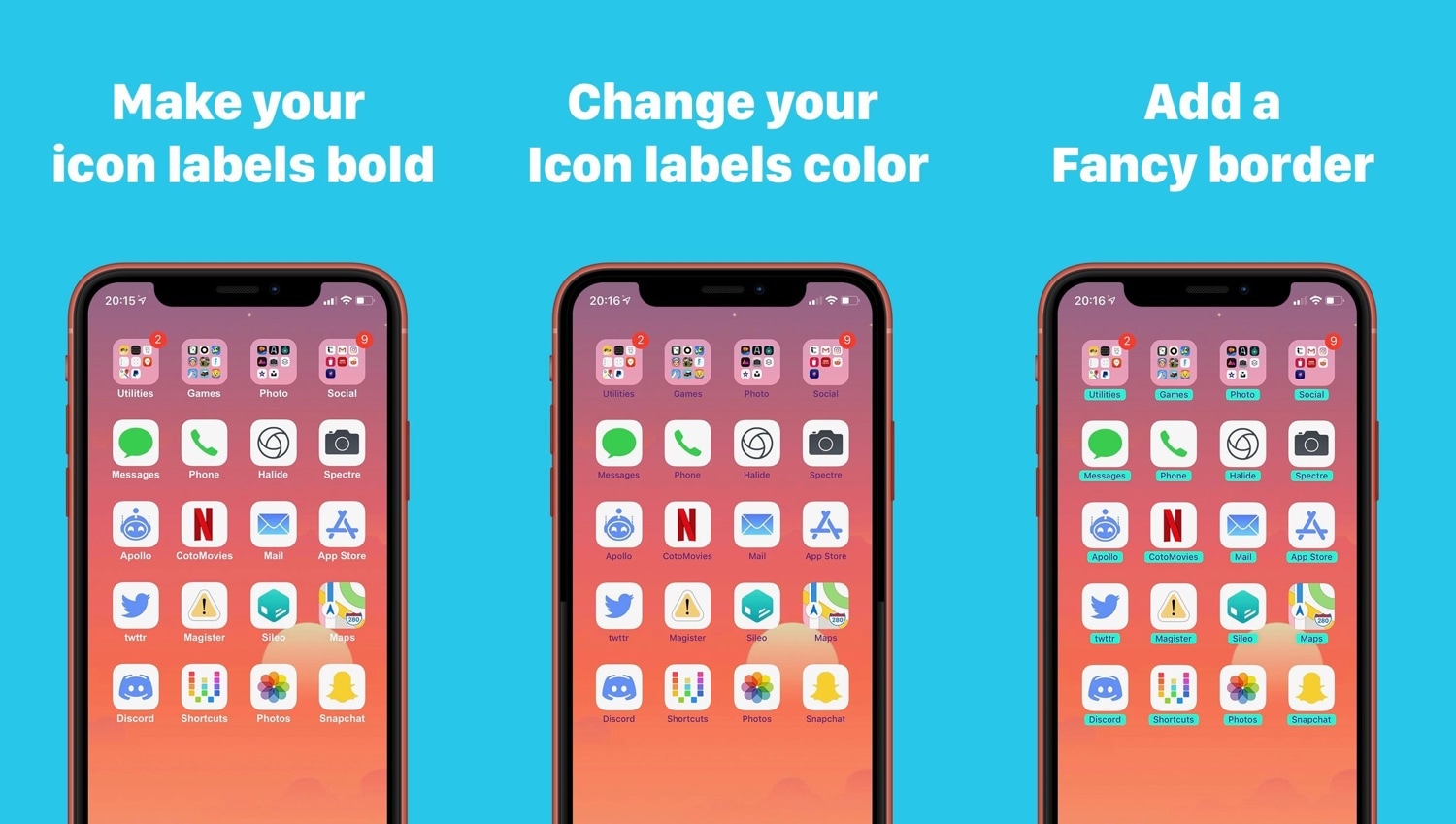
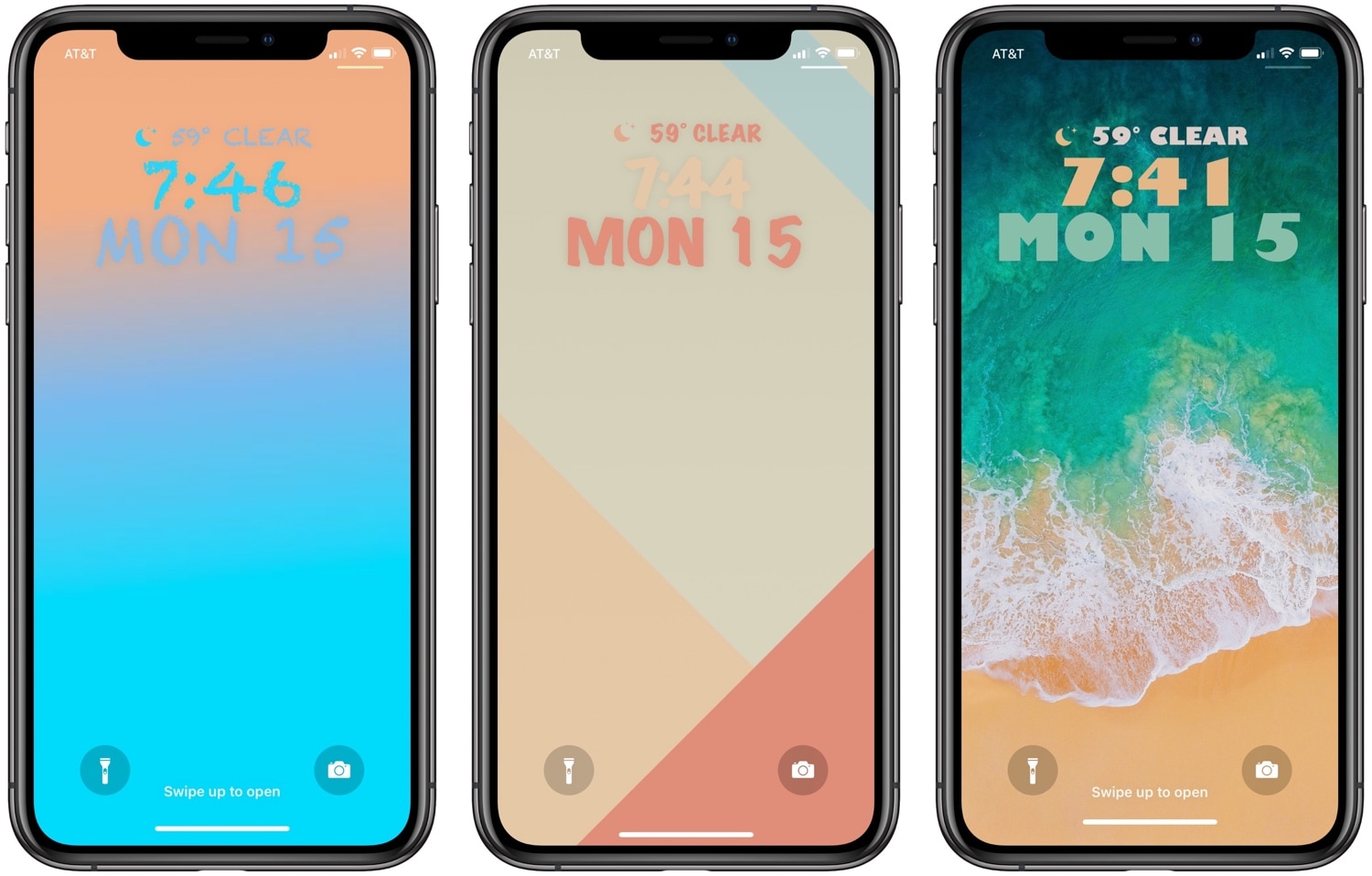
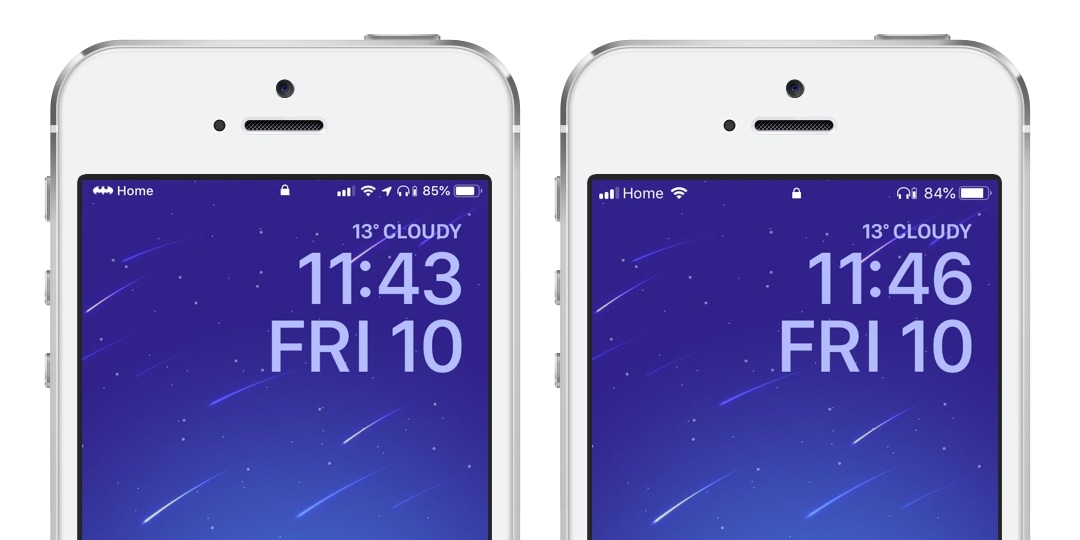
One of the best ways to show your jailbroken device off to the rest of the world is to customize how it looks, and a newly-released jailbreak tweak dubbed Fabric by iOS developer CreatureSurvive will help you do just that.

As you might’ve noticed in the screenshot examples above, Fabric lets you get creative with the text strings that appear on your Lock screen; this includes, but isn’t limited to, the date and time. Not only can you change how large the text is, but you can choose custom fonts and formatting, among other things.

This tweak can hide apps from your Home screen

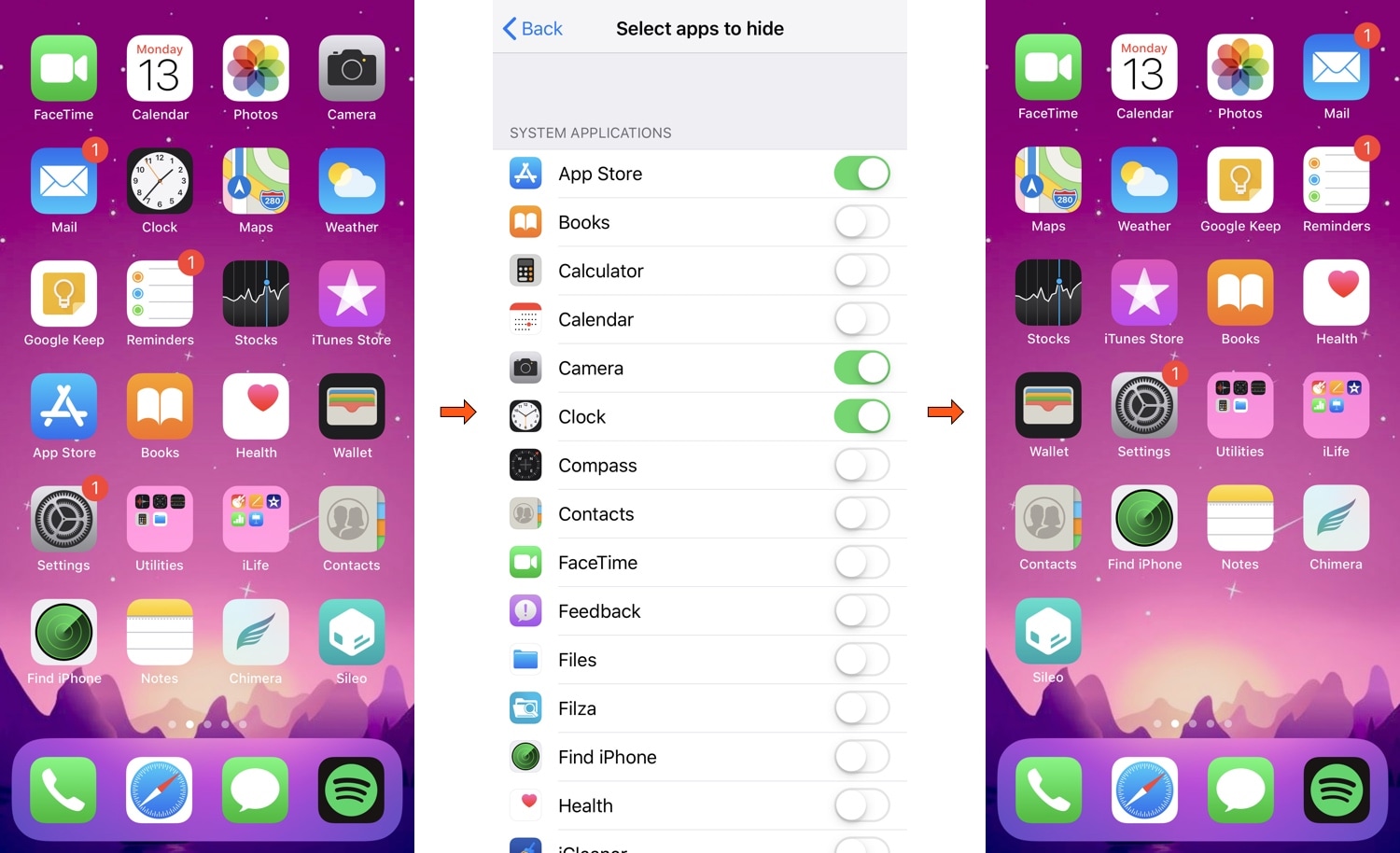
If you have a lot of apps on your Home screen that you don’t use as often as others, then you aren’t alone. The most common solution to this matter is to cram those apps into a folder; but if you’re OCD like I am, then you may not want to look at an unwanted folder icon either.

Here to help with this dilemma is a newly-released jailbreak tweak called HideYourApps by iOS developer Menushka Weeratunga. With this tweak, you can hide specified apps from your Home screen, eliminating the need to make an unwanted folder to house them.

RotaryPass brings a rotary-style passcode entry interface to iOS

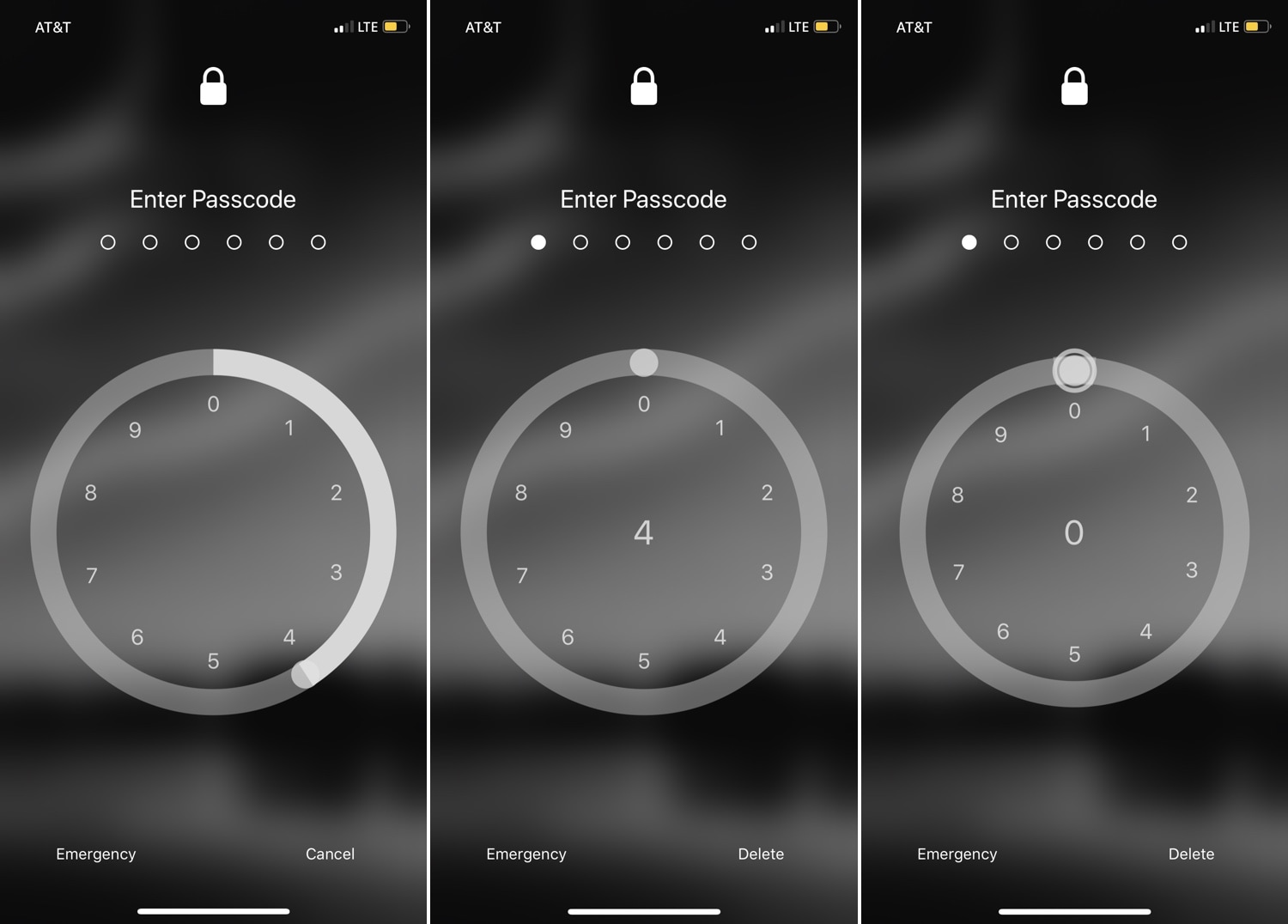
For years, the iPhone’s passcode interface has appeared as a traditional number pad. But if you’re looking for something a bit more exotic that will help your handset stand out from the crowd, then you just might come to appreciate a newly-released jailbreak tweak called RotaryPass by Geometric Software.

As you can discern for yourself in the screenshot examples above, RotaryPass brings an entirely new passcode entry interface to your iPhone – more specifically, one that’s based on those antiquated rotary-style telephones that were commonplace before the 21stcentury.

BTPower puts a battery level icon in the Status Bar for any connected Bluetooth headset

Some folks have so many Bluetooth peripherals in their possession that keeping track of their battery levels becomes a daunting task. Apple made things a little bit easier by implementing the Battery widget in the Today view, but if you’re anything like me, then you might find it to be more convenient to see that information directly in the Status Bar.

A number of Bluetooth headsets that I’ve used for phone calls in the past already supported Status Bar-centric battery level displays, but not all. A newly-released free jailbreak tweak called BTPower by iOS developer Karimo299 ensures that all your Bluetooth headsets exhibit this behavior for simplified battery level tracking.