Productivity

Microsoft turns Outlook Web App into a native client for iPhone and iPad

Despite the ongoing iPad-bashing in television commercials, Microsoft over the past month has managed to release brand new Office 365 for iPhone (check out our review) and SkyDrive Pro apps, while revamping and enhancing a cross-platform note-taking software, OneNote.

Today, the Windows giant has added another productivity app to its stable of App Store offerings, the Outlook Web App for iPhone and iPad.

Despite what the name might have you believe, it's a native app. The software offers the same email, calendar and contact functionality you get in Outlook Web App on the browser, "but with additional capabilities that are only possible through native integration of the app with mobile devices," such as notifications, Microsoft argues...

Fast Toggles offers shortcuts to your most used Mac actions

When you spend every moment of your workday in front of a computer, and every second is money made or lost, optimizing productivity is essential. Whether you need to lock yourself out of Facebook or clean up your desktop, distractions can be a disease on efficiency.

Fast Toggles is a system of buttons that give you shortcut access to some of the actions you use the most on your Mac computer. Instead of taking two or three steps to access files and features, hit a Toggle button and get it done in one. It is like having iOS 7 Control Center on your Mac…

Microsoft enhances OneNote, revamps for consistent cross-platform look

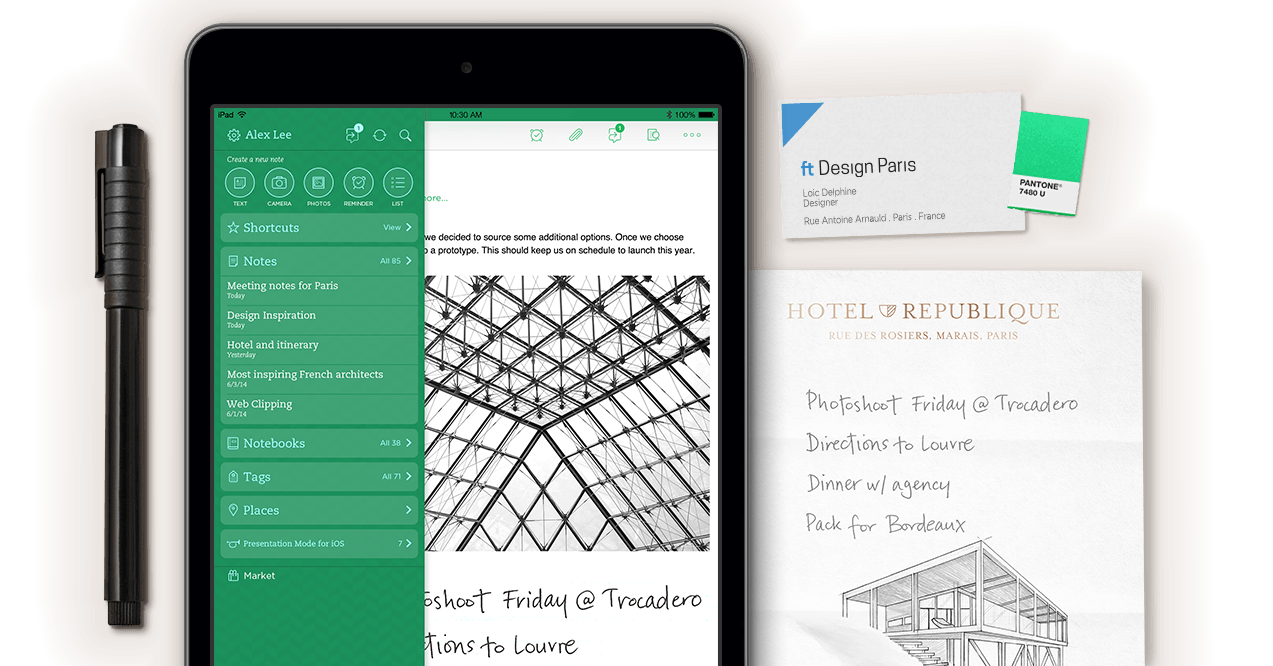
Microsoft's otherwise fine OneNote app has seen little updates on mobile devices, with Evernote and other offerings beating the Windows giant handily to the note-taking punch.

Figuring it better do something about it, the Redmond firm on Monday issued a pretty major 2.0 update to iOS and Android builds which brings consistent look and feel across Windows, Windows Phone, Android and iOS.

And in addition to rendering ink on your iDevices, version 2 of OneNote enables full support for Office 365 notebooks in SkyDrive Pro, rich formatting toolbars on iPads to style your notes, search across notes and more. If you can't live without Microsoft's Office suite and prefer to run productivity apps from a single vendor for seamless sync, you should give OneNote a try...

Apple dogfooding iWork for iCloud Beta to all employees

Along with a host of iOS 7 and OS X Mavericks announcements, Apple spent some air time during its WWDC 2013 keynote talking about the much-improved cloud component of its iWork productivity suite for Macs and iDevices.

iWork for iCloud, as it is called, for the first time provides rich Pages, Keynote and Numbers web apps that run smoothly in a web browser like Safari, Chrome and Internet Explorer, much like Google's Docs suite.

After making iWork for iCloud Beta available to its registered developers via the beta.icloud.com web page, the company has just started dogfooding the software to all its employees...

Flush out your business plan ideas with Elevatr

Everyone has big ideas for starting their own business or inventing some new product. But, not many people follow through with their ideas. Maybe they forgot what they were talking about after six shots of whiskey. Maybe they already moved on to a new business idea.

Elevatr is a productivity app that lets you write down your business plan in a simple, but useful way. Now, when you say you’re going to open your own barbeque-French cuisine fusion restaurant, you might actually turn that idea into a reality…

Catch Notes makes it easy to capture and collaborate on ideas

If you are the kind of person who is always jotting down ideas on napkins, sending random text messages to friends about cool concepts, or leaving notes to yourself on sticky pads, you need something to help organize your thoughts.

Catch Notes is a productivity app that makes it easy to capture your ideas and share them with others without any fuss or muss. Just open the app, type in or record your idea and add your contacts for true collaboration… 

Microsoft releases Office 365 for iPhone

After months of speculation and years of waiting, Windows maker Microsoft has finally relented and released the official Office suite on iOS. But don't get your hopes up too high, it isn't what you've been looking for.

As the lengthy name suggests, 'Office Mobile for Office 365 subscribers' (seriously, Microsoft?) requires an Office 365 subscription, is iPhone-only and is more of an Office companion than a full-blown productivity application.

You can edit Word, Excel and PowerPoint documents on the go, though we're talking limited editing capability here. Go past the fold for the full info...

Bill Gates: you’re frustrated because your iPad lacks real keyboard and real Office

Microsoft Chairman Bill Gates thinks Apple’s iPad is "frustrating" to use because it lacks a physical keyboard and doesn't run Office. The Surface, he says, brings the "portability of the tablet but the richness of the PC" to mobile productivity.

Being a Google Apps fan, I'm obviously biased and not exactly the right guy to comment on the Office part of Bill's comment.

Now, I'm underestimating the real world outside the Apple bubble and obviously there are heavy Office users out there who agree with Gates on Office for iPad. Regardless, you'd think Microsoft's co-founder should know that any Bluetooth keyboard works with iPads.

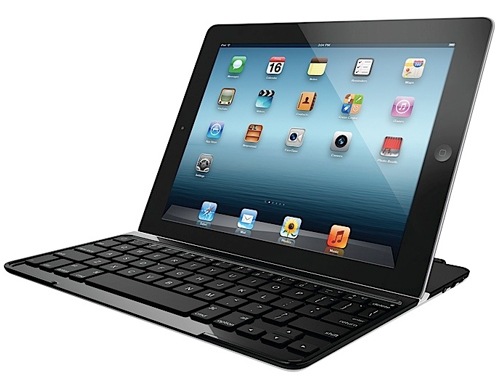
On top of that, a bunch of iPad cases incorporate physical keys like NIBIQÜ's and Logitech's Surface-like iPad cases, the latter featuring physical keys seamlessly fused into its interior fabric. Go past the fold for the full quote and video evidence...

CloudOn for iOS review: use Microsoft Office on your iPhone and iPad

Microsoft has been hinting at the possibility of bringing its suite of productivity applications to iOS for a long time now. We’ve heard that Microsoft may bring Office to the iPad next fall. We’ve heard that the software giant is holding out until Apple agrees to take a smaller cut of the profits. What we haven’t heard is that Microsoft is officially bringing Office to iOS in its full capacity.

Most of us have figured out workarounds that make it possible to access Word, Excel or PowerPoint documents on our iPad or iPhone. But nothing will beat the original. If it ever happens.

CloudOn is a universal app that brings Microsoft Office to your iPhone or iPad. CloudOn lets you manage your cloud-based files, plus edit, create, and present Microsoft Office documents.  That’s right. You can now use Word, Excel, and PowerPoint on iOS...

Keep track of multiple packages with Delivery Status touch

I run a small independent record label. I visit my local U.S. Postal Service just about every other day. I also order a lot of things online. Last Christmas, I only went outside to do my shopping twice. Everything else was purchased through Amazon. I sell items on eBay and have various promotional items delivered to me for product reviews. I am on a first-name basis with my postman.

Needless to say, I keep track of a lot of packages. Whether I’m sending or receiving, in any given month, I’ve got a list of items that I am tracking to someone’s front door.

Delivery Status touch is the perfect app for people like me, people who track multiple packages most of the time. Using your order number or tracking number, you can follow the path that your package is taking until it reaches its final destination...

The best note-taking apps for iPad

The iPad can be a workhorse for your productivity needs if you know how to use it. Whether you are building a business network, making your way through college, or just trying to run a brick-and-mortar record shop, the iPad can be one of your greatest allies.

The iPad is the perfect sized tablet for taking notes. If you are in a meeting, listening to a lecture, or coming up with ideas for your next masterpiece, you can find an app that will accommodate your needs. We’ve got a list of the best note-taking apps for iPad that we think rise to the top. Feel free to add your own favorites in the comments section.

Status Board for iPad review

The recent launch of Status Board created quite a stir in the tech world. This iPad display has turned heads all around the Internet. It is not just because the app looks good, which it does. It is also because the app is fully customizable and allows for user data input of any kind that can even be shared with others.

Status Board is a data display that allows users to see various panels of information, all on one screen. You can see tweets, calendar events, news feeds, email, and much more. You can customize graphs and tables and even make your own panel using HTML. Once you’ve created your board, you can display it on your big-screen TV using Apple TV AirPlay Mirroring or with an HDMI cable and iPad adapter. Status Board is the ultimate data collection display panel...