Productivity

Milanote can help folks take better notes

Milanote for iOS launches

There are a lot of note-taking apps available for iOS users. But one of the best has been available for desktop for quite some time and is finally getting its iOS counterpart this week. Billed for creatives, this app can even help you look at your visual boards.

How to print iPhone Messages with iMazing on Mac

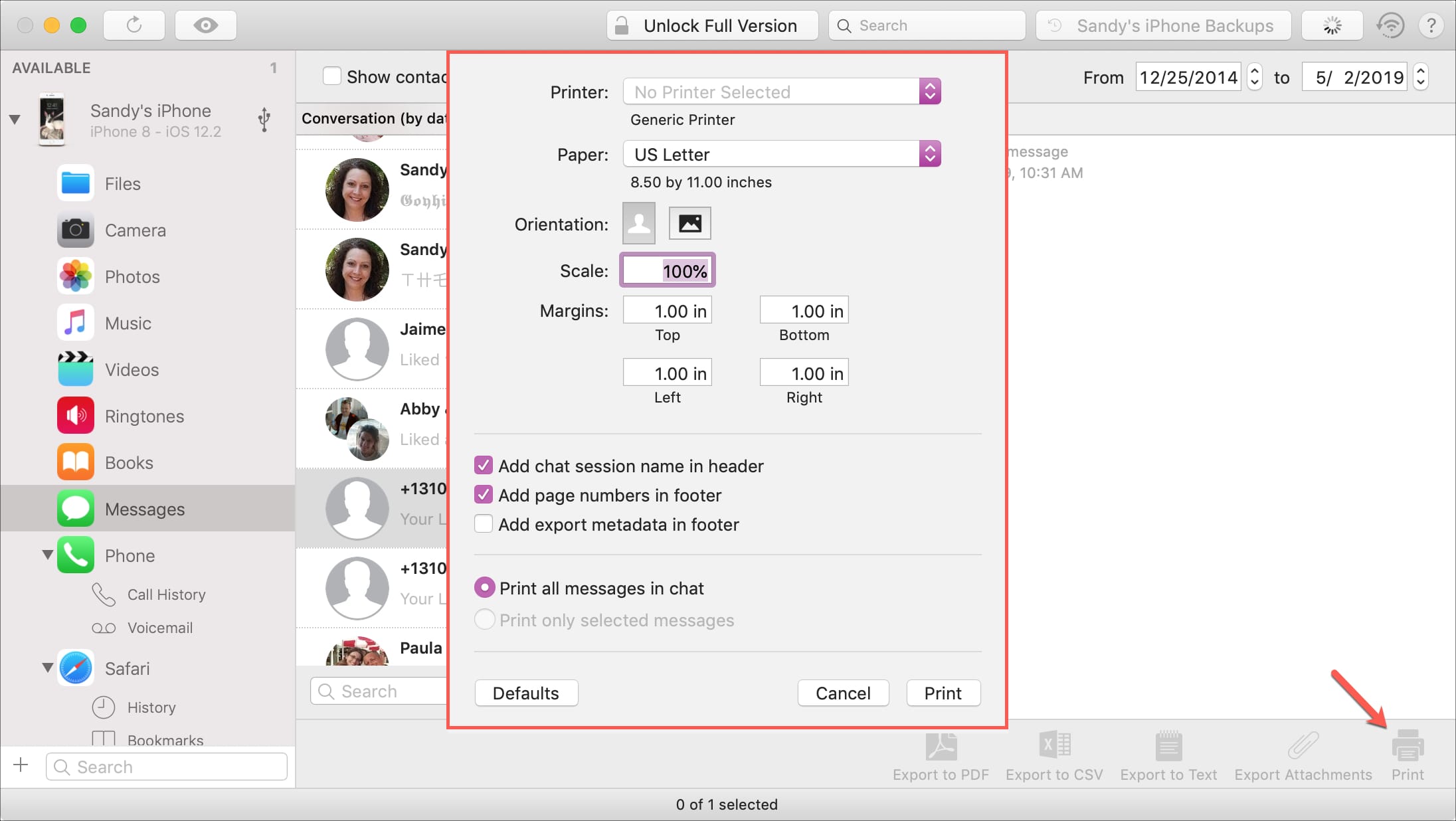
Print messages from iMazing

If you haven’t heard of iMazing, this is a software application that you can use to the manage your iOS devices. Among their features, you can back up your device, manage its content, and yes, print your conversations from Messages app.

You likely have a specific reason for needing to print your messages. And this application makes it easy to do. If you already have iMazing installed, then you’re one step ahead. If not, it’s available for a free trial for Mac directly from the iMazing website.

So, let’s jump right to it; here’s how to print iPhone Messages with iMazing on Mac .

How to organize your Apple Notes with folders on Mac

Apple Notes app icon

Just like using folders on your Mac can keep your files organized, you can use folders in the Notes app to keep everything nice and neat. Rather than just having lists of notes, you can create folders and subfolders to keep related notes together. This makes finding the notes you need much easier.

Here’s how to organize your Apple Notes with folders on Mac.