Phone

How to quickly redial the last number on your iPhone

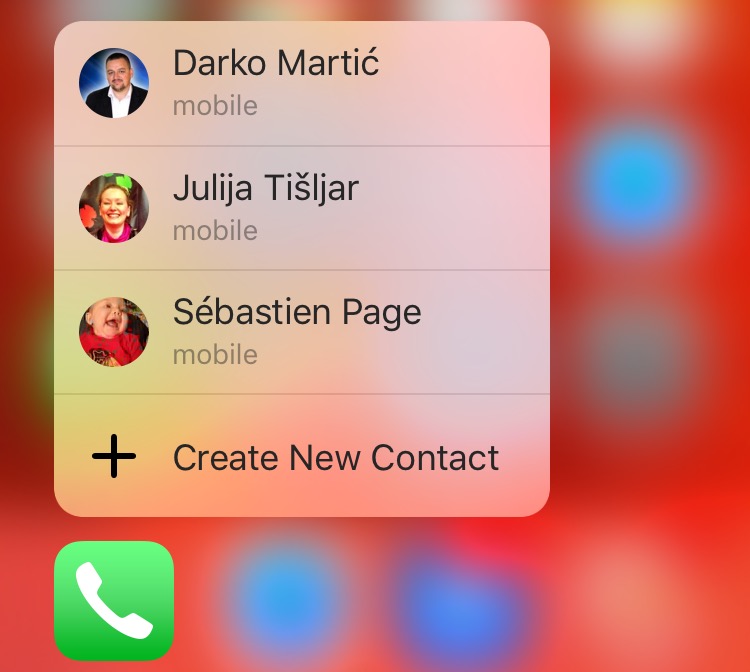
Using a 3D Touch gesture on the Phone app icon gives you shortcuts for calling your favorite contacts right from the Home screen. But aside from 3D Touch, the Phone app has received little innovation in years past.

That being said, a lot of iPhone owners are not completely familiar with the ins and outs of the Phone app beyond making and receiving phone calls. Many of my friends, for instance, routinely go to Phone → Recents to call the last dialed number.

Apple's interface designers have thought of that, too, but unfortunately their solution is not readily apparent in Phone's interface. In this quick tutorial, we'll teach you how to call the last dialed number right from Phone's Keypad section.
How to make the most of 3D Touch in Phone app

Our 3D Touch tutorial series has so far covered various user interface shortcuts and 3D Touch Peek and Pop gestures in several Apple stock apps like Messages, Safari, Mail, iBooks and Apple Maps.

Today, we're going to discuss how pressure-sensing screens enhance the Phone app, one of the most frequently used stock apps on iPhones. Here's how to make the most of 3D touch and the Phone app.

How to choose which contacts appear in the Phone app 3D Touch shortcut menu

Are the contacts in the 3D Touch shortcut menu of the Phone app confusing you? Upon pressing Phone's icon lightly, a menu pops up with four seemingly random contacts, making it easy to call them quickly from the Home screen. Believe it or not, there's actually some logic behind listing these quick contacts. Even better, you can change their order as well as set other people to be listed in Phone's shortcut menu.

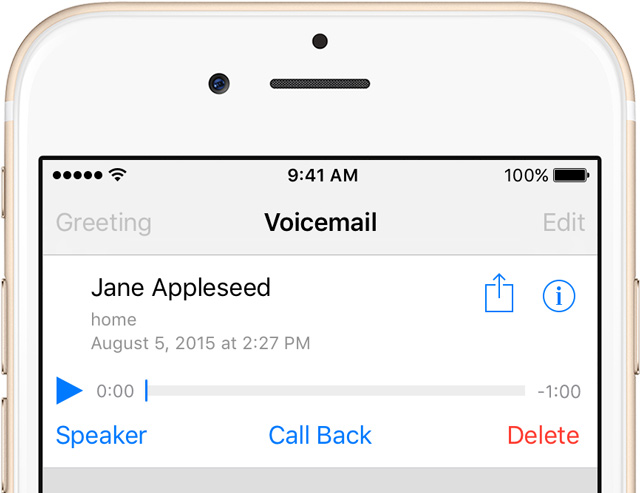
How to permanently delete voicemails on iPhone

Since its inception the iPhone has supported Visual Voicemail, a feature that lets you see a list of your voicemails and choose which one to interact with without having to wade through all of them.

These messages are saved forever until you manually delete them, or your carrier erases them. Keep in mind that your carrier might not support the Visual Voicemail feature at all.

If you have set up and use Visual Voicemail on your iPhone, voicemails people leave in your inbox can quickly pile up, causing not just unnecessary clutter in the interface but also wasting your iPhone's precious storage space.

Follow the instructions provided in this tutorial to delete unwanted voicemails and claim back the storage space they occupy.

How to change or reset your iPhone voicemail password

When iPhone first came out in 2007, it was the first device to include Visual Voicemail, a feature that allows users to view their voicemails, scroll through them, and of course listen to them, directly from the device. With Visual Voicemail, no need to dial a number and go through an automated message system to listen to your voicemails.

Since everything is now handled directly on the phone, you can also change your voicemail password directly from your iPhone.

This widget adds a phone dialer to Notification Center

There are dozens of apps out there that offer a streamlined interface so you can find contacts and make phone calls quickly and easily, but how many can you count will put a widget on your Lock screen so you can make phone calls in Notification Center?

YoBu is a Notification Center extension that allows you to search for contacts by name or number, and then call them right from the Today view on your Lock screen.

Call Enhancer allows you to make phone calls anonymously

Making anonymous phone calls that lack Caller ID credentials has always been possible. In fact, many countries have their own specific prefix codes in order to block your phone number from being displayed on a recipient's Caller ID. For the US, that code is *67, but in iOS, there is no easy way to add the prefix to a contact that you wish to call. Call Enhancer is a jailbreak tweak that makes anonymous calling much easier on iOS, and it brings with it one additional key benefit.

DockPhone lets you easily place phone calls from your Mac

DockPhone is a new app that lets you dial and call any number directly from your Mac. Based on FaceTime's capabilities, and taking advantage of the new Continuity feature found on OS X Yosemite, DockPhone lets you make calls via your iPhone cellular connection right from the Mac, effectively adding a simple feature that users would have expected Apple to ship with Yosemite in the first place.

CallShortcut lets you add your favorite contacts to the Home screen

Just recently, an updated version of CallBar was released for iOS 7 that makes it a whole lot easier to manage your incoming calls. CallShortcut is yet another jailbreak tweak that provides a quicker way to call your contacts, directly from the Home screen.

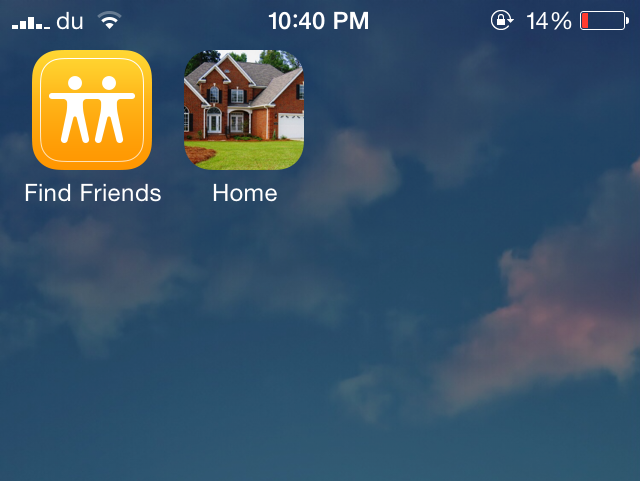
Developed by Gertab and David Glinski, CallShortcut allows you to add any of your contacts to your Home screen. These appear as icons on the Home screen just like other app icons and when you tap on any of them, the call will be placed immediately. This provides a quick shortcut to your favorite contacts without ever opening the Phone or the Contacts app.

Cou replaces the Slide to Answer slider with ‘Accept’ and ‘Decline’ buttons

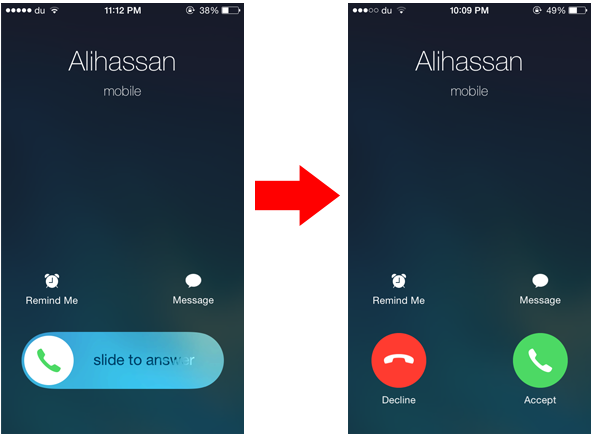
When your iPhone is locked and you receive a phone call, you'll see a slide to answer knob that allows you to respond to the call, and declining a phone call will require you to press the Sleep/Wake button twice. Cou is a new jailbreak tweak that allows you to customize this interface and replace the slider found on the Lock screen with buttons you normally see when you receive a call while the device is unlocked.

Developed by danteseig, Cou replaces the Slide to Answer slider with two buttons called 'Answer' and 'Decline'. This means that you can easily reject a phone call by pressing the Decline button rather than double pressing the Sleep button.

handyPhone: a powerful tweak for quickly dialing contacts

Although it's been around for a while, handyPhone is an incredibly useful tweak that seems to have gone largely unnoticed by the jailbreak community, despite its beneficial functionality. Admittedly, the description and screenshots of this tweak in Cydia are somewhat cryptic, and anyone not already familiar with the concept behind handyPhone might pass it by without a second thought. However, this tweak is truly a gem, bringing some great new features to the Phone app...