Mac App Store

Command-C lets you copy and paste between iOS devices and Mac

I often find myself wishing I could copy text from a document on my iPad and paste it to a document on my MacBook Pro. It happens regularly. I use DeskConnect to share a lot of stuff between devices. However, sometimes I just want to copy text on one device and paste it on another without having to open any apps or programs.

Command-C is a productivity app that lets you share clipboard items without having to open another program first. Just copy on one device, send it through Command-C and immediately paste it in another device…

Astro is a Facebook Messenger client for your Mac

I have to admit it. I don’t often connect my third-party OS X chat clients with Facebook. I tend to get really distracted when someone starts messaging me through Facebook, more so than my other chat channels. So, I haven’t tested a lot of Facebook messenger apps.

Astro for Facebook Messenger is an app for your Mac that lets you chat with friends, even when you are offline. It includes native stickers, picture uploads, and even seamless group chat functions. Your productivity levels are about to plummet…

Tweetbot for Mac updated with major bug fixes

Popular Twitter client Tweetbot posted an update for its Mac application this weekend, bringing the app to version 1.4.1. The update looks fairly minor on the surface, but it includes a handful of serious bug fixes.

Long-time Tweetbot for Mac users will be happy to hear that the new version finally fixes that pesky issue where you can see "x unread items" but can't scroll up to see them, and various other interface annoyances...

Fantastical for Mac and iPhone on sale for a limited time

Ok, this is getting a bit out of hand. After the EA sale, and the Disney and Warner Bros. sale, and the App Santa sale, I'm just not sure how many more purchases my wallet can handle. Luckily, I already own two of the three apps we're going to be talking about this morning.

Flexibits announced via their Twitter account last night that they have placed all of their apps on sale for the holidays. That means that for a limited time, you can snag the popular Fantastical app for Mac and iPhone, as well as the Chatology messaging app, at a nice discount...

Apple optimized Final Cut Pro, Compressor, Motion and Logic Pro apps for Mac Pro and 4K

When Apple teased its new Mac Pro at WWDC a few months ago, the company's marketing honcho Phil Schiller put up a slide showing a guy in an editing room in front of three huge 4K monitors, all hooked up to the machine. "You could be that guy," he quipped, provoking a laughter from the audience.

Schiller also said Apple was working on a Final Cut Pro update optimized for the Mac Pro's powerful dual AMD FirePro graphics and he wasn't lying: just as the new Mac Pro launched on the online Apple Store this morning, Apple followed up by pushing updates to Final Cut Pro, Compressor, Motion and its other pro apps, all optimized for the Mac Pro's hardware and with 4K content, 4K monitoring support via Thunderbolt 2 and HDMI on select Mac computers and a whole bunch of additions and performance enhancements...

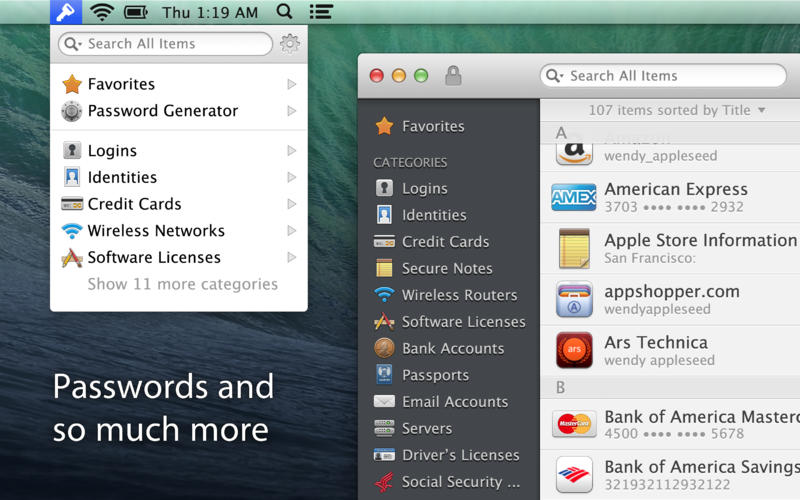
1Password for Mac goes 30% off for a limited time

Following a lengthy sale on its 1Password app for iOS, AgileBits has begun offering a discount on the Mac version of its password manager. For a limited time, you can get the Mac application for 30% off its regular $50 price.

The deal comes just a week before Christmas, but the developers say that the reason for the promotion is in celebration of the fact that Apple has just named 1Password for Mac as one of the best Mac App Store apps of 2o13...

Apple releases OS X 10.9.1

If you open the Mac App Store, you'll notice a shiny new update awaiting you: OS X 10.9.1. It's an bug fix update that brings performance and stability improvements to Apple's desktop offering. Apple recommends that all current users of Mavericks update to OS X 10.9.1.

This update comes a tad short of two weeks since Apple released its last 10.9.1 beta, and contains no new surprises for those of you following the beta trail. Have a look inside for the full change log.

Twitter for Mac 3.0 is here with redesigned profiles, inline photo previews and more

The micro-blogging platform Twitter on Tuesday refreshed its free iPhone and iPad client with the simplified menu bar, improved search, tweaked design and the ability to send images in Direct Messages, the latter currently off limits to third-party clients such as Tweetbot or the completely redesigned Osfoora 2.

Today, Twitter's Mac counterpart has undergone a similarly substantial revision which includes a significant facelift and a few great new features, like image previews in timelines, detailed tweet view, revamped profiles and more.

Jump past the fold for the full reveal...

1Password for Mac gains custom password fields, better search, auto-save and more

AgileBits' 1Password is my favorite program to manage all of my secure notes, passwords, logins, credit card information and other sensitive data.

The developer in mid-October updated the 1Password for iPhone and iPad client with local Wi-Fi sync, improved iCloud support and other tweaks and today a major new version of 1Password for Mac is scheduled to go live in the Mac App Store.

1Password 4.1 for Mac, which has been in beta testing for weeks, includes a host of changes and improvements, like the all-new custom password fields which vastly expands the software's usefulness, an improved search, an auto-save feature and lots more. Go past the fold for the full breakdown...

How to control your Nest thermostat from the menu bar

I wouldn’t call myself a Nest Learning Thermostat early adopter, but I did acquire one fairly early in the game, and I haven’t looked back. The Nest, as you’re likely well aware of, is the new-aged thermostat from iPod designer Tony Fadell. The Nest allows users to control the thermostat from anywhere in the world using a web browser, or by using an iOS app for the iPad or iPhone.

Mac users have sort of been left out in the cold; pun intended. Desktop users have basically been relegated to using the web browser in order to control the Nest, as there is no official Nest app available for OS X. The good news is that developer Joseph Workman has taken the initiative to wrap the Nest’s web interface into a handy utility called Climate, and it runs in the Mac’s menu bar. This makes it so that you can quickly access the Nest’s temperature controls and other features from anywhere on your Mac.

We’ve taken the initiative to create a video walkthrough in order to showcase to you how Climate works, and why it’s so beneficial to Mac users. Jump past the break to see all the details.

Yoink is an awesome drag and drop utility for the Mac

Sometimes dragging and dropping items between multiple windows and full screen apps and folders can be challenging. But dragging and dropping doesn’t have to be a tedious or perplexing task. One of my favorite utilities for the Mac is called Yoink, and it allows you to simplify the process of dragging and dropping on OS X.

Its description in the Mac App Store states that Yoink simplifies drag and drop between windows, apps, spaces and fullscreen apps. As a long time user of the tool, I can vouch for developer Matthias Gansringler’s description. As you’ll see in the video walkthrough that follows, Yoink is one of those apps that you don’t realize you need until you see it in action. Have a look inside for the full walkthrough.

ScreenFlow 4.5 released with new transitions, asynchronous uploads, and more

ScreenFlow is, in my opinion, the best screen recording software available for the Mac. It's what I use each and every day to create a lot of the video content that you see on iDB. Its developer, Telestream Inc., has made the app available on both the Mac App Store and via direct download from its website.

Unfortunately, as with a lot of the apps that feature Mac App Store versions and direct download versions, the Mac App Store release lags behind. ScreenFlow is stuck at version 4.0.4 on the Mac App Store, while the direct download version recently got updated to version 4.5. For that reason, I recommend buying the direct download version, because that version gets updates much faster than the Mac App Store version.

It’s also a great time to buy the direct download version, because Telestream is having a 30% off sale. This means you can snag ScreenFlow 4.5 for under $70 bucks. That’s a steal for this type of powerful software, as it's usually $100 bucks.

Version 4.5 of ScreenFlow is a huge update, which brings numerous new features, improvements and bug fixes to the table. Have a look inside to see what all has changed.