Jailbreak

Check out the most comprehensive jailbreaking coverage on the internet, including the latest news, apps, tweaks, and detailed tutorials about everything jailbreak.

Peekly – an awesome new Lock screen theme featuring weather, calendar, and more

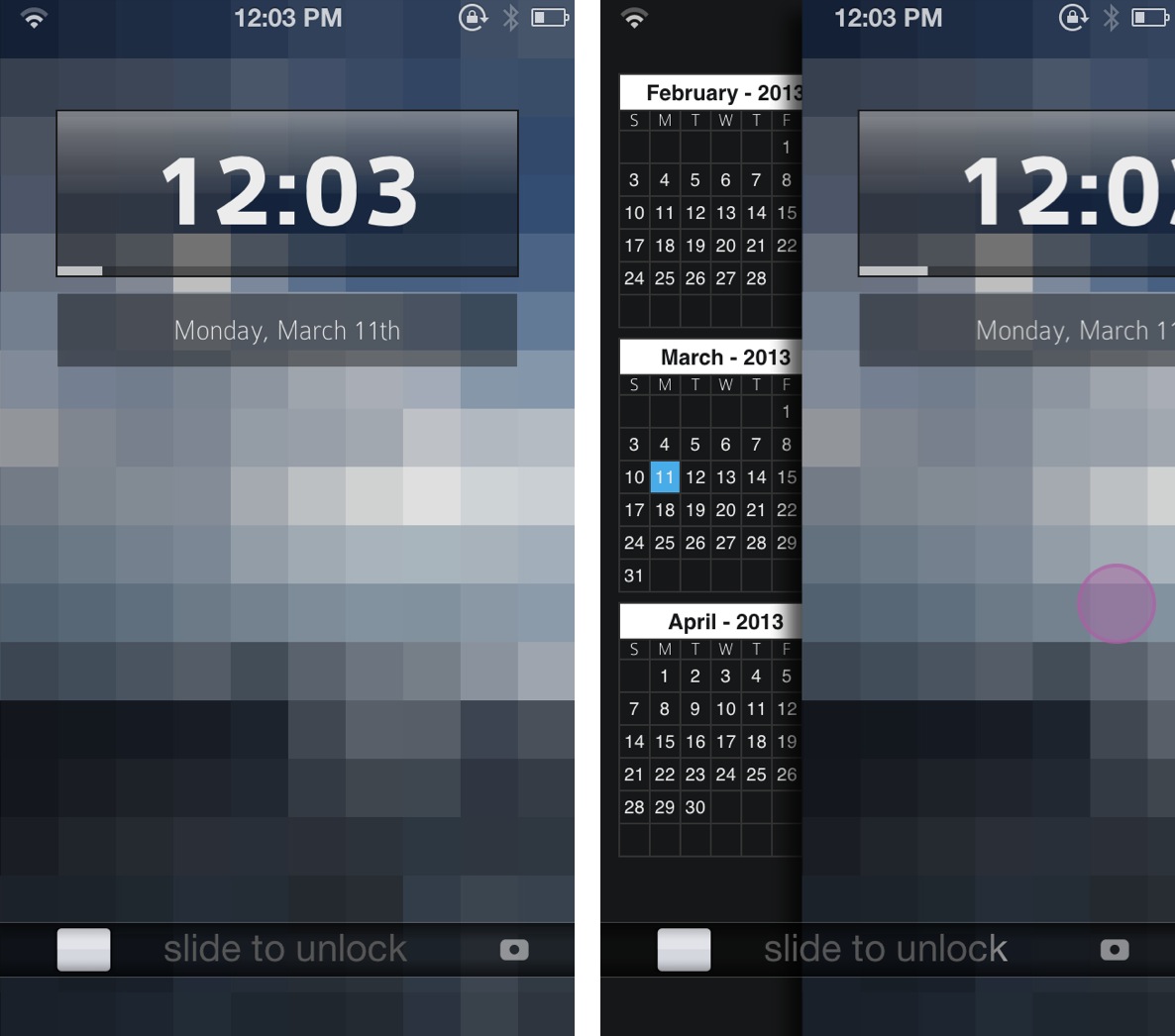
Peekly is an awesome new Lock screen theme for WinterBoard. Not only does it look wonderful, but the theme features built in functionality for current weather, forecasts, calendar, RSS feeds, and more.

Like many Lock screen WinterBoard themes, Peekly can be configured using a simple javascript file, which can be edited by means of the text editor bundled with iFile. If you're looking for a relatively lightweight Lock screen theme that looks absurdly good, then look no further than Peekly. Take a look inside for our full hands-on video review and setup guide.
HiddenApps lets you disable iAds and hide stock Apple apps, no jailbreak required

Occasionally, an app escapes the watchful eye of Apple's review team and gets released on the App Store despite ignoring Apple's stringent rules for third-party iOS development. HiddenApps by David Goelzhaeuser, a 15-year-old German iOS developer, is one such example.

The whole point of this free application is to let you hide Apple's stock apps from your Home screen, like Passbook, Newsstand or Stocks - no jailbreak required.

It can also disable Apple's iAds altogether and give you access to a Field Test mode which gives you precise readings of your cellular signal strength. You better download as it's going down in 5, 4, 3, 2...

How to make your status bar clock fade into view

ClockFade is a new jailbreak tweak that forces your status bar clock to fade into view after unlocking to the Home screen. Normally, the status bar abruptly appears with no fade animation, which can be jarring. ClockFade brings smoother fade animations to the table, which are completely adjustable courtesy of preference sliders.

Obviously, this is a small tweak that doesn't bring much to the table as far as features are concerned, but you might be surprised as to how well it performs, and how good it looks in motion.

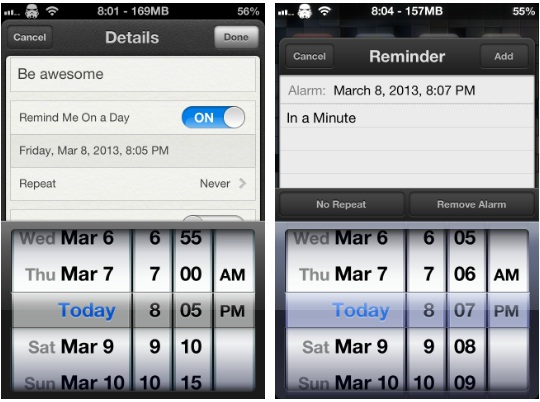
“In a Minute” lets you be very particular about when you’re reminded about things

If you're a heavy user of Apple's Reminders app, then you'll quite possibly have nudged up against one particular issue that some find irritating while others will likely have never even noticed.

The issue in question is Apple's assumption that people will only want to set reminders in five minute increments, meaning you can't set a reminder for 09:13, for example, unless you're creating the reminder with Siri's help. It might not sound like much, but if you want to manually set a few reminders to alert inside a five minute window, then you're out of luck.

That is, unless you install a new jailbreak tweak that popped up in Cydia today...

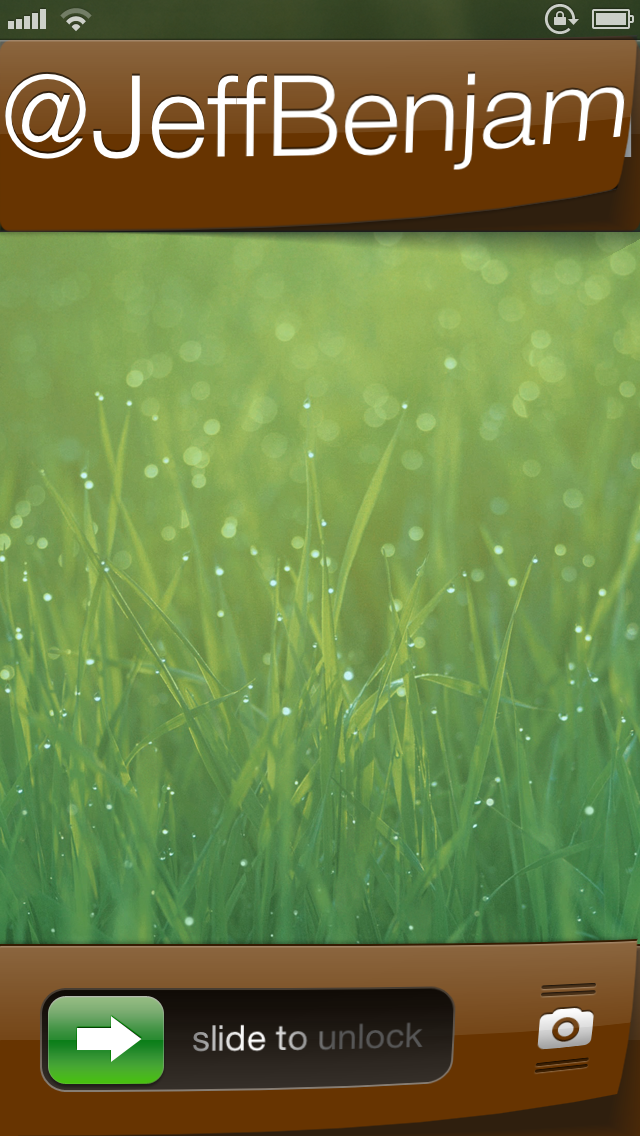
Mix up your iPhone’s Lock screen with ‘Vexil’

Vexil is an upcoming jailbreak tweak that adds a ton of features to your iPhone's Lock screen. If you can see it on the Lock screen, you can probably change it by means of this tweak.

Virtually nothing is off limits here, from the Lock screen clock to the Slide to Unlock nub. It's not the prettiest, or even the most useful tweak in the world, but with a little effort you can come up with a certified original look for your device.

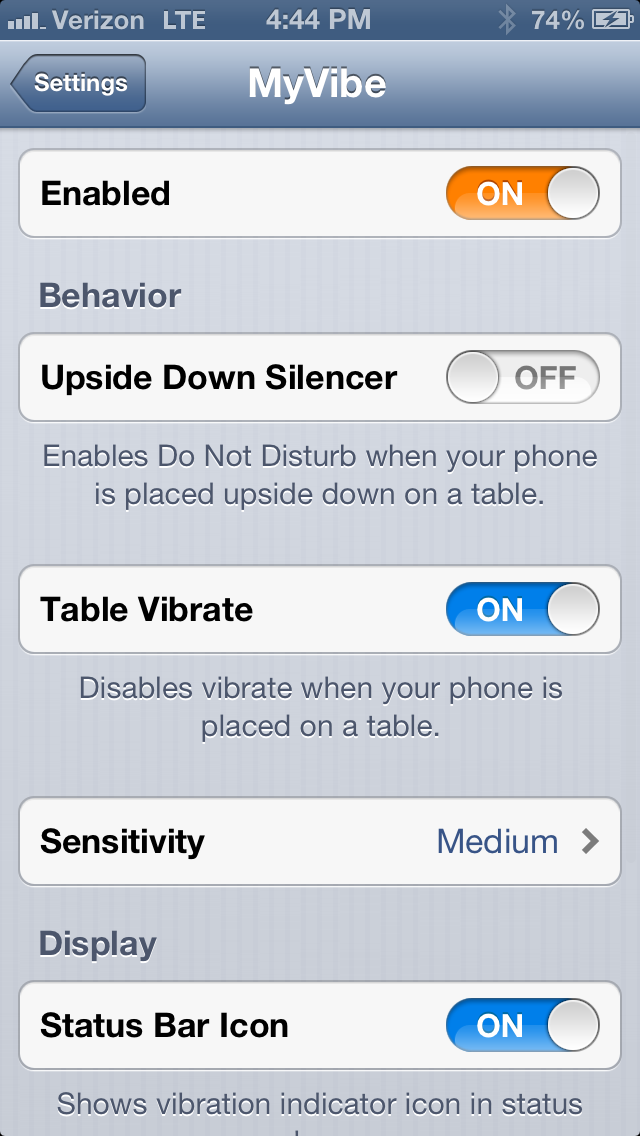
How to stop your iPhone from vibrating on tables

Don't you just hate it when you place your iPhone on a table, and notifications start going off? You get that annoying buzzing sound, which is the result of the vibration motor pulsating on the hard table surface. Wouldn't it be awesome if your iPhone knew when it was laying on a flat surface, thus disabling the vibration? Well, that's the premise behind MyVibe.

MyVibe is a relatively new jailbreak tweak that's available for $1.99 on Cydia's BigBoss repo. Once installed there are quite a few options that can be configured using the tweak's preference panel. Take a look inside for a video walkthrough showcasing how to use MyVibe, and why it may be beneficial for you.

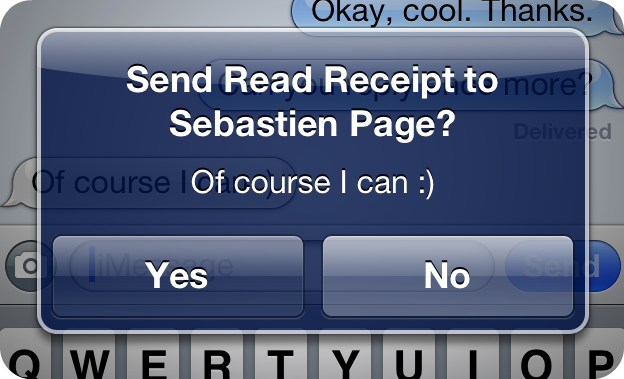
‘SelectiveReading’ allows you to select who receives iMessage read receipts

There have been some really great jailbreak tweaks released for iMessage lately. A few weeks ago, we talked about TypeStatus, which allows you to see incoming "now typing" notifications for ongoing iMessage conversations. Now, there's SelectiveReading — a jailbreak tweak that lets you selectively send read receipts to specific contacts.

I've always enjoyed the ability to send and receive read receipts between my iMessage friends. It gives both parties a peace of mind knowing that their message has been received and consumed. But I've always had a lingering beef with the feature as well. I never appreciated the fact that it was all or nothing with read receipts. That is to say, it was either enabled for everyone, or disabled for everyone, there was no middle ground.

Again, the jailbreak community has stepped in to save the day. SelectiveReading makes a feature that I've always wanted to use, but didn't because of its limitations, actually usable. Take a look inside as I divulge more details about this long awaited jailbreak tweak...

Gridlock updated for iOS 6

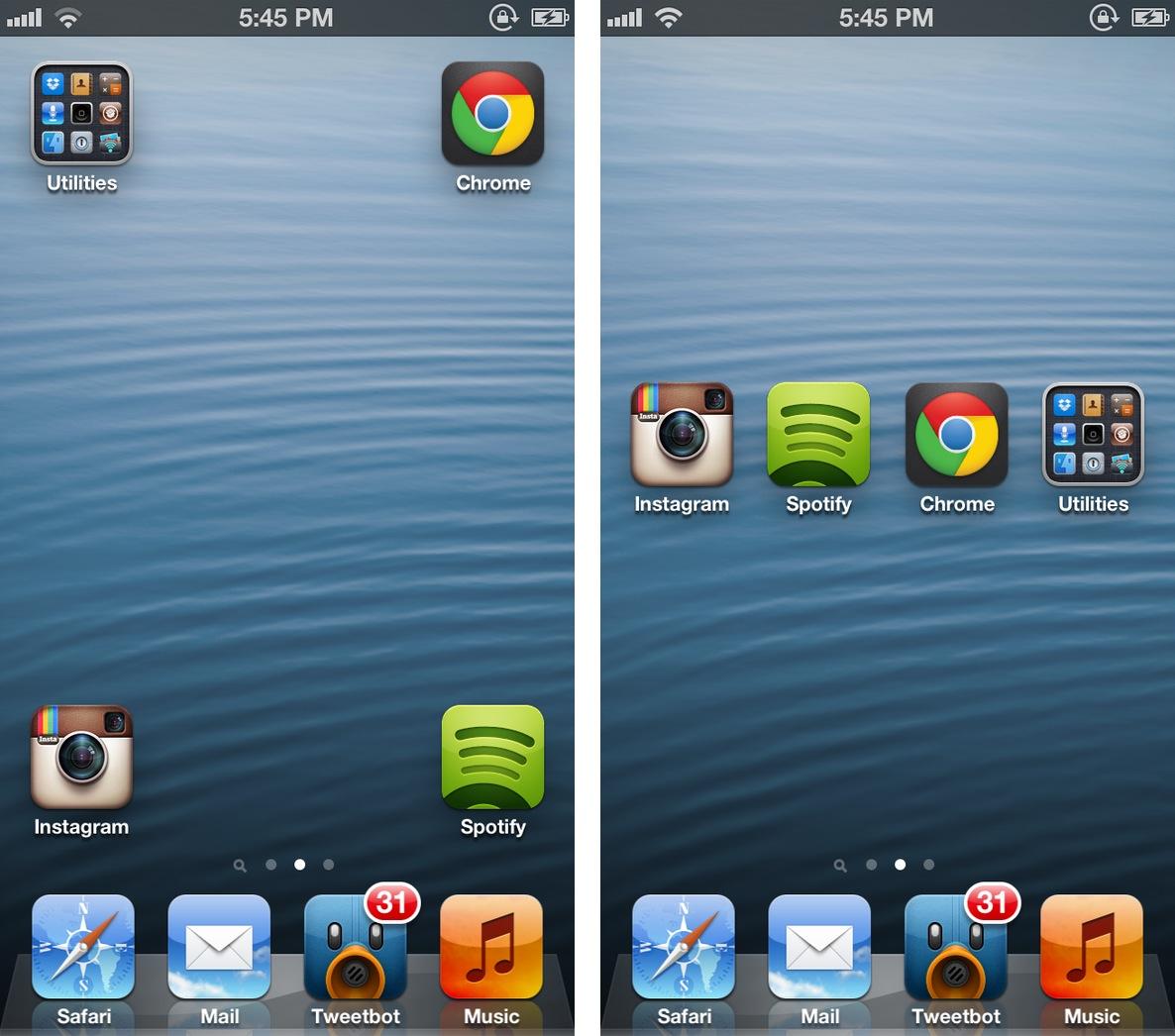
Gridlock 2.0 was released just moments ago, and it brings iOS 6.x support in tow. Gridlock is a tweak that's very popular among jailbreakers, because it gives users the ability to rearrange their app icons using a simple drag and drop action.

Normally, iOS prevents users from organizing app icons in any way but in a linear manner. With Gridlock, you can easily leave blank spaces between app icons. In my opinion, Gridlock is best served when mixed with iOS themes, and jailbreak widgets like Dashboard X. Whatever the case may be, you'll likely enjoy the sense of freedom that you get from using Gridlock.

‘ActivityAction’ lends quick access to your favorite iOS URL schemes

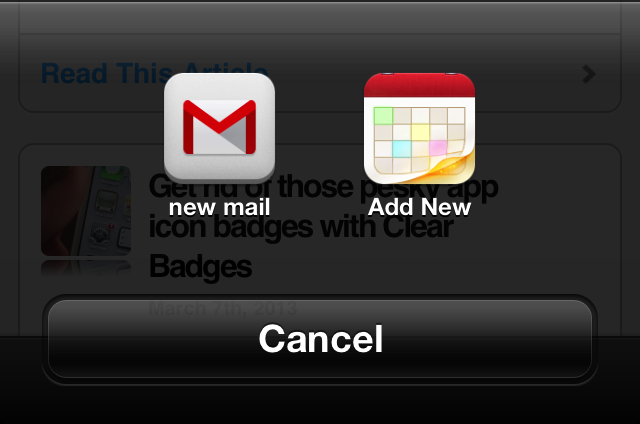
ActivityAction is a work in progress jailbreak tweak that serves as a plugin to Action Menu. Its purpose is to allow you to create custom actions for any app on your iDevice, which supports URL schemes.

A URL scheme is an essential way for iOS apps to communicate with other apps in iOS. Many apps feature URL schemes, though this isn't something generally advertised as a major feature to the public.

ActivityAction allows you to create specific actions for any app that utilizes these schemes, making it a potentially powerful plugin for Action Menu. Want to see how it all works? Take a look inside for the full video walkthrough and explanation.

Get rid of those pesky app icon badges with Clear Badges

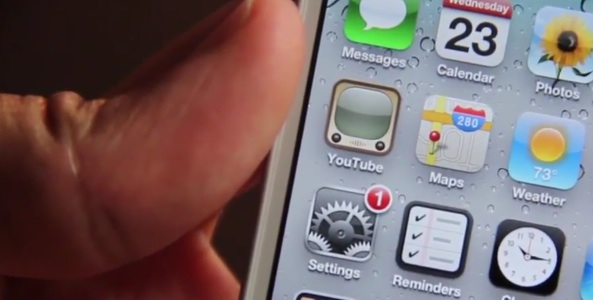
When it comes to getting rid of those little red bubbles that hover over your app icons, there's been no shortage of options in Cydia. Let's see, there was BadgeClear, BadgeRemover and No Badges, to name a few.

But unfortunately, most of these tweaks either haven't been updated for iOS 6 or cost money, making them non-options for a lot of folks. And that's where the new jailbreak package Clear Badges comes in...

Flashorama lets you use the iPhone’s LED flash during panorama mode

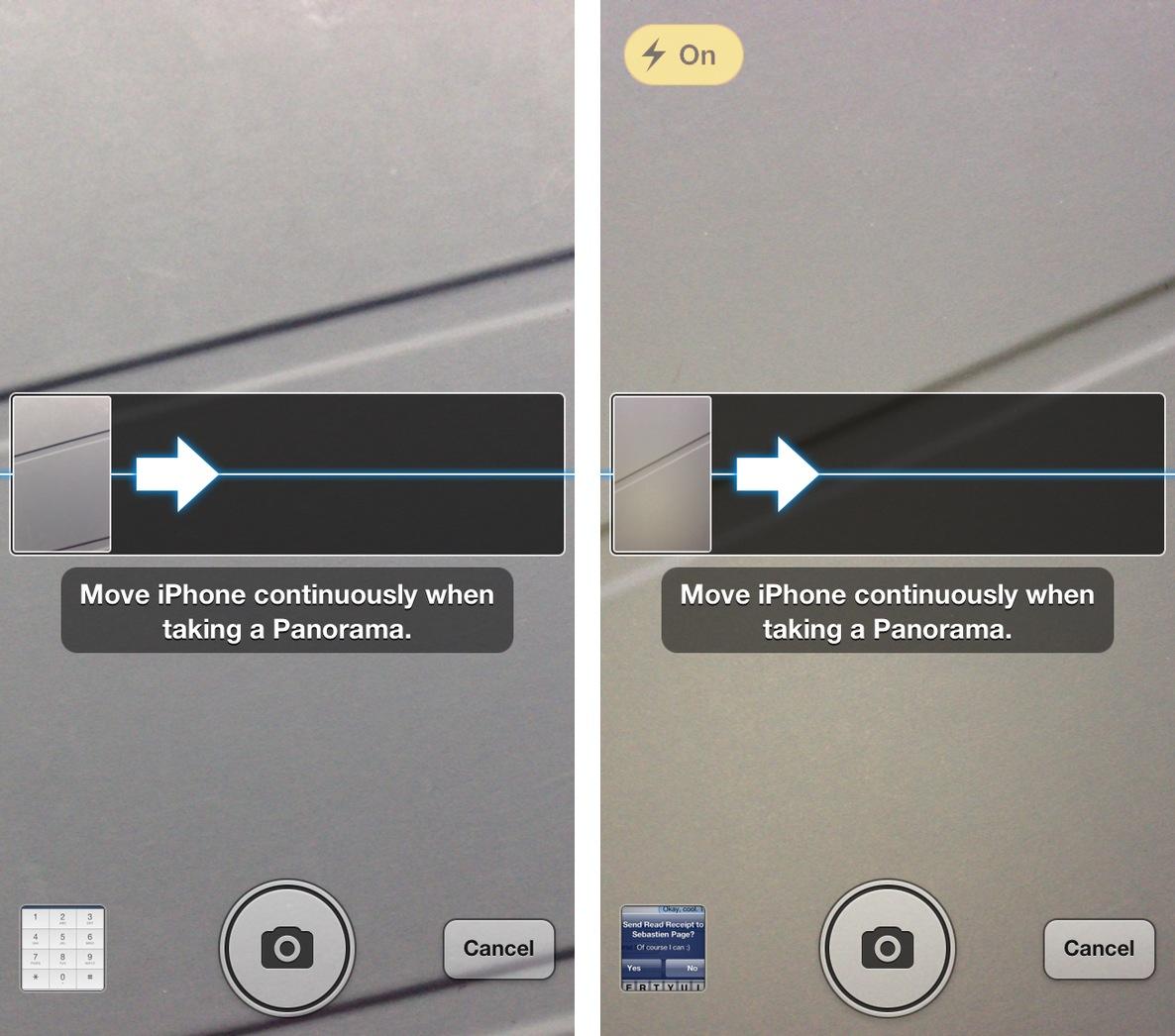
Flashorama is a new jailbreak tweak that allows you to enable the iPhone's LED flash when using panorama mode. Normally, when switching over to panorama mode, the LED flash is completely unavailable for use. This tweak "fixes" that issue.

Although in most cases you'll likely be shooting panorama pictures in well lit public areas, it's nice to have the option to enable the flash if necessary. Take a look inside for a few more details...

AnyAttach updated with support for iOS 6 and other improvements

Good news today for AnyAttach fans. The popular jailbreak tweak, which allows you to attach any file available on your iOS device to an outgoing e-mail, has been updated to support iOS 6.

Pimskeks, known for his work on the evasi0n jailbreak, released the update yesterday. And in addition to iOS 6 support, it also includes new Dropbox features and other improvements...